YakGPT

A lightweight ChatGPT interface that runs locally in your browser.

Intermediate API
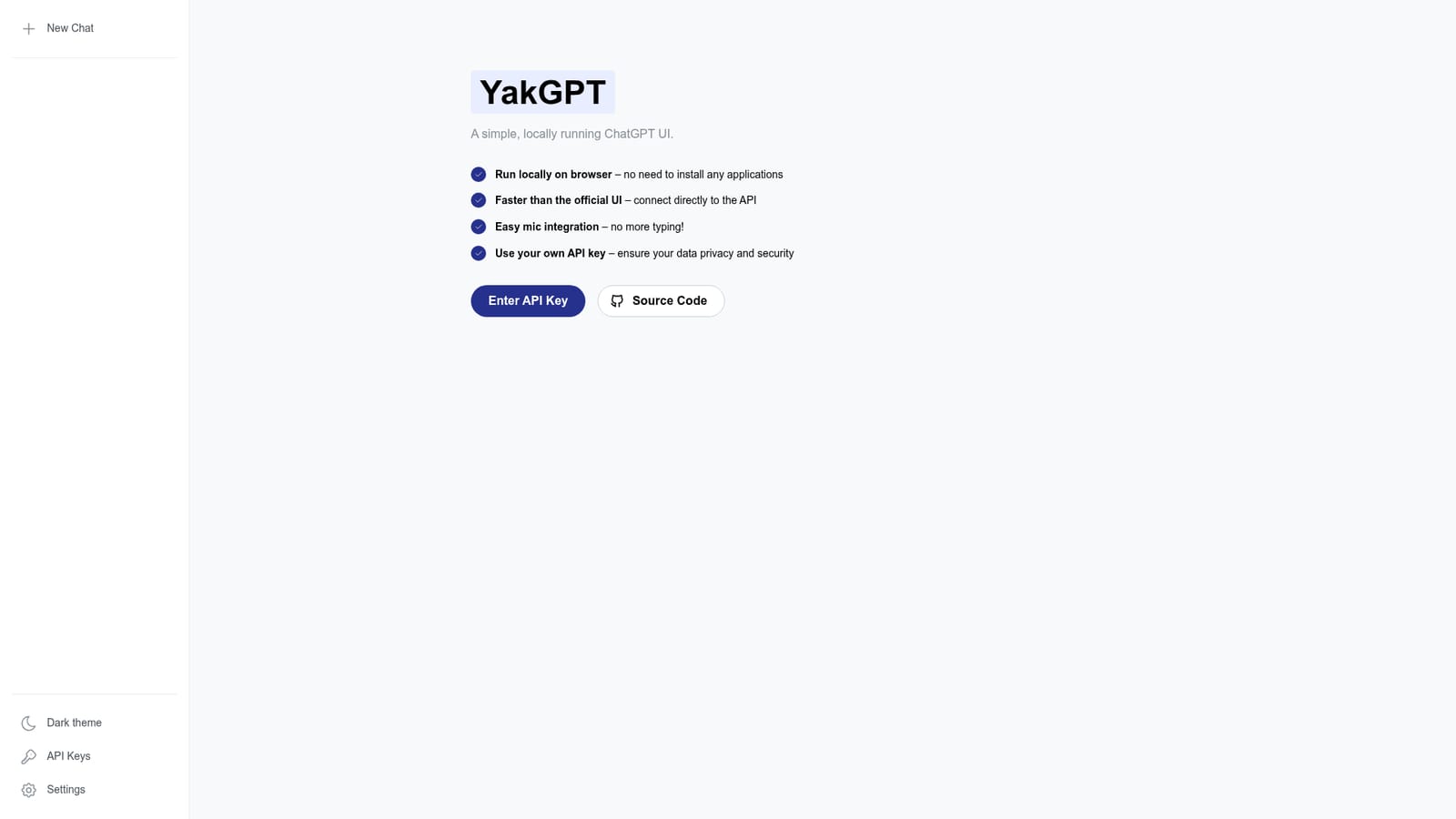
Screenshot of YakGPT, A lightweight ChatGPT interface that runs locally in your browser

What is YakGPT?

YakGPT is a simple, locally running ChatGPT UI that connects directly to the OpenAI API. It offers faster performance, microphone input, and uses your own API key for privacy. No installation required.

YakGPT is a browser-based ChatGPT interface that runs locally without requiring any installation. It is designed for users who want a faster, more private way to interact with OpenAI's models. The tool connects directly to the API, which the project claims makes it quicker than the official ChatGPT UI. It also includes easy microphone integration, allowing you to speak your prompts instead of typing them. By using your own API key, you maintain control over your data and security. The interface is minimal: you simply enter your API key and start chatting. There is no account creation or complex setup. YakGPT is a good fit for developers, power users, and anyone who prefers a lightweight, self-managed chat client. It is especially useful for those who are comfortable handling their own API credentials and want a no-frills experience that prioritises speed and privacy. In practice, YakGPT works entirely in your browser. You provide your OpenAI API key, and the tool communicates directly with the API, bypassing any intermediary servers. This direct connection can reduce latency and gives you full control over your data. The microphone feature lets you dictate messages, which can be handy for quick queries or accessibility. Because it runs locally, you can use it without installing separate software, and it works across operating systems. Compared to the official ChatGPT web app, YakGPT offers a more stripped-down experience with a focus on direct API access and voice input. It does not include advanced features like conversation history management or custom instructions, but it serves as a fast, private alternative for straightforward chat interactions. It is open source, with the code available on GitHub, so technically inclined users can inspect or modify it.

How do you use YakGPT?

  1. 1Obtain an OpenAI API key
    Sign in to your OpenAI account and generate an API key from the dashboard. This key will be used by YakGPT to connect to the API.
  2. 2Open YakGPT in your browser
    Navigate to the YakGPT website. The interface loads directly in your browser without any installation.
    YakGPT — Open YakGPT in your browser
  3. 3Enter your API key
    Paste your OpenAI API key into the provided field on the homepage. The key is stored locally in your browser and used to authenticate requests.
  4. 4Start chatting
    Type your message in the input box and press Enter. YakGPT sends your prompt to the OpenAI API and displays the response.
  5. 5Use voice input (optional)
    Click the microphone icon to dictate your message instead of typing. Grant microphone permissions if prompted.

Pros and cons

Pros

  • Runs entirely in the browser with no installation neededAI
  • Connects directly to the API for potentially faster responsesAI
  • Includes microphone integration for voice inputAI
  • Uses your own API key, giving you control over data and privacyAI
  • Open source and lightweight, with minimal setupAI

Cons

  • Requires an OpenAI API key, which means you need an account and pay per usageAI
  • Lacks advanced features like conversation history or custom instructionsAI
  • No official support or documentation beyond the GitHub repositoryAI
  • Relies on your own API key management, which can be a security concern if not handled carefullyAI

How much does YakGPT cost?

Features

YakGPT provides a simple ChatGPT interface that runs locally in your browser. Key features include direct API connection for faster responses, microphone integration for voice input, and the use of your own API key to ensure data privacy and security. No installation is required.

Frequently asked questions about YakGPT

  • Does YakGPT have an API?
    Yes, YakGPT offers an API.
  • How do you use YakGPT?
    The walkthrough on this page covers 5 steps: 1. Obtain an OpenAI API key 2. Open YakGPT in your browser 3. Enter your API key 4. Start chatting 5. Use voice input (optional).
  • What platforms does YakGPT support?
    YakGPT is available on Web App.
  • What are the limitations of YakGPT?
    Requires an OpenAI API key, which means you need an account and pay per usage. Lacks advanced features like conversation history or custom instructions. No official support or documentation beyond the GitHub repository.

Status

StatusActive
Views0
Outbound clicks0
Added10/22/2026

Platforms

Web App

Pricing

Free