Yodayo

Anime art generator, model hub and character chat in one platform

Beginner

What is Yodayo?

Yodayo is an anime-focused creative platform combining a text-to-image generator, a hub of over 105,000 models and Spells, LoRA training, video and music generation, and character roleplay chat. Built for anime fans and hobbyist creators rather than professional studios.

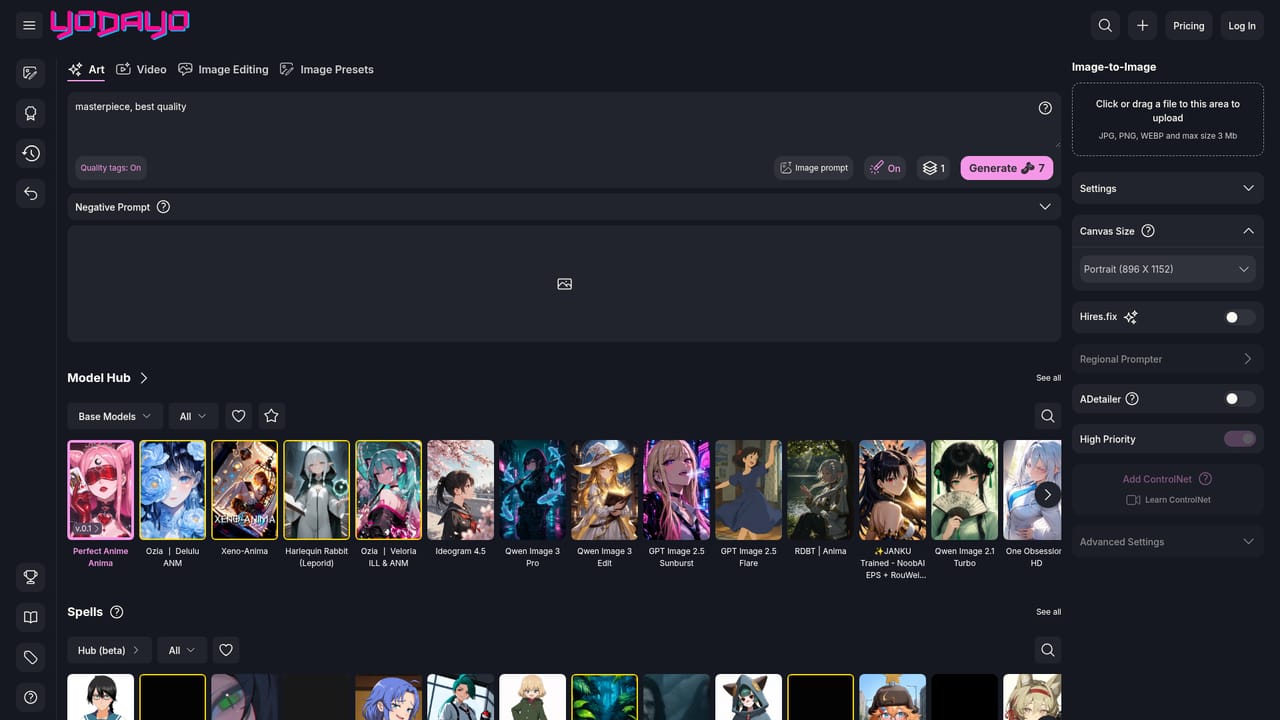
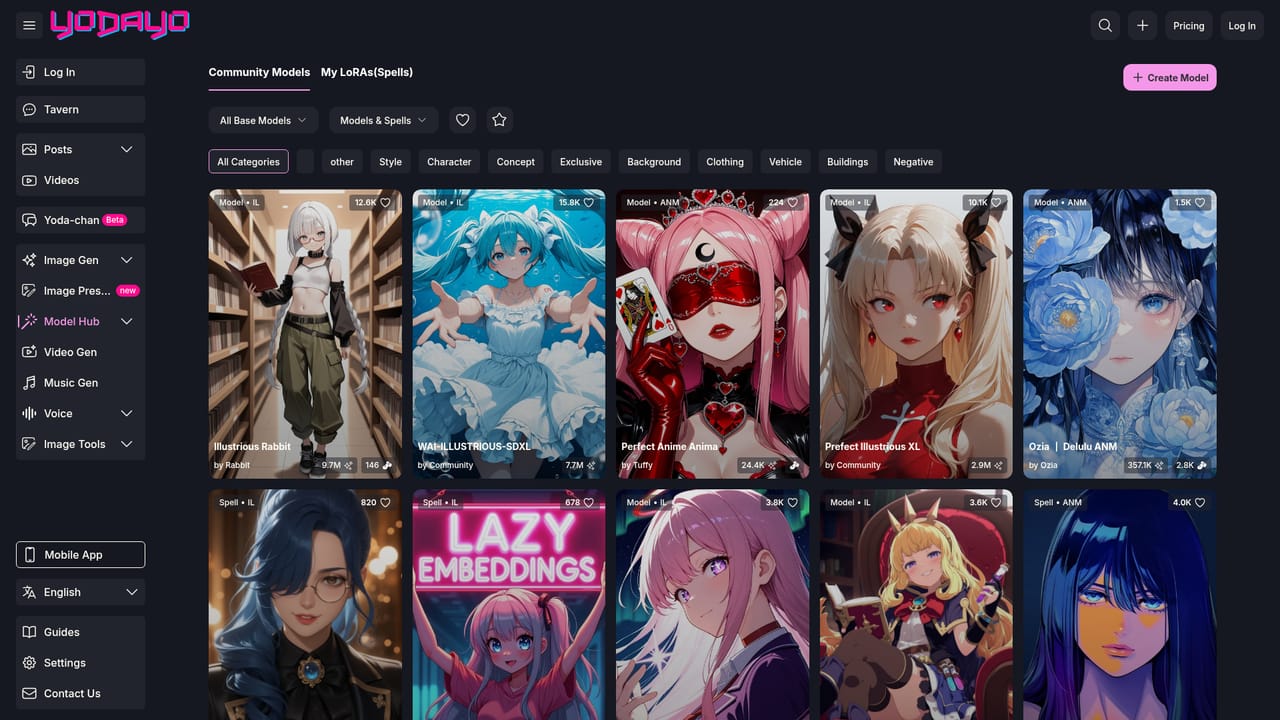
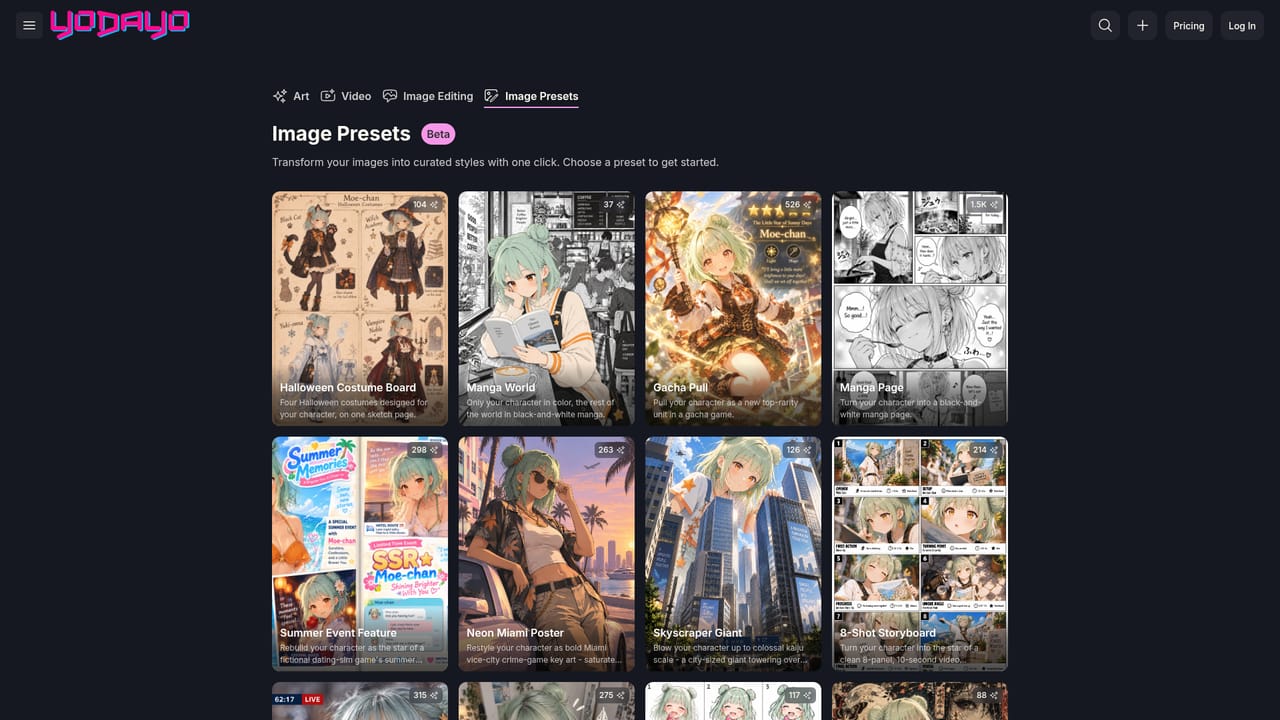
Yodayo is a creative platform built around anime fandom, and image generation sits at its centre. The text-to-image tool turns prompts into anime characters and scenes, with the site claiming fast generation and high output quality. Behind it sits a Model Hub holding more than 105,000 models and Spells, spanning families such as Stable Diffusion, Flux and Illustrious-XL, so users can switch between art styles rather than being locked to a single house model. Image presets offer template-driven starting points for people who would rather adjust a known look than write a prompt from scratch, and image editing tools handle refinement after the first render. A LoRA training flow lets a user build a reusable character or style that stays consistent across generations. The image side does not stand alone. Yodayo also bundles a video generator (the site names Minimax, Google Veo 3 and Kling among the models), a music generator that works from user-supplied lyrics, an AI voice tool, and Tavern, a roleplay chat space populated with anime characters and powered by LLMs including GLM, DeepSeek and Claude. Tavern supports character creation, lorebooks, voice cloning and images inside the conversation. A public gallery of community posts rounds out the loop: generated work can be published and browsed rather than sitting in a private folder. The audience is anime fans, hobbyist illustrators and roleplay communities rather than studios or brand design teams. Beginners can start from presets and community models, while users who care about a specific look will spend their time in the Model Hub and LoRA trainer. Compared with general-purpose image generators, Yodayo trades breadth of subject matter for depth in one aesthetic and adds chat, audio and video around it. Content rules and a refund policy are published on the site, which matters given the platform's permissive creative scope. The mobile app is distributed as an Android APK from the homepage.

How do you use Yodayo?

  1. 1Open the image generator and write a prompt
    Go to the text-to-image page, describe the character or scene you want, and generate a first result. Start simple and refine wording before touching settings.
  2. 2Pick a model or Spell from the Model Hub
    Browse the Model Hub to find anime models, checkpoints and Spells that match your target style, then apply one to your generation.
  3. 3Try presets for a faster starting point
    Image presets apply a prebuilt look to your prompt, which suits users who want a reliable result without hand-tuning model and sampler choices.
  4. 4Train a LoRA for a consistent character
    Use the LoRA training page to build a reusable character or style so future images keep the same face and design across scenes.
  5. 5Publish to the gallery
    Post finished images to the community gallery, where other users can browse, collect and respond to your work.
  6. 6Review pricing and content rules
    Check the YoBeans packages page for paid capacity and the content policy for what can be generated and published before scaling up usage.

Pros and cons

Pros

  • Large model library with over 105,000 models and Spells, including Stable Diffusion, Flux and Illustrious-XL familiesAI
  • LoRA training lets users lock in a consistent character or style instead of re-prompting every timeAI
  • Presets and community models lower the barrier for users who do not want to craft prompts manuallyAI
  • Image, video, music and voice generation plus roleplay chat sit in one account and one galleryAI
  • Public gallery makes it easy to see what other users are producing and which models drive those resultsAI

Cons

  • Anime is the whole focus, so users needing photorealism, product shots or corporate visuals will be poorly servedAI
  • The homepage gives no clear usage limits or credit costs, and paid capacity runs through YoBeans packages whose value is only clear on the buy pageAI
  • The Android app is offered as a direct APK download rather than a store listing, which raises update and trust questions for some usersAI
  • Breadth comes at a cost: chat, video, music and voice features are secondary to image generation and compete for attention in a busy interfaceAI
  • Content policy and moderation rules matter more here than on a general image tool, and creators should read them before publishing workAI

How much does Yodayo cost?

Pricing

The site sells YoBeans packages through a Support Us page, with a pricing link and FAQ in the footer. Exact package sizes, credit costs per generation and any subscription terms are not stated on the homepage, so check the buy page before committing.

Learn more

Support

Community contact is available by email at community@yodayo.com, with a Subreddit and a separate how-to guide and video tutorials linked from the homepage. No live chat or ticketing system is described.

Learn more

Features

Text-to-image generation for anime art, a Model Hub with over 105,000 models and Spells, image presets and editing tools, LoRA training for consistent characters, text-to-video with models such as Minimax, Veo 3 and Kling, music generation from lyrics, AI voice generation, and Tavern roleplay chat with character creation, lorebooks, voice cloning and images in chat.

Frequently asked questions about Yodayo

  • How much does Yodayo cost?
    The site sells YoBeans packages through a Support Us page, with a pricing link and FAQ in the footer. Exact package sizes, credit costs per generation and any subscription terms are not stated on the homepage, so check the buy page before committing.
  • How do you use Yodayo?
    The walkthrough on this page covers 6 steps: 1. Open the image generator and write a prompt 2. Pick a model or Spell from the Model Hub 3. Try presets for a faster starting point 4. Train a LoRA for a consistent character 5. Publish to the gallery 6. Review pricing and content rules.
  • What platforms does Yodayo support?
    Yodayo is available on Web App and Android.
  • What are the limitations of Yodayo?
    Anime is the whole focus, so users needing photorealism, product shots or corporate visuals will be poorly served. The homepage gives no clear usage limits or credit costs, and paid capacity runs through YoBeans packages whose value is only clear on the buy page. The Android app is offered as a direct APK download rather than a store listing, which raises update and trust questions for some users.

Status

StatusActive
Views0
Outbound clicks0
Added10/21/2026

Platforms

Web AppAndroid

Pricing

FreemiumPaid