Yuna AI

An AI well-being coach that routes employees to real therapists and existing benefits.

Beginner
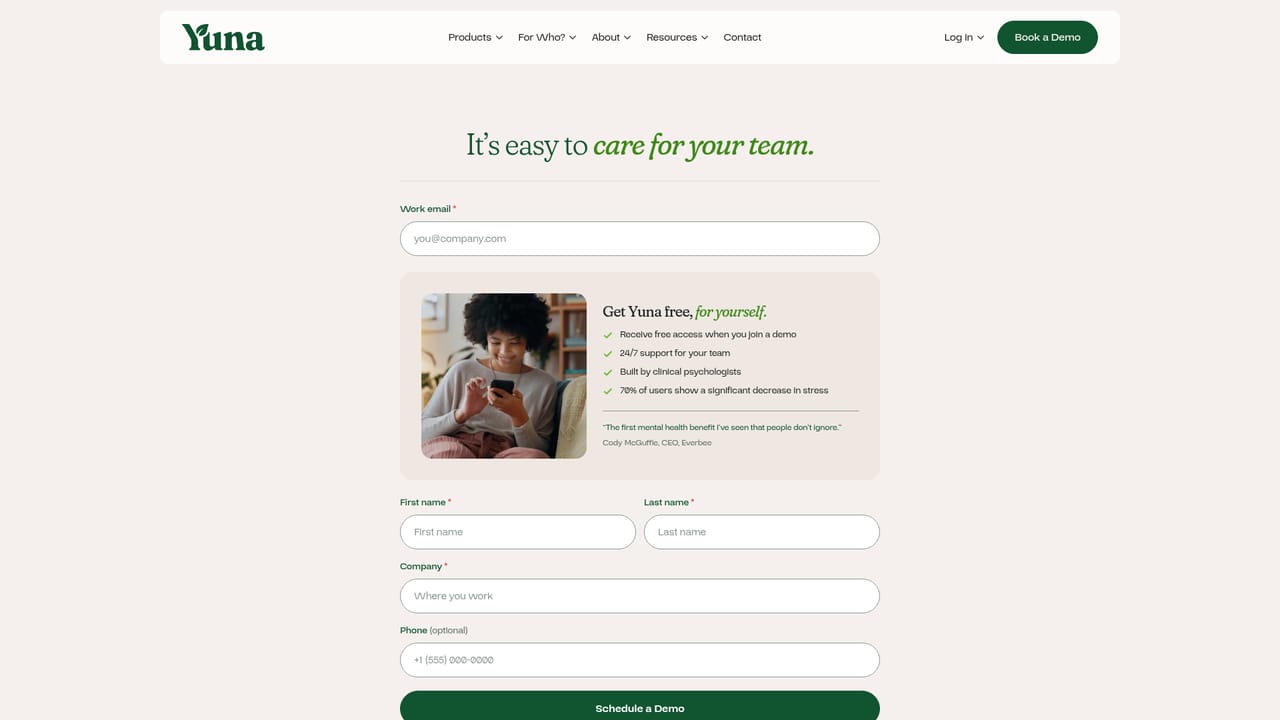
Screenshot of Yuna AI, An AI well-being coach that routes employees to real therapists and existing benefits

What is Yuna AI?

Yuna AI is a 24/7 mental health coach app for employees, combining voice and text sessions with therapist matching, guided meditations and journaling. Employers and benefit brokers use it as a lower cost alternative to a traditional EAP, with routing to existing benefits and crisis resources.

Yuna AI is a mental health and well-being companion delivered through a mobile app, offering voice and text conversations at any hour. Rather than positioning itself as a stand-in for clinical care, the product is built for everyday stress, mood and resilience work, with a clear path toward licensed therapists when a conversation calls for more than coaching. The homepage frames it as a modern alternative to the traditional employee assistance program, sold to employers, benefit brokers, PEOs and TPAs rather than to individuals. In practice, a user opens the app and either types or holds to talk. Sessions are conversational and short, and Yuna keeps continuity across them, referencing earlier topics and nudging toward small habits. When a session signals a larger need, the app routes the person onward: to a matched therapist from a network described as spanning 50 states, to a benefit the employer already funds such as an EAP or financial coaching, or to crisis resources including 988. Yuna also bundles guided meditations with adjustable length and focus, and a daily journal prompt for noticing patterns. The employer side is where the product differentiates. The homepage emphasizes utilization data, showing that roughly 70 percent of sessions happen after hours and that most moments resolve inside the app, with a minority referred out. A published study of 5,549 users across 19,079 sessions reports that 7 in 10 saw lower stress after one conversation. Named customers include Space Center Houston, YMCA of the North Shore and Amazon DSP, and the pitch leans on privacy as the reason skeptical frontline staff engage. Yuna competes with conventional EAPs and with consumer wellness apps, positioning itself as a lower cost layer that sits alongside insurance-based therapy rather than replacing it. Buyers evaluating it should note that the homepage speaks almost entirely to organizations, not to individuals shopping for a personal coach.

How do you use Yuna AI?

  1. 1Book a demo with the Yuna team
    Start on the homepage and use the Book a Demo button. This is the documented entry point for employers, brokers and PEOs evaluating the product.
    Yuna AI — Book a demo with the Yuna team
  2. 2Map Yuna against your current benefits
    Bring your EAP and insurance-based therapy details to the conversation. Yuna is designed to sit alongside those benefits and route employees toward them.
  3. 3Review the routing and utilization model
    Ask how sessions get resolved in app versus referred to a therapist or crisis line, and what the employer reporting shows over a 30 day window.
  4. 4Roll out to employees and set privacy expectations
    Once live, employees open the app and talk by voice or text. Privacy framing matters most for frontline and shift staff, so brief managers on what is and is not shared.
  5. 5Follow adoption after hours
    Track utilization against the after hours share of sessions. The homepage reports about 70 percent of sessions fall outside standard working hours.

Pros and cons

Pros

  • Sessions are available around the clock by voice or text, with no waitlist or scheduling step according to the homepage.AI
  • Clear escalation paths: therapist matching, existing employer benefits, and a crisis protocol with 988 routing.AI
  • Employer dashboard angle is concrete, with utilization figures and a routing ledger broken out by outcome.AI
  • Published outcome data (7 in 10 report lower stress after one session) gives buyers something to scrutinize.AI
  • Works alongside an EAP and insurance network instead of requiring the organization to replace them.AI

Cons

  • Pricing is not published anywhere on the homepage; cost only comes up through a demo request.AI
  • No individual sign up path is described, so people without an employer sponsor have no stated way in.AI
  • The evidence cited is a single self-reported study; independent clinical validation is not referenced.AI
  • Depth beyond the homepage (security posture, data handling, integrations) is not documented on the pages provided.AI

How much does Yuna AI cost?

Features

Five stated building blocks: an AI mental health coach for check-ins and habit building, a therapist network with matching and in-app appointment booking, benefit routing to employer-funded resources, short guided meditations for stress, sleep and focus, and daily journaling prompts. Voice and text sessions run 24/7, with crisis routing to 988.

Frequently asked questions about Yuna AI

  • How do you use Yuna AI?
    The walkthrough on this page covers 5 steps: 1. Book a demo with the Yuna team 2. Map Yuna against your current benefits 3. Review the routing and utilization model 4. Roll out to employees and set privacy expectations 5. Follow adoption after hours.
  • What platforms does Yuna AI support?
    Yuna AI is available on Web App, iOS and Android.
  • What are the limitations of Yuna AI?
    Pricing is not published anywhere on the homepage; cost only comes up through a demo request. No individual sign up path is described, so people without an employer sponsor have no stated way in. The evidence cited is a single self-reported study; independent clinical validation is not referenced.

Status

StatusActive
Views0
Outbound clicks0
Added10/21/2026

Platforms

Web AppiOSAndroid

Pricing

Paid