

Zoom AI Companion

AI teammate that turns Zoom conversations into finished deliverables

Beginner
Screenshot of Zoom AI Companion, AI teammate that turns Zoom conversations into finished deliverables

What is Zoom AI Companion?

Zoom AI Companion is a note maker tool. ZoomMate (Zoom AI Companion) is Zoom's AI teammate for meetings and follow-on work. It takes notes, searches across Zoom and connected apps, builds agents and workflows, and generates documents, decks and follow-ups.

Zoom AI Companion, now branded ZoomMate, is an AI assistant layered into the Zoom Workplace platform. It captures what is said in meetings, applies that context to follow-on tasks, and produces the documents, decks, updates and messages that normally follow a conversation. The product positions itself less as a transcript tool and more as a teammate that reads your notes, searches across connected apps, and executes work on your behalf. In practice the workflow runs before, during and after a meeting. ZoomMate can draft an agenda and pull prep material from earlier interactions, while My Notes records the discussion on Zoom, in person, on mobile or on third-party meeting platforms. Once the call ends, the assistant takes over chores: updating Salesforce, writing follow-up emails, drafting a status deck or assembling a project brief. Separate modules extend beyond meetings, including a work surface for generating documents and spreadsheets, an agent builder for custom assistants and pre-built agents aimed at sales, IT, marketing and finance, workflow templates with triggers, agentic search across the web and connected data, and a productivity suite of Slides, Sheets, Paper and Canvas. The audience is knowledge workers who spend their day in meetings and then lose hours to documenting them. Teams already inside Zoom Workplace get the most value, since meeting notes, summaries, chats and documents are wired in automatically. Buyers evaluating standalone AI notetakers or AI workspaces should compare on breadth: ZoomMate bundles note-taking, search, agents and document creation into one paid seat, but its depth on any single job may lag behind a dedicated tool. Pricing runs on two tiers. ZoomMate Basic is free with limited allowances, and the paid ZoomMate plan is $16.67 per user per month billed annually or $20 billed monthly, each including 2,200 AI credits per month. Consumption is metered by credits, so heavier agent and workflow use converts into a cost management question as much as a feature question.

How do you use Zoom AI Companion?

  1. 1Review the plans and allowances
    Read the pricing table to compare ZoomMate Basic with the paid plan. Note the AI credit allowance, meeting limits and which agent and workflow features sit behind the paid tier.
    Zoom AI Companion — Review the plans and allowances
  2. 2Open ZoomMate on the web and connect your account
    Go to zoommate.com and sign in with your Zoom account. Meeting notes, summaries, documents and email connect automatically once you are logged in.
  3. 3Try My Notes in a live conversation
    Use My Notes to capture a meeting on Zoom, in person or on a third-party platform. Check the captured notes afterward to see how context carries into later tasks.
    Zoom AI Companion — Try My Notes in a live conversation
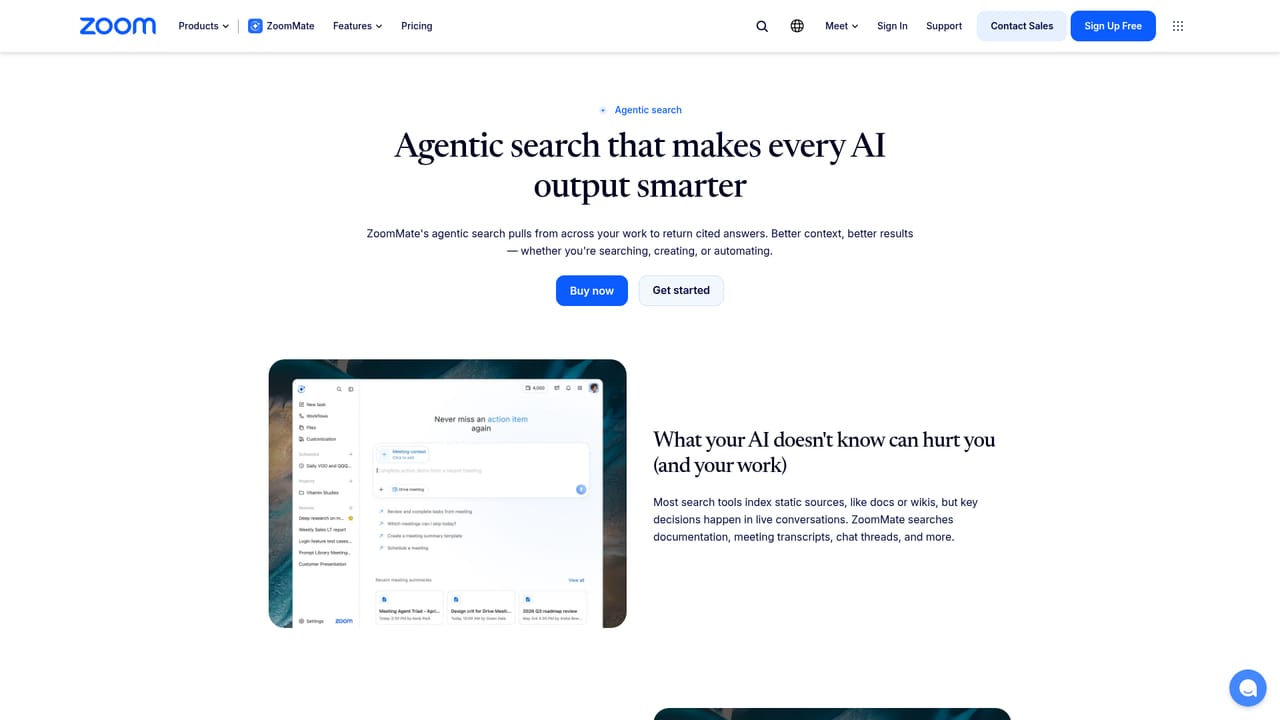
  4. 4Ask agentic search a real question
    Query across the web, Zoom sources and connected apps, or ask something like which incidents need attention. Answers arrive with citations and respect existing permissions.
    Zoom AI Companion — Ask agentic search a real question
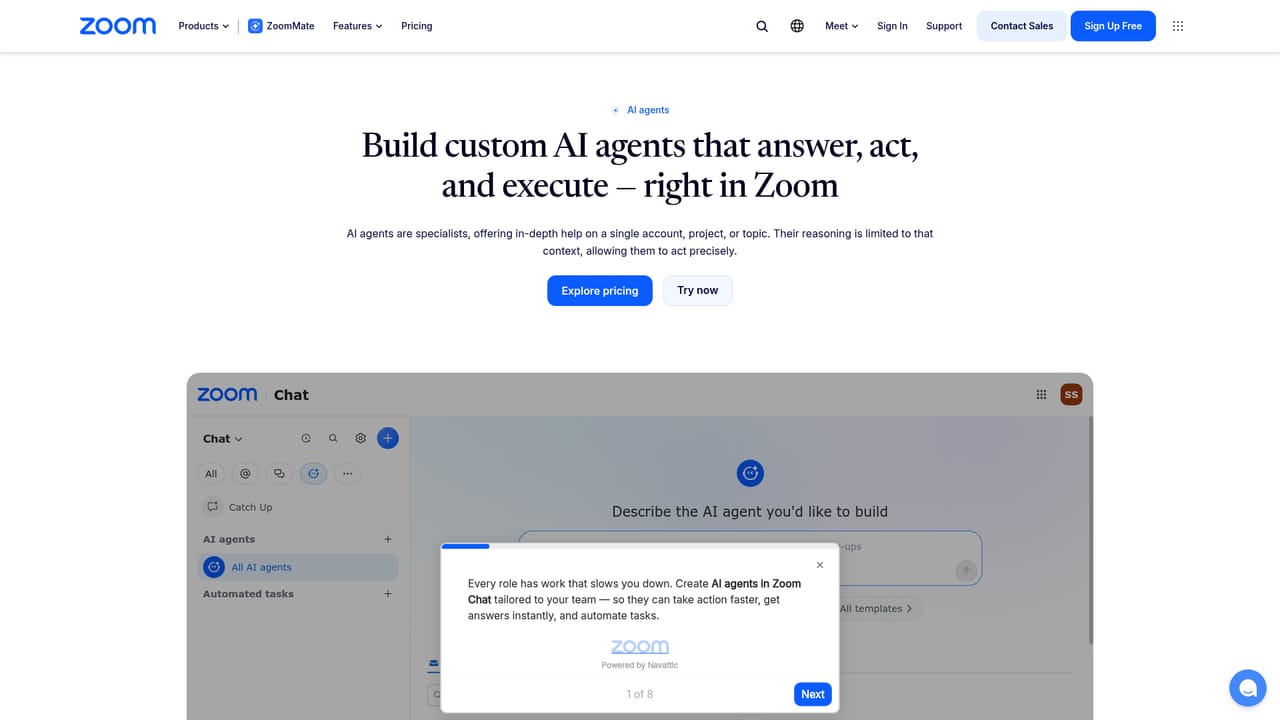
  5. 5Deploy an agent or a workflow
    Start from a pre-built agent for sales, IT, marketing or finance, or build one against your knowledge bank. Then set up a workflow with triggers to run routine tasks automatically.
    Zoom AI Companion — Deploy an agent or a workflow
  6. 6Turn a meeting into a deliverable
    Ask ZoomMate to draft a follow-up email, status deck or document from the meeting notes. Review the output and check that it reflects the decisions actually made.

Pros and cons

Pros

  • Meetings, notes, chat and documents are already connected, so setup effort is low for existing Zoom Workplace customersAI
  • Covers the full arc of a meeting: prep, live notes, then deliverables such as follow-ups, decks and CRM updatesAI
  • Agent builder, workflow templates and agentic search push it past simple transcription into task executionAI
  • Pre-built agents for sales, IT, marketing and finance give teams a starting point instead of a blank builderAI
  • A free Basic tier with defined monthly allowances lets a team test the value before committing to seatsAI

Cons

  • Usage is metered in AI credits, so heavy agent and workflow use can exhaust the 2,200 monthly allowance and complicate budgetingAI
  • Most of the value depends on living inside Zoom Workplace; teams on other meeting stacks see a narrower productAI
  • Credit allowances and feature limits differ sharply between the free and paid tiers, which takes reading to understandAI
  • The breadth of modules (agents, workflows, search, productivity suite) means depth per feature is likely to trail focused single-purpose toolsAI
  • Pricing is per user, so the cost scales steeply for larger organizations that want access for everyoneAI

How much does Zoom AI Companion cost?

Pricing

ZoomMate Basic is free with limited allowances: summaries and in-meeting questions for 3 hosted meetings per month, My Notes for 3 uses, 20 AI queries, 10 workflow runs and 3 Canvas docs. The paid ZoomMate plan is $16.67 per user per month billed annually or $20 billed monthly, with 2,200 AI credits per month and unlimited AI note-taking.

Learn more

Support

Support is handled through the Zoom help centre, which hosts articles on getting started with ZoomMate, using My Notes and managing Zoom AI credits across a team.

Integrations

ZoomMate searches and acts across connected third-party sources, with Salesforce, ServiceNow, Google Drive, email and documents named on the product page. The agent builder supports third-party app connections, and workflows can reach both Zoom and external applications.

Learn more

Features

Core capabilities include an AI work surface that drafts documents, spreadsheets and slide decks from meeting context, an agent builder with pre-built agents for sales, IT, marketing and finance, workflows with templates and triggers, agentic search across the web and connected apps, My Notes capture on Zoom and third-party platforms, and the AI Productivity Suite (Slides, Sheets, Paper, Canvas). The paid tier adds live voice translation for meetings.

Learn more

Frequently asked questions about Zoom AI Companion

  • How much does Zoom AI Companion cost?
    ZoomMate Basic is free with limited allowances: summaries and in-meeting questions for 3 hosted meetings per month, My Notes for 3 uses, 20 AI queries, 10 workflow runs and 3 Canvas docs. The paid ZoomMate plan is $16.67 per user per month billed annually or $20 billed monthly, with 2,200 AI credits per month and unlimited AI note-taking.
  • How do you use Zoom AI Companion?
    The walkthrough on this page covers 6 steps: 1. Review the plans and allowances 2. Open ZoomMate on the web and connect your account 3. Try My Notes in a live conversation 4. Ask agentic search a real question 5. Deploy an agent or a workflow 6. Turn a meeting into a deliverable.
  • What platforms does Zoom AI Companion support?
    Zoom AI Companion is available on Web App, iOS, Android, MacOS and Windows.
  • What does Zoom AI Companion integrate with?
    ZoomMate searches and acts across connected third-party sources, with Salesforce, ServiceNow, Google Drive, email and documents named on the product page. The agent builder supports third-party app connections, and workflows can reach both Zoom and external applications.
  • What are the limitations of Zoom AI Companion?
    Usage is metered in AI credits, so heavy agent and workflow use can exhaust the 2,200 monthly allowance and complicate budgeting. Most of the value depends on living inside Zoom Workplace; teams on other meeting stacks see a narrower product. Credit allowances and feature limits differ sharply between the free and paid tiers, which takes reading to understand.

Status

StatusActive
Views0
Outbound clicks0
Added10/21/2026

Platforms

Web AppiOSAndroidMacOSWindows

Pricing

FreemiumSubscription