Adoption Layer

AI guidance that reads the live screen inside business software

Beginner
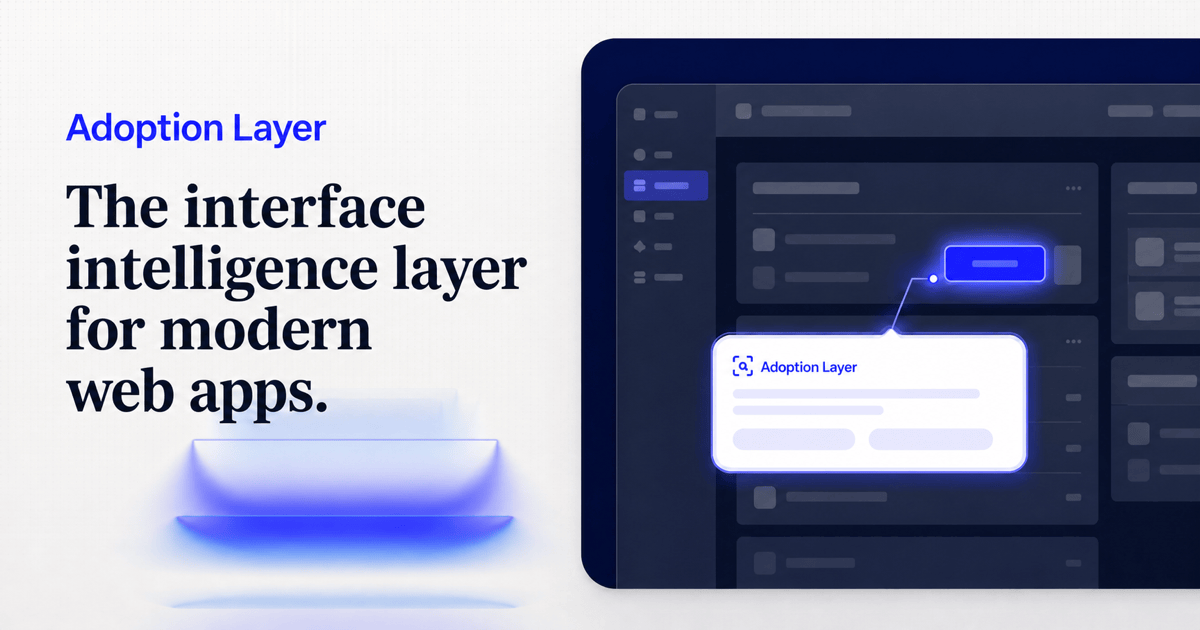
Screenshot of Adoption Layer, AI guidance that reads the live screen inside business software

What is Adoption Layer?

Adoption Layer is an AI screen analyzer tool. An AI layer that reads the live screen of business and internal software and shows employees the next step, deployed by browser extension on third-party apps or one script tag on tools you own.

Adoption Layer is an AI guidance overlay for enterprise software. It reads the live screen of whatever application an employee is working in and surfaces the next step in context, highlighting the field or button to use while the person keeps control of the keyboard and mouse. The product is aimed at the gap between buying software and actually using it: new hires ramping slowly, Tier-1 support volume eaten up by navigation questions, and workflows that drift into spreadsheets because nobody can find the export button. Deployment works two ways. On third-party platforms (Salesforce, SAP, HubSpot, Workday, ServiceNow, Jira, Notion, Slack, Zendesk, Stripe and many others) the tool runs as a browser extension. On internal applications the customer owns, a single script tag adds the same guidance layer. Employees describe the task they need to finish in plain language, and the assistant resolves that intent against the interface currently on screen rather than against a pre-recorded tour. Because guidance is generated from the live DOM, menus and fields that move in an update do not require every path to be rebuilt. The practical loop is guidance, then escalation, then insight. When a user stays stuck, the question, page and attempted steps are packaged and handed to internal support, with connections to tools such as Crisp, Intercom and Chatwoot. Hints handle smaller moments of hesitation, and insights show where people actually get blocked. It fits companies running large SaaS stacks or homegrown internal tools where traditional walkthrough popups get dismissed and onboarding documentation goes stale. Alternatives tend to sit at two extremes: rigid recorded tours that break on interface changes, or autonomous agents that click on the user's behalf. Adoption Layer deliberately stays on the guided side, keeping the human in the confirmation loop. The homepage does not publish pricing, so buyers should plan on a demo conversation to scope seats and deployment.

How do you use Adoption Layer?

  1. 1Try the interactive sales CRM demo
    The homepage hosts a guided workflow inside a sample CRM so you can see how the next step is surfaced before booking anything.
  2. 2Book a tailored demo
    A demo session scopes which applications you want covered, whether they sit in the browser extension route or the script tag route.
  3. 3Create your account and sign in
    Access to the workspace is through the standard login page once an account has been set up with the team.
  4. 4Roll out the browser extension
    Distribute the extension to the employees who work in third-party software, then confirm it loads on the specific platforms in your stack.
  5. 5Add the script tag to internal tools
    For applications you own, place one script tag on the page so the same guidance layer can read the screen and respond to task requests.
  6. 6Review insights and escalation flow
    After a few weeks, look at where users stalled and check that unresolved cases arrive in your support tool with context attached.

Pros and cons

Pros

  • Guidance is generated from the live interface, so it does not need to be recorded or rebuilt after every UI updateAI
  • Works on both third-party SaaS through a browser extension and internal apps through a single script tagAI
  • Employees keep control: the assistant highlights the next action, the person still clicks and confirmsAI
  • Escalation bundles the question, page and attempted steps so support does not have to reconstruct contextAI
  • Covers a broad stack, with named support for Salesforce, SAP, Workday, ServiceNow, Jira, HubSpot and othersAI

Cons

  • No published pricing, so cost has to be established through a sales demo rather than self-serve evaluationAI
  • Guidance depends on the browser extension being installed and permitted across the SaaS tools a team usesAI
  • The distinction between hints, guidance and escalation is only sketched on the homepage; depth per feature needs a demoAI
  • No public transparency on how screen data is processed or stored, which matters for regulated internal toolsAI

How much does Adoption Layer cost?

Integrations

Runs as a browser extension across third-party software (including Salesforce, SAP, HubSpot, Workday, ServiceNow, Jira, Notion, Zendesk, Slack and Stripe) and via one script tag on internal apps; escalation connects with Crisp, Intercom and Chatwoot.

Learn more

Features

Interactive guidance walks employees through live business workflows in the app itself; smart escalation forwards unresolved cases to internal support with the question, page and attempted steps attached, connecting with tools such as Crisp, Intercom and Chatwoot; hints address smaller moments of hesitation; insights show where users get blocked so onboarding and docs can be fixed.

Learn more

Frequently asked questions about Adoption Layer

  • How do you use Adoption Layer?
    The walkthrough on this page covers 6 steps: 1. Try the interactive sales CRM demo 2. Book a tailored demo 3. Create your account and sign in 4. Roll out the browser extension 5. Add the script tag to internal tools 6. Review insights and escalation flow.
  • What platforms does Adoption Layer support?
    Adoption Layer is available on Web App and Browser extension.
  • What does Adoption Layer integrate with?
    Runs as a browser extension across third-party software (including Salesforce, SAP, HubSpot, Workday, ServiceNow, Jira, Notion, Zendesk, Slack and Stripe) and via one script tag on internal apps; escalation connects with Crisp, Intercom and Chatwoot.
  • What are the limitations of Adoption Layer?
    No published pricing, so cost has to be established through a sales demo rather than self-serve evaluation. Guidance depends on the browser extension being installed and permitted across the SaaS tools a team uses. The distinction between hints, guidance and escalation is only sketched on the homepage; depth per feature needs a demo.

Status

StatusActive
Views0
Outbound clicks0
Added10/21/2026

Platforms

Web AppBrowser extension

Pricing

Paid