AI Book Writer

Desktop app that turns a prompt into a full book and cover.

Beginner
Screenshot of AI Book Writer, Desktop app that turns a prompt into a full book and cover

What is AI Book Writer?

AI Book Writer is an AI book generator tool. Desktop book generation app for Windows and macOS that builds a five-act structure and full manuscript from a short configuration, then adds an AI cover. Supports GPT-5 and other cloud models plus local Ollama runtimes, exports to DOCX.

AI Book Writer is a desktop application for Windows and macOS that generates complete manuscripts, from concept and structure through finished chapters, and pairs them with an AI-designed cover. The workflow is staged rather than a single prompt: you configure genre, narrative perspective, chapter count and target word length, then let the tool build a five-act story structure with character arcs before the writing begins. A full book or textbook is produced in roughly 10 to 30 minutes, according to the developer, and the manuscript can be reviewed and adjusted before export. The software is model-agnostic by design. Cloud options include OpenAI's GPT-5 series, Claude, Gemini, OpenRouter, Groq and DeepSeek, while local runtimes such as Ollama and LM Studio are supported for users who prefer to keep generation on their own machine or avoid per-token costs. Covers are generated from a prompt derived from the book's content, with DALL-E 3 and Ideogram 3.0 named among the image models. Export is to DOCX, with configurable fonts, layouts and academic formatting for educational projects. It is aimed at indie authors, self-publishers and content creators who want a structured first draft quickly, plus educators building textbooks with chapters and learning objectives. The staged structure and genre templates make it more of a production pipeline than a chat-based writing assistant: compare it with general tools like ChatGPT or Sudowrite if you want line-by-line collaboration, and with other book generators if your priority is control over plot architecture and local model support. Note that the app ships without bundled API credentials for cloud models, so the effective cost depends on which providers you connect.

How do you use AI Book Writer?

  1. 1Install the desktop app
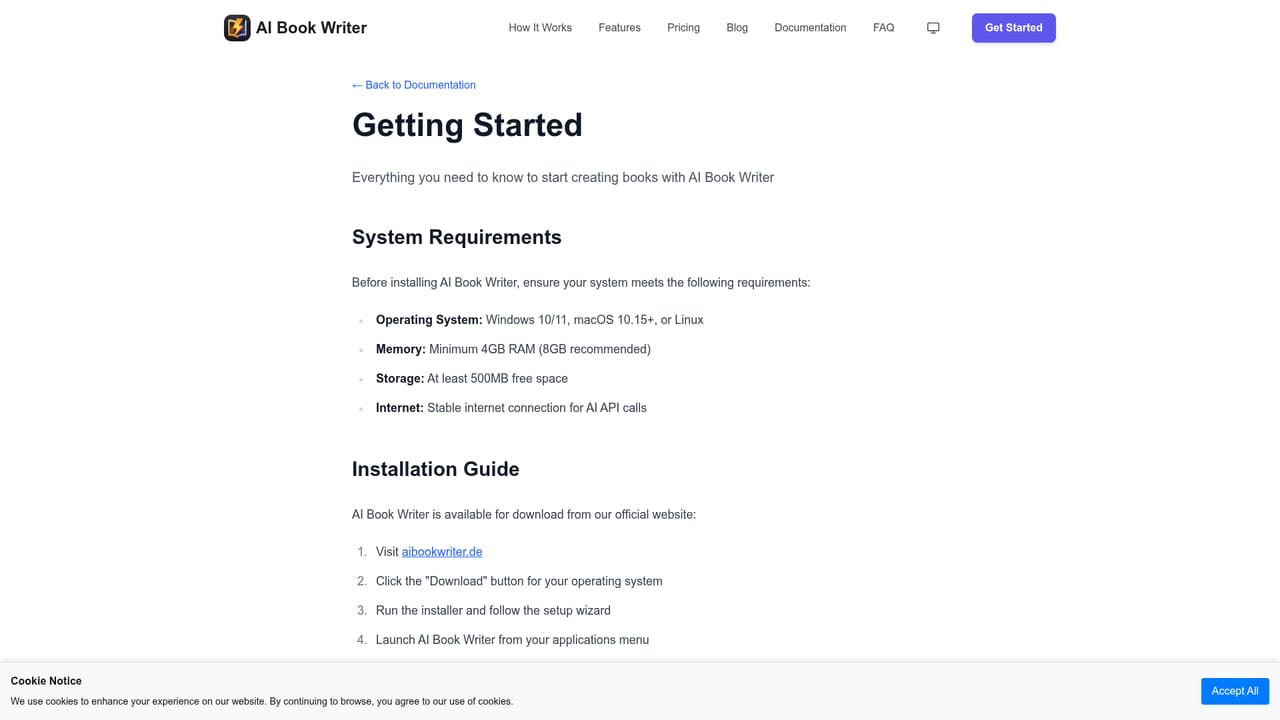
    Download the Windows or macOS build after purchase and confirm your machine meets the listed requirements: 64-bit Windows 10/11 or macOS 10.14+, 4GB RAM minimum and 200MB disk space.
    AI Book Writer — Install the desktop app
  2. 2Connect an AI provider
    Enter an API key for OpenAI for content and Ideogram for covers, or point the app at a local Ollama or LM Studio instance to generate without cloud costs.
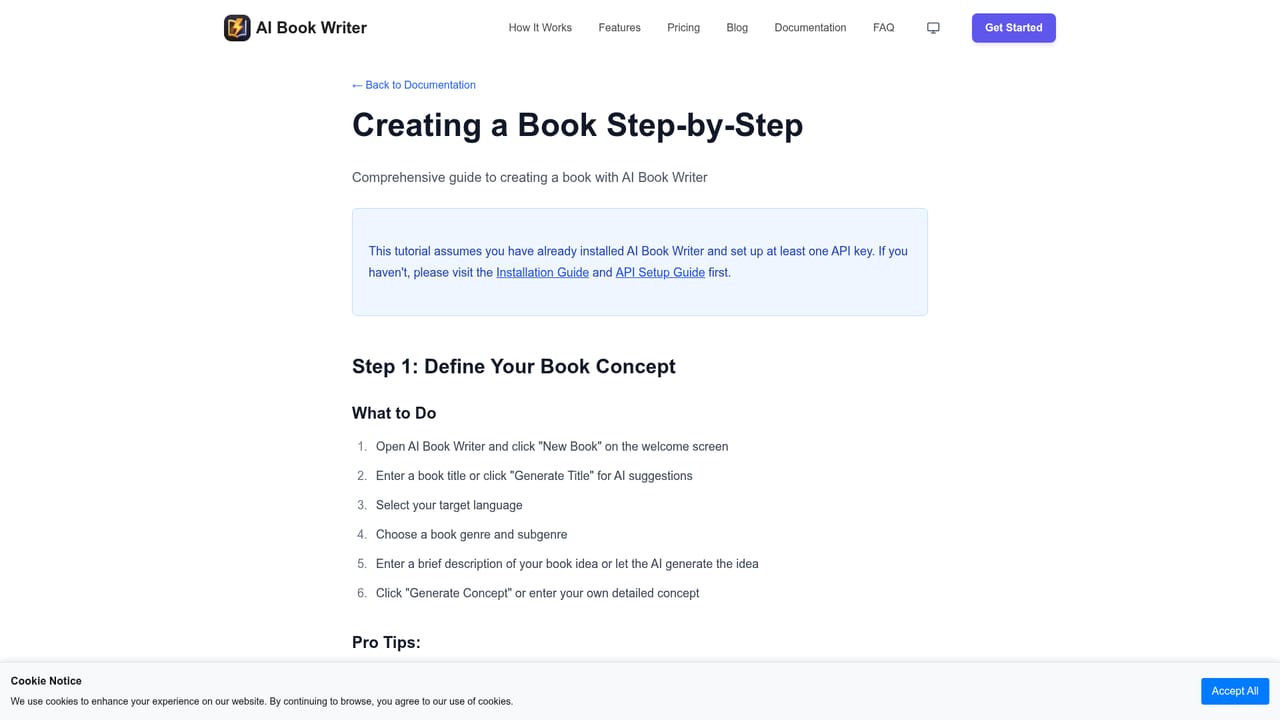
  3. 3Configure your book
    Pick a category and sub-category, choose first, second or third person, and set the number of chapters, paragraphs and target word count.
    AI Book Writer — Configure your book
  4. 4Generate structure and manuscript
    Let the tool build the five-act outline with character arcs, then run full generation and review the title, subtitle and chapter text as it appears.
  5. 5Format and export
    Set author details, adjust fonts and layout, then export the manuscript as a DOCX file for further editing or publishing.
  6. 6Create a cover
    Generate a cover prompt from the book content, pick an image model such as DALL-E 3 or Ideogram 3.0, and export a print-ready cover file.

Pros and cons

Pros

  • Structured five-act workflow with character arcs instead of a single vague prompt.AI
  • Works with many providers, including free local models via Ollama and LM Studio.AI
  • Generates covers with DALL-E 3 or Ideogram 3.0 from a content-derived prompt.AI
  • One-time purchase with lifetime core updates and a 30-day money-back guarantee.AI

Cons

  • Cloud API keys must be bought separately, so real cost exceeds the stated price.AI
  • Desktop only; no web app or mobile version for writing on the go.AI
  • Export is limited to DOCX, despite the meta description mentioning PDF, ePub and Mobi.AI
  • Long manuscripts from any model still need substantial human editing for quality.AI

How much does AI Book Writer cost?

Pricing

A single Complete Creator Package costs 29.99 euros as a one-time payment, covering unlimited book creation, lifetime core updates, all genre templates, textbook generation and the 30-day money-back guarantee. API keys for cloud providers such as OpenAI, Claude and Gemini are not included and must be purchased separately; local models are free to use.

Learn more

Support

Documentation, a getting started guide, tutorials and a blog cover setup and book creation. Orders are handled through Digistore24, which provides customer support for purchases.

Learn more

Integrations

Connects to OpenAI GPT-5, Claude, Gemini, OpenRouter, Groq and DeepSeek for text generation, Ideogram and DALL-E 3 for covers, and local runtimes Ollama and LM Studio. Users supply their own API keys.

Learn more

Features

Generates fiction, non-fiction and educational textbooks through a staged pipeline: book configuration, five-act structure with character arcs, full chapter writing, formatting and DOCX export. Uses GPT-5 models with dynamic routing and large context windows, supports multiple cloud and local providers, and creates covers via DALL-E 3, Ideogram 3.0 or other image models.

Frequently asked questions about AI Book Writer

  • How much does AI Book Writer cost?
    A single Complete Creator Package costs 29.99 euros as a one-time payment, covering unlimited book creation, lifetime core updates, all genre templates, textbook generation and the 30-day money-back guarantee. API keys for cloud providers such as OpenAI, Claude and Gemini are not included and must be purchased separately; local models are free to use.
  • How do you use AI Book Writer?
    The walkthrough on this page covers 6 steps: 1. Install the desktop app 2. Connect an AI provider 3. Configure your book 4. Generate structure and manuscript 5. Format and export 6. Create a cover.
  • What platforms does AI Book Writer support?
    AI Book Writer is available on Windows and MacOS.
  • What does AI Book Writer integrate with?
    Connects to OpenAI GPT-5, Claude, Gemini, OpenRouter, Groq and DeepSeek for text generation, Ideogram and DALL-E 3 for covers, and local runtimes Ollama and LM Studio. Users supply their own API keys.
  • What are the limitations of AI Book Writer?
    Cloud API keys must be bought separately, so real cost exceeds the stated price. Desktop only; no web app or mobile version for writing on the go. Export is limited to DOCX, despite the meta description mentioning PDF, ePub and Mobi.

Status

StatusActive
Views0
Outbound clicks0
Added10/21/2026

Platforms

WindowsMacOS

Pricing

Paid