Free trial
No separate trial is needed: 2 coloring pages are free every 7 days without an account, and signup adds 8 free credits (2 more pages). Paid plans carry a 14-day money-back guarantee.
Learn moreTurn a short written prompt into a printable black-and-white coloring page.
Own AI Coloring Page Generator Online by Mimi Panda? Verify ownership to get a dofollow link

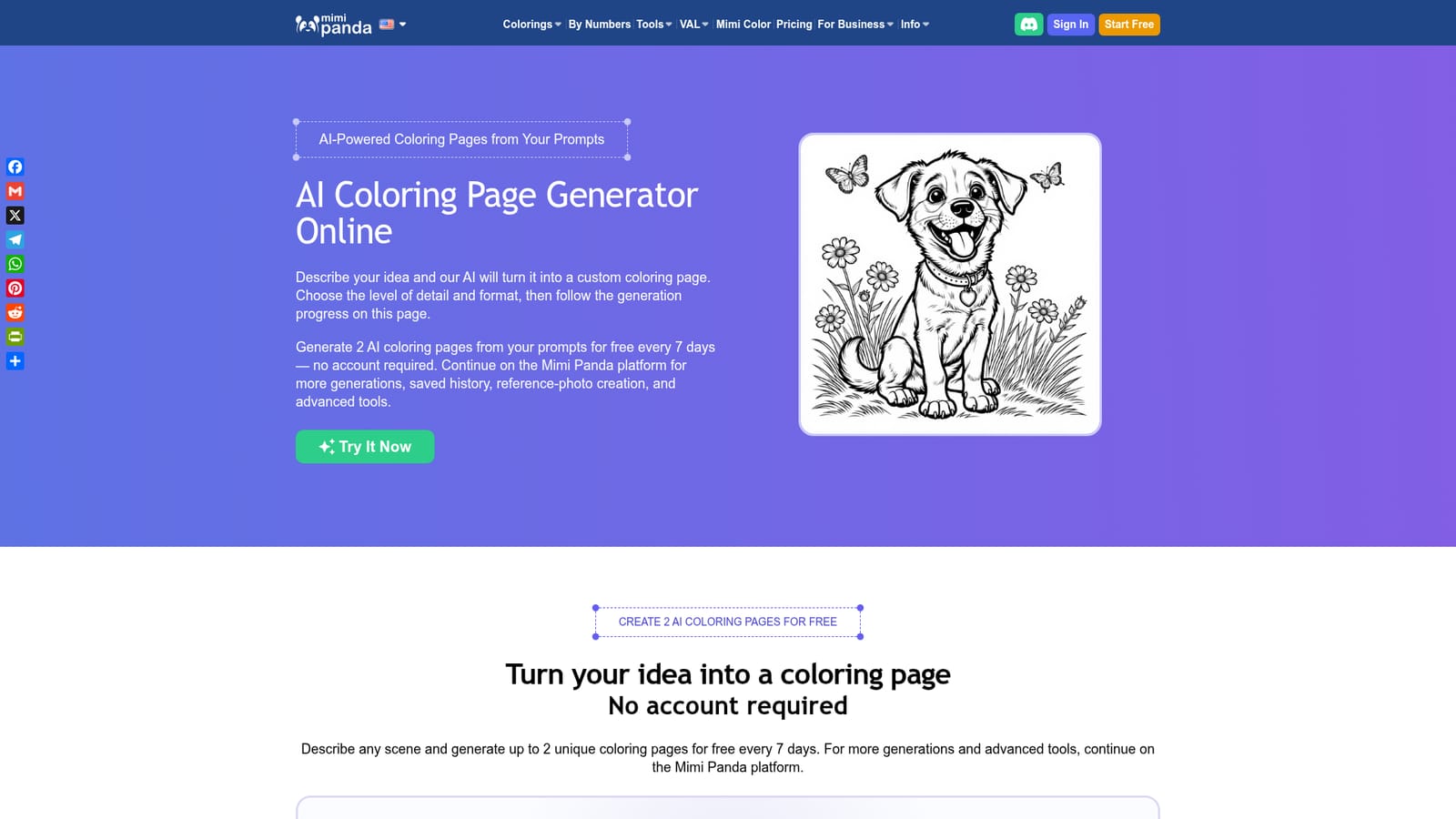
AI Coloring Page Generator Online by Mimi Panda is a coloring pages tool that turns a short written prompt into a printable black-and-white coloring page. A prompt-to-line-art generator from Mimi Panda that makes printable black-and-white coloring pages for kids, teenagers or adults, with selectable page formats and a JPG download.
Mimi Panda's AI Coloring Page Generator is a browser tool that converts a written description into a black-and-white line drawing ready to print or color on a tablet. The generator is tuned for coloring rather than for general image making: it produces closed outlines with a line weight that shifts according to the audience you pick. Users write a prompt of 3 to 600 characters, name a subject, add a setting, then choose Kids, Teenagers or Adults depending on how dense the linework should be. Square, portrait, landscape and other ratios are available so the page can match letter paper, A4, a tablet screen or a book layout. Output arrives as a full-size JPG. The tool suits four broad groups. Parents get themed sheets built around whatever a child is currently interested in, from dinosaurs at a picnic to a rescue puppy in a treehouse. Teachers describe a lesson topic and produce a worksheet, using the Kids setting for younger grades and Teenagers when more objects are needed to label. Adult colorists pick the Adults setting for denser designs such as gardens, mandalas and architecture. Coloring-book makers draft concept pages from prompts before committing to a full title. In practice the workflow is prompt first, options second. The site advises against modifiers like photorealistic or shaded, since those push the model toward painted output instead of clean outlines. Reference photos, which allow a character to be kept across several scenes, are not part of the free prompt form and are available on the main Mimi Panda platform. Against stock coloring books and printable libraries, the appeal is novelty: the page exists because someone asked for it, not because it was already drawn. Access is tiered. Two generations are free every 7 days without an account. Signing up with email or Google adds 8 free credits, saved history across devices and access to more tools. Paid plans lift the output to roughly 100, 250 or 800 pages per month, remove the watermark and, on the Commercial tier, include a license for commercial use. Free downloads stay personal-use only.
No separate trial is needed: 2 coloring pages are free every 7 days without an account, and signup adds 8 free credits (2 more pages). Paid plans carry a 14-day money-back guarantee.
Learn moreFree tier gives 2 coloring pages every 7 days with no account; registering adds 8 free credits. Basic is $7.91 per month (about 100 pages), Personal $13.19 (about 250 pages), Commercial $43.99 (about 800 pages with a commercial license). Paid tiers remove the watermark and a 14-day money-back guarantee applies.
Learn moreNo dedicated support channel is described on the homepage. A usage policy page governs generated content, and a 14-day money-back guarantee applies to paid plans.
Learn morePrompt to line art conversion with a 3 to 600 character prompt field, Kids, Teenagers and Adults detail levels, square, portrait and landscape page ratios, full-size JPG download, personal-use outputs on the free tier, reference-image generation and saved history on the platform, and a browseable AI coloring pages catalog for users who prefer ready-made sheets.
Learn more AI Angels400+ customizable AI girlfriends for NSFW chat, voice calls, and roleplay
 Candy AIExperience the future of companionship with AI friends who chat, role-play, and connect with you on a human level.
 ourdream.aiA vast AI roleplay platform with millions of characters for chat, images, video and voiceAI Angels400+ customizable AI girlfriends for NSFW chat, voice calls, and roleplayCandy AIExperience the future of companionship with AI friends who chat, role-play, and connect with you on a human level.ourdream.aiA vast AI roleplay platform with millions of characters for chat, images, video and voice