Free trial
A free tier is described: you can explore core features and produce a first short drama or micro drama before upgrading for higher limits.
Learn moreTurn story ideas and novels into serialized vertical micro dramas
Own AI Drama Generator? Verify ownership to get a dofollow link

AI Drama Generator is an AI drama tool that turns story ideas and novels into serialized vertical micro dramas.
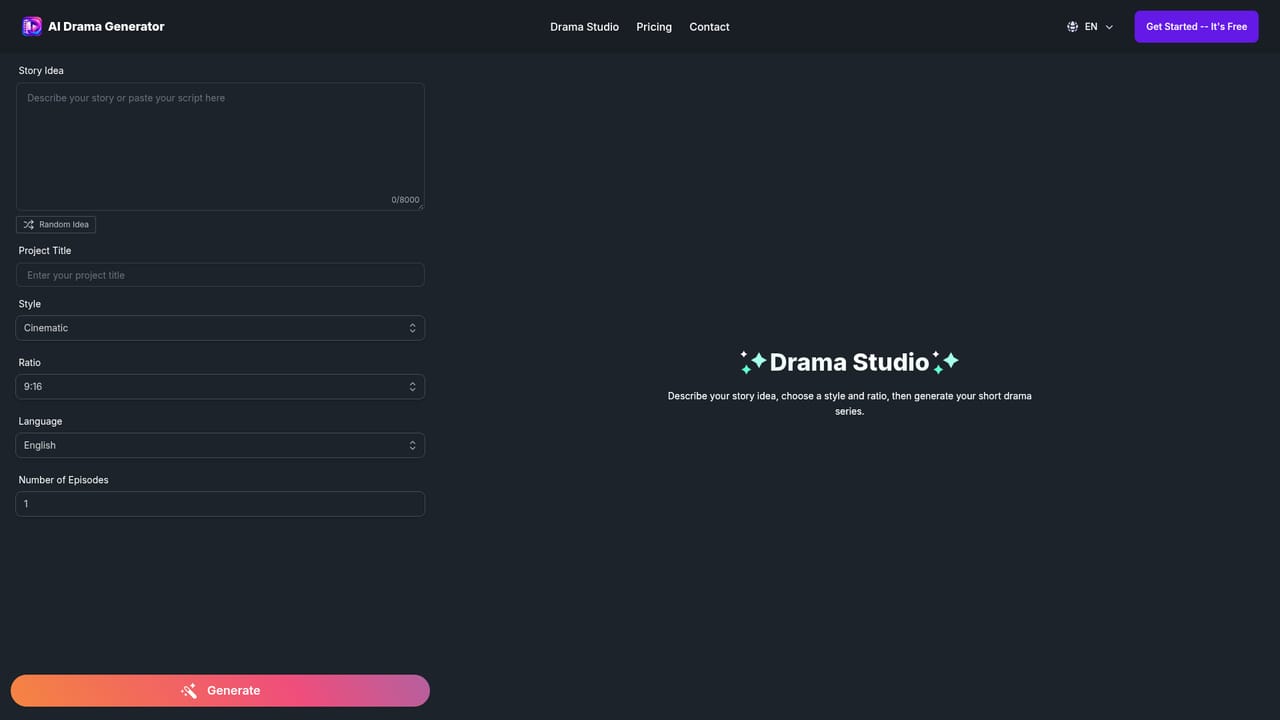
AI Drama Generator is a browser based production tool built around one specific format: the vertical short drama. You feed it a story idea, a script, a plot outline or a chapter of a novel, and the platform expands that raw material into a structured series with episode outlines, scene breakdowns, dialogue and deliberate cliffhanger endings. The stated goal is binge friendly serialization rather than one off clips, which is the main thing separating it from general purpose AI video generators. The workflow does not stop at the script. Characters can be defined once, either from uploaded reference images or as reusable profiles, and then carried across episodes so faces, outfits, personalities and relationships stay visually consistent. Each scene gets a multi panel storyboard that can be edited before rendering: dialogue, emotional beats, camera angles and pacing are all adjustable at that stage. Once the boards look right, the tool generates the video itself, layering on AI voiceover, synchronized lip movement and automatic subtitles before exporting. The positioning is aimed at people who need volume and speed without a crew. The homepage names short drama studios, influencers building series for TikTok, Reels and Shorts, novelists adapting web fiction into video, independent filmmakers prototyping concepts, brands making story driven campaigns, and MCNs running several series at once. In practice it competes with stitching together a script tool, a character generator, a video model and a caption service, and its pitch is that those steps live in a single workflow with a consistent cast carried through all of them. The site supports a spread of genres including romance, revenge, fantasy, historical, sci fi, horror and werewolf, with lighting, pacing and dialogue tuned to match the chosen tone. Commercial use is explicitly permitted, though the site notes that rights to any third party source material remain the user's responsibility.
A free tier is described: you can explore core features and produce a first short drama or micro drama before upgrading for higher limits.
Learn moreThe site offers a free way to start and mentions premium features plus higher generation limits for longer series and larger projects, but no plan names or prices are listed on the homepage.
Learn moreEpisode planning with outlines, scene breakdowns and cliffhangers; reusable characters with reference images for cross episode consistency; editable multi panel storyboards; AI voiceover, lip sync and automatic subtitles; multiple genres and cinematic styles; vertical video export aimed at TikTok, Reels and Shorts; end to end workflow from story import to final render.
 AI Angels400+ customizable AI girlfriends for NSFW chat, voice calls, and roleplay
 Candy AIExperience the future of companionship with AI friends who chat, role-play, and connect with you on a human level.
 ourdream.aiA vast AI roleplay platform with millions of characters for chat, images, video and voiceAI Angels400+ customizable AI girlfriends for NSFW chat, voice calls, and roleplayCandy AIExperience the future of companionship with AI friends who chat, role-play, and connect with you on a human level.ourdream.aiA vast AI roleplay platform with millions of characters for chat, images, video and voice


