Free trial
30 free credits are offered on sign up, and the homepage invites users to try the tool free. The site does not state how many redesigns those credits cover.
Learn moreRedesign any room from a single photo, then walk through it
Own AI Home Design.io? Verify ownership to get a dofollow link

AI Home Design.io is an AI panorama tool. Upload a room photo, choose a style, and get a redesigned interior in seconds, with optional 3D panorama tours, short video walkthroughs and Amazon furniture links for each piece the AI identifies.
AI Home Design.io is a browser based interior design tool built around a single workflow: you supply a photograph of a room, pick a room type and a design style, and the service returns a redesigned version of that same space. The system keeps the structure of the original room (walls, windows, layout) intact while swapping out finishes, furniture, lighting and decor to match the chosen aesthetic. Homeowners, landlords, real estate agents, staging consultants and working designers use it to explore options before committing money to a renovation or a listing. The style library is deliberately narrow. At the time of writing the site lists Japanese Zen, Scandinavian, Modern Minimalist, Industrial, Mid-Century Modern and Bohemian, with a custom style field and a note that more are coming. That focus makes results predictable, but anyone hunting for a very specific look will eventually run out of presets. Generation is credit based and the site quotes roughly 20 seconds per image redesign, with video and 3D panorama generation costing considerably more credits than a still. Beyond the flat render, three features extend the output. A 3D panoramic tour turns a design into a 360 degree view you can move around inside, an 8 second video tour converts the still into a short cinematic walkthrough, and furniture recognition labels each piece in the scene, extracting style, color and material details and linking items to Amazon for purchase. That last step is what separates the product from pure mood board generators: the intent is to move from concept to a shopping list in one session. Positioning wise, it sits between free AI room visualizers and full interior design software. It is far quicker than modelling a room in a traditional CAD package and far cheaper than a consultation, but it does not do floor plans, measurement accurate layouts or collaborative annotation. Users who need to specify exact dimensions or work with real product catalogs will hit its limits. It suits early stage ideation and client communication, not construction documentation.
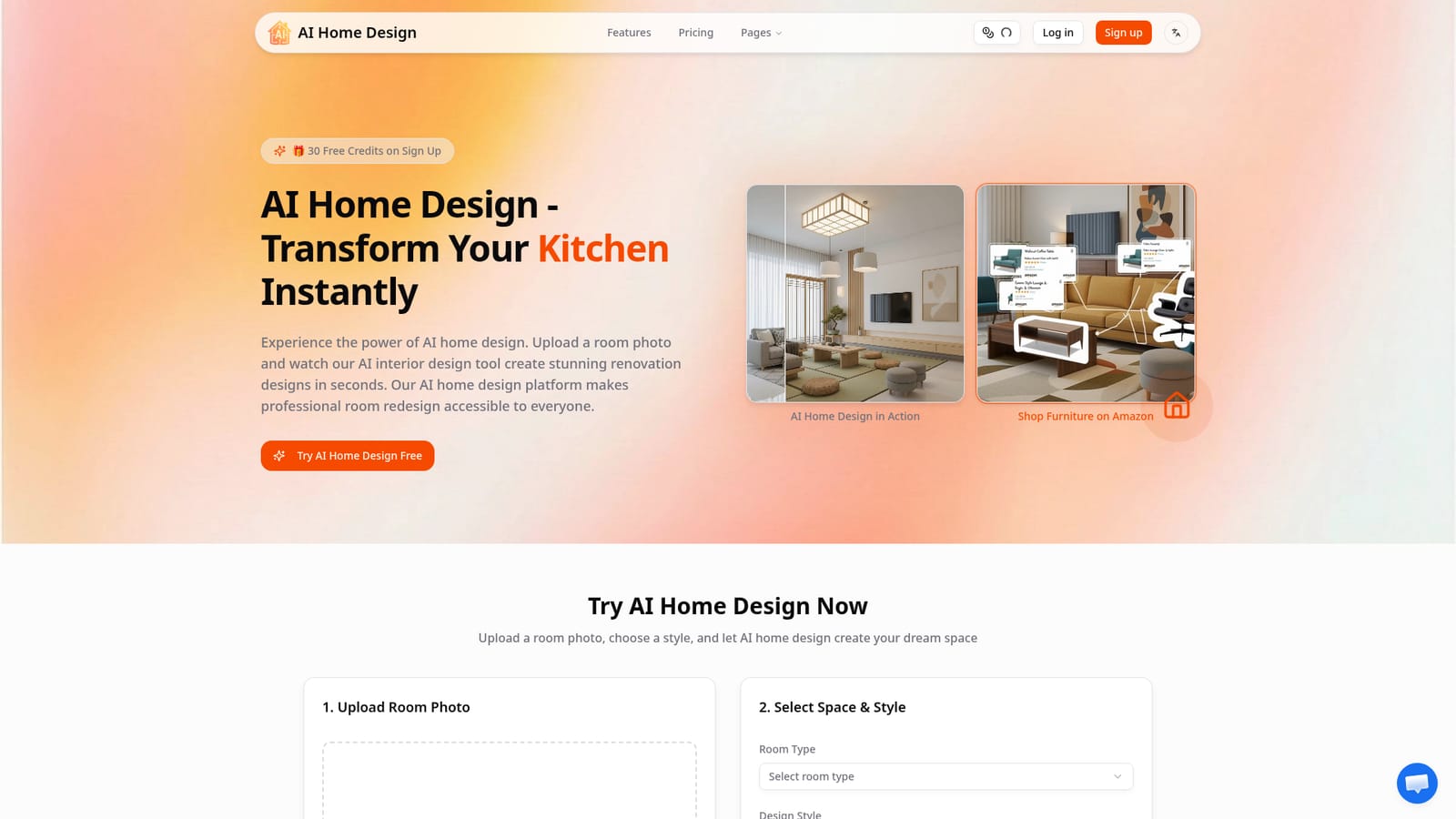
30 free credits are offered on sign up, and the homepage invites users to try the tool free. The site does not state how many redesigns those credits cover.
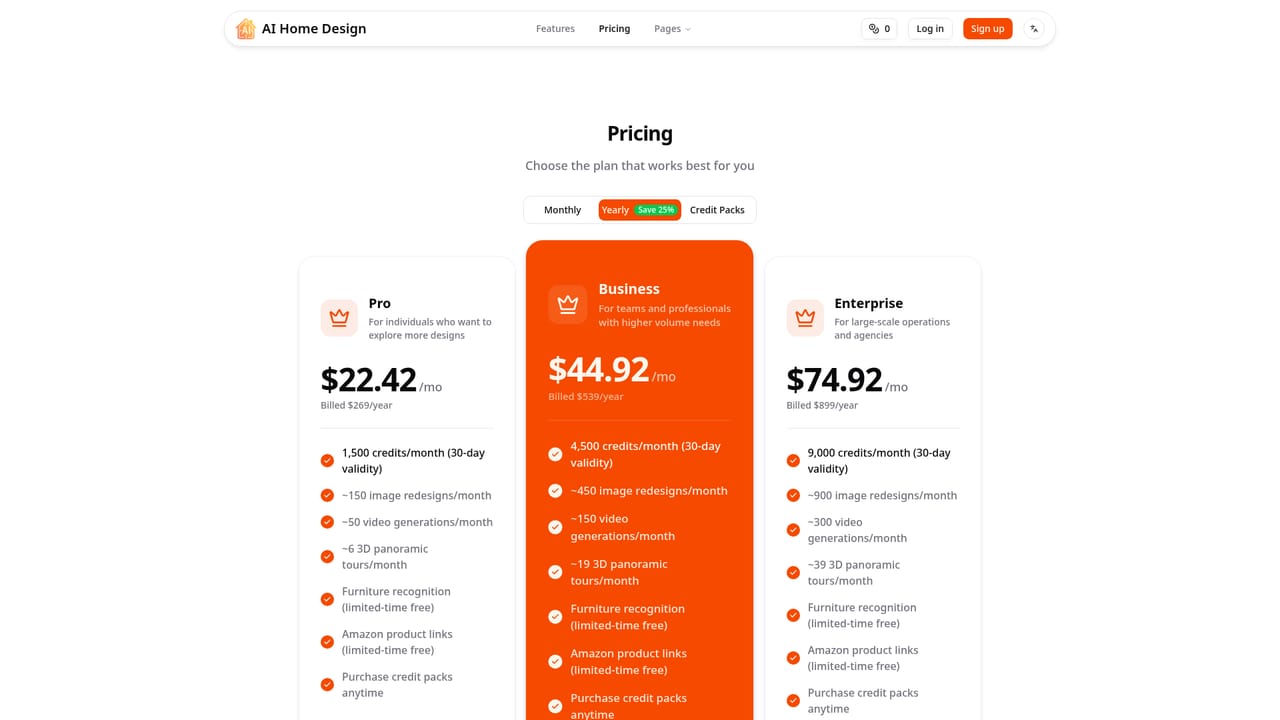
Learn moreYearly tiers: Pro at $22.42/mo billed $269/year for 1,500 credits per month, Business at $44.92/mo billed $539/year for 4,500 credits, and Enterprise at $74.92/mo billed $899/year for 9,000 credits. Monthly and credit pack options also exist, and per use costs fall as tiers rise. Credits are valid for 30 days.
Learn moreAmazon is the only integration named, used to link recognized furniture in a design to shoppable products.
AI room redesign from an uploaded photo, six named design styles plus a custom style field, 3D panoramic space tours, 8 second AI video walkthroughs, furniture recognition that extracts style, color and material details, and one click Amazon product links for identified pieces.
 AI Angels400+ customizable AI girlfriends for NSFW chat, voice calls, and roleplay
 Candy AIExperience the future of companionship with AI friends who chat, role-play, and connect with you on a human level.
 ourdream.aiA vast AI roleplay platform with millions of characters for chat, images, video and voiceAI Angels400+ customizable AI girlfriends for NSFW chat, voice calls, and roleplayCandy AIExperience the future of companionship with AI friends who chat, role-play, and connect with you on a human level.ourdream.aiA vast AI roleplay platform with millions of characters for chat, images, video and voice