AI Picture Editor

Prompt-based photo editing in the browser, no sign-up needed to start.

Beginner
Screenshot of AI Picture Editor, Prompt-based photo editing in the browser, no sign-up needed to start

What is AI Picture Editor?

AI Picture Editor is an image editing tool. A browser-based AI photo editor that uses text prompts to remove backgrounds, erase objects, restore old photos, and apply creative styles, with free trial credits and watermark-free exports.

AI Picture Editor is a browser-based photo editing tool that replaces traditional layers and masks with natural-language prompts. Users upload a JPG, PNG, or WEBP file and describe the change they want, whether that is removing a background, erasing an unwanted object, restoring a faded family photo, retouching a portrait, or applying a creative style such as watercolor or anime. The platform also offers two standalone free utilities, a background remover and a 2x/4x image upscaler, that run without sign-up or usage caps. The tool targets people who need quick, publish-ready images without learning dedicated editing software. E-commerce sellers use it to swap product backgrounds while preserving labels and shape, social media creators clean up posts and thumbnails, photographers handle background cleanup and lighting adjustments, small business owners prepare seasonal visuals, and anyone with old prints can repair scratches and fading. The common thread is a single workflow of upload, prompt, review, and download rather than manual pixel-level editing. In practice, each edit consumes credits whose cost depends on the selected AI model and output settings, and the interface shows that cost before generation. New users get free trial credits without entering a credit card, and both free and paid exports are delivered without watermarks and with commercial usage rights. Beyond the trial, access scales through monthly subscriptions or one-time credit packs that never expire, letting occasional users avoid a recurring charge while frequent users buy larger monthly allowances. Compared with full desktop editors like Photoshop, AI Picture Editor trades granular manual control for speed and simplicity, making it suited to repetitive retouching and catalog-style tasks rather than fine-grained compositing work. It sits closer to other prompt-driven AI photo tools than to layer-based software, and its lack of folder-level batch processing means it is best suited to editing images one at a time rather than running large production pipelines.
How do you use AI Picture Editor?

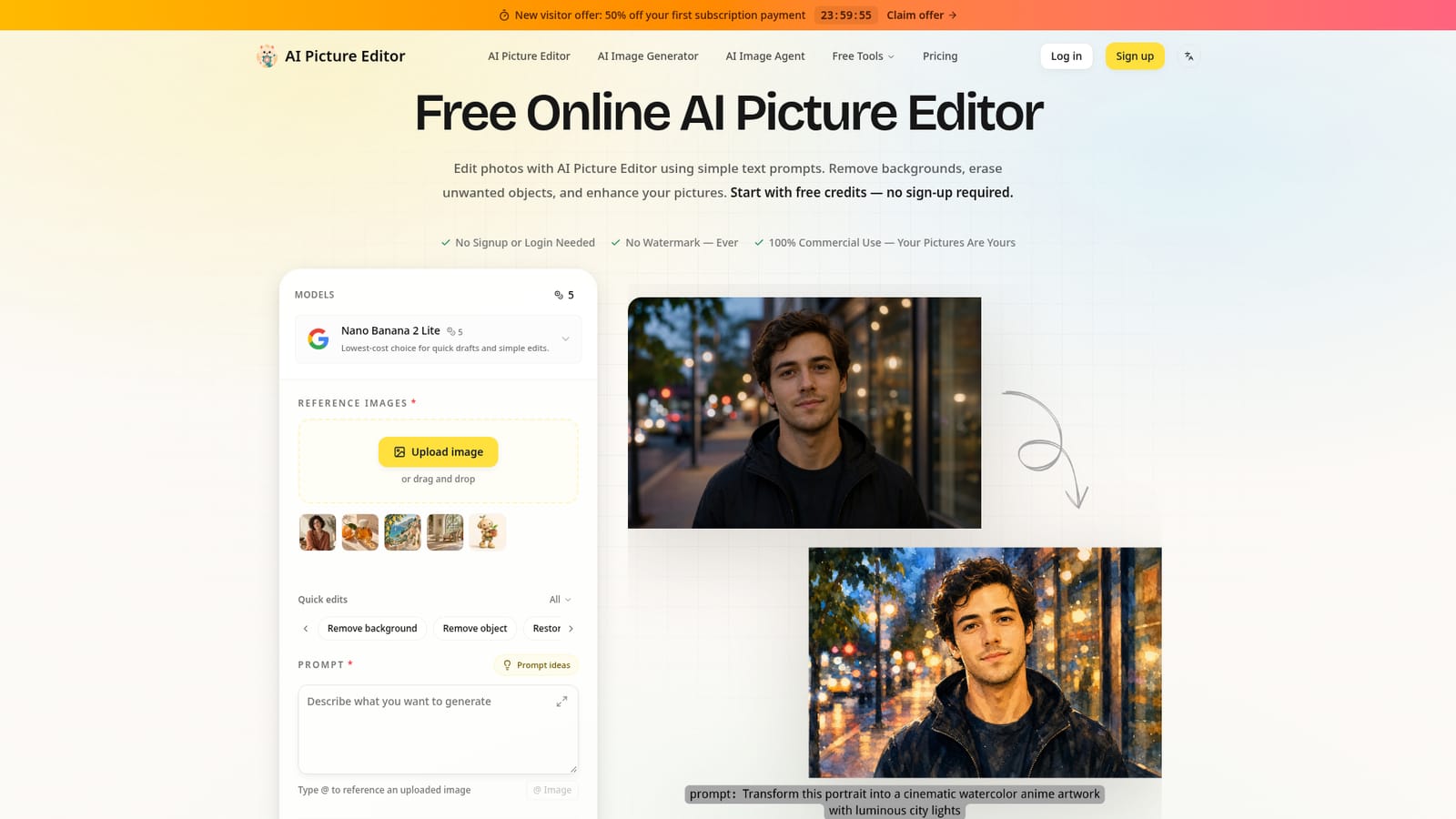
  1. 1Upload a source photo
    Drag a JPG, PNG, or WEBP file into the upload area or browse for it on the homepage. Guest uploads are capped at 10MB per image.
    AI Picture Editor — Upload a source photo
  2. 2Pick a quick edit or write a custom prompt
    Choose a preset like remove background or restore old photo, or describe the exact change needed, naming the subject and what to keep unchanged.
  3. 3Check the credit cost and generate
    Select a model and review the displayed credit cost for that setting before running the edit, since cost varies by model and output size.
  4. 4Review the result and download
    Inspect faces, textures, and edges in the generated image, then download it without a watermark in the format the selected model supports.
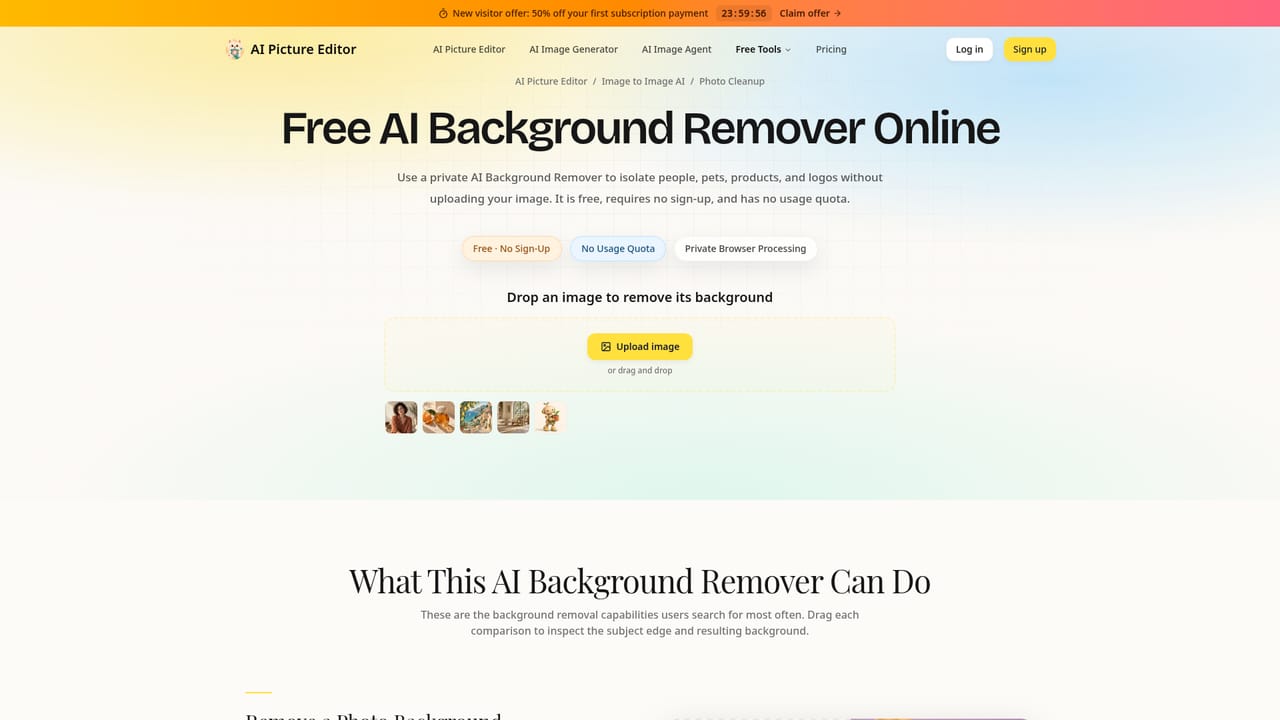
  5. 5Try the dedicated background remover or upscaler
    For a focused task, use the standalone background removal or 2x/4x upscaling tools, which work without sign-up or usage limits.
    AI Picture Editor — Try the dedicated background remover or upscaler
  6. 6Upgrade for more credits if needed
    Once free trial credits run out, choose a monthly subscription or a one-time credit pack depending on expected usage volume.
    AI Picture Editor — Upgrade for more credits if needed

Pros and cons

Pros

  • Free trial credits available without sign-up or a credit cardAI
  • Watermark-free downloads on both free and paid editsAI
  • Dedicated background remover and upscaler run locally with no sign-up or quotaAI
  • One-time credit packs available alongside subscriptions for occasional usersAI
  • Full commercial use rights included across all plansAI

Cons

  • No automatic folder-based batch editing, so each image must be handled individuallyAI
  • Credit costs vary by model and settings, making total cost per image hard to predict upfrontAI
  • Guest uploads are capped at 10MB per image, which may limit high-resolution source filesAI
  • Free trial depends on available credits and capacity rather than a guaranteed fixed allowanceAI
  • No mobile apps mentioned, so all editing happens through a browser sessionAI

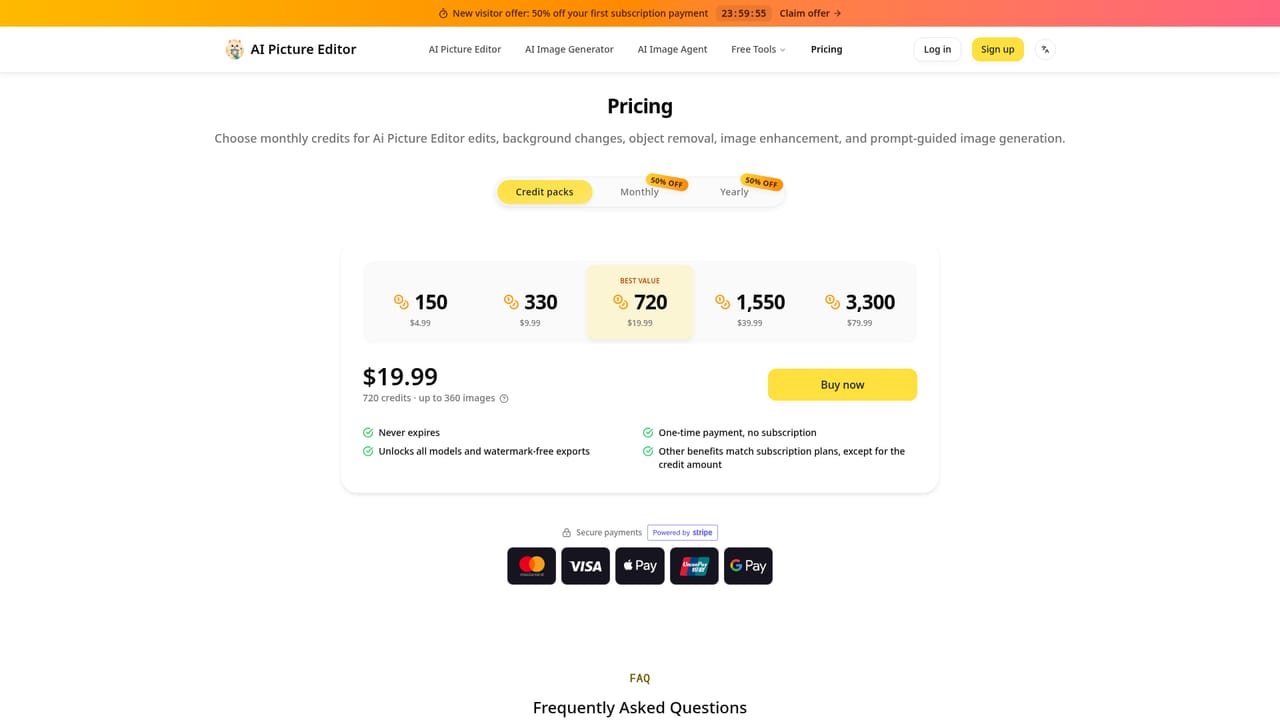
How much does AI Picture Editor cost?

Free trial

New users can start editing with free trial credits without signing up or entering a credit card; signed-in accounts receive a one-time additional credit gift. Trial availability depends on remaining credits and capacity.

Learn more

Pricing

Subscriptions start at $15.90/month (Basic, 600 credits) with Pro at $29.90/month and Max at $69.90/month for higher volumes. One-time credit packs start at $4.99 and never expire, unlocking all models and watermark-free exports without a recurring charge.

Learn more

Support

Paid plans include 24/7 customer support; a contact page is available for general inquiries.

Learn more

Features

Prompt-based editing for background removal and replacement, object removal, old photo restoration, portrait retouching, and style transfer, plus standalone background remover and 2x/4x upscaler tools with no sign-up or quota and watermark-free exports.

Learn more

Frequently asked questions about AI Picture Editor

  • How much does AI Picture Editor cost?
    Subscriptions start at $15.90/month (Basic, 600 credits) with Pro at $29.90/month and Max at $69.90/month for higher volumes. One-time credit packs start at $4.99 and never expire, unlocking all models and watermark-free exports without a recurring charge.
  • Does AI Picture Editor offer a free trial?
    New users can start editing with free trial credits without signing up or entering a credit card; signed-in accounts receive a one-time additional credit gift. Trial availability depends on remaining credits and capacity.
  • How do you use AI Picture Editor?
    The walkthrough on this page covers 6 steps: 1. Upload a source photo 2. Pick a quick edit or write a custom prompt 3. Check the credit cost and generate 4. Review the result and download 5. Try the dedicated background remover or upscaler 6. Upgrade for more credits if needed.
  • What platforms does AI Picture Editor support?
    AI Picture Editor is available on Web App.
  • What are the limitations of AI Picture Editor?
    No automatic folder-based batch editing, so each image must be handled individually. Credit costs vary by model and settings, making total cost per image hard to predict upfront. Guest uploads are capped at 10MB per image, which may limit high-resolution source files.

Status

StatusActive
Views0
Outbound clicks0
Added10/17/2026

Platforms

Web App

Pricing

Free TrialSubscriptionPaid