

AI Photo Editor

Browser-based AI editing for background removal, object erasing, and upscaling

Beginner
Screenshot of AI Photo Editor, Browser-based AI editing for background removal, object erasing, and upscaling

What is AI Photo Editor?

AI Photo Editor is an image editing tool. A browser-based AI editor for removing backgrounds, erasing objects, upscaling resolution, and generating text-accurate image edits, aimed at designers, marketers, and e-commerce sellers who need fast results without manual retouching.

AI Photo Editor is a web application that automates the repetitive parts of image editing: removing backgrounds, erasing unwanted objects, upscaling low-resolution photos, and applying generative fill or style filters. It runs entirely in the browser on Chrome, Safari, or Edge, so there is nothing to install on desktop or mobile. The tool is built on Google's Gemini based Nano Banana models, which the site highlights for character consistency and strong prompt following when generating or editing images from text prompts. The platform targets a broad mix of users rather than a single niche. Social media managers can clean up photos and apply trending effects quickly, e-commerce sellers can strip backgrounds and sharpen supplier images for listings, digital marketers can produce ad creative variations without waiting on a design team, and real estate agents can brighten interiors and remove clutter from listing photos. Graphic designers and small business owners are also called out as users who can skip manual masking and object removal to focus on composition and branding. In practice, a user uploads an image, picks a tool such as the background remover, magic eraser, or image upscaler (or writes a prompt for text-based edits like changing a hairstyle or swapping text in an image), and downloads the result in high resolution. Each edit consumes credits, with costs varying by task (two to four credits per example shown on the homepage). Additional capabilities include batch processing for applying the same edit across multiple images, multilingual text editing inside images, and lighting or style adjustments for mood and tone. Compared to full desktop editors like Photoshop, AI Photo Editor trades depth of manual control for speed and accessibility, positioning itself as a faster alternative for single-purpose edits rather than a complete creative suite. It fits best as a companion tool inside an existing workflow rather than a replacement for a full design program.

How do you use AI Photo Editor?

  1. 1Upload a photo
    Drag and drop a JPG, PNG, or WebP image into the dashboard to start an edit session.
    AI Photo Editor — Upload a photo
  2. 2Pick an editing tool
    Choose Background Remover, Magic Eraser, Image Upscaler, or a prompt-based edit depending on what the photo needs.
  3. 3Try specialized edits like hairstyle changes
    Use the dedicated AI Hairstyle Changer to preview new haircuts or colors on an uploaded portrait.
    AI Photo Editor — Try specialized edits like hairstyle changes
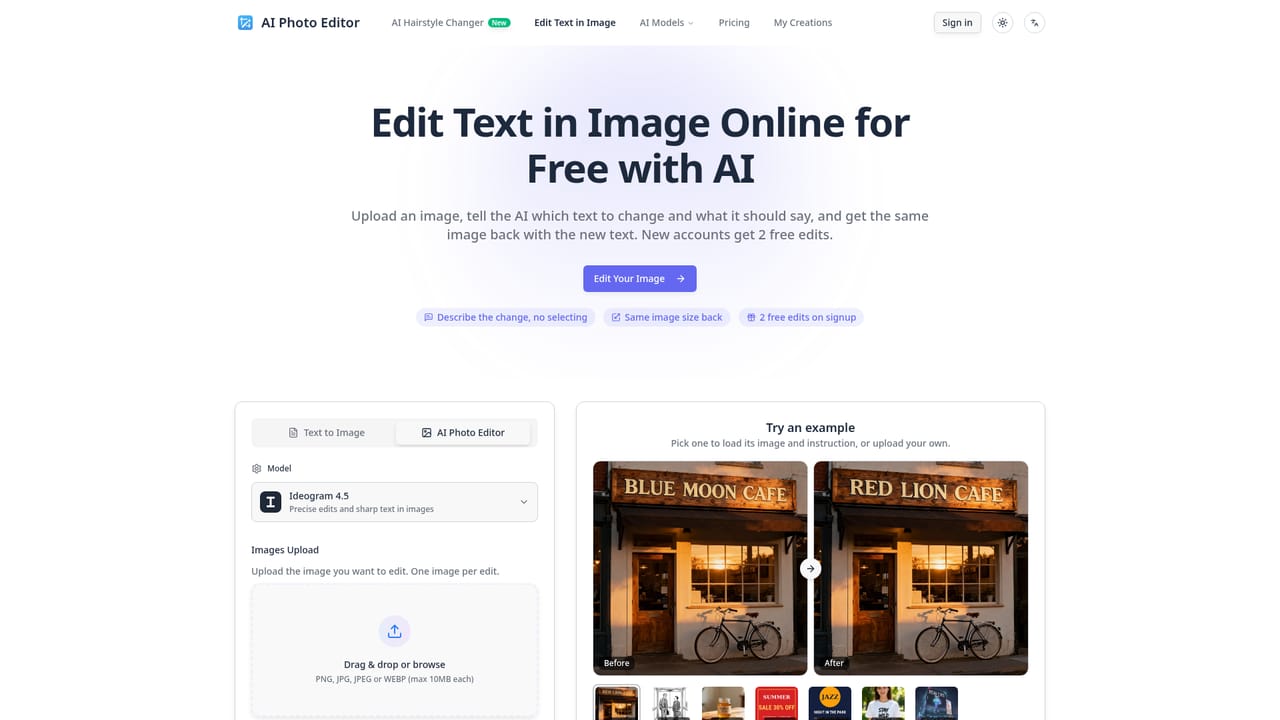
  4. 4Edit text inside an image
    Use the text editing tool to change or translate wording embedded in a photo, such as signs or menus, while keeping the original style.
    AI Photo Editor — Edit text inside an image
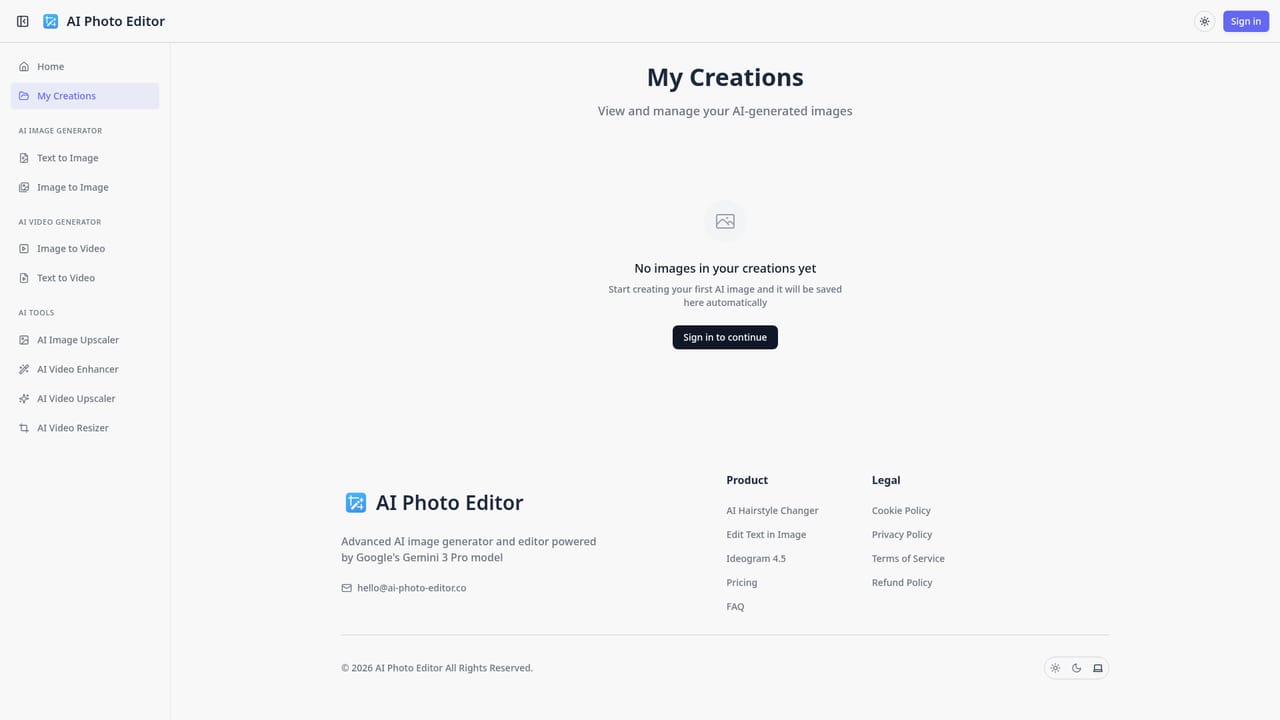
  5. 5Review saved creations
    Check completed edits and generated images in the creations library to download or reuse them later.
    AI Photo Editor — Review saved creations
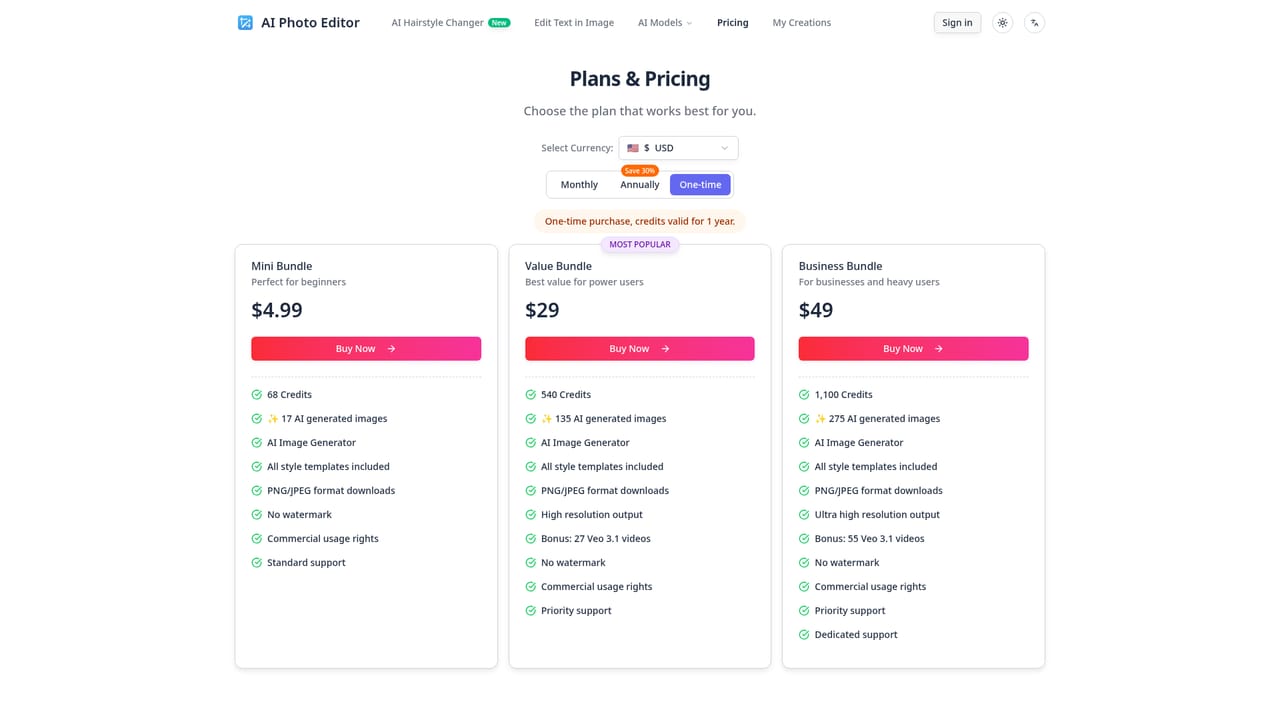
  6. 6Check credit costs and plans
    Visit the pricing page to see how credits are consumed per edit and what paid plans are available.
    AI Photo Editor — Check credit costs and plans

Pros and cons

Pros

  • Runs fully in the browser with no software to install on any deviceAI
  • Combines background removal, object erasing, and upscaling in one interfaceAI
  • Supports batch processing so the same edit can be applied to multiple images at onceAI
  • States that uploaded images are automatically deleted from servers after processingAI
  • Offers a credit-based free tier so new users can try tools before payingAI

Cons

  • Credit-based pricing means heavy users will burn through allowances quickly on multi-step editsAI
  • No pricing figures or plan tiers are disclosed on the homepage itselfAI
  • No evidence of a developer API for integrating the tools into other softwareAI
  • No native mobile apps are mentioned, only browser access on phones and desktopsAI
  • Customer testimonials and ratings are self-published on the site without independent verificationAI

How much does AI Photo Editor cost?

Pricing

Edits are billed through a credit system, with individual actions costing roughly two to four credits based on examples shown on the homepage. A dedicated pricing page lists plans, but exact subscription prices are not stated in the homepage content.

Learn more

Support

Support is reachable by email at hello@ai-photo-editor.co, and a frequently asked questions section on the homepage covers privacy, device compatibility, and e-commerce use cases.

Features

Core features include automatic background removal, object and watermark erasing (magic eraser), AI image upscaling for low-resolution photos, generative fill and style filters, batch processing across multiple images, and in-image text editing with multilingual support.

Frequently asked questions about AI Photo Editor

  • How much does AI Photo Editor cost?
    Edits are billed through a credit system, with individual actions costing roughly two to four credits based on examples shown on the homepage. A dedicated pricing page lists plans, but exact subscription prices are not stated in the homepage content.
  • How do you use AI Photo Editor?
    The walkthrough on this page covers 6 steps: 1. Upload a photo 2. Pick an editing tool 3. Try specialized edits like hairstyle changes 4. Edit text inside an image 5. Review saved creations 6. Check credit costs and plans.
  • What platforms does AI Photo Editor support?
    AI Photo Editor is available on Web App.
  • What are the limitations of AI Photo Editor?
    Credit-based pricing means heavy users will burn through allowances quickly on multi-step edits. No pricing figures or plan tiers are disclosed on the homepage itself. No evidence of a developer API for integrating the tools into other software.

Status

StatusActive
Views0
Outbound clicks0
Added10/15/2026

Platforms

Web App

Pricing

FreemiumPaid