Free trial
The site invites users to try the tool free with no strings attached and offers a Get Started for Free option, though the homepage does not specify how many decks or which features the free access covers.
Learn moreTopic in, designed slide deck out, exported to PowerPoint or Google Slides
Own AI Presentation Maker by SketchBubble? Verify ownership to get a dofollow link
AI Presentation Maker by SketchBubble is an AI slideshow maker tool. SketchBubble's AI Presentation Maker turns a topic prompt into a fully designed slide deck with outline, themes, images, icons and charts, downloadable to PowerPoint, Google Slides, PDF or PNG.
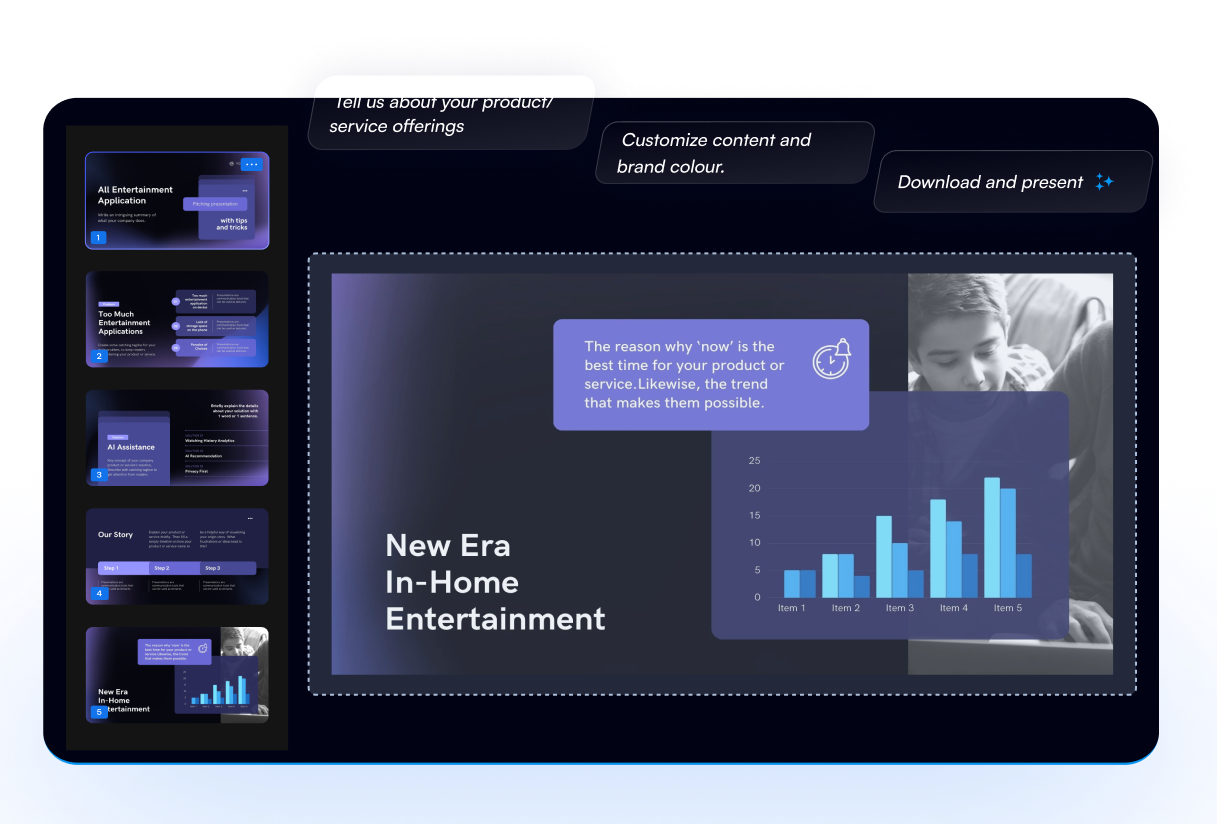
SketchBubble's AI Presentation Maker is a browser-based generator that takes a written topic or idea and returns a complete slide deck: an outline, themed layouts, supporting images, icons and charts, all assembled without manual formatting. It sits on top of SketchBubble's existing template library, which is the practical difference from text-first AI deck tools. Output is meant to look designed rather than like a wall of bullet points, and every deck can be edited afterward in PowerPoint or Google Slides. The workflow is deliberately short. A user types the subject, ideally with enough detail to steer the result, then reviews the generated outline and picks from a set of AI-curated themes and designs before downloading. SketchBubble markets the tool at consultants, founders, executives, marketers, project managers, educators and students, which is essentially anyone who needs a credible deck on a deadline rather than a bespoke design project. The site claims generation is roughly 50 times faster than building slides by hand, plus more than 3 million presentations generated and over a million users, figures that come from SketchBubble's own marketing and cannot be independently checked. Customization is the second half of the pitch. Colors, themes and content can be changed after generation, the company says, and decks can be adjusted by people without design training. Brand-aligned styling is listed as a capability, though the homepage does not spell out how brand assets are applied. Multilingual output is supported, with English, Chinese, French, Portuguese, German, Hindi and Swedish named as examples, and export options cover PDF, PNG, PowerPoint and Google Slides. Nothing needs installing: the whole thing runs online. Where it fits among alternatives is narrower than the marketing suggests. Tools that generate decks purely from a prompt tend to produce generic structure but weak visuals; SketchBubble leans the other way, trading on its template and infographic library. Buyers comparing options should check whether their preferred theme exists in the library, how much editing they want after export, and whether the free tier covers their volume. It is a fast starting point for a decent-looking deck, not a replacement for reviewing the content yourself.
The site invites users to try the tool free with no strings attached and offers a Get Started for Free option, though the homepage does not specify how many decks or which features the free access covers.
Learn moreSketchBubble runs a help centre for support questions and links to it directly from the AI presentation maker page.
Learn moreDecks export to Microsoft PowerPoint and Google Slides, and can also be downloaded as PDF or PNG. No other integrations are listed on the homepage.
Generates a logical presentation structure, layouts, images, icons and charts from a topic prompt. Includes AI-curated themes, AI-driven recommendations, brand-aligned styling, multilingual output, one-click download, and post-generation editing in PowerPoint or Google Slides.
 AI Angels400+ customizable AI girlfriends for NSFW chat, voice calls, and roleplay
 Candy AIExperience the future of companionship with AI friends who chat, role-play, and connect with you on a human level.
 ourdream.aiA vast AI roleplay platform with millions of characters for chat, images, video and voiceAI Angels400+ customizable AI girlfriends for NSFW chat, voice calls, and roleplayCandy AIExperience the future of companionship with AI friends who chat, role-play, and connect with you on a human level.ourdream.aiA vast AI roleplay platform with millions of characters for chat, images, video and voice