Slideteam

Turn a topic or document into an editable PowerPoint deck

Beginner
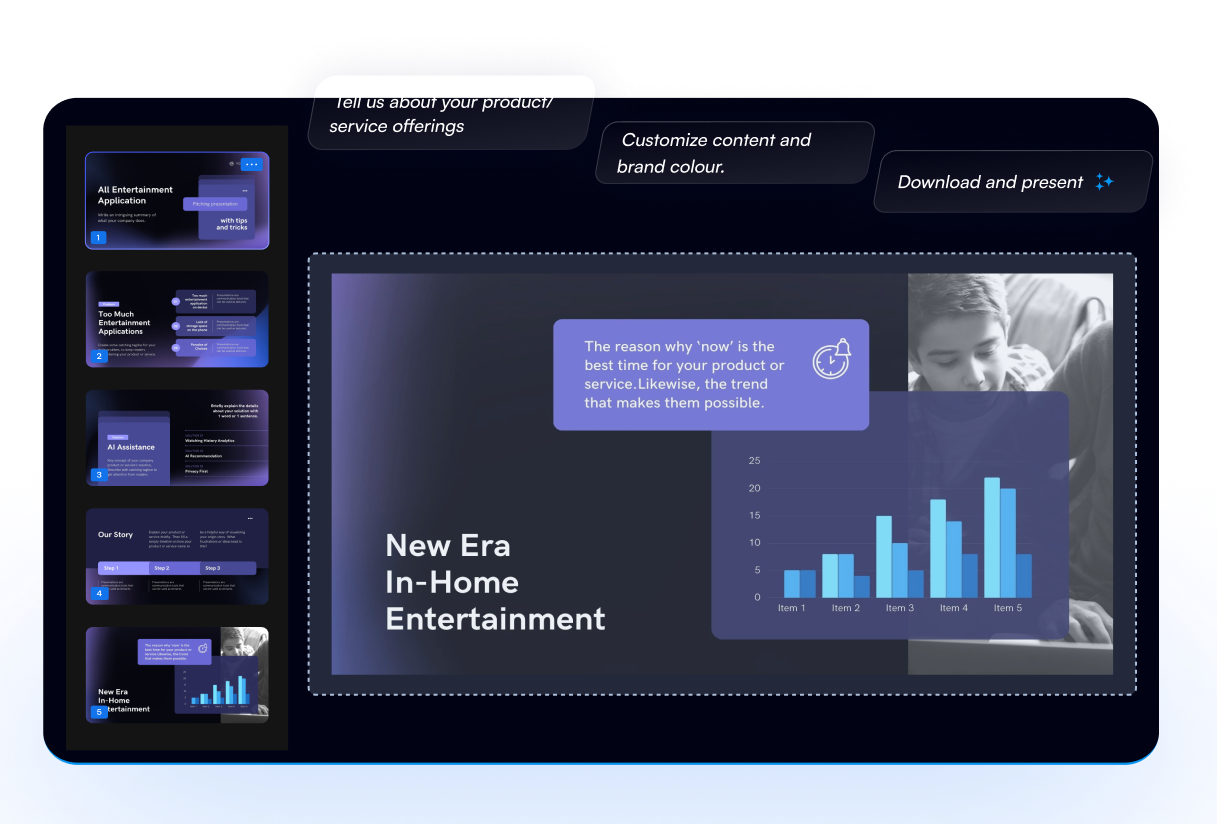
Screenshot of Slideteam, Turn a topic or document into an editable PowerPoint deck

What is Slideteam?

Slideteam is an AI slideshow maker tool that turns a topic or document into an editable PowerPoint deck. A browser-based AI presentation builder from SlideTeam that converts a topic, document or link into an editable PPTX deck, with slide counts, languages, tone controls and a PowerPoint redesign mode.

SlideTeam's AI Presentation Maker is a browser-based deck builder that sits on top of a large library of pre-designed slide work. The core promise is narrow and practical: describe a topic, paste notes, drop in a link, or upload a document, and the tool assembles a fully editable presentation you can download as PPTX or open in Google Slides. You control slide count (6 to 30), output language (a long list covering English, Hindi, Spanish, French, German, Portuguese, Italian, Dutch, Arabic, Japanese, Chinese, Korean, Bengali, Tamil, Telugu, Marathi, Gujarati, Indonesian, Turkish, Russian, Polish, Vietnamese and Thai), and the purpose of the deck, from investor pitch to thesis defense to school lesson. Tone, audience, and text density are adjustable too, and an optional logo line keeps corporate branding in place. Beyond text prompts, the tool accepts PDF, Word, PowerPoint, text, Markdown and CSV files, up to three at a time and 50 MB each, plus public web pages and PDF links. A separate redesign mode takes an existing PowerPoint, keeps its storyline, colours, fonts and logo, and rebuilds each slide in a consistent visual style. Practical transparency is a selling point here: files are opened locally in the browser, only extracted text and image descriptions are sent to the AI service, and the finished deck lives in the browser until you download it. The generator is aimed at consultants, founders, teachers, students, marketing and HR teams, and anyone who would otherwise start from a blank template. It competes with prompt-to-deck tools like Gamma and Tome but leans harder on structured, business-standard layouts drawn from a 50 million presentation training corpus and a catalogue of best-selling templates you can open and edit directly. One important caveat appears on the page itself: AI writing is switched off on the site, so new decks cannot be written from a description right now. Uploading a document or starting from a ready-made deck still works.

How do you use Slideteam?

  1. 1Choose how you want to start
    Pick one of the input modes: describe a topic, upload a document, paste text, add a link, or redesign an existing PowerPoint. Note that the description mode currently reports AI writing as switched off.
  2. 2Add your source content
    Drop in up to three files (PDF, Word, PowerPoint, text, Markdown or CSV, 50 MB each), paste your notes, or enter a public page or PDF URL and read the page.
  3. 3Set deck options
    Pick the slide count from 6 to 30, choose a language, then open the options panel to set purpose, tone, audience, text amount, speaker notes and cover image.
  4. 4Add branding and generate
    Upload a logo if you need brand consistency, then run the generator. Files stay in your browser and the deck is held there until download.
  5. 5Edit and download as PPTX
    Review the generated slides, adjust copy and layout, then export the deck as PowerPoint or open it in Google Slides for further editing.
  6. 6Start from a ready-made deck instead
    If generation is unavailable, open one of the 20 best-selling templates, such as a startup pitch deck or project management deck, and edit it directly.

Pros and cons

Pros

  • Output is fully editable in PowerPoint and Google Slides, not a locked image-based deckAI
  • Accepts PDF, Word, PowerPoint, text, Markdown, CSV and public web links as inputAI
  • Slide count, language, purpose, tone, audience and text density are all configurableAI
  • Redesign mode keeps an existing storyline, colours, fonts and logoAI
  • Files are processed in the browser, with only text and image descriptions sent to the AIAI

Cons

  • AI writing from a text description is currently disabled on the site, which removes the headline featureAI
  • No published pricing information on the page, so cost is unknown before you commitAI
  • The redesign and upload paths only help if you already have source materialAI
  • Only three files at a time, capped at 50 MB each, which limits large research packsAI
  • No stated API or integration with tools like Google Workspace or Microsoft 365AI

How much does Slideteam cost?

Features

Prompt, document, pasted text, link and PowerPoint redesign inputs. Slide counts from 6 to 30, more than 20 output languages, and controls for purpose, tone, audience, text volume, speaker notes and cover images. Decks download as PPTX and stay editable in PowerPoint and Google Slides. A library of 20 best-selling templates can be opened and edited directly.

Frequently asked questions about Slideteam

  • How do you use Slideteam?
    The walkthrough on this page covers 6 steps: 1. Choose how you want to start 2. Add your source content 3. Set deck options 4. Add branding and generate 5. Edit and download as PPTX 6. Start from a ready-made deck instead.
  • What platforms does Slideteam support?
    Slideteam is available on Web App.
  • What are the limitations of Slideteam?
    AI writing from a text description is currently disabled on the site, which removes the headline feature. No published pricing information on the page, so cost is unknown before you commit. The redesign and upload paths only help if you already have source material.

Status

StatusActive
Views0
Outbound clicks0
Added10/21/2026

Platforms

Web App

Pricing

Free