Free trial
New accounts receive 10 free credits, which covers ten rename operations in Cloud Mode. No time limit is stated for using them.
Learn moreGive messy folders readable filenames, generated from what is actually inside each file.
Own AI Renamer App? Verify ownership to get a dofollow link

AI Renamer App is a file organizer tool. A Mac and Windows desktop app that reads image and document contents to generate descriptive filenames, with a cloud credit mode or a one time local mode running through Ollama and LM Studio.
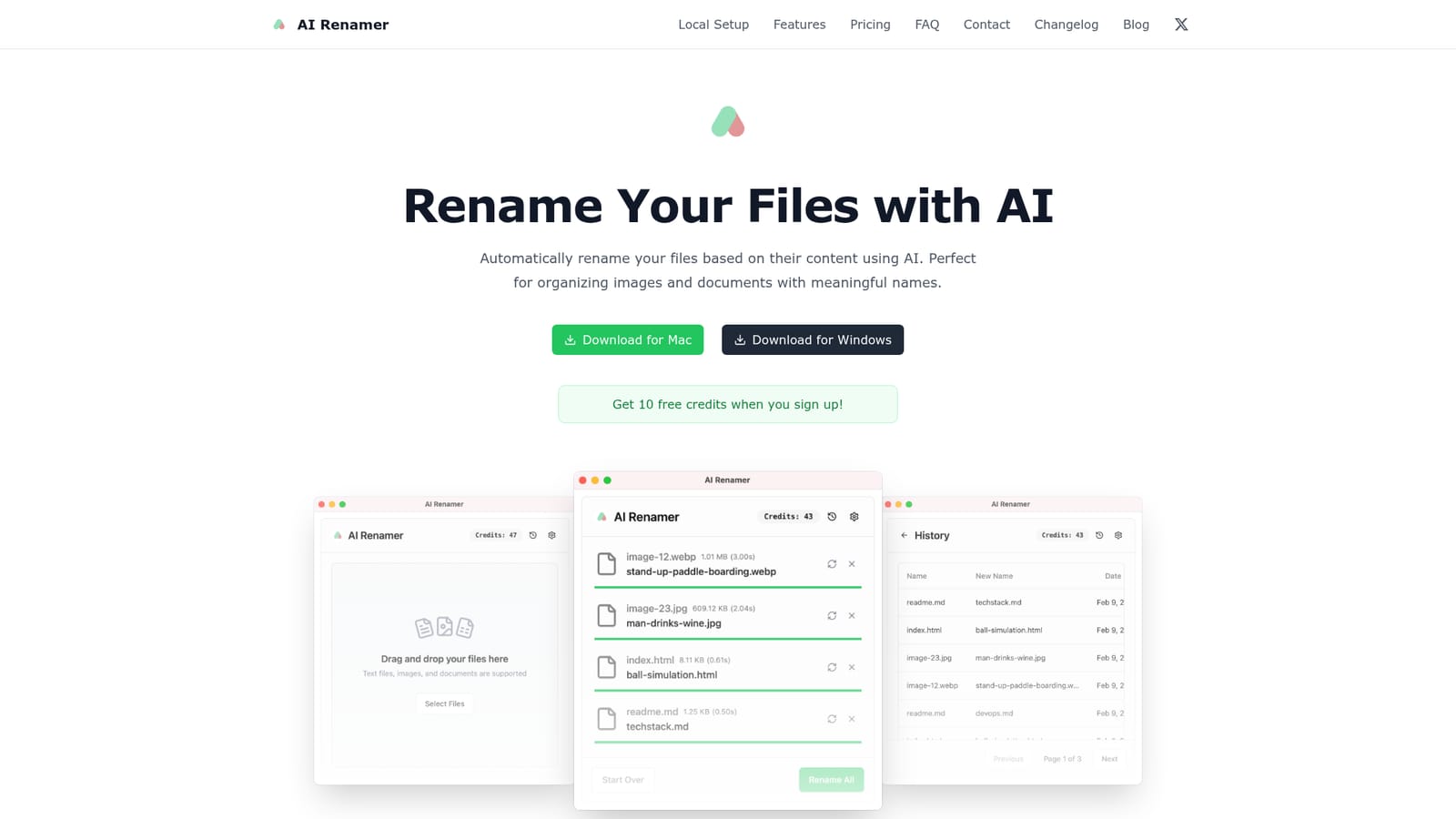
AI Renamer is a desktop application for macOS and Windows that reads the contents of a file and proposes a human readable filename in place of camera codes, download hashes or screenshot timestamps. It handles images (JPG, PNG, GIF, WEBP) and text based documents including PDF, TXT and similar formats, using vision and language models to work out what each file actually contains. Renaming happens inside the app after a preview step, so nothing changes on disk until the suggested names are accepted. The tool is aimed at people whose folders have quietly become unusable: photographers with card dumps, designers collecting reference screenshots, researchers sitting on a stack of PDFs, and anyone who files receipts or scans with names like IMG_4471. Batch handling is the core workflow. Files are dragged in, the model proposes a name for each one, and the whole set can be applied together. Custom instructions let the user push naming toward a personal convention rather than accepting the default output. Two modes decide both cost and privacy. Cloud Mode draws on a curated set of models and charges one credit per rename, with a 10MB ceiling per file. Local Mode runs entirely on the machine through Ollama or LM Studio, with no file size cap and unlimited renaming. OpenAI and other custom providers are also accepted, and Google AI Studio was added in version 1.7.5. Local Mode is sold as a one time purchase, while Cloud Mode runs on credits that never expire. Against general file organisers, AI Renamer is deliberately narrow: it renames, it does not sort, tag, deduplicate or move. Against scripting file names with a shell loop, it adds content understanding at the cost of a model call per file. The choice mostly comes down to whether privacy or convenience matters more, and the app lets a single user pick differently per project.

New accounts receive 10 free credits, which covers ten rename operations in Cloud Mode. No time limit is stated for using them.
Learn moreTwo options. Local Mode is a $19 one time purchase covering Ollama and LM Studio integration, OpenAI and custom model support, local processing and unlimited renaming with no file size limit. Cloud Mode is $10 for 200 credits at one credit per rename with a 10MB per file cap; credits do not expire.
Learn moreA contact form on the site handles questions and support requests. The FAQ covers models, credits, file limits and troubleshooting, and a blog carries setup guides.
Connects to Ollama and LM Studio for local inference, and to OpenAI, Google AI Studio and other custom model providers for hosted renaming.
Content aware naming for images and documents, batch processing with drag and drop plus preview before applying, custom instructions for naming conventions, EXIF and image content detection, document analysis, local model support through Ollama and LM Studio, plus OpenAI, Google AI Studio and custom provider connections. Runs as a desktop app on macOS and Windows.
 AI Angels400+ customizable AI girlfriends for NSFW chat, voice calls, and roleplay
 Candy AIExperience the future of companionship with AI friends who chat, role-play, and connect with you on a human level.
 ourdream.aiA vast AI roleplay platform with millions of characters for chat, images, video and voiceAI Angels400+ customizable AI girlfriends for NSFW chat, voice calls, and roleplayCandy AIExperience the future of companionship with AI friends who chat, role-play, and connect with you on a human level.ourdream.aiA vast AI roleplay platform with millions of characters for chat, images, video and voice


