Free trial
ScanRelief is free to use for one week. After that period a perpetual licence key is required to keep processing receipts.
Learn moreTurn a folder of receipts into a renamed, dated Excel report

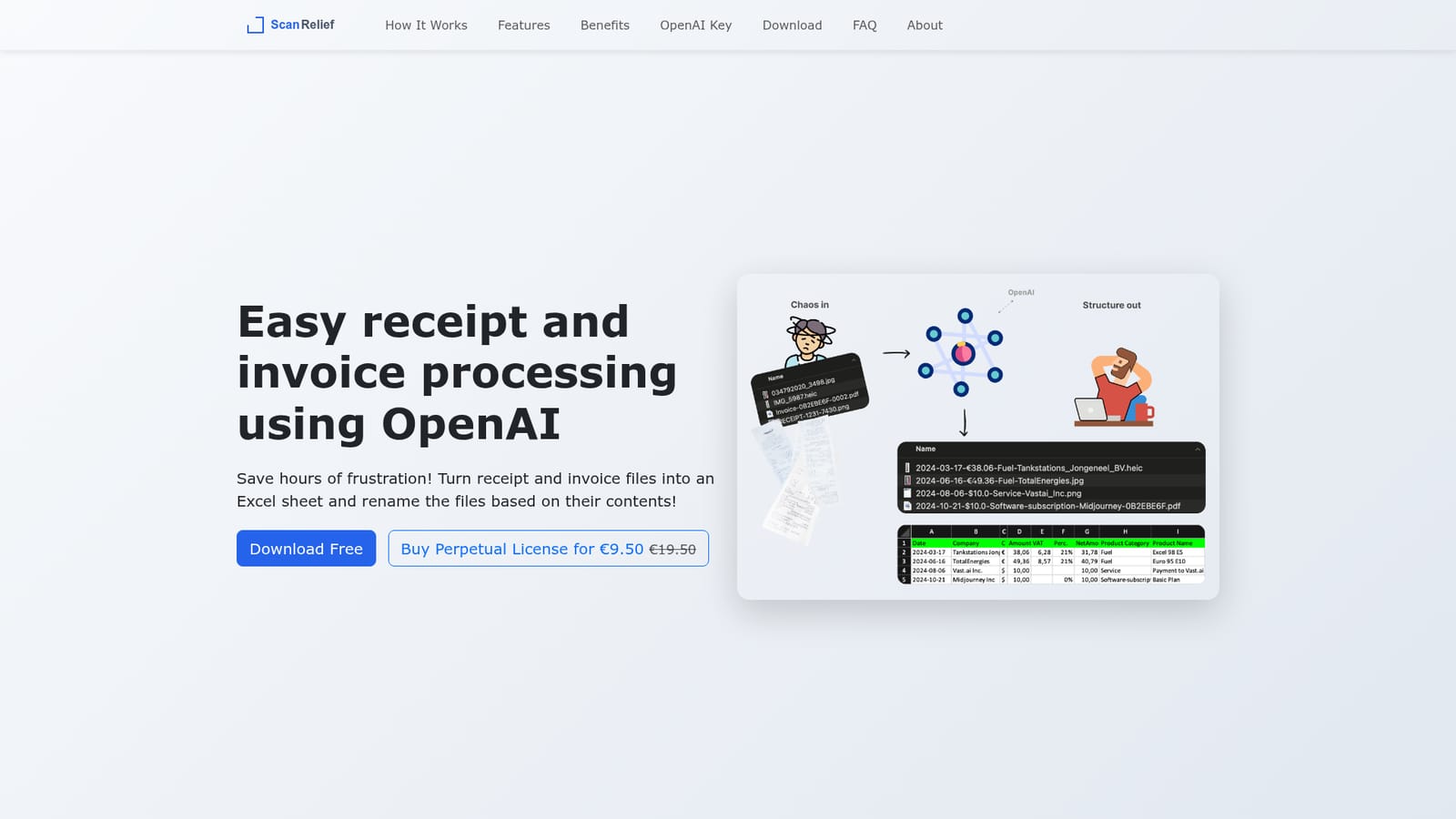
ScanRelief is a file organizer tool that turns a folder of receipts into a renamed, dated Excel report. ScanRelief reads receipts and invoices from a local folder using your own OpenAI API key, renames each file with date, amount and vendor, and exports a chronological Excel report.
ScanRelief is a small desktop utility for Windows and Mac that processes a folder of receipt and invoice files sitting on your own hard drive. It reads each document with OpenAI's vision models, extracts the date, amount, vendor and product type, renames the file so it starts with the date, and writes everything into a single Excel sheet sorted chronologically. The result is a folder you can sort and search by company name or amount in Finder or Explorer, plus a consolidated report you can hand to an accountant or use to match receipts against bank transactions. The tool accepts JPEG, PNG, HEIC and PDF files, handles both text-based and image-based PDFs, rotates photos upright, converts iPhone HEIC images to JPEG and downsizes each image to the maximum size the OpenAI API accepts before sending it. Batch processing runs in parallel across your machine and the API, and the app reports the cost of every run so you can see what a batch actually consumed. It is built for freelancers, small business owners and anyone who files quarterly paperwork by hand. The author wrote it for his own quarterly receipt matching and then packaged the script into a version that does not require any programming. There is no cloud account and no monthly service: you supply your own OpenAI API key with prepaid credit, and the app pays OpenAI directly at roughly 0.5 cents per receipt. The software itself is a one-off purchase after a one-week free period. Where ScanRelief differs from web-based bookkeeping add-ons is the scope. It does not connect to a bank, categorise into ledger accounts or file taxes; it cleans up a file folder and produces a spreadsheet. If your workflow already ends in Excel or a similar tool, that narrowness is the point. If you need reconciliation or double-entry accounting, this is a preprocessing step rather than a replacement.
ScanRelief is free to use for one week. After that period a perpetual licence key is required to keep processing receipts.
Learn moreThe app is free for one week, then a perpetual licence costs €9.50 (listed as reduced from €19.50), with no monthly subscription. On top of that you pay OpenAI directly through your own API key at about $0.005 per receipt, roughly 50 cents for 100 receipts.
Learn moreThe only external service is the OpenAI API, which the user connects with a personal API key and prepaid credit. There is no accounting, banking or cloud storage integration.
Automated renaming by date, amount, product type and company; Excel report generation sorted by date; support for JPEG, PNG, HEIC and text or image PDFs; batch processing in parallel; automatic rotation and HEIC to JPEG conversion; image downsizing before transfer; per-run cost reporting; Windows and Mac desktop apps.
 AI Angels400+ customizable AI girlfriends for NSFW chat, voice calls, and roleplay
 Candy AIExperience the future of companionship with AI friends who chat, role-play, and connect with you on a human level.
 ourdream.aiA vast AI roleplay platform with millions of characters for chat, images, video and voiceAI Angels400+ customizable AI girlfriends for NSFW chat, voice calls, and roleplayCandy AIExperience the future of companionship with AI friends who chat, role-play, and connect with you on a human level.ourdream.aiA vast AI roleplay platform with millions of characters for chat, images, video and voice


