AI Tattoo Ink

Turn a tattoo idea into a finished design concept in seconds

Beginner
Screenshot of AI Tattoo Ink, Turn a tattoo idea into a finished design concept in seconds

What is AI Tattoo Ink?

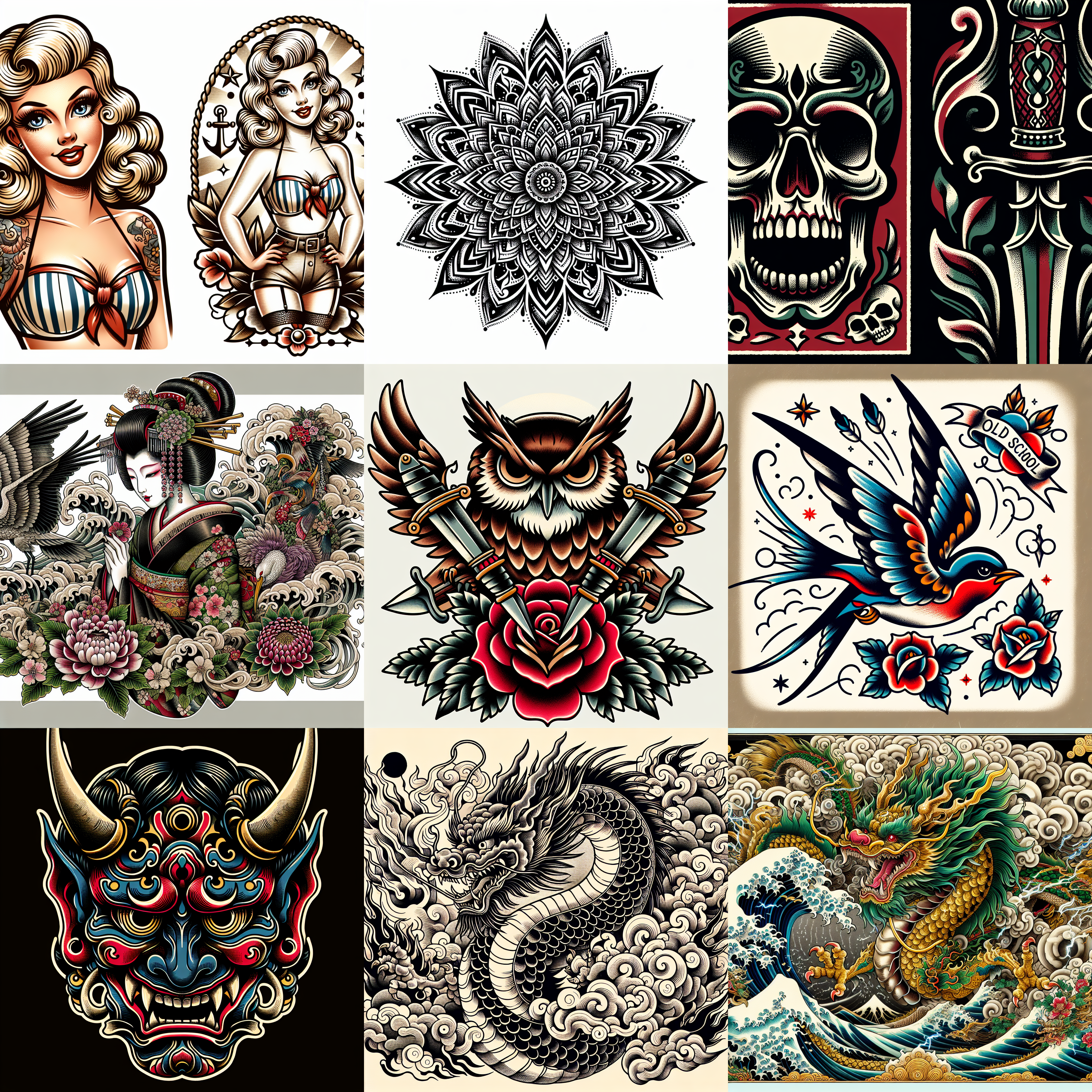
AI Tattoo Ink is a cover up tattoo tool that turns a tattoo idea into a finished design concept in seconds. A web app that generates custom tattoo design concepts across eight named styles, including Japanese, Old School, Realism, Anime, Dotwork, Geometric, Neo-Traditional and Chicano.

AI Tattoo Ink is a browser based generator built around one job: turning a rough tattoo idea into a visual design concept. Rather than asking you to write an open ended prompt and hope for the best, it organizes output around eight named tattoo traditions: Japanese, Old School, Realism, Anime, Dotwork, Geometric, Neo-Traditional and Chicano. That framing matters, because each style carries its own visual grammar (line weight, shading habits, motif vocabulary), and picking a style instead of describing one removes most of the guesswork from prompting. The workflow is deliberately short. You open the dashboard, choose a style, and the generator returns design concepts at what the site describes as HD, ready to download. The homepage presents three benefits: unique designs matched to your stated preferences, endless variations within a style, and speed, since the tool handles the brainstorming and sketching that would otherwise consume an afternoon. The intended output is a reference image, not a finished stencil, which makes the tool useful for collecting direction before a consultation. Who it suits: people planning a first or next piece who want to walk into a studio with concrete references instead of a vague verbal description, and tattoo artists who want fast moodboard material to open a conversation with a client. It also works for speculative play, exploring how a motif reads in Chicano versus neo-traditional treatment before committing to anything permanent. Where it sits among alternatives: general purpose image generators can produce tattoo-like images if you already know how to prompt them, while AI Tattoo Ink trades that flexibility for curated style presets and a shorter path to a usable reference. The trade off is scope. This is a concept generator, not a design suite, so expect to bring the winning image to a tattoo artist for linework, sizing and placement decisions. One caveat worth stating plainly: the homepage does not publish pricing, plan tiers, resolution specifications beyond the HD claim, or any artist marketplace features. Verify current terms on the site before relying on it for paid client work.

How do you use AI Tattoo Ink?

  1. 1Open the design dashboard
    Start at the dashboard, which the homepage links to as the entry point for creating a design. No detailed setup is described, so treat this as the workspace where generation happens.
  2. 2Browse the style library first
    Review the Japanese style page to see how a single tradition is presented, then work through the other seven to shortlist the look you want before generating anything.
  3. 3Pick a style and describe your motif
    Choose the tradition that matches your idea, whether that is Chicano, Dotwork, Geometric or another, and input the subject you want rendered in that style.
  4. 4Generate and compare variations
    Run several generations for the same idea. The tool is built to produce endless variations within a style, so comparing a handful is the fastest way to find direction.
  5. 5Download the concept and take it to an artist
    Save the designs marked as HD ready to download and bring them to a tattoo artist to settle linework, scale and placement on the body.

Pros and cons

Pros

  • Eight curated tattoo styles replace trial and error prompt writingAI
  • Short path from idea to downloadable concept via the dashboardAI
  • Covers both traditional and modern styles, from Old School to Anime and DotworkAI
  • Useful as reference material to bring into an artist consultationAI
  • Variation generation makes it cheap to explore several directions for one motifAI

Cons

  • Homepage publishes no pricing, plan tiers or usage limits, so cost is unknown until you sign inAI
  • No stated image resolution beyond the HD label, which matters for print scale referencesAI
  • Output is a concept image only, with no stencil, sizing or placement toolsAI
  • No artist marketplace or booking layer, so the design still needs a human tattooerAI
  • Style list is fixed at eight, with no custom style or freeform prompt option describedAI

How much does AI Tattoo Ink cost?

Features

Generates custom tattoo design concepts from a user description, organized into eight named styles: Japanese, Old School, Realism, Anime, Dotwork, Geometric, Neo-Traditional and Chicano. Designs are presented as HD images ready to download, and the tool is pitched on producing unique designs, endless variations within a style, and fast turnaround compared with manual sketching.

Frequently asked questions about AI Tattoo Ink

  • How do you use AI Tattoo Ink?
    The walkthrough on this page covers 5 steps: 1. Open the design dashboard 2. Browse the style library first 3. Pick a style and describe your motif 4. Generate and compare variations 5. Download the concept and take it to an artist.
  • What platforms does AI Tattoo Ink support?
    AI Tattoo Ink is available on Web App.
  • What are the limitations of AI Tattoo Ink?
    Homepage publishes no pricing, plan tiers or usage limits, so cost is unknown until you sign in. No stated image resolution beyond the HD label, which matters for print scale references. Output is a concept image only, with no stencil, sizing or placement tools.

Status

StatusActive
Views0
Outbound clicks0
Added10/21/2026

Platforms

Web App

Pricing

Freemium