Integrations
Official support for Python, Node.js, JavaScript and PHP, with an additional listing on RapidAPI for teams that consume APIs through that marketplace.
One API hub for AI generated video, built for developers who ship

AI Video API is a developer tool. A single API for text to video and image to animation, offering clips up to 36 seconds, dual video and GIF output, webhook alerts, and official SDK support for Python, Node.js, JavaScript and PHP.
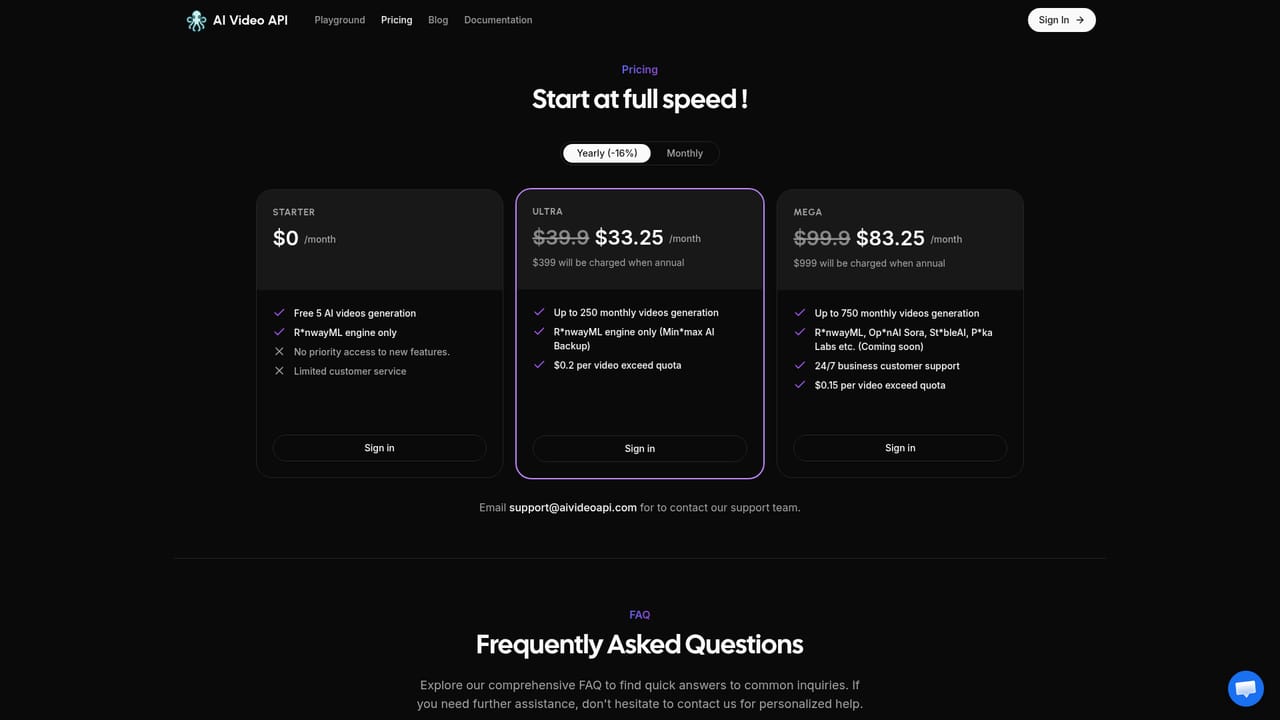
AI Video API is a developer focused hub that wraps AI video generation behind a single REST interface. Instead of stitching together separate vendor accounts, teams send a text prompt or an uploaded image and get back a generated video plus an optimized GIF. The pitch is straightforward: roughly three times cheaper than comparable options, a 99.9 percent stability target, and a queue that the site says returns results in minutes rather than hours. The feature set is aimed squarely at people building products, not at editors working in a timeline. Text to video covers prompt driven clips in any style describeable in words, while image to animation turns a single uploaded picture into a moving sequence. The headline capability is clip length: the service generates up to 36 seconds, which it positions as eight times what the industry standard offers. Every job returns dual output (full video and a share friendly GIF), and asynchronous work is tracked through query polling or callback webhooks for real time status updates. Integration is deliberately framework agnostic. The site names official support for Python, Node.js, JavaScript and PHP, with more languages implied, so most backends can call the API without writing much glue code. Privacy is handled by default: generated videos sit on the provider's servers and are accessible only to the account that created them. The newest model to land on the platform is RunwayML Gen-4, and a RapidAPI listing also exists for teams that prefer to consume through that marketplace. Compared with first party studio tools or self hosted pipelines, this is a convenience layer: someone else handles model access, queuing and scaling so the focus stays on the app. It suits indie developers, agencies and product teams that need video generation as a feature rather than a standalone editor. Buyers should check the pricing page directly, since the homepage commits to affordability without listing plan tiers or per second rates.
Official support for Python, Node.js, JavaScript and PHP, with an additional listing on RapidAPI for teams that consume APIs through that marketplace.
Text to video generation in any describable style, image to animated video conversion, clips up to 36 seconds (eight times the stated industry standard), dual video and optimized GIF output, and real time job tracking through query and callback webhooks.
 AI Angels400+ customizable AI girlfriends for NSFW chat, voice calls, and roleplay
 Candy AIExperience the future of companionship with AI friends who chat, role-play, and connect with you on a human level.
 ourdream.aiA vast AI roleplay platform with millions of characters for chat, images, video and voiceAI Angels400+ customizable AI girlfriends for NSFW chat, voice calls, and roleplayCandy AIExperience the future of companionship with AI friends who chat, role-play, and connect with you on a human level.ourdream.aiA vast AI roleplay platform with millions of characters for chat, images, video and voice


