Integrations
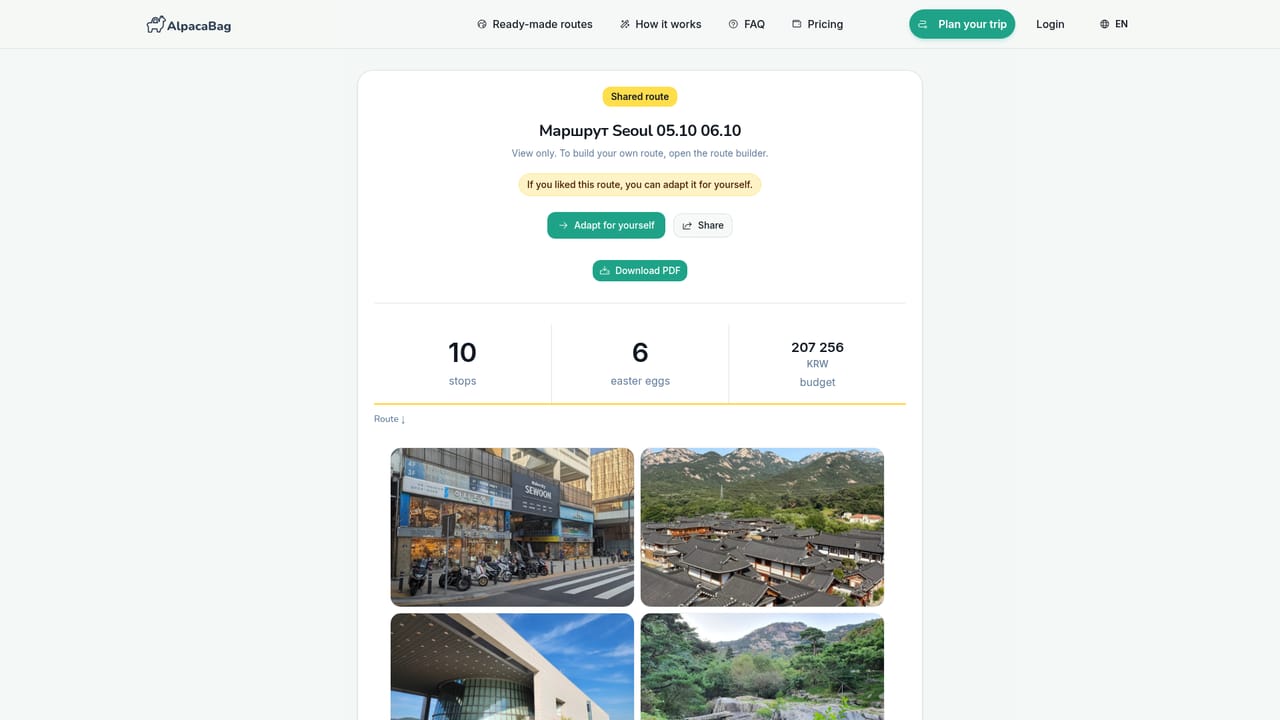
Routes open directly in Google Maps and Yandex Maps, and the plan is also available as a PDF for sharing or offline use.
AI trip planner that builds a day-by-day route around your group and pace.

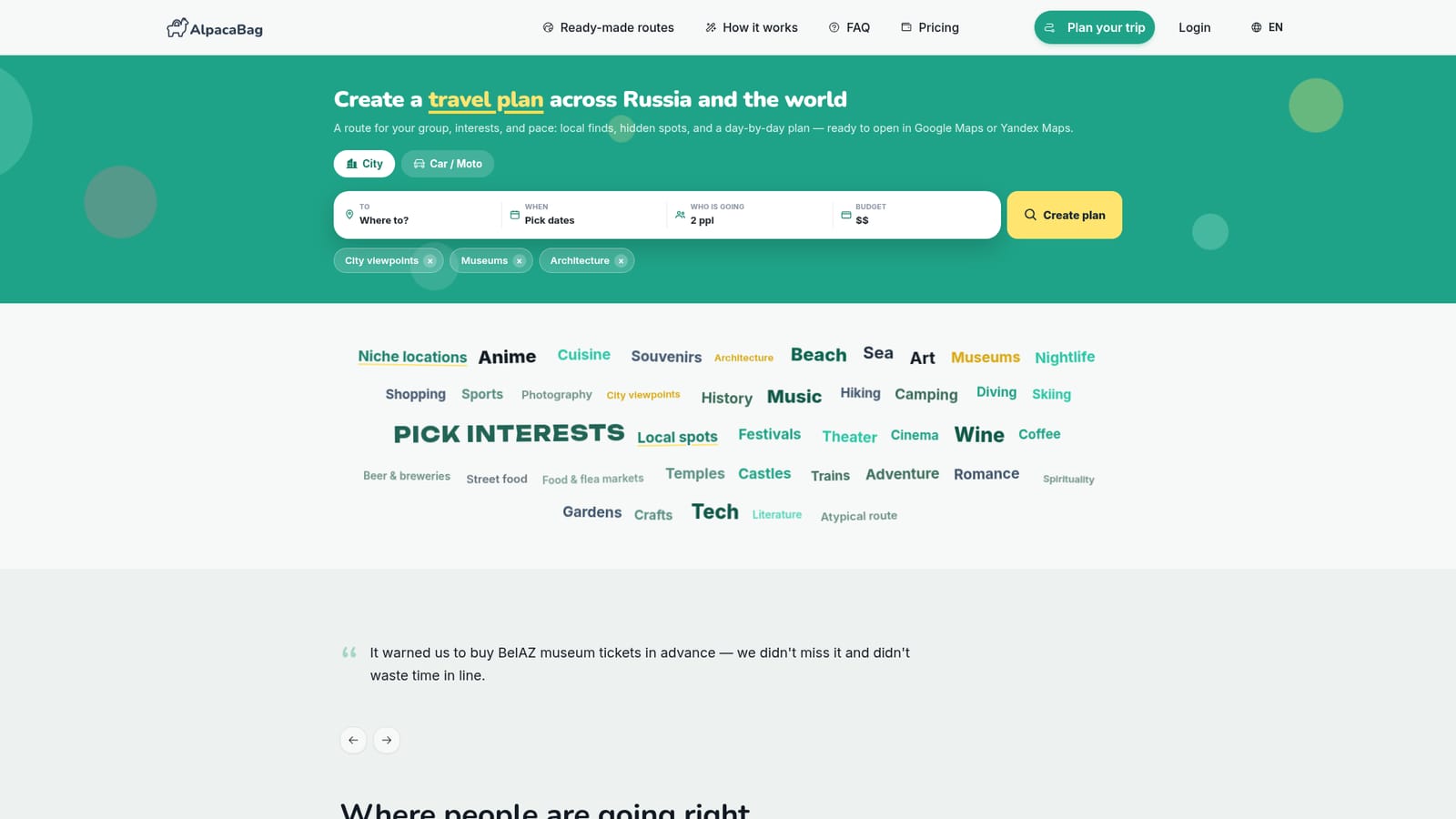
AlpacaBag turns your city, dates, group, budget and interests into a day-by-day travel route with hidden local spots, timing and movement logic. Plans open in Google Maps or Yandex Maps, export to PDF, and can be reshaped with a single request when plans change.
AlpacaBag is an AI trip planner built around a single idea: a good itinerary is a day scenario, not a list of sights. You feed it the city, travel dates, group size, budget and a set of interests chosen from a long menu (museums, street food, architecture, hiking, niche and atypical locations, and many more), and it returns a day-by-day route with timing, movement logic and stops arranged so the day flows like a real walk. That means not only the obvious must-sees but also hidden courtyards, small museums, murals, quiet streets and local spots that tend to get lost between the headline attractions. The plan is meant to be usable on the ground. Routes open in Google Maps or Yandex Maps, and the output includes opening hours, official websites, restaurant and souvenir suggestions, budget guidance, photos, descriptions and extra facts, plus a PDF version you can share with travel mates. Each stop has a card where you can ask follow-up questions about audio guides, tickets or how much time to allow. When plans shift (bad weather, fatigue, a cheaper or later alternative), you describe the change once and the tool reshapes the rest of the day around it rather than forcing a manual rebuild. It suits independent travelers and small groups who want a route with character: couples, families with kids, bike and moto riders, people chasing odd interests such as abandoned sites rather than a generic top-10. The homepage is explicit about the trade-offs. Generic chatbots give quick ideas but weak real-trip logic, travel agents rarely craft a finely personalized city experience, and author-led tours reflect someone else's taste. AlpacaBag sits between them, aimed at people who want the plan built for them specifically. Coverage spans Russia and the rest of the world, with recently created routes ranging from Yazd and Seoul to Nizhny Novgorod and a Torrevieja to Alicante drive.
Routes open directly in Google Maps and Yandex Maps, and the plan is also available as a PDF for sharing or offline use.
Core features include day-by-day routes with timing and movement logic, interest-based place selection, hidden and niche locations, budget guidance, opening hours and official websites, food and souvenir picks, map export to Google Maps and Yandex Maps, PDF export for sharing, per-stop question cards, and one-request itinerary edits that reshape the rest of the day.
 AI Angels400+ customizable AI girlfriends for NSFW chat, voice calls, and roleplay
 Candy AIExperience the future of companionship with AI friends who chat, role-play, and connect with you on a human level.
 ourdream.aiA vast AI roleplay platform with millions of characters for chat, images, video and voiceAI Angels400+ customizable AI girlfriends for NSFW chat, voice calls, and roleplayCandy AIExperience the future of companionship with AI friends who chat, role-play, and connect with you on a human level.ourdream.aiA vast AI roleplay platform with millions of characters for chat, images, video and voice