Integrations
The homepage describes per-orb access to production systems such as Google Cloud and OIDC grants, and mentions GitHub listeners on the site, but does not list a formal integrations directory.
Learn moreA coding agent that keeps working after you close your laptop.

Amp is a coding agent and development environment where agents run in orbs that persist after the laptop closes. A CLI and runner support local work, and threads, portals and automations cover review, testing and scheduled checks.
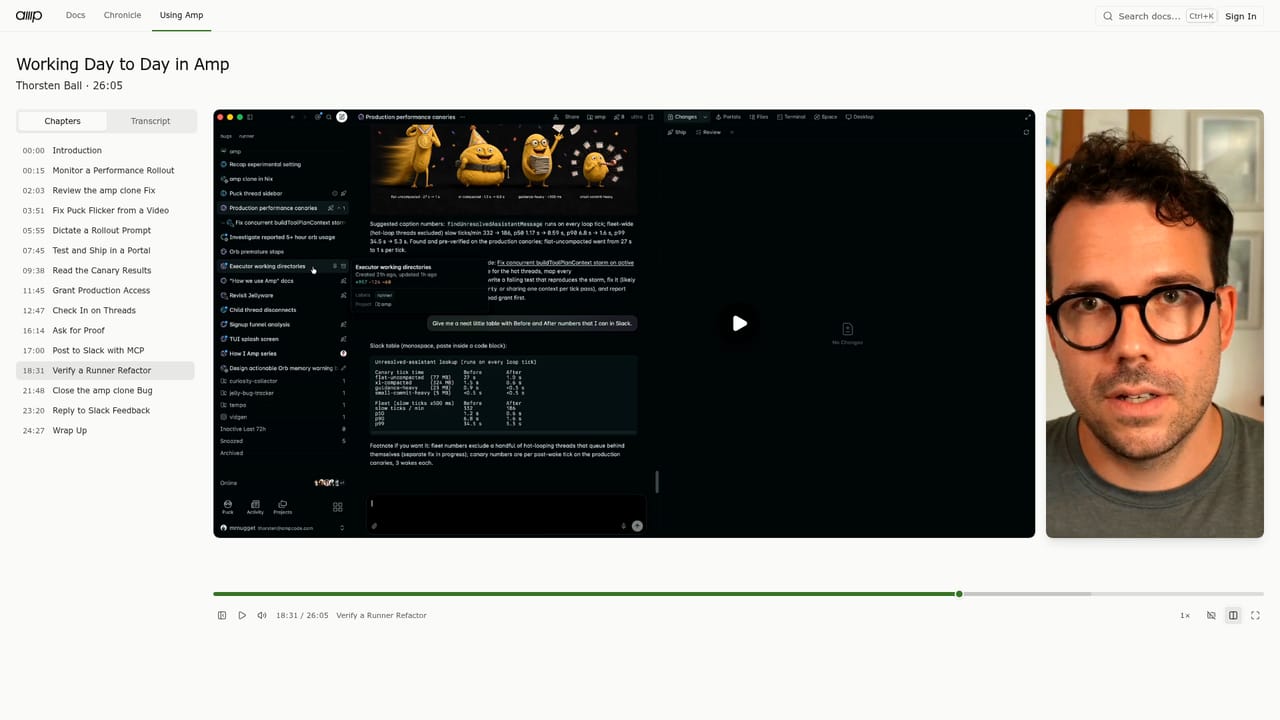
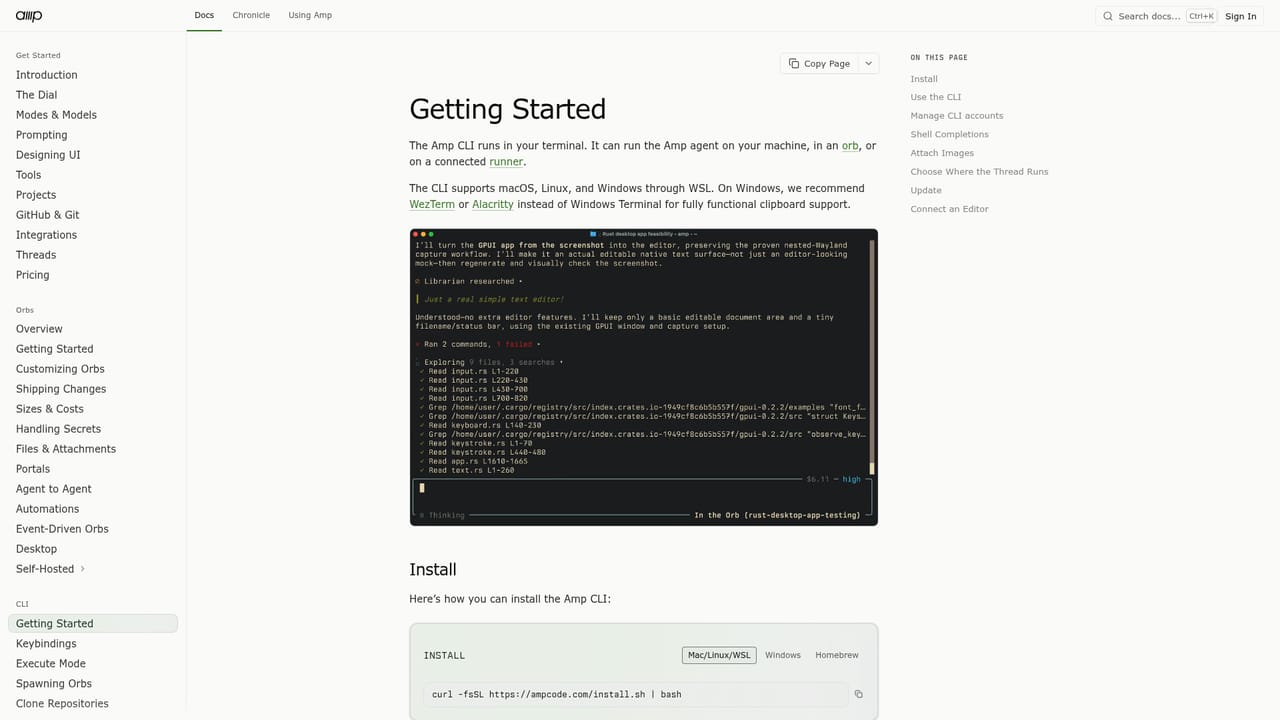
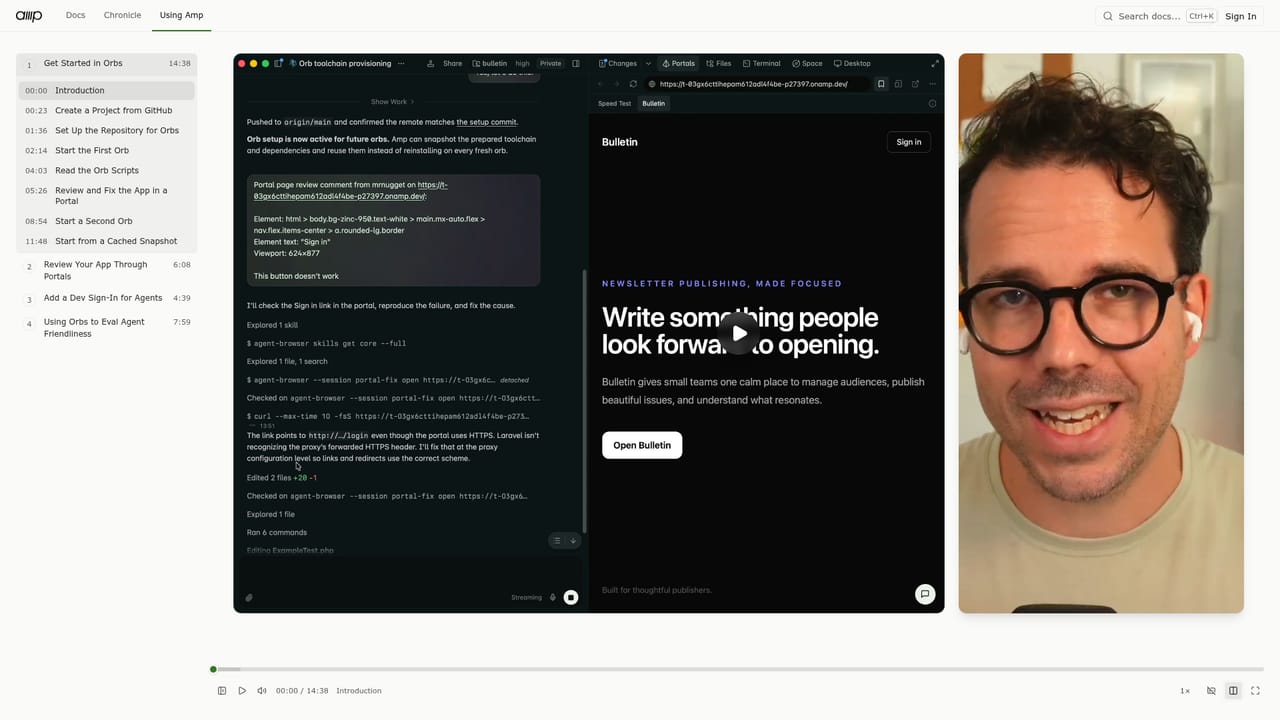
Amp is a coding agent and development environment for teams that want AI doing real work on shared codebases, not just autocomplete in an editor. The pitch is that agents live in orbs (isolated environments that can be hosted by Amp or self-hosted), so a task keeps running when the laptop closes, when the user moves to a phone, or while everyone sleeps. A companion CLI and runner let the same agent work on a local machine, and a shared link or Portal pane makes the output reviewable without cloning anything. In practice, the product is built around threads. A thread can start from a prompt, a bug report, or a screen recording of a flicker, and Amp reads the codebase, proposes changes, runs tests, and ships when told to. The Dial gives a coarse control over how much model effort a turn gets, and multi-player threads let teammates join the same session. Portals expose dev servers and Storybook instances so a change can be clicked through before it goes out. Automations let a thread wake itself on a schedule and check production logs or rollout status through credentials granted per orb. The audience is engineering teams already comfortable with a terminal and Git, particularly those evaluating agent frameworks such as background coding agents or cloud dev environments. Setup work (authentication, repository permissions, production access) is part of the experience, and orbs can be granted or revoked access to production systems. The basic unit is a self-managed agent with a long memory of the thread, not a chat window that forgets context after a few turns. Alternatives tend to fall into two camps: editor-bound assistants that stay close to the file, and hosted agents that run a task and stop. Amp leans toward the second but argues that persistence is the differentiator. Whether the orb model fits a team depends on how much autonomy it is willing to hand to an agent and how much of its infrastructure it wants to connect.
The homepage describes per-orb access to production systems such as Google Cloud and OIDC grants, and mentions GitHub listeners on the site, but does not list a formal integrations directory.
Learn moreCore pieces are orbs (persistent agent environments that can be hosted by Amp or self-hosted), a CLI and runner for local work, threads that accept prompts and screen recordings, multiplayer threads, the Dial for per-turn model effort, Portals for exposing dev servers, scheduled automations, and per-orb production access grants.
Learn more AI Angels400+ customizable AI girlfriends for NSFW chat, voice calls, and roleplay
 Candy AIExperience the future of companionship with AI friends who chat, role-play, and connect with you on a human level.
 ourdream.aiA vast AI roleplay platform with millions of characters for chat, images, video and voiceAI Angels400+ customizable AI girlfriends for NSFW chat, voice calls, and roleplayCandy AIExperience the future of companionship with AI friends who chat, role-play, and connect with you on a human level.ourdream.aiA vast AI roleplay platform with millions of characters for chat, images, video and voice


