Animatable

Turn existing footage into stylised AI animation

Intermediate
Screenshot of Animatable, Turn existing footage into stylised AI animation

What is Animatable?

Animatable is a generative video tool that turns existing footage into stylised AI animation. Animatable redraws uploaded video in a chosen art style, using a text prompt to lock in subject details and background. Pricing runs on monthly credit plans, with previews at 1 credit and animation at 7 credits per output second.

Animatable is a video to video animation service. You upload a clip you already have, choose a visual style such as comic, and describe the subject and setting in a text prompt. The system then rebuilds each frame in that style, so the result keeps the motion and timing of the original footage while the look changes completely. It is a redraw tool rather than a text to video generator, which makes it useful for filmmakers, illustrators, and social media creators who want animated versions of live action material without hand tracing frames. Generation is priced by the second of output. Each second of video to video animation costs 7 credits, and a preview image costs 1 credit. Speed follows a simple rule stated on the site: roughly one minute of processing for every second of footage, so a ten second clip takes about ten minutes. The suggested workflow is to describe clothing, hair, eye colour, and a short background description to keep the scene consistent, then render a still preview to check the look before committing credits to the full clip. The Basic plan lists 1,000 monthly credits at $20 per month (discounted from $30), and the Pro plan lists 3,000 credits at $50 per month (discounted from $70). Both include fast generation and full commercial use. Unused credits roll over to the following month, and exhausted accounts can upgrade or buy credit packs from the account page. Ownership of finished animations sits with the user, and payments run through Stripe, so card details are not stored by Animatable. The tool sits closest to style transfer and rotoscoping tools rather than avatar apps or prompt driven video generators. It competes on price per second and on the speed of the preview loop, not on breadth of features. There is no free tier described, no API mentioned, and no native mobile app listed, so it is a browser based subscription product for people who already have footage and a clear art direction.

How do you use Animatable?

  1. 1Create an account and pick a plan
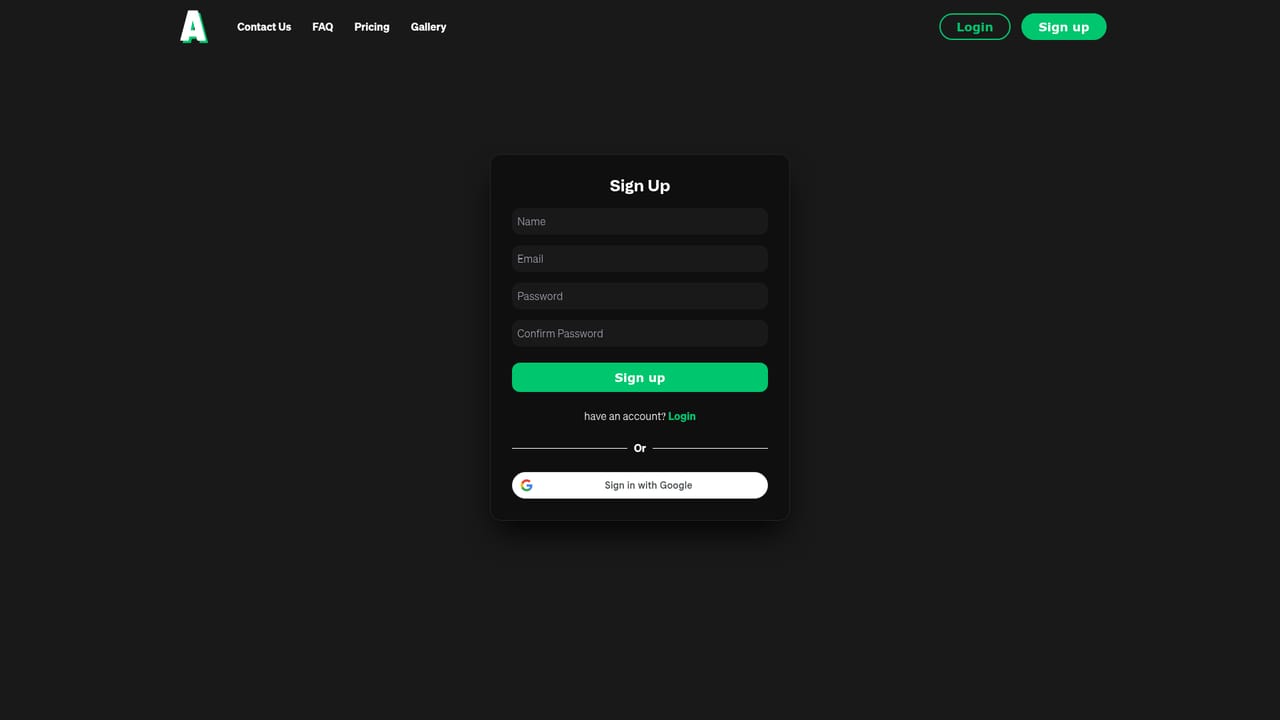
    Register on the signup page, then choose Basic or Pro depending on how many seconds of animation you expect to render each month.
    Animatable — Create an account and pick a plan
  2. 2Upload the source video
    Inside the workspace, choose the clip you want to transform. Shorter clips finish faster, so trim before uploading.
  3. 3Select a visual style
    Pick from the available styles, such as Comic, to set the look the frames will be redrawn into.
  4. 4Write the subject prompt
    Describe the subject in detail (hair, eyes, clothing) and add a brief background description so the scene stays consistent across frames.
  5. 5Render a preview image
    Spend 1 credit on a still preview to check the style and prompt before committing to the full animation.
  6. 6Generate and download the animation
    Run the full video to video pass, wait for processing at roughly one minute per output second, then download the clip for commercial use.

Pros and cons

Pros

  • Style transfer is applied to footage you already own, so camera moves and performance survive the conversionAI
  • The preview image step lets you test a look for 1 credit before spending on a full clipAI
  • Unused credits roll over each month instead of expiringAI
  • Full commercial use and ownership of finished animations are included on both plansAI
  • Stripe handles payments and no card data is stored on the platformAI

Cons

  • Render time scales with clip length at about one minute per second of output, which is slow for anything beyond short clipsAI
  • Results depend heavily on how well the prompt describes hair, eyes, clothing, and background, so weak prompts produce inconsistent framesAI
  • Only two paid tiers are listed and there is no free plan, so testing the tool requires payingAI
  • No API or third party integrations are mentioned, which limits pipeline and batch workflowsAI
  • Style selection appears restricted to the presets offered, with no evidence of custom style trainingAI

How much does Animatable cost?

Pricing

Basic costs $20 per month (reduced from $30) for 1,000 monthly credits. Pro costs $50 per month (reduced from $70) for 3,000 credits. Video to video animation uses 7 credits per second of output and image previews use 1 credit. Credits roll over monthly, and extra credit packs can be bought from the account page.

Learn more

Support

Support runs through a contact page linked from the main navigation, alongside an FAQ covering generation time, prompt advice, ownership, credits, and data deletion.

Learn more

Integrations

Payments are processed by Stripe. No other third party integrations or API access are listed on the site.

Features

Video to video animation that restyles existing footage into an art style, a library of selectable styles including Comic, and prompt control over subject detail (hair, eyes, clothing colours) plus background consistency. A preview image render lets users validate a look before full generation. Outputs carry full commercial use, credits roll over, and billing is handled by Stripe.

Frequently asked questions about Animatable

  • How much does Animatable cost?
    Basic costs $20 per month (reduced from $30) for 1,000 monthly credits. Pro costs $50 per month (reduced from $70) for 3,000 credits. Video to video animation uses 7 credits per second of output and image previews use 1 credit. Credits roll over monthly, and extra credit packs can be bought from the account page.
  • How do you use Animatable?
    The walkthrough on this page covers 6 steps: 1. Create an account and pick a plan 2. Upload the source video 3. Select a visual style 4. Write the subject prompt 5. Render a preview image 6. Generate and download the animation.
  • What platforms does Animatable support?
    Animatable is available on Web App.
  • What does Animatable integrate with?
    Payments are processed by Stripe. No other third party integrations or API access are listed on the site.
  • What are the limitations of Animatable?
    Render time scales with clip length at about one minute per second of output, which is slow for anything beyond short clips. Results depend heavily on how well the prompt describes hair, eyes, clothing, and background, so weak prompts produce inconsistent frames. Only two paid tiers are listed and there is no free plan, so testing the tool requires paying.

Status

StatusActive
Views0
Outbound clicks0
Added10/21/2026

Platforms

Web App

Pricing

PaidSubscription