Free trial
No separate trial signup is needed: a new account created through Google sign-in automatically includes one free 5-second clip.
Learn moreTurns a single still photo into a short, motion-true video in under a minute.

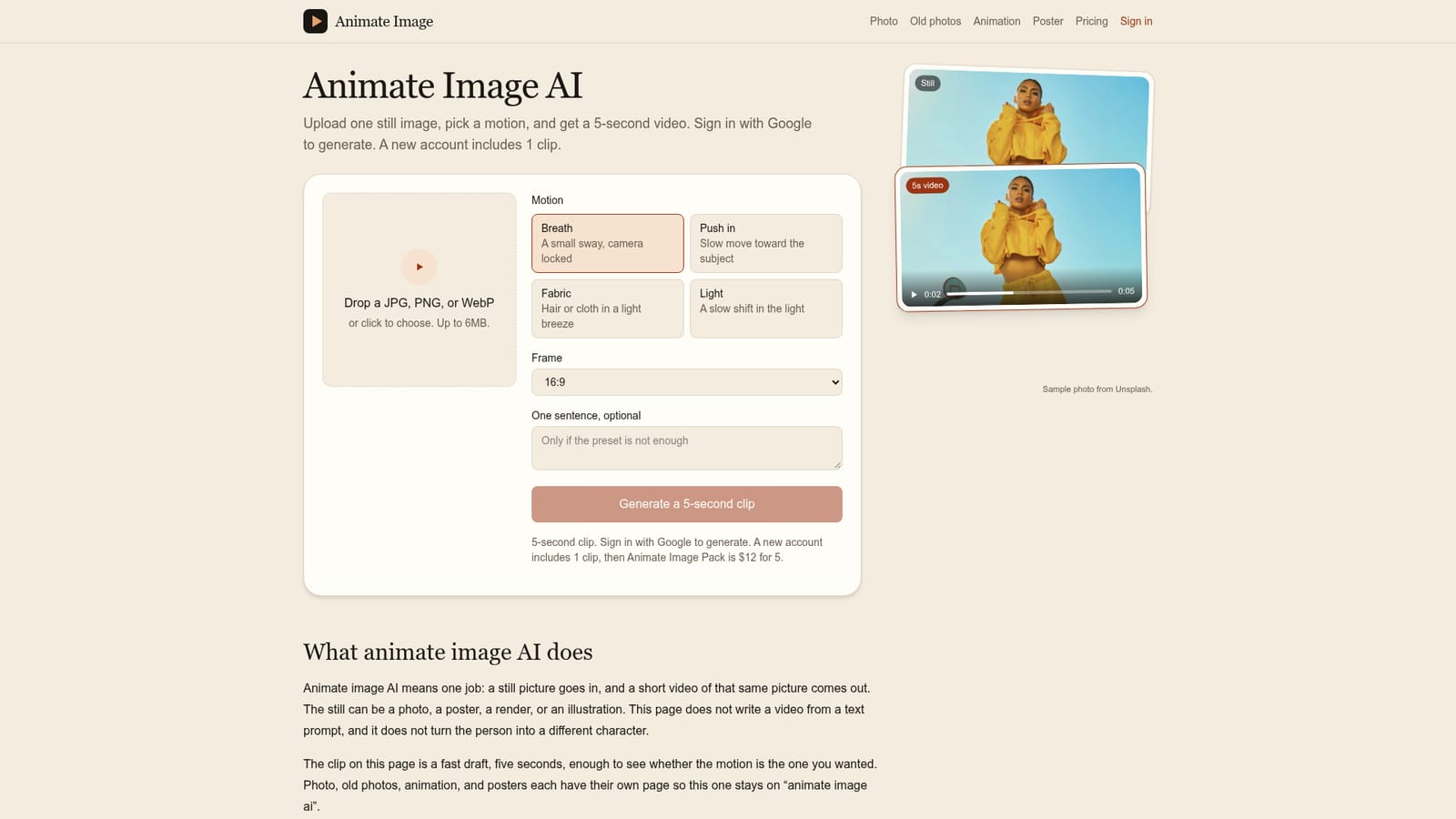
Animate Image is a generative video tool that turns a single still photo into a short, motion-true video in under a minute. Animate Image AI converts a single uploaded photo, poster, or illustration into a five second video using a small set of motion presets, with one free clip on a new Google account and paid packs after that.
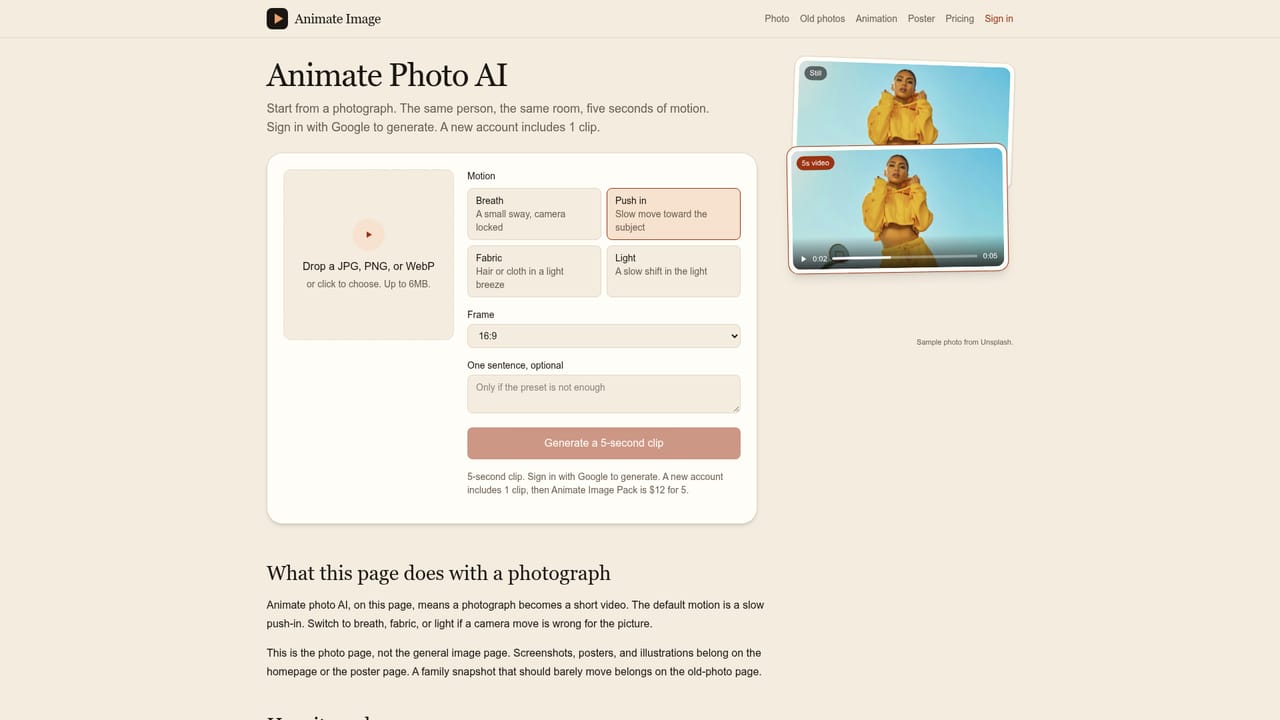
Animate Image AI takes a single still photograph, poster, render, or illustration and turns it into a short video that keeps the same subject, face, and background intact. Rather than generating a clip from a text prompt or inventing a new scene, the tool treats the uploaded picture as the first frame and applies one of several preset motions: a subtle breathing sway, a slow push toward the subject, fabric or hair movement, or a shift in lighting. The output is a five second clip meant as a quick draft to confirm the chosen motion looks right before any further editing. The workflow is built around speed and a fixed order of steps. Users can drop a JPG, PNG, or WebP file, up to 6MB, and choose a motion preset before creating an account; Google sign-in is only required at the moment of generation. A new account comes with one included clip, after which additional clips are purchased through a pack system. The site keeps separate pages for different image types (photos, old photographs, posters, general photo to animation) but the underlying mechanism stays the same: upload, pick or describe a motion, and wait on the same screen while a counter tracks progress, typically finishing in under a minute. The tool suits people who already have a finished image and want a small, controlled amount of motion added to it, rather than filmmakers building a video from scratch. Typical uses include giving a product photo subtle movement for an online listing, adding a gentle breath to a portrait or an old family photo, or animating a poster's lighting without disturbing its lettering. Because the motion presets are intentionally conservative, keeping the face, objects, and background fixed, this is a narrower tool than general text to video generators, and it does not reinterpret a photo into a different style such as a cartoon.
No separate trial signup is needed: a new account created through Google sign-in automatically includes one free 5-second clip.
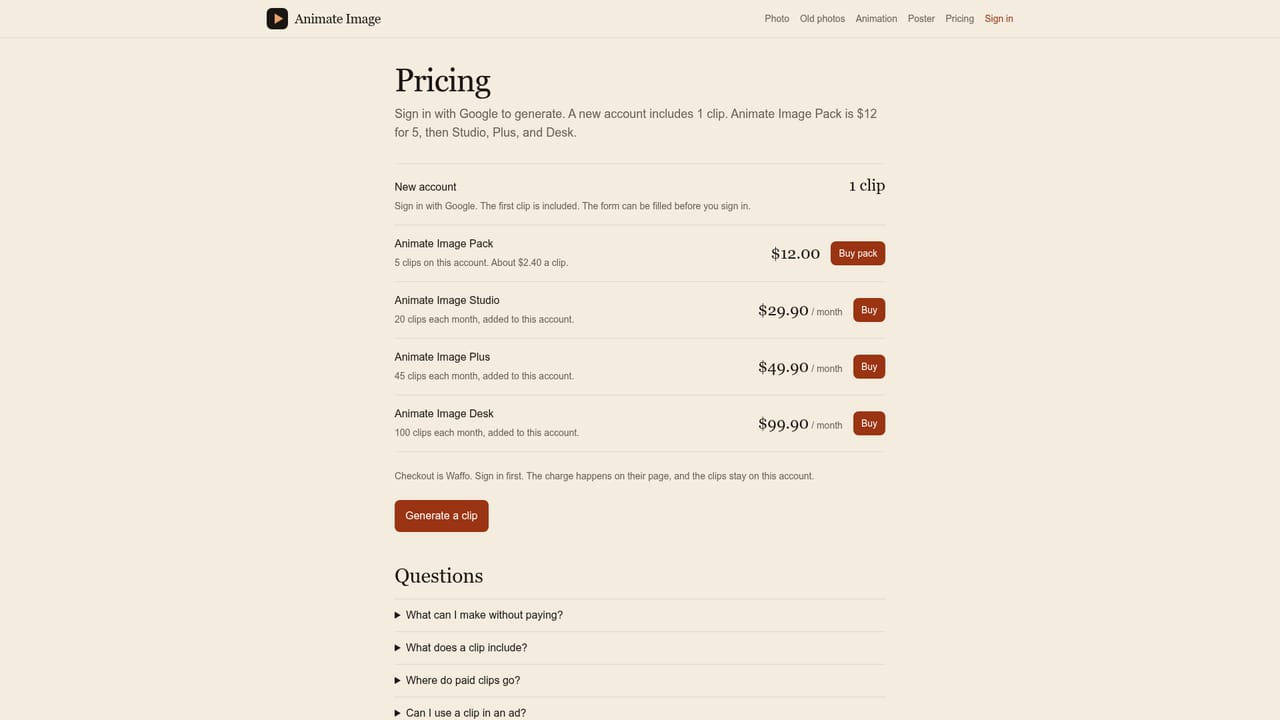
Learn moreA new Google account includes one free 5-second clip. After that, the Animate Image Pack costs $12 for 5 additional clips, with full pricing details on the pricing page.
Learn moreAn FAQ section on the homepage answers common questions about clip length, file limits, data handling, and commercial use; no separate help desk or live chat is mentioned.
Single image upload (JPG, PNG, WebP up to 6MB), four motion presets (Breath, Push in, Fabric, Light), optional one-sentence motion description, selectable frame ratio, live render countdown, and separate pages for photos, old photos, posters, and general animation.
Learn more AI Angels400+ customizable AI girlfriends for NSFW chat, voice calls, and roleplay
 Candy AIExperience the future of companionship with AI friends who chat, role-play, and connect with you on a human level.
 ourdream.aiA vast AI roleplay platform with millions of characters for chat, images, video and voiceAI Angels400+ customizable AI girlfriends for NSFW chat, voice calls, and roleplayCandy AIExperience the future of companionship with AI friends who chat, role-play, and connect with you on a human level.ourdream.aiA vast AI roleplay platform with millions of characters for chat, images, video and voice


