Free trial
You can download AnyEnhancer and try enhancing videos, but export is disabled until you subscribe, so the free version works as a trial rather than a free tier.
Learn moreAI video upscaling, denoising and colorization for desktop.
Own AnyEnhancer by iMobie? Verify ownership to get a dofollow link

AnyEnhancer by iMobie is a face editor tool. AnyEnhancer is a Windows and Mac desktop app that uses AI models to upscale video to 2K or 4K, restore faces, colorize black-and-white footage, denoise, and boost frame rates. It is built for creators and archivists who want automatic enhancement without a full editing suite.
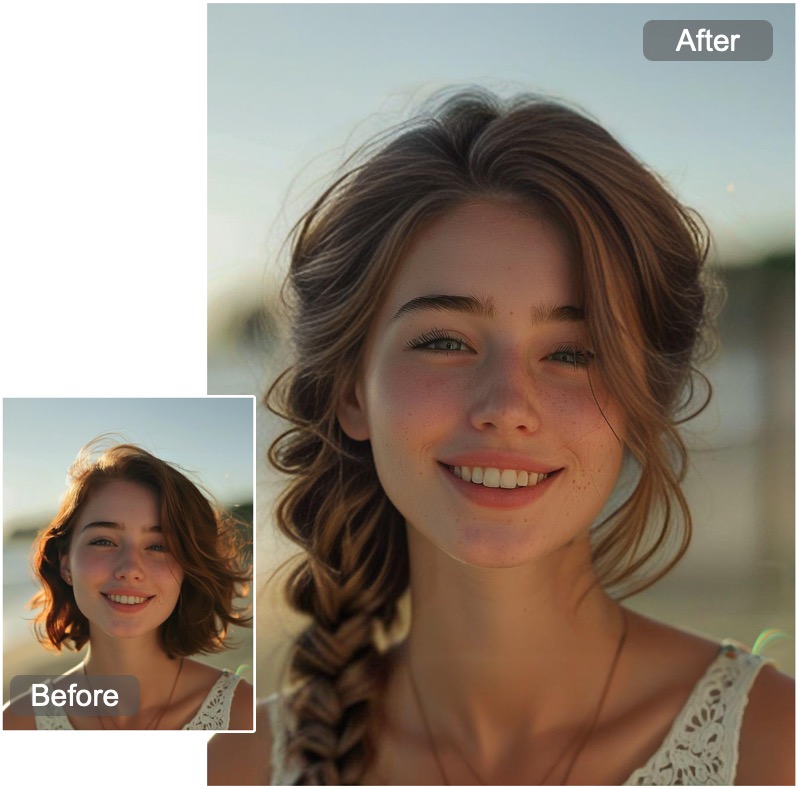
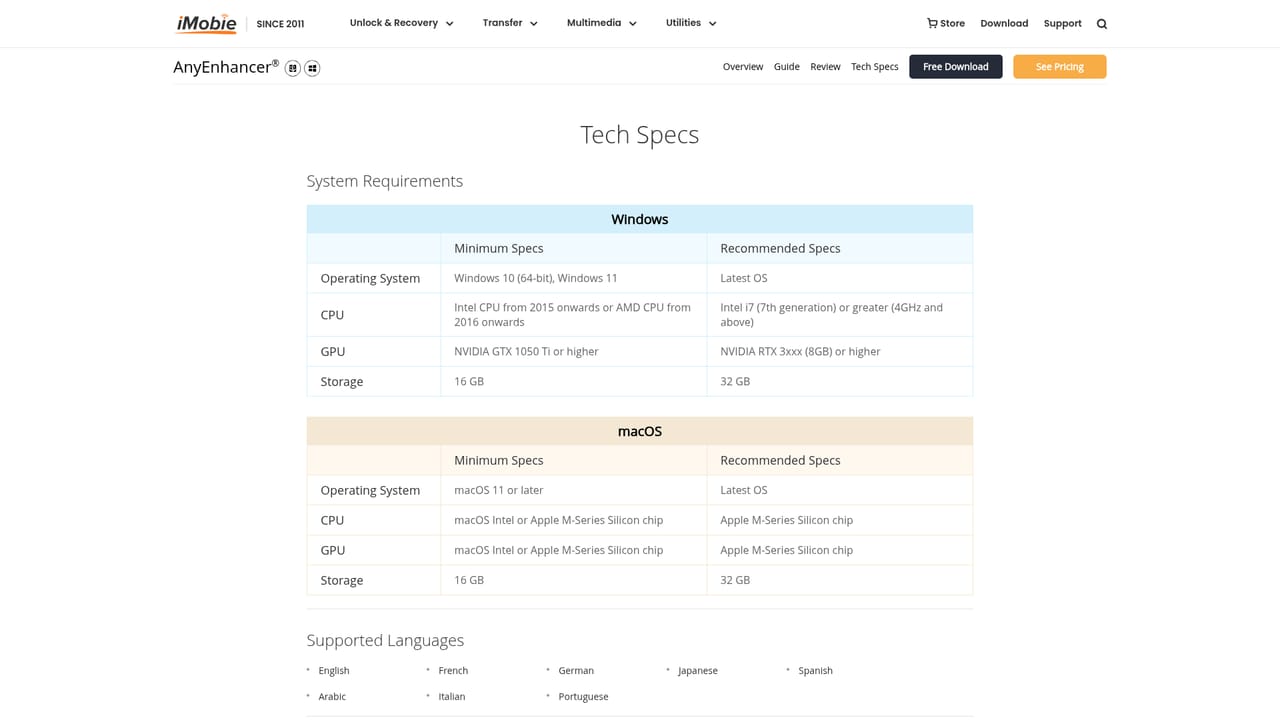
AnyEnhancer is a desktop application from iMobie that applies AI models to video footage to improve clarity, color and motion. It runs on Windows 11 and Windows 10 (64-bit) as well as macOS 11 or later, and works through a simple three-step flow: load a clip, pick a model, then preview and export the result. The selling point is the range of dedicated models rather than a single generic filter. Resolution Enhancement upscales 360p or 480p sources to 2K or 4K, while an Intelligent Enhancement model combines upscaling and face restoration in one pass. Separate models handle face recovery, colorization of black-and-white footage, color saturation and brightness correction, denoising, and frame interpolation that doubles or quadruples the frame rate. The tool is aimed at people who want better-looking video without learning a full editing suite. That covers content creators polishing social media clips, hobbyists stabilizing travel or action footage, family archivists restoring old home movies, and anime fans upscaling low-resolution episodes. The promised benefits are cinematic smoothness, sharper facial detail and more vivid color, all delivered with no editing skills required. Processing is automatic once a model is selected, and the interface supports real-time preview before export. In practice AnyEnhancer sits in the same bracket as other AI upscalers and restoration tools, but its emphasis on face restoration and colorization gives it a slightly different center of gravity. The workflow stays inside the app on the user's own machine, which suits larger files and offline work. Because it is a standalone program rather than a browser editor, it does not depend on cloud uploads. The trade-off is that it is not a general-purpose video editor: there are no cuts, transitions or multi-track timelines here, so it works best as a finishing step after editing or as a quick rescue tool for archive material. Pricing is subscription-based, and while the app can be downloaded and used to try enhancements, exporting finished videos requires an active plan. iMobie backs purchases with a 60-day money back guarantee and points users to live chat for questions.

You can download AnyEnhancer and try enhancing videos, but export is disabled until you subscribe, so the free version works as a trial rather than a free tier.
Learn moreAnyEnhancer is subscription-based. The app can be downloaded and enhancements can be tried, but exporting videos requires a paid plan. iMobie offers a 60-day money back guarantee on purchases.
Learn moreiMobie offers live chat on its website for direct questions about AnyEnhancer, and the product pages include a guide, reviews, technical specifications and a public roadmap for user feedback.
Learn moreAnyEnhancer provides a set of AI models for video improvement: an Intelligent Enhancement model that combines resolution upscaling with face restoration, a Resolution Enhancement model for 2K and 4K upscaling, dedicated Face Restoration, Colorize for black-and-white footage, Color Enhancement for dull or faded footage, Denoise for grainy video, and Frame Interpolation that increases frame rate by 2X or 4X. Real-time preview and automatic processing are included.
Learn more AI Angels400+ customizable AI girlfriends for NSFW chat, voice calls, and roleplay
 Candy AIExperience the future of companionship with AI friends who chat, role-play, and connect with you on a human level.
 ourdream.aiA vast AI roleplay platform with millions of characters for chat, images, video and voiceAI Angels400+ customizable AI girlfriends for NSFW chat, voice calls, and roleplayCandy AIExperience the future of companionship with AI friends who chat, role-play, and connect with you on a human level.ourdream.aiA vast AI roleplay platform with millions of characters for chat, images, video and voice