Auggie CLI

The Augment coding agent, packaged as a terminal CLI.

Advanced API
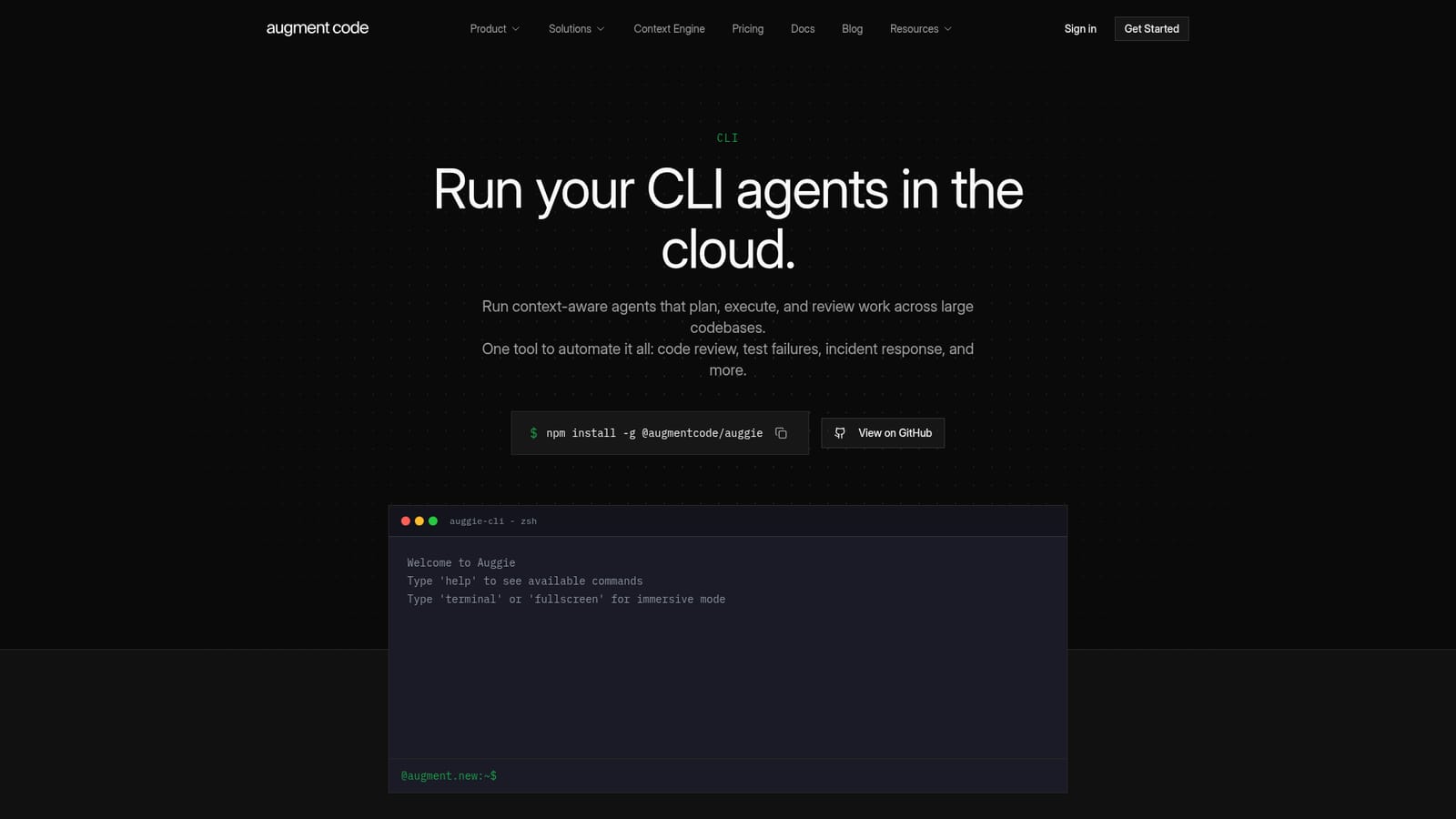
Screenshot of Auggie CLI, The Augment coding agent, packaged as a terminal CLI

What is Auggie CLI?

Auggie CLI is a developer tool. Augment Code's coding agent as a terminal tool: interactive streaming sessions or headless single-shot runs for CI, with semantic codebase context, sub agents, resumable sessions, and official GitHub Actions for PR review and descriptions.

Auggie CLI is the terminal interface for Augment Code's coding agent. It runs in two distinct registers: an interactive mode where the agent streams its reasoning, shows visual progress, and exposes each tool call as it happens, and a single-shot automation mode triggered with the --print flag for clean, pipeable output. The install is a standard npm global package, and the binary runs anywhere a Node.js runtime exists, which puts CI pipelines, serverless functions, and cron jobs within reach of the same agent developers use interactively. What separates Auggie from a generic shell assistant is the context layer underneath it. Augment describes a semantic understanding of the codebase rather than keyword search, so the agent reads structure and relationships across large repositories instead of grepping for strings. On top of that sit sub agents that run narrow jobs (security audits, test writing, data analysis) in isolated contexts, parallel agents that work in separate sessions at once, resumable sessions that keep conversation history and task state across terminal restarts, and a task manager that breaks complex work into trackable steps. The automation story is where the product is aimed. Official GitHub Actions cover automatic PR descriptions and context-aware pull request review, and the headless mode drops into GitHub Actions, Jenkins, or any other CI system. The site presents dependency update triage, issue triage, incident response, security review, and documentation sync as recurring workloads an agent can own. Service accounts with dedicated API tokens, per-automation token management, and usage monitoring exist for production workloads, though the vendor marks them enterprise only. Auggie is a fit for engineering teams already comfortable in a shell who want the agent to live beside their existing pipeline rather than inside an editor. It supports the Agent Client Protocol, so Zed, JetBrains, Neovim, and Emacs users can reach it through those clients, and it accepts multiple models including Claude and GPT-4. Solo developers may find the heavier automation and enterprise account features beyond what they need.

How do you use Auggie CLI?

  1. 1Install the CLI globally
    Run npm install -g @augmentcode/auggie in a terminal with Node.js available. The global install puts the auggie binary on your path so it can be invoked from any project directory.
    Auggie CLI — Install the CLI globally
  2. 2Start an interactive session
    Launch auggie inside a repository to open the rich interactive experience with real-time streaming and visible tool calls. Use the help command to list available commands, and the terminal or fullscreen command for immersive mode.
  3. 3Try a first task with prompt suggestions
    The session offers personalized prompt suggestions to get moving. Alternatively type a question such as how to log an error, or press / to browse commands and ? for shortcuts.
  4. 4Switch to single-shot automation
    Add --print followed by your task for one execution, and --quiet for clean output. Pipe input in and results out, for example feeding a build log in and asking the agent to summarize the failure.
  5. 5Wire Auggie into GitHub
    Add the official augmentcode/describe-pr and augmentcode/review-pr actions to your workflows for generated PR descriptions and context-aware reviews. The /github-workflow command inside Auggie generates tailored workflow files.
    Auggie CLI — Wire Auggie into GitHub

Pros and cons

Pros

  • Semantic codebase context rather than grep, which matters on large repositoriesAI
  • Two clear modes: interactive streaming and the --print single-shot path for pipingAI
  • Runs anywhere Node.js runs, so CI systems, serverless functions, and cron jobs are coveredAI
  • Resumable sessions and a task manager keep long multi-step work recoverableAI
  • Official GitHub Actions plus ACP support for Zed, JetBrains, Neovim, and EmacsAI

Cons

  • Requires Node.js and comfort with a terminal; no graphical onboarding pathAI
  • Service accounts with token management and usage monitoring are locked to enterpriseAI
  • Multi-model choice is a plus, but results will vary by model and need evaluationAI
  • Agent automation on PRs and dependencies earns trust slowly and needs review guardrailsAI
  • Pricing, limits, and plan differences are not stated on the CLI pageAI

How much does Auggie CLI cost?

Integrations

GitHub through official describe-pr and review-pr Actions, MCP-compatible tools such as GitHub, Linear, and Jira, any ACP client including Zed, JetBrains, Neovim, and Emacs, plus CI systems like GitHub Actions and Jenkins in headless mode.

Features

Interactive mode with streaming output and followable tool calls; --print and --quiet automation modes; semantic context engine; sub agents for isolated specialized tasks; parallel agents across sessions; resumable sessions with persisted state; prompt enhancer; user and repo rules; headless CI mode; session sharing exported as markdown; MCP support; multi-model choice including Claude and GPT-4; task manager; custom commands; per-environment tool permissions.

Learn more

Frequently asked questions about Auggie CLI

  • Does Auggie CLI have an API?
    Yes, Auggie CLI offers an API.
  • How do you use Auggie CLI?
    The walkthrough on this page covers 5 steps: 1. Install the CLI globally 2. Start an interactive session 3. Try a first task with prompt suggestions 4. Switch to single-shot automation 5. Wire Auggie into GitHub.
  • What platforms does Auggie CLI support?
    Auggie CLI is available on MacOS, Windows and Linux.
  • What does Auggie CLI integrate with?
    GitHub through official describe-pr and review-pr Actions, MCP-compatible tools such as GitHub, Linear, and Jira, any ACP client including Zed, JetBrains, Neovim, and Emacs, plus CI systems like GitHub Actions and Jenkins in headless mode.
  • What are the limitations of Auggie CLI?
    Requires Node.js and comfort with a terminal; no graphical onboarding path. Service accounts with token management and usage monitoring are locked to enterprise. Multi-model choice is a plus, but results will vary by model and need evaluation.

Status

StatusActive
Views0
Outbound clicks0
Added10/22/2026

Platforms

MacOSWindowsLinux

Pricing

FreemiumSubscription