AVCLabs PhotoPro AI

Desktop AI photo editor for restoring, enhancing and retouching images

Beginner
Screenshot of AVCLabs PhotoPro AI, Desktop AI photo editor for restoring, enhancing and retouching images

What is AVCLabs PhotoPro AI?

AVCLabs PhotoPro AI is a Windows and Mac desktop app that enhances and upscales photos up to 4x, removes objects, watermarks and backgrounds, colorizes old images, retouches faces and generates elements from text prompts.

AVCLabs PhotoPro AI is a desktop photo editing application that bundles several AI image tasks into one program. It covers enhancement and upscaling, object and watermark removal, background removal, colorizing black-and-white pictures, face retouching, color calibration, and text-driven replacement or generation of elements inside a photo. The software is installed locally on Windows 10 or 11 (64-bit) or on macOS 12 through macOS 26, and the vendor says it carries no ads. The tool is aimed at people who handle damaged, low-resolution or cluttered images and want results without manual retouching: family archivists restoring faded prints, designers cleaning up product or travel shots, and anyone scanning old comics or documents. The vendor's case studies point to those same scenarios. Upscaling reaches up to 4x using super-resolution and deep learning, with the stated aim of rebuilding lost texture and avoiding jagged edges and blur artifacts. In practice, a user opens an image and picks a function. The object remover deletes people, text or semi-transparent watermarks and then reconstructs the area behind them. The replace function accepts a text instruction to swap an element for something new. The colorizer offers Bright and Soft modes, background removal isolates the subject and allows a new backdrop, and face retouch detects faces to reduce blur and improve skin texture. Color calibration adjusts contrast, brightness and saturation automatically. A free download is offered for both platforms, with separate purchase pages for Windows and Mac. Among alternatives, PhotoPro AI sits between single-purpose web upscalers and full layer-based editors. It does not try to replace a manual editor with layers and masks; its pitch is task-level automation in a local app. AVCLabs also sells a separate Photo Enhancer AI, video tools and browser-based online tools, so buyers who need only one function may find a lighter product elsewhere in the same catalog.
How do you use AVCLabs PhotoPro AI?

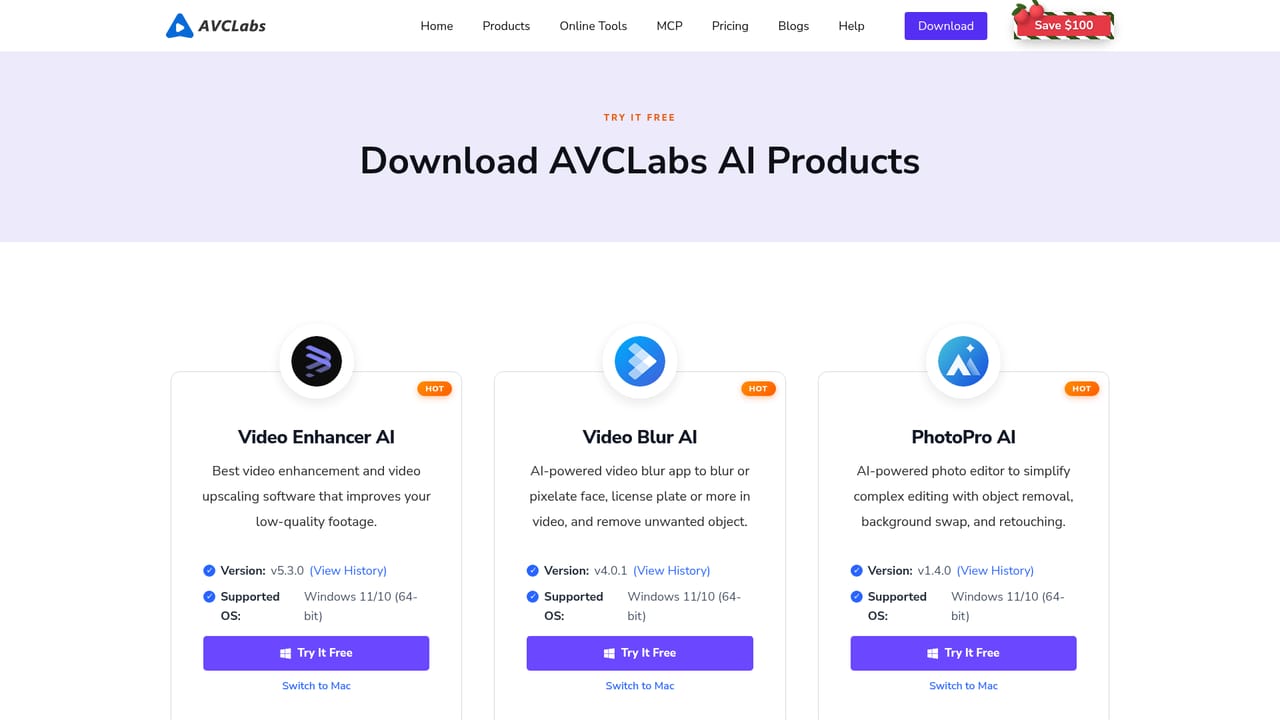
  1. 1Download the installer
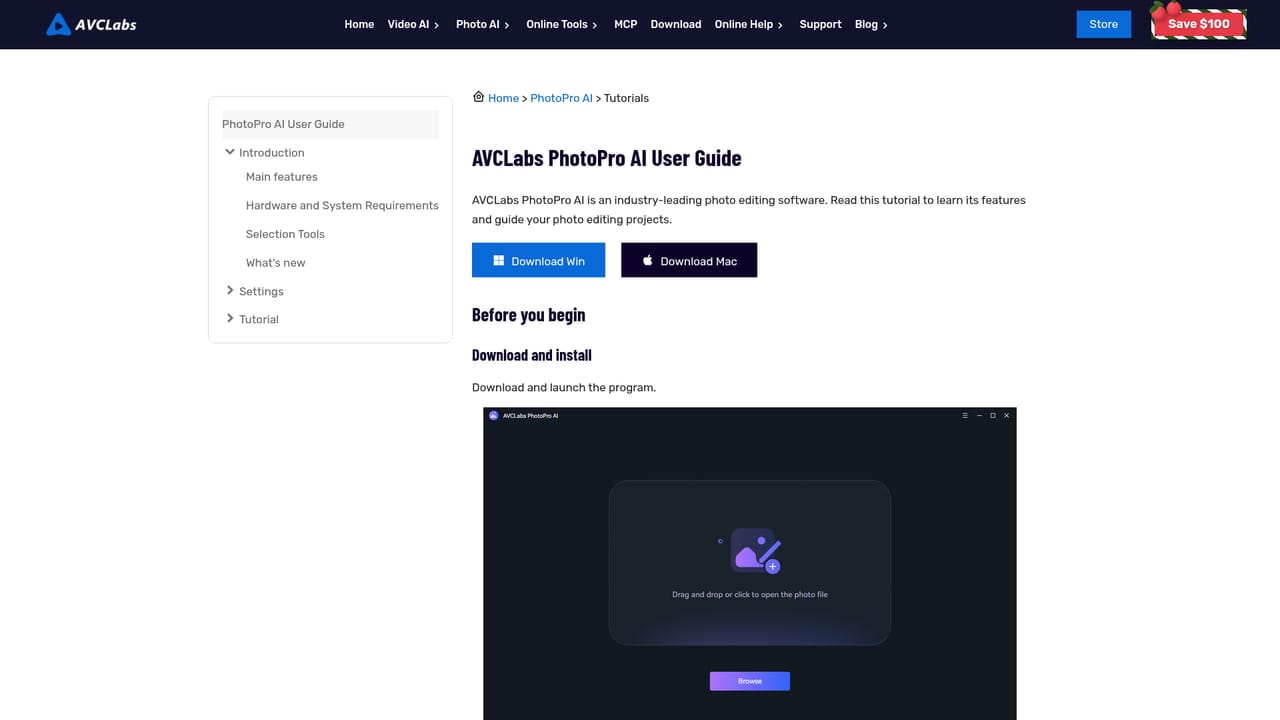
    Pick the Windows (Win 11/10, 64-bit) or macOS 12 to macOS 26 build from the product page or the Download Center.
    AVCLabs PhotoPro AI — Download the installer
  2. 2Install and check requirements
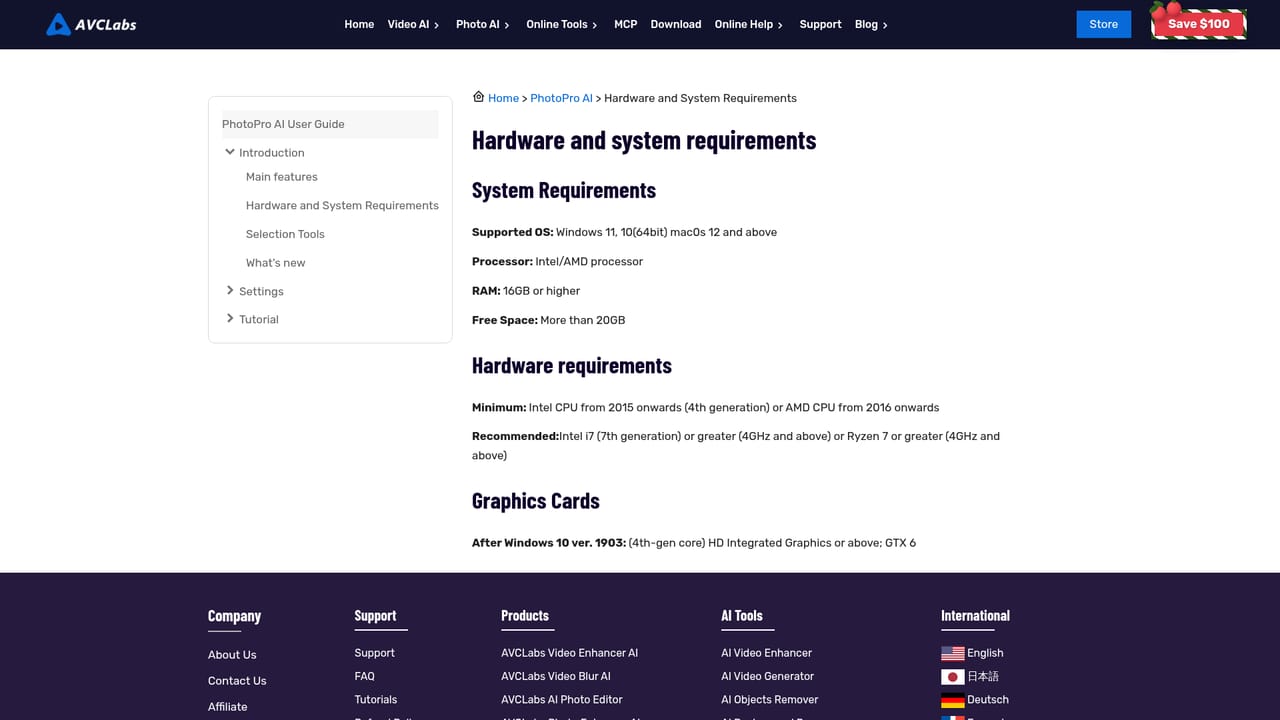
    Open the downloaded package and follow the on-screen prompts. The hardware and system requirements page lists what the computer needs.
    AVCLabs PhotoPro AI — Install and check requirements
  3. 3Read the getting-started guide
    The PhotoPro AI guide walks through the interface and the main functions before the first edit.
    AVCLabs PhotoPro AI — Read the getting-started guide
  4. 4Import a photo and choose a tool
    Load an image and select a function such as enhance, remove objects, colorize, remove background or face retouch.
  5. 5Process and export the result
    Apply the AI function, compare the output with the original, adjust options such as colorizer mode, then save the finished image.

Pros and cons

Pros

  • Wide task coverage in one app: upscaling, object removal, colorizing, background removal, face retouch and color calibrationAI
  • Runs as a local desktop install on both Windows and macOS rather than only in a browserAI
  • Upscaling to 4x with detail reconstruction suits restoring old, blurry or low-resolution photosAI
  • Object remover rebuilds the background behind removed items, including semi-transparent watermarksAI
  • Free download is available for both platforms and the vendor states the software has no adsAI

Cons

  • Desktop-only install: no mobile apps are listed, so editing on a phone or tablet is not possibleAI
  • Not a layer-based editor, so fine manual control over masks, layers and compositing is limitedAI
  • Homepage does not state what the free download restricts, so the free tier's limits are unclearAI
  • Hardware requirements apply for local AI processing, and weaker machines may be slowAI
  • Overlaps with the vendor's own Photo Enhancer AI and online tools, which can confuse product choiceAI

How much does AVCLabs PhotoPro AI cost?

Free trial

A free download is offered for Windows and macOS. The homepage does not describe trial length or what is limited in the free version.

Learn more

Pricing

The homepage offers a free download and Buy Now buttons with separate purchase pages for Windows and Mac, but it does not state prices or plan terms.

Learn more

Support

The site has a Help section with a PhotoPro AI getting-started guide, hardware requirements, a what's new page, a FAQ section on the product page and a general support page.

Learn more

Features

AI photo enhancement and upscaling up to 4x, object and watermark removal, text-based object replacement and generation, black-and-white colorizing (Bright and Soft modes), background removal and replacement, face retouch, and automatic color calibration.

Learn more

Frequently asked questions about AVCLabs PhotoPro AI

  • How much does AVCLabs PhotoPro AI cost?
    The homepage offers a free download and Buy Now buttons with separate purchase pages for Windows and Mac, but it does not state prices or plan terms.
  • Does AVCLabs PhotoPro AI offer a free trial?
    A free download is offered for Windows and macOS. The homepage does not describe trial length or what is limited in the free version.
  • How do you use AVCLabs PhotoPro AI?
    The walkthrough on this page covers 5 steps: 1. Download the installer 2. Install and check requirements 3. Read the getting-started guide 4. Import a photo and choose a tool 5. Process and export the result.
  • What platforms does AVCLabs PhotoPro AI support?
    AVCLabs PhotoPro AI is available on Windows and MacOS.
  • What are the limitations of AVCLabs PhotoPro AI?
    Desktop-only install: no mobile apps are listed, so editing on a phone or tablet is not possible. Not a layer-based editor, so fine manual control over masks, layers and compositing is limited. Homepage does not state what the free download restricts, so the free tier's limits are unclear.

Status

StatusActive
Views0
Outbound clicks0
Added10/18/2026

Platforms

WindowsMacOS

Pricing

FreemiumPaid