
RemoveMoire.com

AI tool that wipes moire ripples from photos of screens, fabric and scans

Beginner
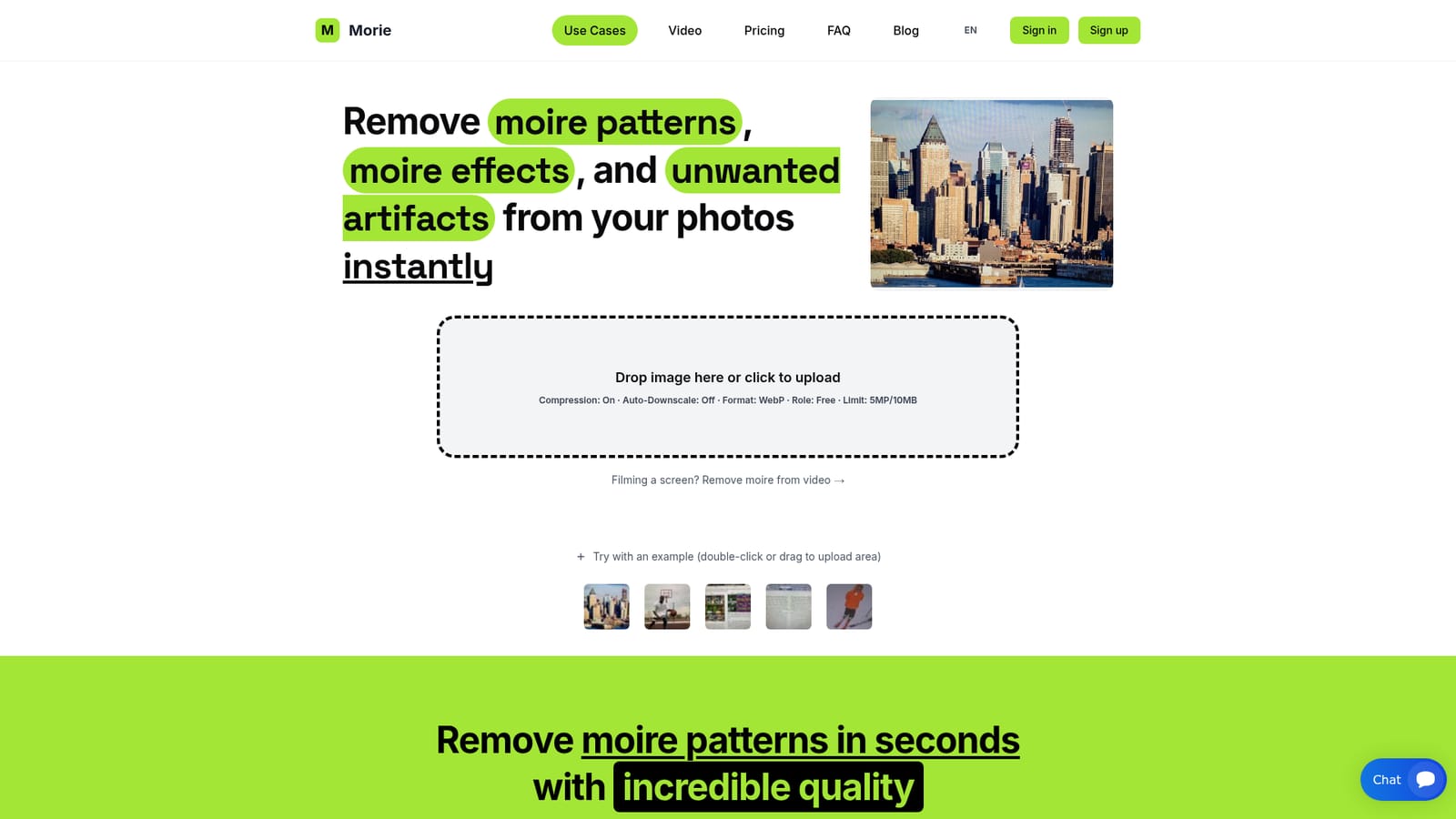
Screenshot of RemoveMoire.com, AI tool that wipes moire ripples from photos of screens, fabric and scans

What is RemoveMoire.com?

RemoveMoire.com is a web-based AI tool that removes moire patterns from photos of screens, fabrics and scanned prints, with a separate video option for screen footage. A free tier exists, with paid monthly plans and one-time packs for larger files.

RemoveMoire.com is a browser-based tool that targets one specific image flaw: moire, the wavy ripples, grids and stripes that appear when a camera records a screen, a fine fabric weave or a printed halftone. Visitors upload a photo, an AI model built for this single task processes it, and a cleaned file comes back in seconds. The site calls its engine Morie, and it positions the result as faster and more consistent than clone-stamp and filter workflows in Photoshop or the detail controls in Lightroom. The audience is practical rather than artistic. The homepage lists four main scenarios: descreening scanned magazines, old photos and printed documents; fixing fabric and textile patterns in fashion photography; cleaning photos taken of monitors, TVs and phone displays; and preparing e-commerce product shots, especially clothing, for online stores and social channels. A separate video page handles short MP4, MOV or WebM clips filmed from a screen, though it is meant for screen moire and not for wardrobe or fabric patterns. In practice the workflow is a single upload box with a few settings: client-side compression to speed up transfers, an optional auto-downscale that fits large files to the plan's pixel limit, and an output choice between keeping the original format or converting to WebP. Five sample images let visitors test the result before using their own files. The free tier exports at up to 720px, while paid plans raise megapixel and file size caps and add priority processing. Usage is metered by the number of processes per month, and one-time packs exist for people who would rather not subscribe. The site states that images travel over encrypted connections and are deleted after processing. Among alternatives, general photo editors and AI upscalers can reduce moire as a side effect, but RemoveMoire.com is narrower. It presents no general retouching tools or editing canvas, which suits one-off fixes and small product catalogs better than a full editing pipeline.

How do you use RemoveMoire.com?

  1. 1Open the upload tool
    Go to the homepage and drag an image onto the upload area or click it to pick a file. The five sample images can be used to preview the result first.
    RemoveMoire.com — Open the upload tool
  2. 2Set the upload options
    Choose whether to compress uploads, auto-downscale to the plan's pixel limit, and keep the original format or convert to WebP. Compression mainly speeds up large or mobile uploads.
  3. 3Run the removal
    Start processing and complete the reCAPTCHA check if it appears. The cleaned image is returned within seconds, and the result can be downloaded.
  4. 4Handle screen footage
    For clips filmed from a monitor, open the video page and upload a short MP4, MOV or WebM file. Video draws on a separate seconds quota from image processes.
    RemoveMoire.com — Handle screen footage
  5. 5Upgrade if limits are too low
    If the 720px free export or the size caps are not enough, pick a monthly plan or a one-time pack. Check results on the free tier first, since paid subscriptions are not refunded.

Pros and cons

Pros

  • Single-purpose AI focused on moire, so there are no filters or clone tools to learnAI
  • Covers several real cases: scans, fabric, screen photos and product shotsAI
  • Free tier and sample images let users judge results before payingAI
  • Includes a video mode for clips filmed from a screenAI
  • Offers one-time credit packs for people who avoid subscriptionsAI

Cons

  • Free output is capped at 720px, which is too small for most professional usesAI
  • Paid plans are metered by a small number of processes per month, from 5 to 50AI
  • Subscriptions are non-refundable, so testing relies on the limited free tierAI
  • The homepage gives conflicting Pro size limits (15MP in plans, 20MP in the FAQ)AI
  • Narrow scope: no general retouching, so other editors are still neededAI

How much does RemoveMoire.com cost?

Pricing

Free plan exports up to 720px. Basic is $5 per month (5 processes, 5MP), Pro $20 (15 processes, 15MP, priority), Enterprise $100 (50 processes, 25MP, highest priority). One-time packs: $8 for 5 processes or $30 for 15, valid 90 days. No refunds on subscriptions.

Learn more

Support

The FAQ says users with technical issues can contact support for troubleshooting or adjustments. No further support channels are listed on the homepage.

Features

AI moire removal for photos, scans, fabric and screen captures; separate video moire removal for screen footage; client-side compression, auto-downscale to plan limits, WebP or original format output; example images; encrypted processing with automatic deletion.

Frequently asked questions about RemoveMoire.com

  • How much does RemoveMoire.com cost?
    Free plan exports up to 720px. Basic is $5 per month (5 processes, 5MP), Pro $20 (15 processes, 15MP, priority), Enterprise $100 (50 processes, 25MP, highest priority). One-time packs: $8 for 5 processes or $30 for 15, valid 90 days. No refunds on subscriptions.
  • How do you use RemoveMoire.com?
    The walkthrough on this page covers 5 steps: 1. Open the upload tool 2. Set the upload options 3. Run the removal 4. Handle screen footage 5. Upgrade if limits are too low.
  • What platforms does RemoveMoire.com support?
    RemoveMoire.com is available on Web App.
  • What are the limitations of RemoveMoire.com?
    Free output is capped at 720px, which is too small for most professional uses. Paid plans are metered by a small number of processes per month, from 5 to 50. Subscriptions are non-refundable, so testing relies on the limited free tier.

Status

StatusActive
Views0
Outbound clicks0
Added10/18/2026

Platforms

Web App

Pricing

FreemiumSubscriptionPaid