Free trial
No trial is needed because the Free plan is permanent: no card, and it covers notes, the daily list and drafts. Sending is what moves you to the $19 Essential plan.
Learn moreNotes in, follow-ups out: a working list for solo agents

Bibit AI is an AI task generator tool. Bibit is a follow-up and marketing assistant for solo real estate agents. Notes texted in become a daily call list and drafted messages, alongside shareable tour links and a lead-capturing contact card.
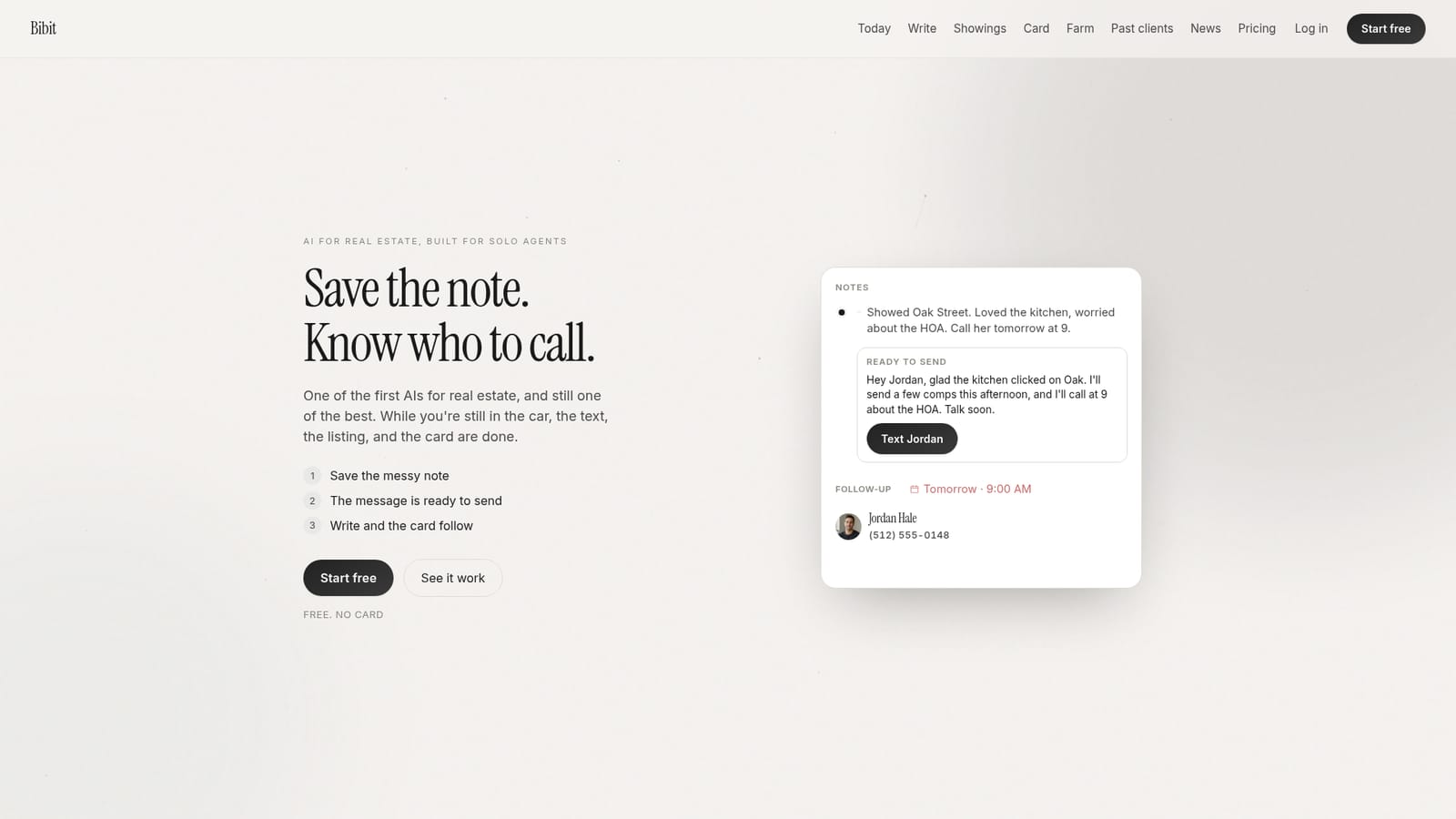
Bibit is a follow-up and content tool built around the rhythm of a solo real estate agent's week rather than around a database. The premise is simple: an agent jots a note after a showing, texts or emails it in, and Bibit turns that note into a scheduled contact and a drafted message. The homepage positions the product against conventional AI real estate offerings, which it describes as another dashboard to maintain. Bibit instead keeps the output narrow: a daily call list, a ready-to-send draft, a shared tour page, and a client card. The day view sorts people into Yesterday, Today and Tomorrow, with each entry carrying the reason for the call (a voicemail to follow up, a pre-approval expiring Friday, an inspection to confirm). Write generates first drafts for the messages agents actually send: follow-up after a showing, Instagram captions, open house invites and MLS listing remarks. Showings lets an agent assemble a tour page from chosen homes and send one link, then see whether each recipient tapped Interested, Maybe or Pass. The card is a single public link for a bio, yard sign or open house; when someone asks about a property through it, the agent sees who they are and which address they asked about. A past-client view tracks birthdays, move-in anniversaries and referral moments after closing. The obvious comparison is a CRM. Bibit is not trying to be one: there are no pipelines or custom fields to configure, and the homepage answers the CRM question by saying there is nothing to set up. That makes it a fit for agents working alone who lose deals to forgotten follow-ups, and a poor fit for teams that need reporting, shared records or lead routing. The site names RE/MAX, Keller Williams, Century 21, Coldwell Banker, Compass, Sotheby's, Royal LePage, eXp Realty, Engel & Völkers and REALTOR.ca as brokerages and portals where users work. Some sample content and the published playbooks lean Canadian, with Calgary and Alberta examples.
No trial is needed because the Free plan is permanent: no card, and it covers notes, the daily list and drafts. Sending is what moves you to the $19 Essential plan.
Learn moreFree forever at $0: save the note, see who to call, and draft in your voice. Essential is $19 per month billed monthly, or billed yearly with two months free, and adds actually sending from your own business email. Cancelling is allowed anytime with no contract, and you can move back to Free.
Learn moreThe homepage describes notes arriving by text or forwarded email and sending from your own business email on the paid tier, but it names no third party CRM, MLS or calendar integration.
Five areas: a Yesterday, Today and Tomorrow call list built from saved notes; Write, which drafts follow-ups, Instagram captions, open house invites and listing remarks in your voice; Showings, a single tour link that reports Interested, Maybe or Pass; past-client reminders for birthdays, move-in anniversaries and referral moments; and a card link that shows who asked about which address.
 AI Angels400+ customizable AI girlfriends for NSFW chat, voice calls, and roleplay
 Candy AIExperience the future of companionship with AI friends who chat, role-play, and connect with you on a human level.
 ourdream.aiA vast AI roleplay platform with millions of characters for chat, images, video and voiceAI Angels400+ customizable AI girlfriends for NSFW chat, voice calls, and roleplayCandy AIExperience the future of companionship with AI friends who chat, role-play, and connect with you on a human level.ourdream.aiA vast AI roleplay platform with millions of characters for chat, images, video and voice


