Support
An integration request can be sent by email to hello@bugzy.ai, and the homepage carries a FAQ covering stack fit, false positives, data safety and pricing. No dedicated help centre or documentation site is linked.
Autonomous QA that runs on every pull request and deploy

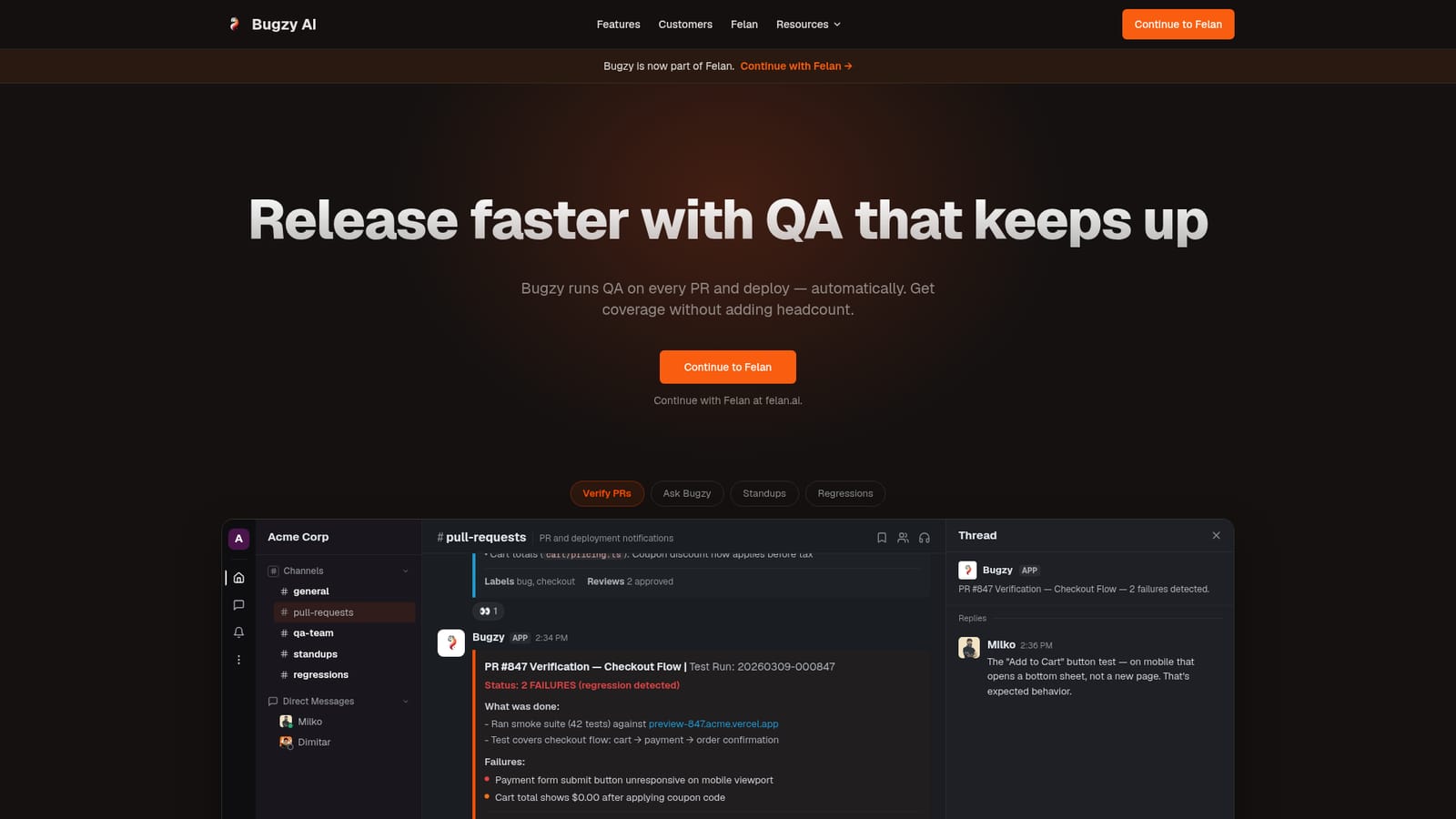
Bugzy AI is an autonomous QA agent that tests every pull request and deploy, reports regressions in Slack with screenshots and repro steps, and maintains or repairs existing test suites. It targets engineering teams that need coverage without hiring more QA staff.
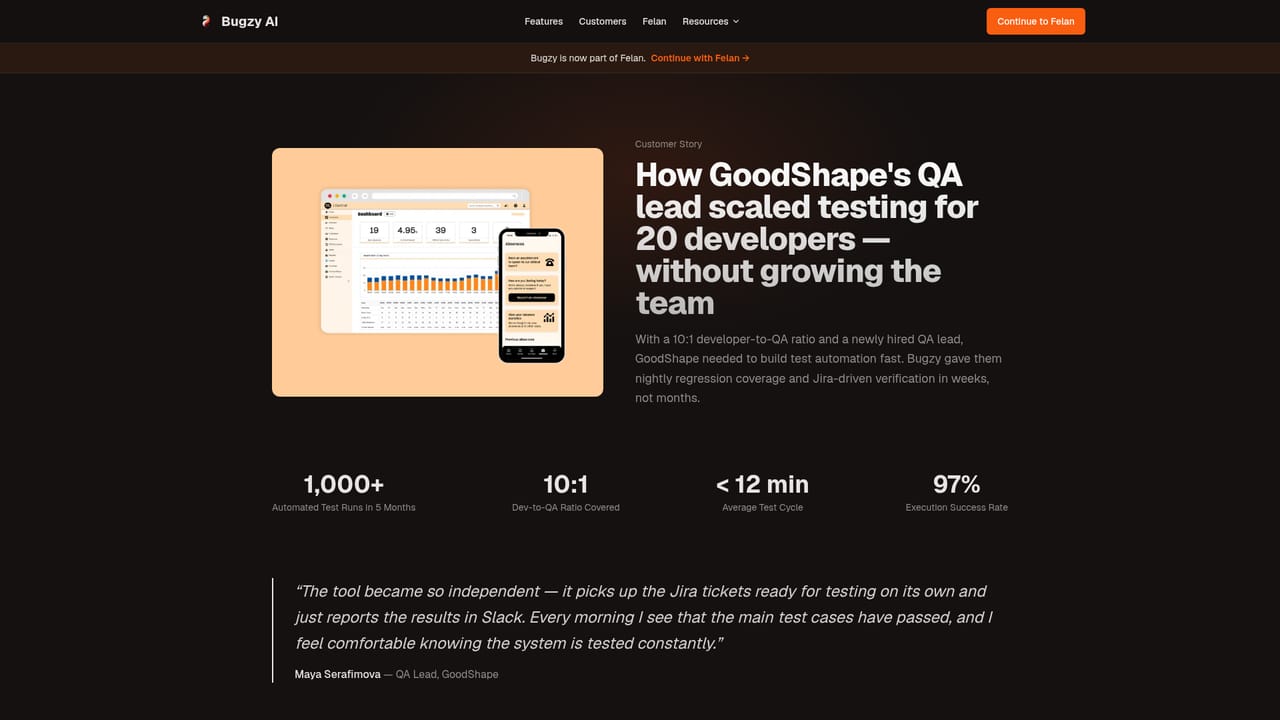
Bugzy AI is an automated quality assurance agent built for software teams that want continuous test coverage without expanding headcount. It connects to a repository, issue tracker, and documentation sources, then runs QA against every pull request and deployment. The selling point is that it behaves less like a testing framework and more like a colleague who already knows the product: the more context it receives about how the app is meant to work, the sharper its checks become. In practice the setup is quick. A team links GitHub, Slack and a tracker such as Linear or Jira, and Bugzy reads pull requests, tickets and docs to build product context. From then on each PR and deploy triggers automated testing without anyone writing scripts. Findings arrive in Slack or Teams within roughly thirty minutes, written in plain English with screenshots, reproduction steps and root cause analysis. Reviewers can reply in the thread to correct or refine the agent, and it adapts based on that feedback. Bugzy also accommodates teams that already maintain their own suites. It runs alongside existing tests on the team's own CI, triages failures into product bugs, test problems or flakiness, and can auto-fix broken tests in the repository. Coverage is designed to self-heal as interfaces change, which addresses the maintenance backlog that makes conventional end-to-end suites expensive to keep alive. Published customer stories cite examples such as a health tech QA lead covering a ten to one developer to QA ratio and over a thousand automated runs in five months. The product sits in a crowded space alongside traditional test automation platforms and newer AI testing agents. Its differentiation is the combination of generated and maintained tests with triage of a team's existing suite, all reported through chat rather than a separate dashboard. Note that the company has joined Felan, and the site now directs visitors onward to felan.ai for the next chapter of the product, so buyers should confirm roadmap and account continuity before committing a team.
An integration request can be sent by email to hello@bugzy.ai, and the homepage carries a FAQ covering stack fit, false positives, data safety and pricing. No dedicated help centre or documentation site is linked.
The site lists 17 integrations across source control (GitHub, GitLab), chat (Slack, Teams, email), issue tracking (Linear, Jira, Azure DevOps, Asana, ClickUp), docs (Notion, Confluence) and other tools including Figma, Vercel and Zephyr Scale. Bitbucket, Trello, Discord and TestRail are marked soon.
Core capabilities include automatic QA on every pull request and deploy, product context learned from repos, tickets and docs, self-healing generated tests, triage and auto-fix for existing suites, and plain-English reporting in Slack or Teams with screenshots, reproduction steps and root cause analysis.
 AI Angels400+ customizable AI girlfriends for NSFW chat, voice calls, and roleplay
 Candy AIExperience the future of companionship with AI friends who chat, role-play, and connect with you on a human level.
 ourdream.aiA vast AI roleplay platform with millions of characters for chat, images, video and voiceAI Angels400+ customizable AI girlfriends for NSFW chat, voice calls, and roleplayCandy AIExperience the future of companionship with AI friends who chat, role-play, and connect with you on a human level.ourdream.aiA vast AI roleplay platform with millions of characters for chat, images, video and voice


