Bulk Image Generator

Batch AI image generation, up to 100 images in one run

Beginner
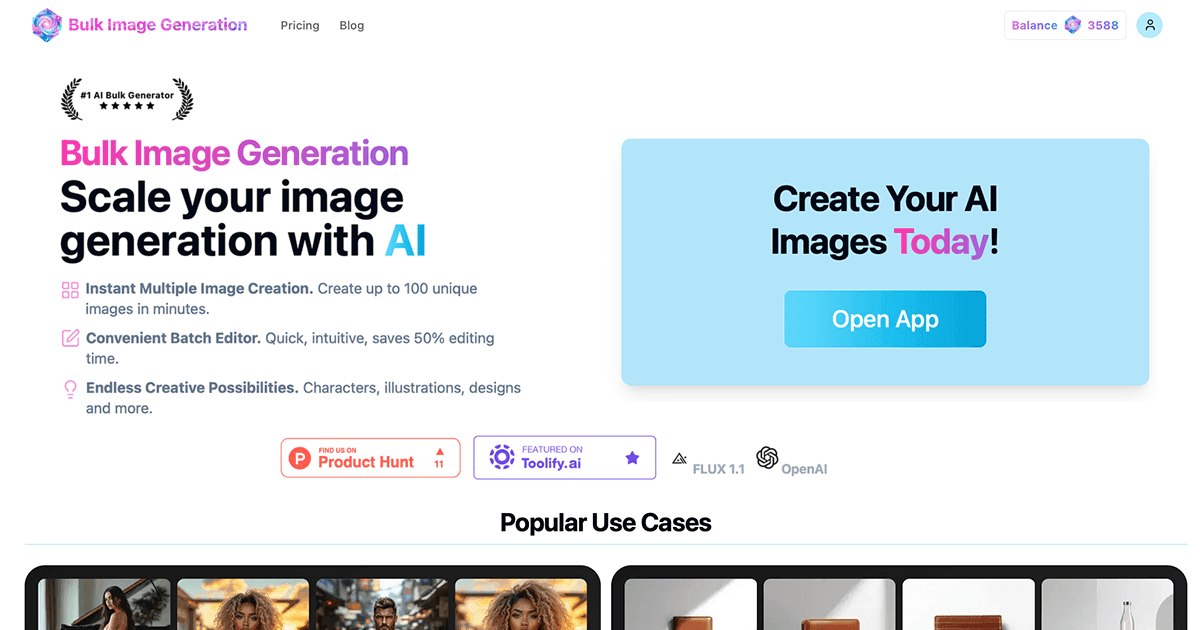
Screenshot of Bulk Image Generator, Batch AI image generation, up to 100 images in one run

What is Bulk Image Generator?

Bulk Image Generator is a batch face swap tool. A bulk-first AI image generator that produces up to 100 images per run, with automated prompt engineering, style consistency, background removal and face swap, plus free utilities for prompts, resizing and aspect ratios.

Bulk Image Generator is a web based AI image tool built around a single idea: producing images at volume rather than one at a time. The homepage advertises up to 100 images in 20 seconds, which puts it in a different bracket from the many consumer image generators that expect you to refine a single prompt until it looks right. The product targets people who need a set of images that already share a look: product shots for a catalogue, banner and ad variations for campaigns, app icon sets, character art, coloring pages, and face swap portraits. The practical difference is the workflow layer on top of the image model. The site lists automated prompt engineering, background removal, face swap and consistent style variations as core capabilities, so the intended path is to describe one concept and let the system spread it across many outputs while keeping visual consistency. A separate set of free utilities supports that work: an AI image prompt generator, an aspect ratio calculator, a bulk image resizer and an image to text converter. Those are useful for preparing prompts and normalising exported files before they reach a shop or an ad platform. It fits teams and solo creators who think in batches: ecommerce sellers with large catalogues, social media managers who need recurring ad creative, illustrators exploring variations, and print sellers producing coloring books. The newer model options mentioned on the page, including a GPT Image release, suggest the underlying engines are swapped over time rather than fixed. Among alternatives, single image tools like Midjourney or DALL E reward careful iteration but make volume tedious, while this tool trades fine control for throughput. Anyone needing precise per image direction should expect to review results and rerun; anyone needing fifty usable variants quickly is the obvious buyer.

How do you use Bulk Image Generator?

  1. 1Open the generator
    Start from the homepage and launch the generation flow. An email sign in is used to create or resume an account, so have an address ready.
  2. 2Draft a strong starting prompt
    If the concept is vague, use the free prompt generator to turn product or campaign details into a fuller description before pasting it in.
  3. 3Run a bulk batch with a fixed style
    Submit the prompt with the desired style variation and choose how many images the batch should return. Review the set and rerun with adjusted wording where results drift.
  4. 4Swap faces or clean backgrounds
    For portrait and product work, apply face swap with a supplied photo or strip the background so images drop cleanly onto store and ad layouts.
  5. 5Resize and export to spec
    Use the bulk resizer and aspect ratio calculator to produce correctly sized files for each channel before download and upload.

Pros and cons

Pros

  • Built for volume: the homepage claims up to 100 images in about 20 seconds per runAI
  • Style variation controls aim to keep a batch visually consistentAI
  • Ships free companion utilities for prompts, aspect ratios, resizing and image to textAI
  • Covers concrete commercial use cases such as product photography, ad banners and app iconsAI
  • Model options are refreshed over time, including a GPT Image releaseAI

Cons

  • Pricing tiers and credit limits are not spelled out on the homepage, so cost per image needs checking before committingAI
  • No public API or integration details are published, which rules it out for automated pipelinesAI
  • Bulk output still demands human review; expect to discard and rerun a share of each batchAI
  • Little is said about resolution limits, licensing or commercial usage rights on generated imagesAI
  • Style consistency across a large batch is a claim without published benchmark samplesAI

How much does Bulk Image Generator cost?

Features

Core capabilities listed on the homepage: batches of up to 100 images per run, automated prompt engineering, consistent style variations, background removal and face swap. Free supporting tools include an AI image prompt generator, aspect ratio calculator, bulk image resizer and image to text converter. Model options are updated periodically, including a GPT Image release.

Learn more

Frequently asked questions about Bulk Image Generator

  • How do you use Bulk Image Generator?
    The walkthrough on this page covers 5 steps: 1. Open the generator 2. Draft a strong starting prompt 3. Run a bulk batch with a fixed style 4. Swap faces or clean backgrounds 5. Resize and export to spec.
  • What platforms does Bulk Image Generator support?
    Bulk Image Generator is available on Web App.
  • What are the limitations of Bulk Image Generator?
    Pricing tiers and credit limits are not spelled out on the homepage, so cost per image needs checking before committing. No public API or integration details are published, which rules it out for automated pipelines. Bulk output still demands human review; expect to discard and rerun a share of each batch.

Status

StatusActive
Views0
Outbound clicks0
Added10/21/2026

Platforms

Web App

Pricing

FreemiumSubscription