Free trial
Free accounts get monthly credits, and sample images can be tried before uploading a photo. A referral page offers additional free credits.
Learn moreTurn photos into Pixar, Ghibli or comic-style art in seconds
Own Cartoonize AI? Verify ownership to get a dofollow link

Cartoonize AI is an image editing tool that turns photos into Pixar, Ghibli or comic-style art in seconds. Cartoonize AI is a web app that restyles uploaded photos into Pixar, Ghibli, Disney, comic, pixel art and other looks while keeping the original composition.
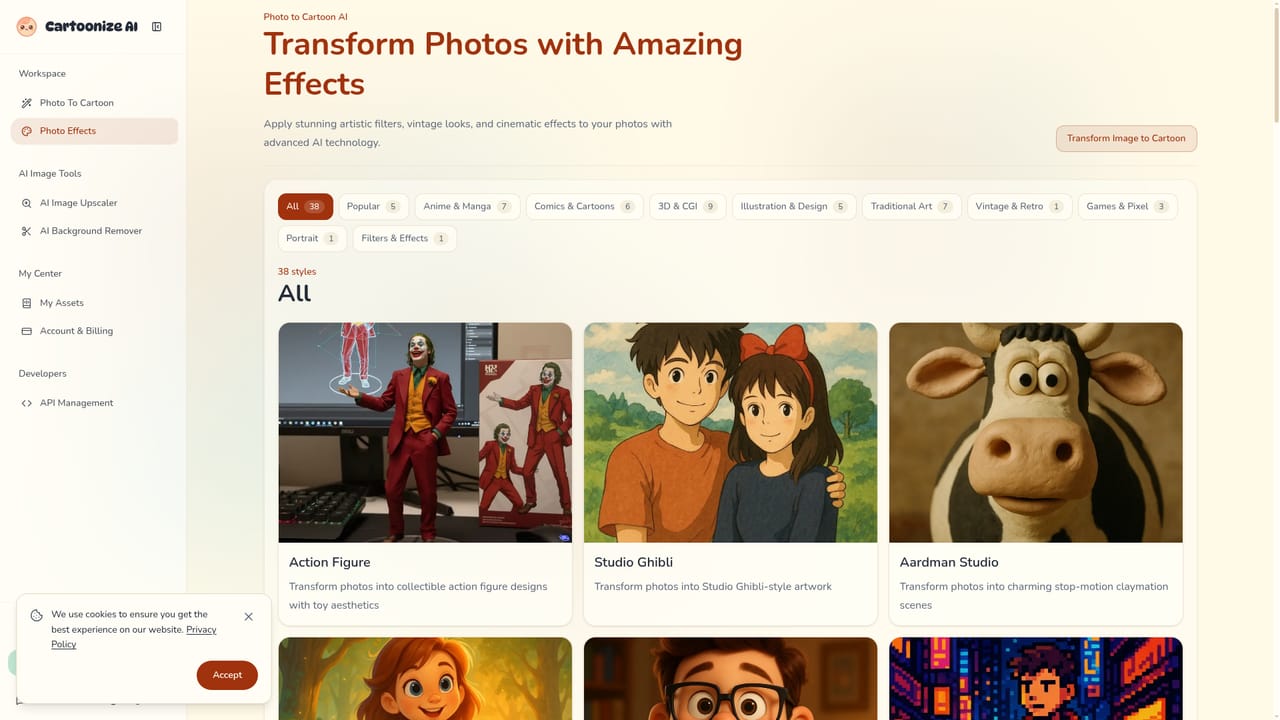
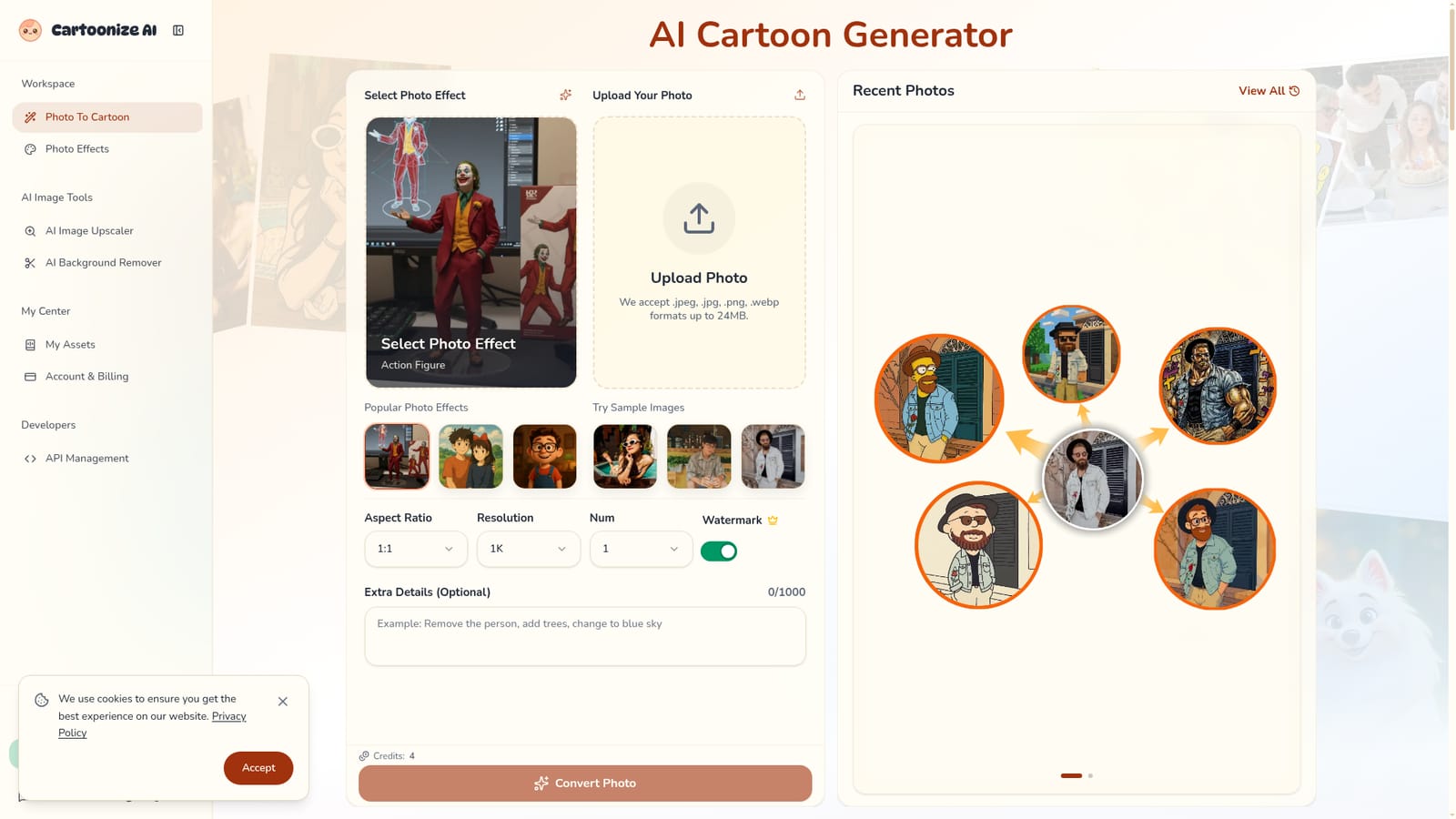
Cartoonize AI is a browser-based photo-to-cartoon converter. A user uploads a picture, picks a visual style, and the service returns a stylized version that keeps the original composition and recognizable features. It handles selfies, pets, landscapes and product shots, and the output can be used for avatars, social posts, marketing visuals or mockups. The workflow is built around preset photo effects. The catalog includes Action Figure, Studio Ghibli, Aardman Studio claymation, Disney, Pixar-style 3D, Pixel Art, DreamWorks and Marvel comic or anime looks, each with its own landing page. After choosing an effect, the user uploads a JPEG, PNG or WEBP file (up to 24MB and 4096 by 4096 pixels), or tries one of the sample images. An optional text prompt of up to 1000 characters can steer colors, mood or details. Settings include aspect ratio, resolution from 1K to 4K, and the number of variations to generate. Each run costs credits, and the interface shows the cost before conversion. Processing is described as taking roughly 15 to 60 seconds depending on the style. The technique differs from plain text-to-image generation: the model starts from the uploaded photo and restyles it, so a pet still looks like that pet and a skyline keeps its layout. Results are stored in a My Assets area for later download. Beyond the cartoon converter, the site bundles an image upscaler and a background remover, plus an API management page for developers and a referral program that grants free credits. Free accounts receive monthly credits, while paid plans raise the limits, remove the watermark and include commercial usage rights. Compared with general image generators or desktop editors, Cartoonize AI trades flexibility for speed and simplicity, which suits casual creators, social media users and small teams who want a recognizable stylized result without design skills.
Free accounts get monthly credits, and sample images can be tried before uploading a photo. A referral page offers additional free credits.
Learn moreFree accounts receive monthly credits. Premium plans offer higher limits, extra credit purchases, watermark removal and commercial rights. A single conversion shows its credit cost (4 credits in the default view). Exact prices are not stated on the homepage.
Learn moreA Feedback button is present in the interface, and the homepage includes an FAQ. No dedicated help center or contact channels are described.
The homepage mentions an API management area for developers but does not list third-party integrations.
Learn morePhoto-to-cartoon conversion with preset effects (Ghibli, Pixar, Disney, DreamWorks, Aardman, Marvel comic, Action Figure, Pixel Art), optional prompts, aspect ratio, 1K to 4K resolution, multiple variations, an image upscaler, background remover and asset library.
Learn more


