GPT-IMG

One prompt, many image models, with credit prices shown first

Beginner
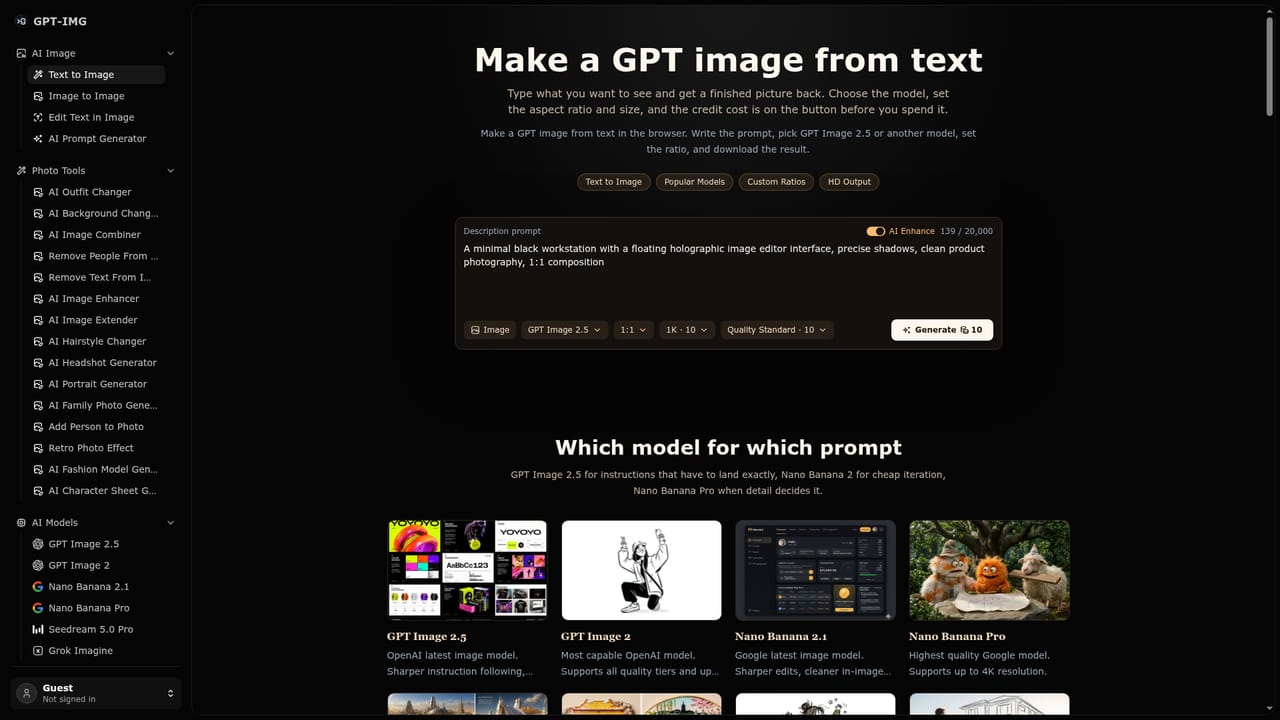
Screenshot of GPT-IMG, One prompt, many image models, with credit prices shown first

What is GPT-IMG?

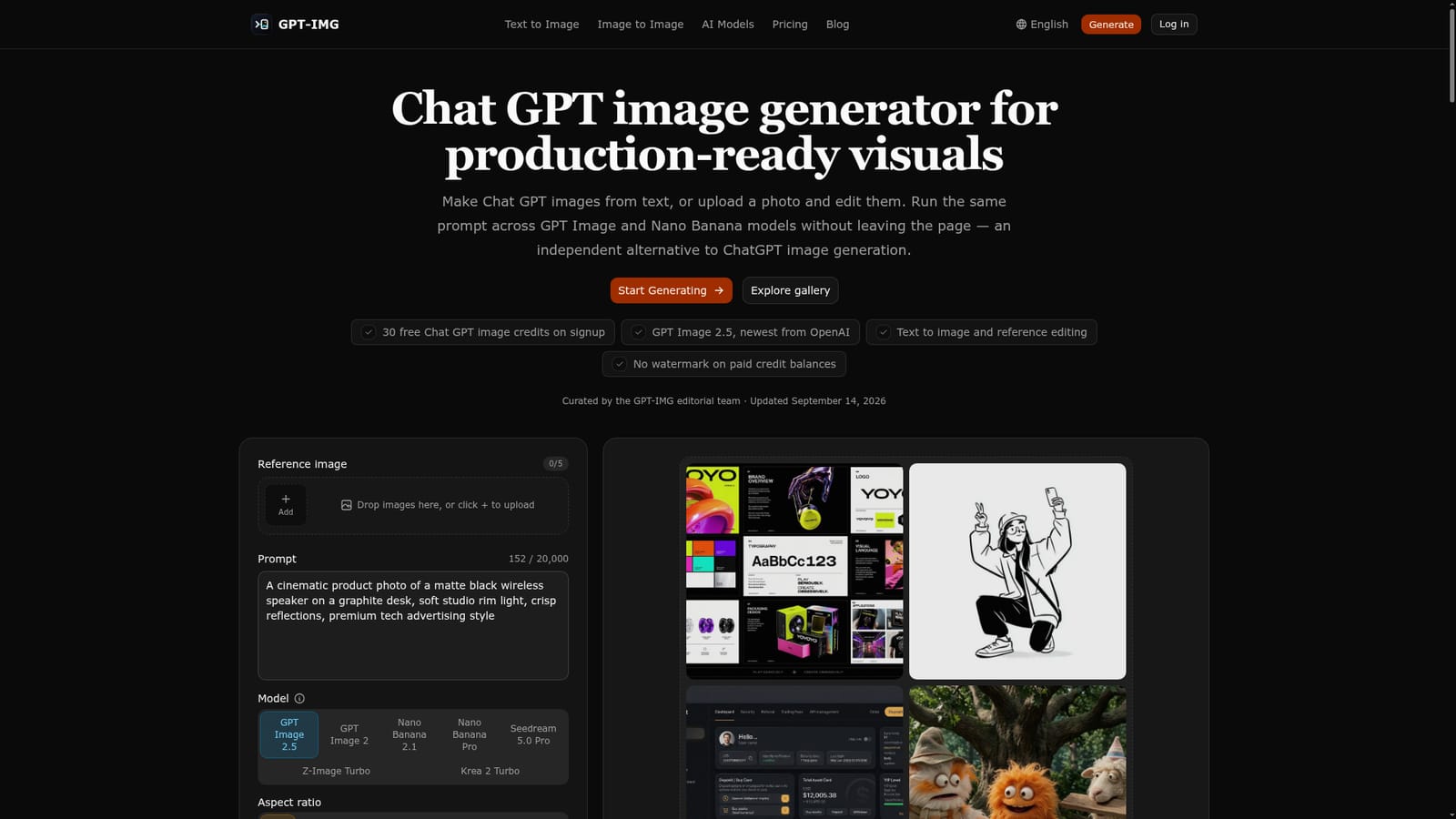
GPT-IMG is a web image generator that runs GPT Image 2.5, Nano Banana, FLUX 2, Seedream and other models from one prompt box, with text-to-image, reference-photo editing, prompt templates and a credit price shown before each job.

GPT-IMG is a browser-based image generator that puts several leading text-to-image and image-editing models behind a single prompt box. It positions itself as an independent alternative to ChatGPT's built-in image tool, and it runs OpenAI's GPT Image 2.5 and GPT Image 2 alongside Google's Nano Banana 2.1 and Nano Banana Pro, ByteDance's Seedream 5.0 Pro, FLUX 2 Pro, Grok Imagine, Qwen Image Edit, Z-Image Turbo and Krea 2 Turbo. The workflow is built around two jobs: generating a picture from written instructions, and uploading a photo you already own and describing what should change. Dedicated pages cover text to image, image to image, editing the wording inside a photo, and a 1980s film-look template. The prompt, aspect ratio, reference image and history carry over when the model is switched, so the same brief can be tried across engines without being retyped. A gallery shows recent output with the prompt behind each image, and prompt templates give users an existing creative direction to edit instead of a blank field. Cost control is a visible part of the design. Every model and size shows its credit price before submission, with entry points starting at 5 credits per image for Z-Image Turbo and 10 for GPT Image 2.5. Standard, medium and high quality tiers are priced separately on the GPT Image models, which suits a cheap-draft, high-quality-final routine. Output spans seven aspect ratios and 1K, 2K or 4K resolutions where the model allows. Jobs run server-side and continue after the tab is closed, finished images land in History, and failed generations are refunded automatically. The audience is marketers, ecommerce sellers, social content creators and designers who need product shots, portraits, ads, thumbnails and posters without holding separate subscriptions to each model vendor. New accounts receive 15 free credits and no ChatGPT Plus subscription is required. Compared with single-model tools, the value lies in side-by-side access and transparent pricing rather than in any proprietary model of its own.
How do you use GPT-IMG?

  1. 1Create an account and claim free credits
    Sign up on the homepage to receive the 15 free credits. That balance is enough for a first GPT Image 2.5 render.
    GPT-IMG — Create an account and claim free credits
  2. 2Write a text prompt
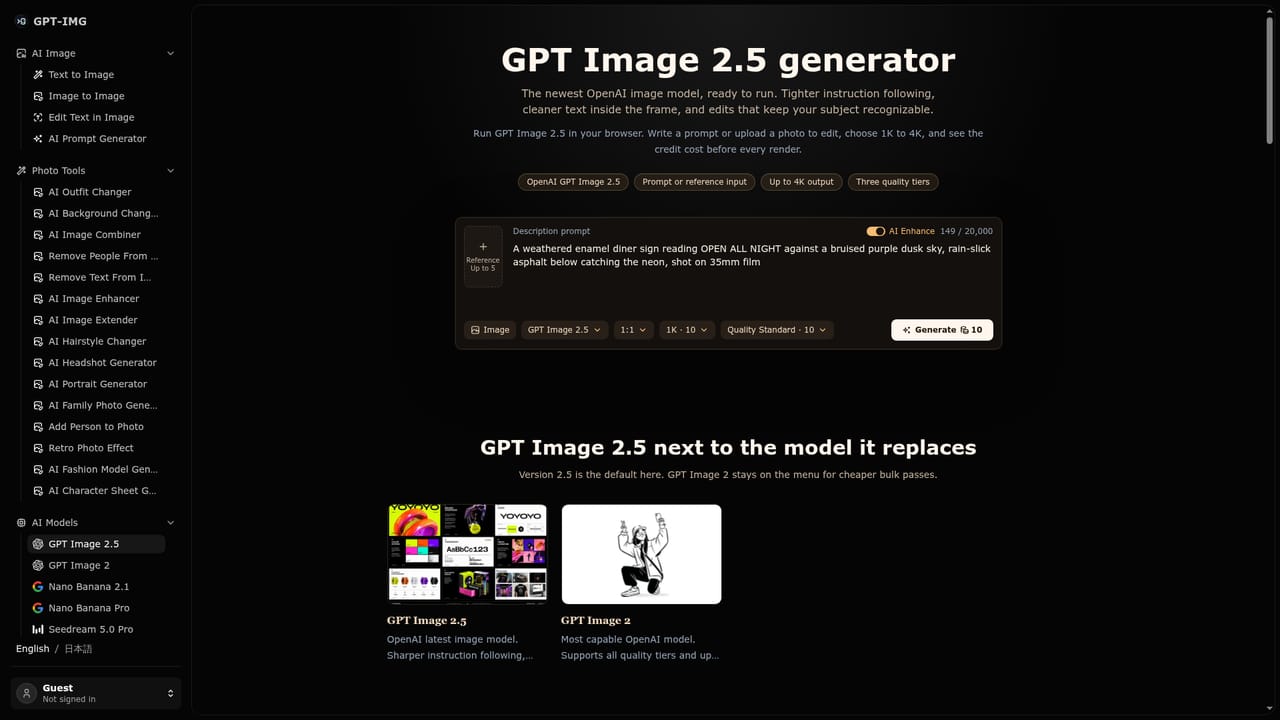
    Describe the shot, such as a product photo, portrait or poster, in the text-to-image generator. Choose a model and check the credit price shown.
    GPT-IMG — Write a text prompt
  3. 3Edit from a reference photo
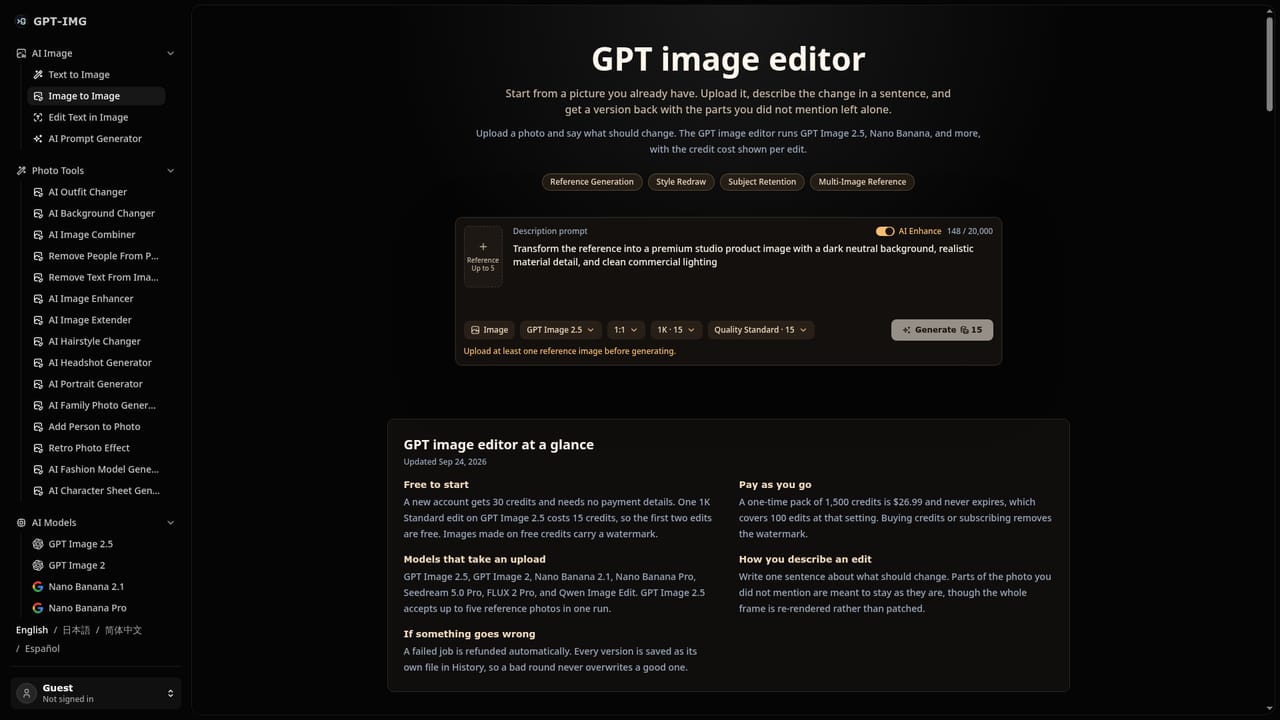
    Upload an existing image and describe the change you want, such as a style shift or an object edit. Qwen Image Edit requires a reference image.
    GPT-IMG — Edit from a reference photo
  4. 4Compare models and quality tiers
    Rerun the same prompt on another model such as Nano Banana 2.1, and iterate on a standard tier before finishing at high quality.
    GPT-IMG — Compare models and quality tiers
  5. 5Browse the gallery for prompt ideas
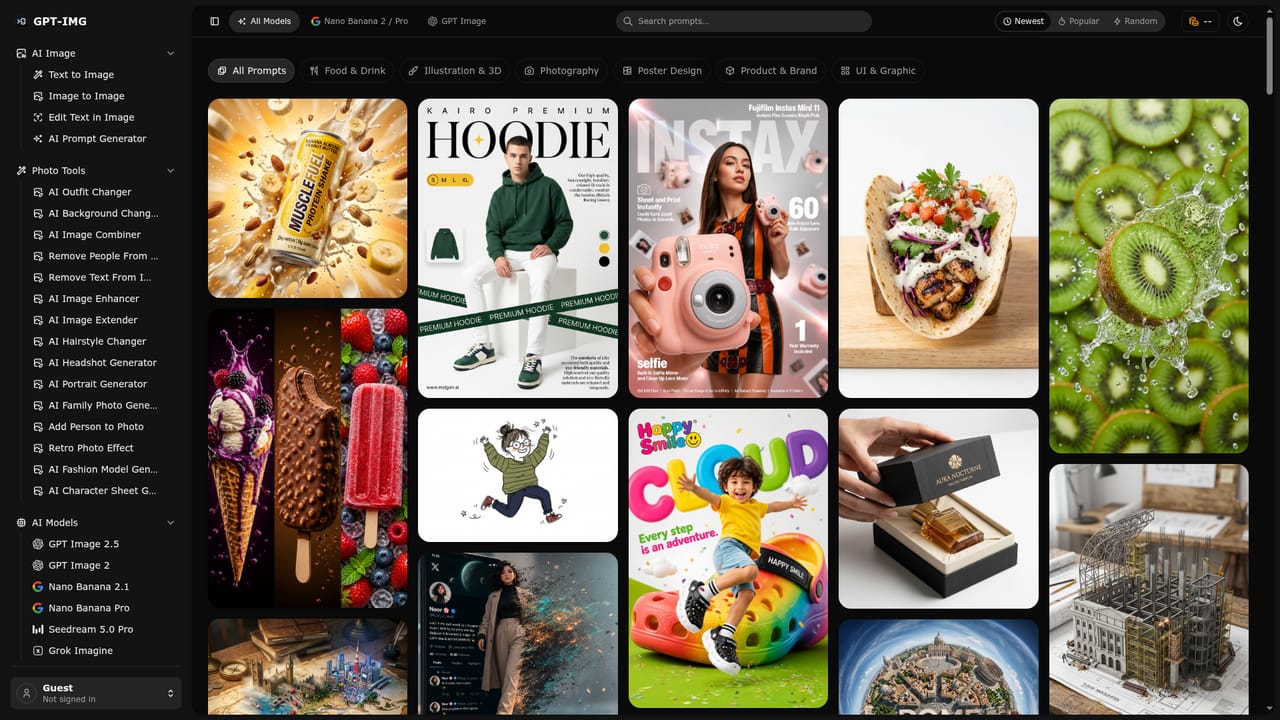
    Open the gallery to see recent images with the prompt behind each one, then adapt a direction to your own project.
    GPT-IMG — Browse the gallery for prompt ideas
  6. 6Collect results from History
    Finished images wait in History even if the tab was closed during generation, ready to download.

Pros and cons

Pros

  • Many models in one place, with prompt, ratio, reference and history carried over when switchingAI
  • Credit cost is displayed per model and size before submitting, so spending is predictableAI
  • Failed generations are refunded automatically and jobs keep running after the tab is closedAI
  • Supports reference-photo editing and in-image text changes, not only text-to-imageAI
  • Free signup credits let new users try a GPT Image 2.5 render without ChatGPT PlusAI

Cons

  • 15 free credits cover only about one GPT Image 2.5 image, so real testing requires buying creditsAI
  • It is a reseller-style front end, so output quality and availability depend on third-party modelsAI
  • Credit pricing varies widely by model, quality tier and size, which takes effort to compareAI
  • No watermark is promised only on paid credit balances, implying free output may be markedAI
  • Pricing amounts for credit packs are not stated on the homepage, so buyers cannot judge value up frontAI

How much does GPT-IMG cost?

Free trial

15 free credits on signup, enough for a first GPT Image 2.5 image. No ChatGPT Plus subscription is needed.

Learn more

Pricing

Credit-based. New accounts get 15 free credits. Per-image cost starts at 5 credits (Z-Image Turbo), 10 (GPT Image 2.5, GPT Image 2, Grok Imagine, Krea 2 Turbo) and 45 (Nano Banana Pro), varying by quality tier and size. Credit pack prices are not listed on the homepage.

Learn more

Features

Text-to-image and reference-photo editing across ten models, seven aspect ratios, 1K/2K/4K output, standard/medium/high quality tiers, prompt templates, a prompt gallery, in-image text editing, server-side jobs, History and automatic refunds on failures.

Learn more

Frequently asked questions about GPT-IMG

  • How much does GPT-IMG cost?
    Credit-based. New accounts get 15 free credits. Per-image cost starts at 5 credits (Z-Image Turbo), 10 (GPT Image 2.5, GPT Image 2, Grok Imagine, Krea 2 Turbo) and 45 (Nano Banana Pro), varying by quality tier and size. Credit pack prices are not listed on the homepage.
  • Does GPT-IMG offer a free trial?
    15 free credits on signup, enough for a first GPT Image 2.5 image. No ChatGPT Plus subscription is needed.
  • How do you use GPT-IMG?
    The walkthrough on this page covers 6 steps: 1. Create an account and claim free credits 2. Write a text prompt 3. Edit from a reference photo 4. Compare models and quality tiers 5. Browse the gallery for prompt ideas 6. Collect results from History.
  • What platforms does GPT-IMG support?
    GPT-IMG is available on Web App.
  • What are the limitations of GPT-IMG?
    15 free credits cover only about one GPT Image 2.5 image, so real testing requires buying credits. It is a reseller-style front end, so output quality and availability depend on third-party models. Credit pricing varies widely by model, quality tier and size, which takes effort to compare.

Status

StatusActive
Views0
Outbound clicks0
Added10/18/2026

Platforms

Web App

Pricing

FreemiumPaid