What these tools do
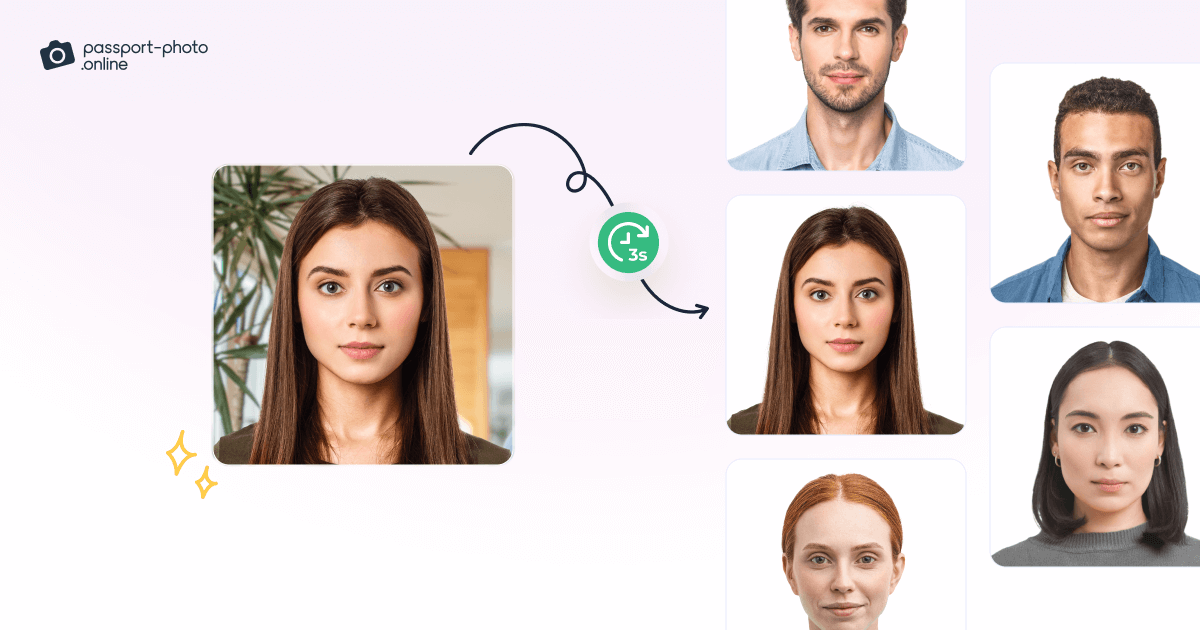
An AI ID editor takes an ordinary selfie and turns it into a photo that fits official rules: a plain background, a centered face, correct head size within the frame and print dimensions for a passport, visa or staff ID. Rather than a studio session or a booth in a pharmacy, the work happens in a browser or an app, with the tool cropping, cleaning the background and checking the shot against published requirements.
The audience is broad. Travelers need a visa photo before a trip, new hires need a clean headshot for a company badge, and students need an ID for a campus card. Anyone who already owns a decent phone camera is the natural user, because the phone supplies the pixels and the tool supplies the compliance.
How to choose one
Start with the output you actually need. A passport or visa application depends on exact measurements and rules that vary by country, so a tool that checks those rules before you pay is worth more than one that only resizes. A staff headshot has looser requirements, so background cleanup and framing matter more than a country database.
Look at how much you can do before paying. A free rule check or a free preview shows whether the crop will pass before you commit. Check the platforms too: a web app covers a laptop and a phone, while some tools also ship iOS and Android apps for people who would rather shoot and finish on the same device. Finally, confirm the delivery format, since a digital file and a print ready image are not the same thing.
Notable tools
Professional-Headshot.ai turns a selfie into studio-style headshots without a photographer. It fits the staff badge and profile photo case more than the strict passport case, and it runs in a web app on a freemium and paid basis.
PassportMaker produces compliant passport and visa photos from your phone in minutes. It is built around the travel document case, with a freemium model and web, iOS and Android apps.
Ricebowl AI offers a free 14-rule passport photo check, then a sized photo from $9.99. The free check is the useful part if you want to know whether an existing photo passes before you spend anything.
Common questions
What is an AI ID editor?
It is a tool that prepares identification photos, such as passport, visa or staff ID shots, from a photo you already have. It handles the mechanical parts: cropping to the right proportions, replacing the background with a plain one and checking the face against a rule set. The result is a file you can print or upload with an application.
Is an ID editor the same as a headshot tool?
Not quite. A headshot tool aims for a flattering, professional look for profiles and badges, while an ID editor works to fixed measurements and acceptance rules. The two overlap when a company badge needs a clean portrait, which is why a single category can hold both kinds of tool. Pick by the document you are submitting, not by the label on the tool.
How do I know the photo will be accepted?
The practical test is whether the tool states the rules it checks and shows the result before payment. A free check against a published rule set, like the one Ricebowl AI offers, tells you more than a promise of compliance. Confirm the country and document type match your application before you rely on the output.
When to look elsewhere
If the task is a general portrait cleanup, filters or restoration rather than a document photo, the Photo Editor and the broader restoration tools under the hub are a better fit. For group images, such as a picture with the whole family, try Family Portrait Maker instead.