Free trial
A free forever Basic plan requires no credit card, so the product can be evaluated indefinitely rather than on a timed trial.
Learn moreA story-aware AI writing studio built for full novels, not blank chat boxes.
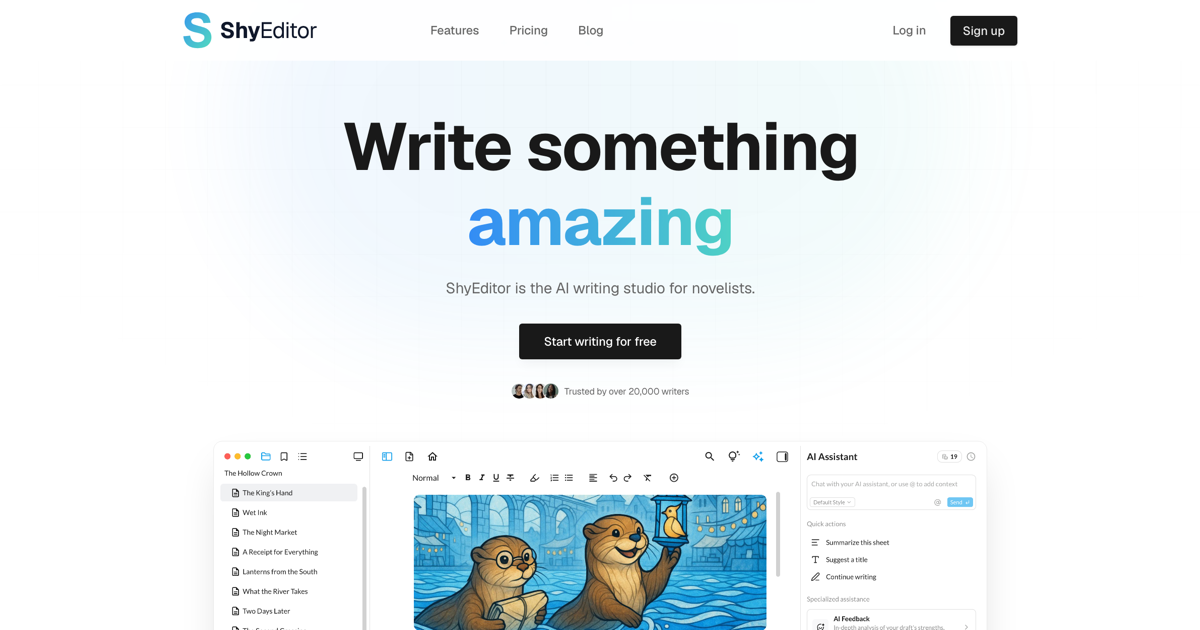
Shy Editor is an AI ID editor tool. ShyEditor is a web writing studio for novelists that pairs a distraction-free editor with a story knowledge base, inline continuations, full-book AI feedback and manuscript formatting. Free plan covers drafting and TXT export; Pro adds more AI credits, formatted DOCX and PDF export and deep research.
ShyEditor is a browser-based writing environment aimed at novelists, and its design choices reflect that focus rather than a general text editor with a chatbot attached. The core idea is a knowledge base: characters, places and events are tracked as you write, and the AI reads that store when it drafts, answers questions or critiques. Import an existing draft and the knowledge base can populate itself from the manuscript. The workflow runs in four stages. Planning takes a premise and produces a synopsis and chapter outline through the Story Engine. Drafting happens in a distraction-free editor where pressing Tab offers a next sentence, and suggestions draw on the wider story rather than the last paragraph alone. Revision lets you request a critique of a single chapter or a full editorial letter covering plot logic, pacing and prose style, with problems ranked by severity and a revision plan attached. Finishing covers manuscript formatting with presets for novels, APA and MLA, plus a marketability report with comparable titles and a one-page synopsis. Practical touches include offline writing with local storage and later sync, version snapshots per chapter, a corkboard for reordering chapters, daily word goals with streaks, and an advice panel that flags continuity errors and overused words without being asked. Sharing is read-only via direct links, which suits beta readers. Alternatives fall into two camps: general assistants like ChatGPT, which forget project context, and established novel tools like Scrivener or Ulysses, which lack comparable AI. ShyEditor sits between them, though it is web only, has no real-time collaboration, and formatted export requires Pro. The company states that writing is never used to train models.
A free forever Basic plan requires no credit card, so the product can be evaluated indefinitely rather than on a timed trial.
Learn moreBasic is free forever: unlimited projects, 100 AI credits to start then 20 monthly, Story Engine, knowledge base, corkboard, grammar checking, goals and TXT export with 100 MB storage. Pro is $10 per month billed annually (500 AI credits monthly, full-book feedback, DOCX/PDF/Markdown export, learned writing styles, deep research, illustration generation and 5 GB storage).
Learn morePriority support is listed as a Pro plan benefit; the homepage does not describe support channels or response times for free accounts.
No third-party integrations are listed. The product works with imported DOCX, TXT and Markdown files and exports to TXT, DOCX, PDF and Markdown depending on plan.
Story Engine outline generation, a project knowledge base for characters, places and events, inline Tab-to-continue suggestions, story-aware AI chat, chapter and full-book editorial feedback, manuscript formatting presets, a marketability report, version snapshots, corkboard view, 17 themes, daily goals and streaks, offline writing with sync, and read-only chapter sharing.
Learn more AI Angels400+ customizable AI girlfriends for NSFW chat, voice calls, and roleplay
 Candy AIExperience the future of companionship with AI friends who chat, role-play, and connect with you on a human level.
 ourdream.aiA vast AI roleplay platform with millions of characters for chat, images, video and voiceAI Angels400+ customizable AI girlfriends for NSFW chat, voice calls, and roleplayCandy AIExperience the future of companionship with AI friends who chat, role-play, and connect with you on a human level.ourdream.aiA vast AI roleplay platform with millions of characters for chat, images, video and voice