Free trial
A free trial is offered with no credit card required, letting users upload a file and watch the Clarity Score before committing to a plan.
Learn moreNo-code CRM data cleaning that catches duplicates exact-match tools miss.

CleanSmart is a file organizer tool. A no-code tool that dedupes, standardizes, fills gaps and flags anomalies in CRM and marketing data in one automated pass, with native sync to HubSpot, Salesforce, Shopify, Mailchimp and Klaviyo.
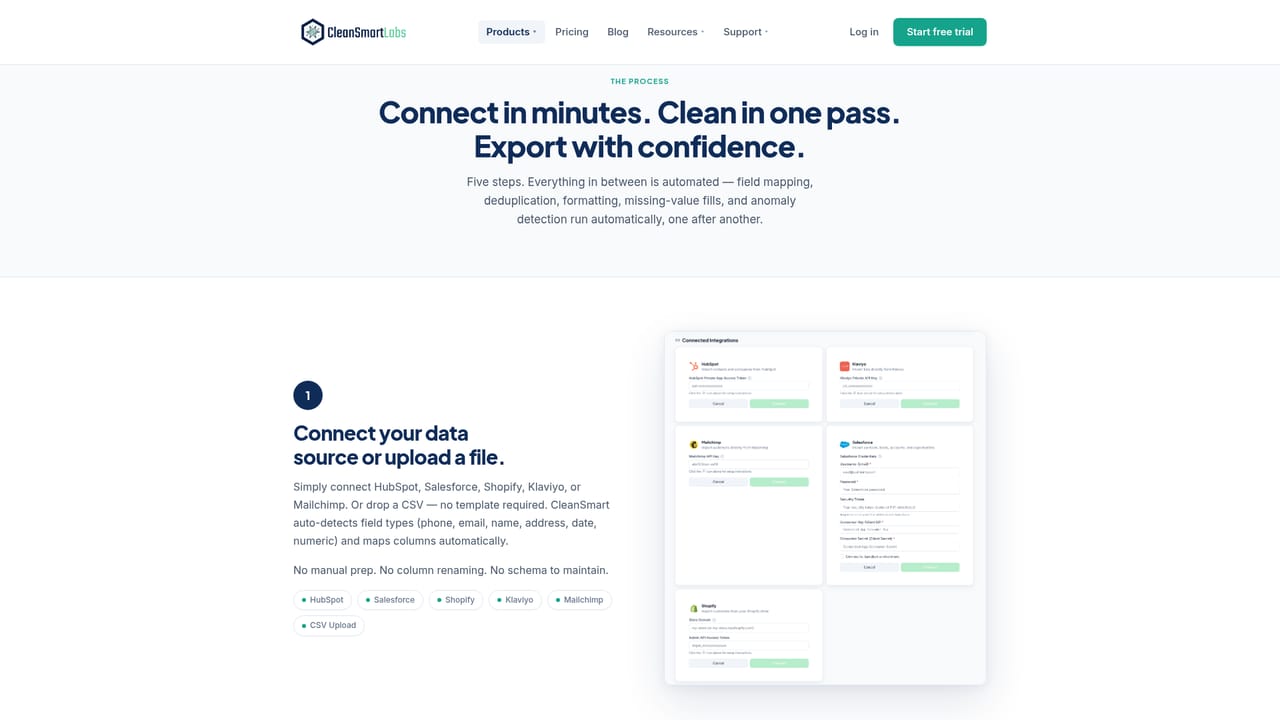
CleanSmart is a no-code platform for cleaning and standardizing CRM and marketing data. It runs four automated passes over a connected dataset: SmartMatch finds duplicate records using fuzzy matching rather than exact-string comparison, AutoFormat normalizes phone numbers, emails, names and addresses, SmartFill predicts missing values and flags low-confidence guesses, and LogicGuard surfaces anomalies like implausible ages or malformed dates instead of silently deleting them. After the four passes, the tool checks every email, phone and address column for validity, with a Contact Verification add-on available for mailbox-level email checks, carrier-confirmed phone numbers, and USPS-standardized addresses. The product targets Marketing Ops, RevOps and Sales Ops teams at growing companies who need clean contact data without hiring data engineers or writing scripts. Users connect HubSpot, Salesforce, Shopify, Mailchimp or Klaviyo, or upload a CSV; CleanSmart auto-detects field types and maps columns. Once cleaning finishes, the user reviews a Clarity Score and changelog of merges, formatting fixes, filled values and flagged outliers, approves or rejects each category of change, then exports a clean CSV or re-imports to the source CRM, with a full audit trail kept throughout. CleanSmart sits in the data quality and CRM hygiene space, positioned against both manual spreadsheet cleanup and engineering heavy ETL or data quality platforms. Its pitch is a middle path: deeper matching than exact-match dedupe tools, but no code or data team required to run it. Teams already living inside the named CRM and commerce platforms, maintaining recurring lead lists, or investigating poor campaign deliverability are the most direct fit; organizations with highly custom pipelines or platforms outside the five listed integrations will find less native support.
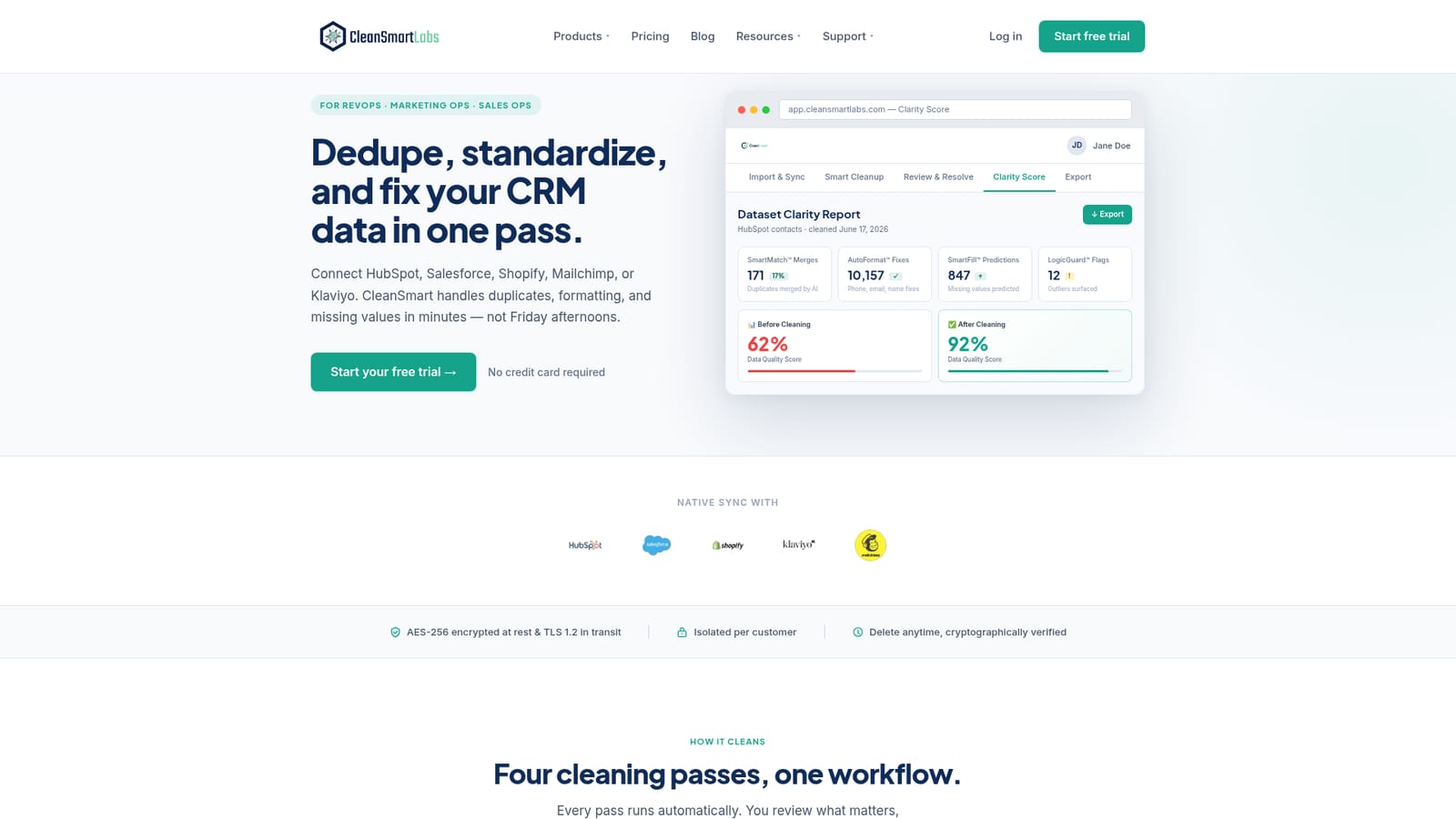
A free trial is offered with no credit card required, letting users upload a file and watch the Clarity Score before committing to a plan.
Learn moreA Help Center plus dedicated support pages covering HubSpot, Salesforce, Klaviyo, Mailchimp and Shopify integrations.
Learn moreNative sync with HubSpot, Salesforce, Shopify, Mailchimp and Klaviyo, plus CSV upload for data from other sources.
Learn moreFour automated passes (SmartMatch deduplication, AutoFormat standardization, SmartFill gap-filling, LogicGuard anomaly flagging) plus built-in email, phone and address validation, with an optional Contact Verification add-on for mailbox, carrier and USPS-level checks.
Learn moreTwitter / X
 AI Angels400+ customizable AI girlfriends for NSFW chat, voice calls, and roleplay
 Candy AIExperience the future of companionship with AI friends who chat, role-play, and connect with you on a human level.
 ourdream.aiA vast AI roleplay platform with millions of characters for chat, images, video and voiceAI Angels400+ customizable AI girlfriends for NSFW chat, voice calls, and roleplayCandy AIExperience the future of companionship with AI friends who chat, role-play, and connect with you on a human level.ourdream.aiA vast AI roleplay platform with millions of characters for chat, images, video and voice


