CloudPloy

Deploy apps to your own cloud servers straight from an AI coding agent.

Intermediate API
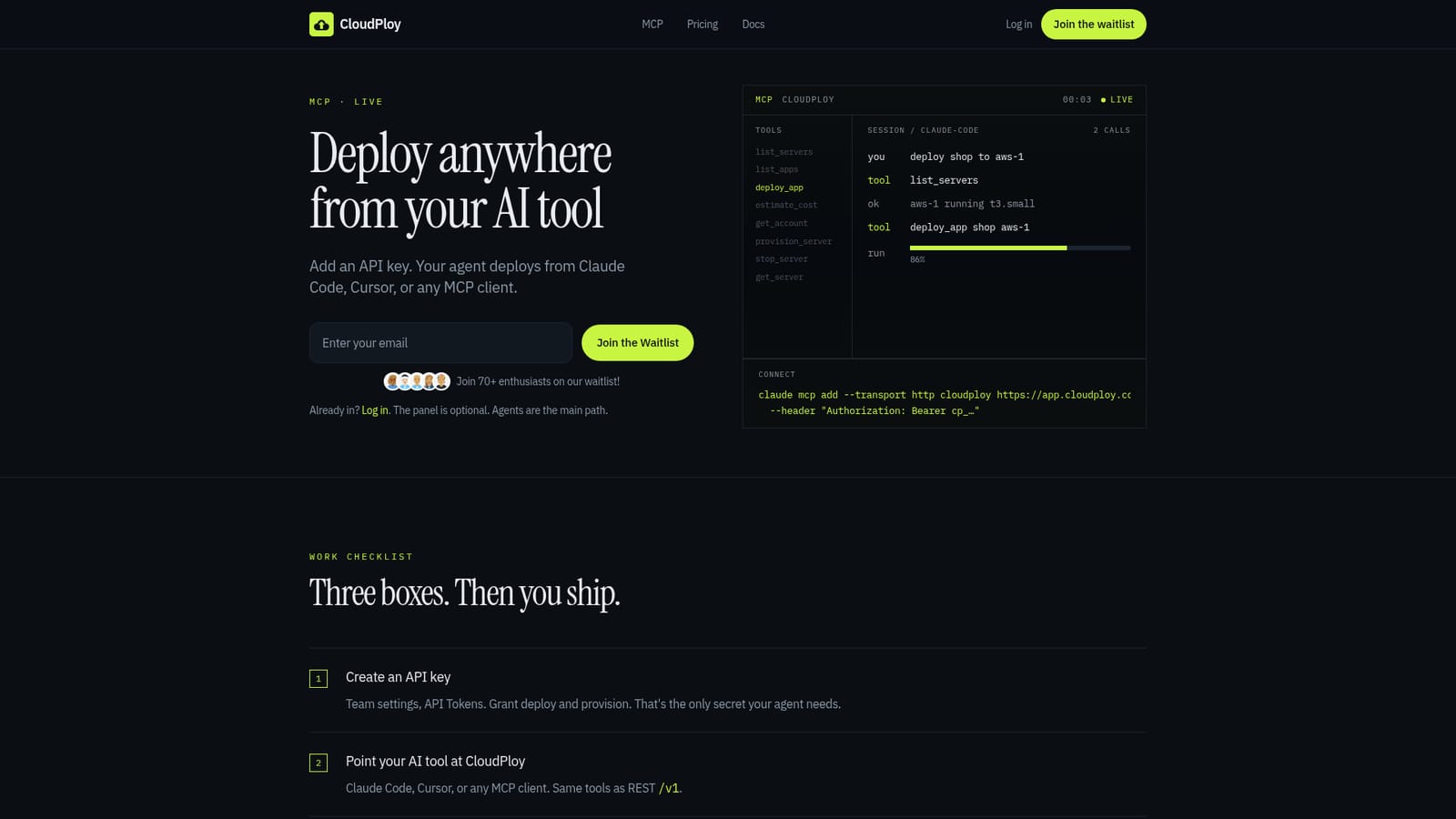
Screenshot of CloudPloy, Deploy apps to your own cloud servers straight from an AI coding agent

What is CloudPloy?

CloudPloy is a coding tool. CloudPloy lets Claude Code, Cursor, and other MCP-compatible AI agents deploy applications directly to a bring-your-own Ubuntu server or newly provisioned Hetzner, DigitalOcean, or AWS compute, billed at provider cost under a flat control-plane plan.

CloudPloy is a deployment platform built for teams that want their AI coding assistant to handle infrastructure work directly. Instead of opening a dashboard to push code live, users add a scoped API key and let Claude Code, Cursor, or any MCP-compatible agent call CloudPloy's tools to list servers, estimate cost, provision compute, and deploy applications. The platform sits between an AI agent and a cloud account. Teams can connect an existing Ubuntu server over SSH and keep full control of that machine, or ask CloudPloy to provision a new box on Hetzner, DigitalOcean, or AWS at the provider's own rate. A flat monthly plan covers the CloudPloy control plane (routing, SSL, deploy orchestration), while compute that CloudPloy provisions is billed separately from a prepaid credit balance; servers a team brings itself never touch that balance. Under the hood, builds run through Nixpacks, so Node, Python, Go, Rust, Ruby, Java, PHP, Deno, and static sites work without custom configuration, and WordPress or Laravel projects can use one-click presets. This makes CloudPloy suited to small teams, solo developers, and agencies that want to skip manual server setup but still want a real Ubuntu box behind their app rather than a closed platform. CloudPloy sits between fully managed platform-as-a-service tools and raw cloud consoles: it does not abstract away the server the way some PaaS products do, but it removes manual SSH and configuration work by letting an AI agent trigger deploys, check server status, and provision infrastructure through the same MCP tool calls a developer would otherwise run by hand. A web panel exists for teams that want a visual view, but the product is built around the agent as the primary interface, with the dashboard treated as optional.

How do you use CloudPloy?

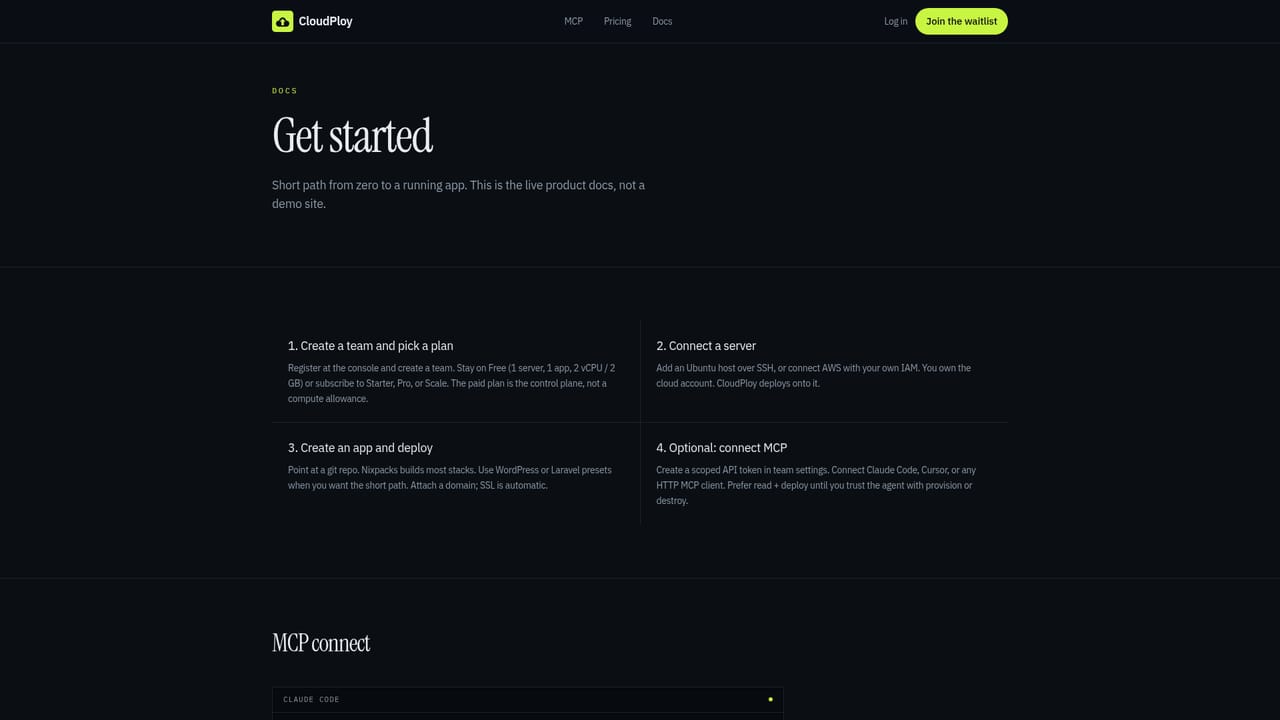
  1. 1Join the waitlist or log in
    Sign up for waitlist access or log in if you already have an account; the web panel is optional but needed to create API tokens.
    CloudPloy — Join the waitlist or log in
  2. 2Create a scoped API token
    In team settings under API Tokens, generate a key and grant it deploy and provision permissions; this is the only credential the agent needs.
  3. 3Connect your MCP client
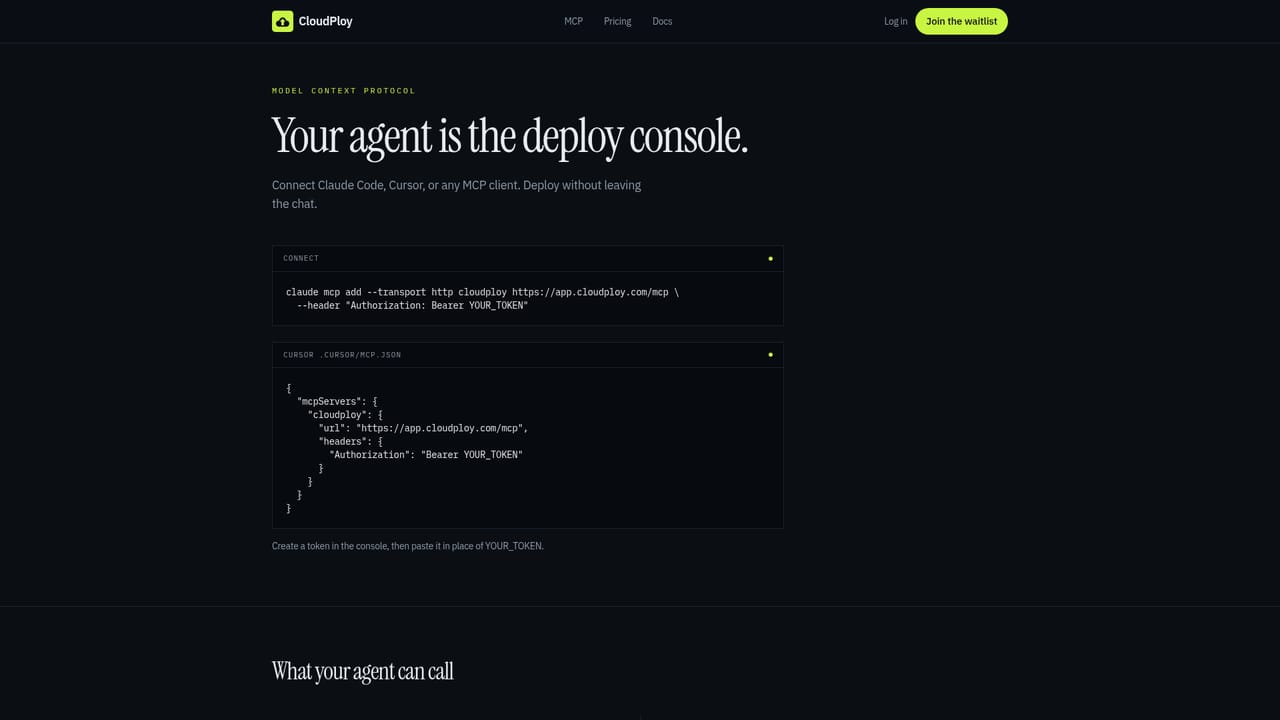
    Add CloudPloy as an MCP server in Claude Code, Cursor, or any MCP-compatible tool using the HTTP transport and the bearer token.
    CloudPloy — Connect your MCP client
  4. 4Connect or provision a server
    Point the agent at an existing Ubuntu box over SSH, or have it provision a new server on Hetzner, DigitalOcean, or AWS at the provider's rate.
    CloudPloy — Connect or provision a server
  5. 5Deploy and monitor
    Ask the agent to deploy a git repository; CloudPloy handles containers, SSL, and routing, and server status or cost estimates can be checked through the same MCP tools.

Pros and cons

Pros

  • Lets AI coding agents deploy and manage servers directly through MCP without leaving the editorAI
  • Supports bringing an existing Ubuntu server, avoiding lock-in on where compute actually runsAI
  • Provisions Hetzner, DigitalOcean, or AWS compute at the provider's own rate with no markupAI
  • Free forever tier includes one small server and one app for testing the workflowAI
  • Polyglot build support via Nixpacks covers most common languages without manual configurationAI

Cons

  • Free plan is capped at a very small server (2 vCPU/2GB), unsuitable for real production workloadsAI
  • Access is currently gated behind a waitlist, so immediate signup is not guaranteedAI
  • Provisioned servers get stopped and eventually destroyed if the prepaid credit balance runs dryAI
  • Workflow is built around Ubuntu/Linux servers, with no mention of Windows server supportAI
  • Granting an AI agent deploy and provision permissions raises security considerations some teams may be uneasy withAI

How much does CloudPloy cost?

Pricing

Free forever plan includes one small server (max 2 vCPU/2GB) and one app. Paid tiers are Starter $9.99/mo (up to 3 servers), Pro $19/mo (up to 10 servers), and Scale $39/mo (uncapped); compute CloudPloy provisions is billed at the provider's rate from a prepaid credit balance.

Learn more

Support

Support channels include a contact page and product documentation; no live chat or phone support is mentioned on the homepage.

Learn more

Integrations

Connects to Claude Code, Cursor, and any MCP-compatible AI client over HTTP transport, plus a REST /v1 API; provisions compute on Hetzner, DigitalOcean, and AWS, or links to an existing Ubuntu server over SSH.

Learn more

Features

MCP-based deployment so AI agents can list servers, estimate cost, deploy, and provision or destroy infrastructure; polyglot builds via Nixpacks covering Node, Python, Go, Rust, Ruby, Java, PHP, Deno and static sites; one-click WordPress and Laravel presets; automatic SSL, containers, and routing.

Learn more

Frequently asked questions about CloudPloy

  • How much does CloudPloy cost?
    Free forever plan includes one small server (max 2 vCPU/2GB) and one app. Paid tiers are Starter $9.99/mo (up to 3 servers), Pro $19/mo (up to 10 servers), and Scale $39/mo (uncapped); compute CloudPloy provisions is billed at the provider's rate from a prepaid credit balance.
  • Does CloudPloy have an API?
    Yes, CloudPloy offers an API.
  • How do you use CloudPloy?
    The walkthrough on this page covers 5 steps: 1. Join the waitlist or log in 2. Create a scoped API token 3. Connect your MCP client 4. Connect or provision a server 5. Deploy and monitor.
  • What platforms does CloudPloy support?
    CloudPloy is available on Web App.
  • What does CloudPloy integrate with?
    Connects to Claude Code, Cursor, and any MCP-compatible AI client over HTTP transport, plus a REST /v1 API; provisions compute on Hetzner, DigitalOcean, and AWS, or links to an existing Ubuntu server over SSH.
  • What are the limitations of CloudPloy?
    Free plan is capped at a very small server (2 vCPU/2GB), unsuitable for real production workloads. Access is currently gated behind a waitlist, so immediate signup is not guaranteed. Provisioned servers get stopped and eventually destroyed if the prepaid credit balance runs dry.

Status

StatusActive
Views0
Outbound clicks0
Added9/22/2026

Platforms

Web App

Pricing

FreemiumPaidSubscription

Categories