Integrations
The homepage names Salesforce, Shopify, Tableau and Snowflake as systems of record that can be synced into Sheets. A full integration list is not published on the page provided.
GPT Copilot that turns Google Sheets into a live data workbench

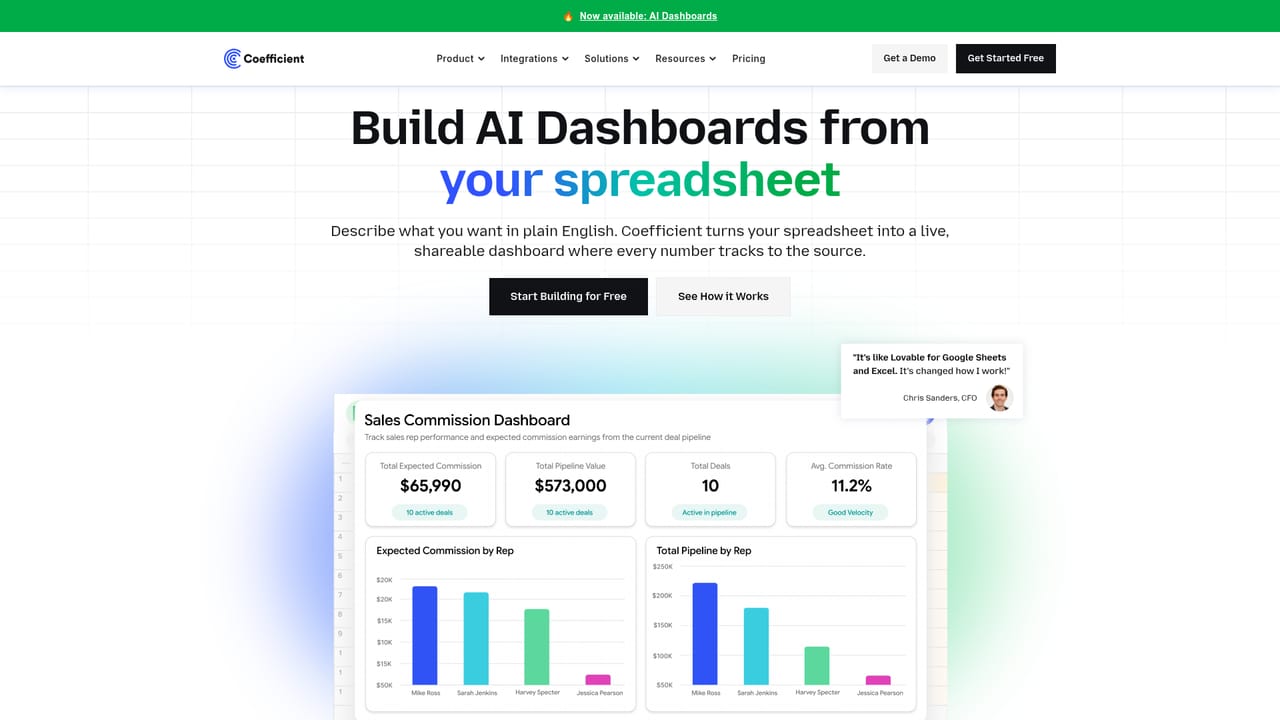
Coefficient is a Google Sheets extension whose GPT Copilot connects live business data from systems like Salesforce, Shopify and Snowflake, then uses AI to generate formulas, pivots, charts and dashboards from plain English instructions.
Coefficient is a Google Sheets extension built around GPT Copilot, a set of AI tools that sit directly inside the spreadsheet rather than in a separate chat window. The extension handles two jobs at once: it pulls live data from business systems into your sheet, and it applies GPT assistance on top of that data. Teams describe what they want in plain English and the add-on writes the underlying connection or builds the analysis. Data connectivity is the foundation. Users type an instruction and Coefficient syncs records from systems of record such as Salesforce, Shopify, Snowflake and Tableau, so reports and dashboards stay tied to live sources instead of pasted exports. The AI layer then works on that material through a family of =GPTX() functions, which cover cleaning, formatting, querying, enriching and analyzing cells and ranges. Because the model can reach live web data alongside ChatGPT knowledge, use cases extend to competitor blogs, market trends, customer reviews and social media signals without leaving the grid. The formula and layout work is the part most users notice first. Typing a request in English generates formulas, pivot tables and charts against whatever range is selected, so a non-technical analyst can assemble a working sheet without memorizing syntax. From there, GPT Copilot inspects a table and proposes charts and AI Dashboards that highlight the trends it judges most relevant. This puts Coefficient in the same conversation as spreadsheet-native AI add-ons, but its emphasis on governed live connections to enterprise systems differentiates it from tools that only write formulas. The audience is analysts, RevOps and finance teams, and marketers who already live in Sheets and want AI without moving data elsewhere. The practical workflow is ordinary spreadsheet work: connect a source, select a range, describe the output, review and edit the result. Because the model writes to formulas and connections you can inspect, the output stays auditable in a way a chat transcript does not. Beginners can start with text-to-formula generation, while experienced users get more from the data sync and dashboard features.
The homepage names Salesforce, Shopify, Tableau and Snowflake as systems of record that can be synced into Sheets. A full integration list is not published on the page provided.
Coefficient AI centers on GPT Copilot inside Google Sheets: live data sync from systems of record, =GPTX() spreadsheet functions for cleaning, formatting, querying and enrichment, text-to-formula and pivot generation, automatic chart suggestions, and AI Dashboards. Prompts can draw on live web data alongside model knowledge for research tasks such as competitor and review analysis.
Learn more AI Angels400+ customizable AI girlfriends for NSFW chat, voice calls, and roleplay
 Candy AIExperience the future of companionship with AI friends who chat, role-play, and connect with you on a human level.
 ourdream.aiA vast AI roleplay platform with millions of characters for chat, images, video and voiceAI Angels400+ customizable AI girlfriends for NSFW chat, voice calls, and roleplayCandy AIExperience the future of companionship with AI friends who chat, role-play, and connect with you on a human level.ourdream.aiA vast AI roleplay platform with millions of characters for chat, images, video and voice




