CoeFont Interpreter

Real-time AI voice interpretation for multilingual meetings and events

Beginner
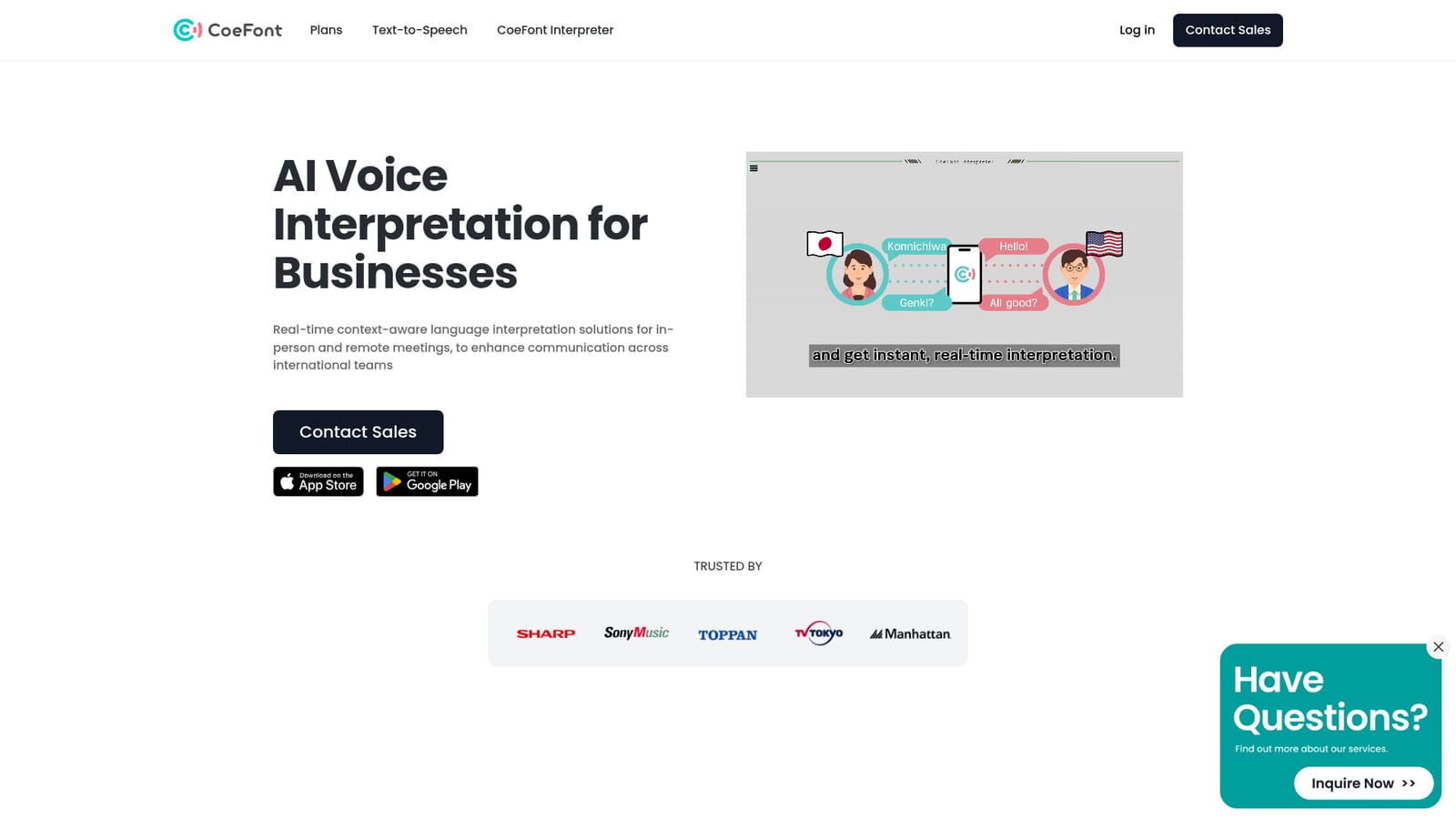
Screenshot of CoeFont Interpreter, Real-time AI voice interpretation for multilingual meetings and events

What is CoeFont Interpreter?

CoeFont Interpreter converts live speech into another language in about one second, using synthetic voice for face-to-face talks, online meetings and conferences. A mobile app covers offline conversations, a desktop app plugs into Zoom, Teams and similar tools, and post-meeting summaries and transcripts come standard.

CoeFont Interpreter is a speech translation product aimed at businesses that run meetings, conferences and support desks across language lines. It listens to a speaker, translates the words and speaks the result back in a natural synthetic voice, with a delay of roughly one second between the original speech and the interpretation. The company positions that latency as comparable to a human interpreter. Supported languages include English, Japanese, Spanish, French and Chinese, plus Korean, German, Russian, Vietnamese, Thai, Indonesian and Portuguese. The product splits into two delivery channels. A mobile app for iOS and Android handles offline face-to-face situations: it opens quickly and lets the user switch the on-screen layout depending on whether the two parties sit side by side or across from each other. A desktop application runs in the background on a PC and is built for online meetings, hooking into common conferencing tools so remote participants hear the translated audio, while a web view lets attendees follow along on their own phones. Accuracy work goes beyond generic machine translation. The system weighs conversation context and can draw on a custom dictionary of industry terminology, names and proper nouns, which matters for legal, technical or product-heavy vocabulary. After a session, main points and action items are summarised automatically, and transcripts and summaries can be passed to colleagues who missed the call. Teams can also record their own voice and use it as the interpretation voice, though that option is currently limited to Japanese. The commercial shape is enterprise first. A Plus plan costs $350 per month with 8 hours of interpretation and up to 5 users, while larger organisations are routed to a sales conversation covering unlimited users, SSO, internal terminology registration and a Microsoft Teams plugin. Security credentials matter here: ISMS (ISO/IEC 27001), SOC2 Type 2 and GDPR compliance are all stated, and client data is excluded from AI training by default. It competes with dedicated interpreter hardware and general meeting transcription suites, but its pitch is spoken, low-latency output inside the tools teams already use.

How do you use CoeFont Interpreter?

  1. 1Pick the app for your setting
    Install the iOS or Android app for in-person conversations, or download the desktop build for online meetings. The mobile app can work offline, the desktop app runs in the background.
    CoeFont Interpreter — Pick the app for your setting
  2. 2Choose your language pair
    Set the spoken language and the target language on first launch. English, Japanese, Spanish, French and Chinese are offered as quick setup options.
  3. 3Adjust the interface for the room
    Switch the layout to suit the seating arrangement, next-to for side-by-side use or face-to-face when you sit across from the other person.
  4. 4Add terminology before a session
    Upload or register specialised words, product names and proper nouns so the interpreter reads them correctly instead of guessing from general training data.
  5. 5Connect your meeting tool on desktop
    Run the desktop app alongside Zoom, Teams, Google Meet, Webex or Discord so remote attendees hear interpreted audio, and share the web link for phone access.
  6. 6Review the summary and transcript
    After the meeting, open the auto-generated summary with main points and action items, then share it with colleagues who could not attend.

Pros and cons

Pros

  • Near one-second interpretation latency, which keeps meetings close to natural conversational rhythmAI
  • Custom terminology dictionary plus context handling improves accuracy on names and industry jargonAI
  • Automatic meeting summaries and shareable transcripts give value beyond the live sessionAI
  • Mobile app works offline for in-person talks, covering situations where a web tool cannotAI
  • Security posture is documented: ISMS, SOC2 Type 2, GDPR, and client data excluded from trainingAI

Cons

  • Plus plan is $350 per month for only 8 hours and 5 users, which is steep for small teamsAI
  • Custom voice creation is limited to Japanese, so other languages use standard synthetic voicesAI
  • Pricing and terms sit behind a sales enquiry; Enterprise features like SSO and the Teams plugin are not publicly quotedAI
  • No public API is documented on the site, which limits automation and custom pipeline workAI
  • Offline capability is tied to the mobile app, so desktop-only teams have no fallback without a connectionAI

How much does CoeFont Interpreter cost?

Pricing

Plus costs $350 per month (tax included) and includes 8 hours of interpretation for up to 5 users. Enterprise is quoted on request and covers more than 8 hours, unlimited users, SSO, internal terminology registration and a Microsoft Teams plugin.

Learn more

Support

Enterprise buyers reach the vendor through a sales enquiry form, which is the stated route for onboarding, volume questions and SSO or Teams plugin setup.

Learn more

Integrations

The desktop app works alongside Zoom, Teams, Google Meet, Webex and Discord, and a Microsoft Teams plugin is offered on the Enterprise plan. Interpretations can be viewed live on the web by participants.

Learn more

Features

Speech-to-speech interpretation with about a one-second delay, context-aware translation and a custom dictionary for industry terms and names. Mobile app for offline face-to-face use, desktop app for meetings, web viewing for participants, automatic summaries and shareable transcripts, plus recordable custom voices (Japanese only).

Frequently asked questions about CoeFont Interpreter

  • How much does CoeFont Interpreter cost?
    Plus costs $350 per month (tax included) and includes 8 hours of interpretation for up to 5 users. Enterprise is quoted on request and covers more than 8 hours, unlimited users, SSO, internal terminology registration and a Microsoft Teams plugin.
  • How do you use CoeFont Interpreter?
    The walkthrough on this page covers 6 steps: 1. Pick the app for your setting 2. Choose your language pair 3. Adjust the interface for the room 4. Add terminology before a session 5. Connect your meeting tool on desktop 6. Review the summary and transcript.
  • What platforms does CoeFont Interpreter support?
    CoeFont Interpreter is available on Web App, iOS, Android, Windows and MacOS.
  • What does CoeFont Interpreter integrate with?
    The desktop app works alongside Zoom, Teams, Google Meet, Webex and Discord, and a Microsoft Teams plugin is offered on the Enterprise plan. Interpretations can be viewed live on the web by participants.
  • What are the limitations of CoeFont Interpreter?
    Plus plan is $350 per month for only 8 hours and 5 users, which is steep for small teams. Custom voice creation is limited to Japanese, so other languages use standard synthetic voices. Pricing and terms sit behind a sales enquiry; Enterprise features like SSO and the Teams plugin are not publicly quoted.

Status

StatusActive
Views0
Outbound clicks0
Added10/21/2026

Platforms

Web AppiOSAndroidWindowsMacOS

Pricing

PaidSubscription