PortraitArt

Turn any photo into a printable coloring page in seconds

Beginner
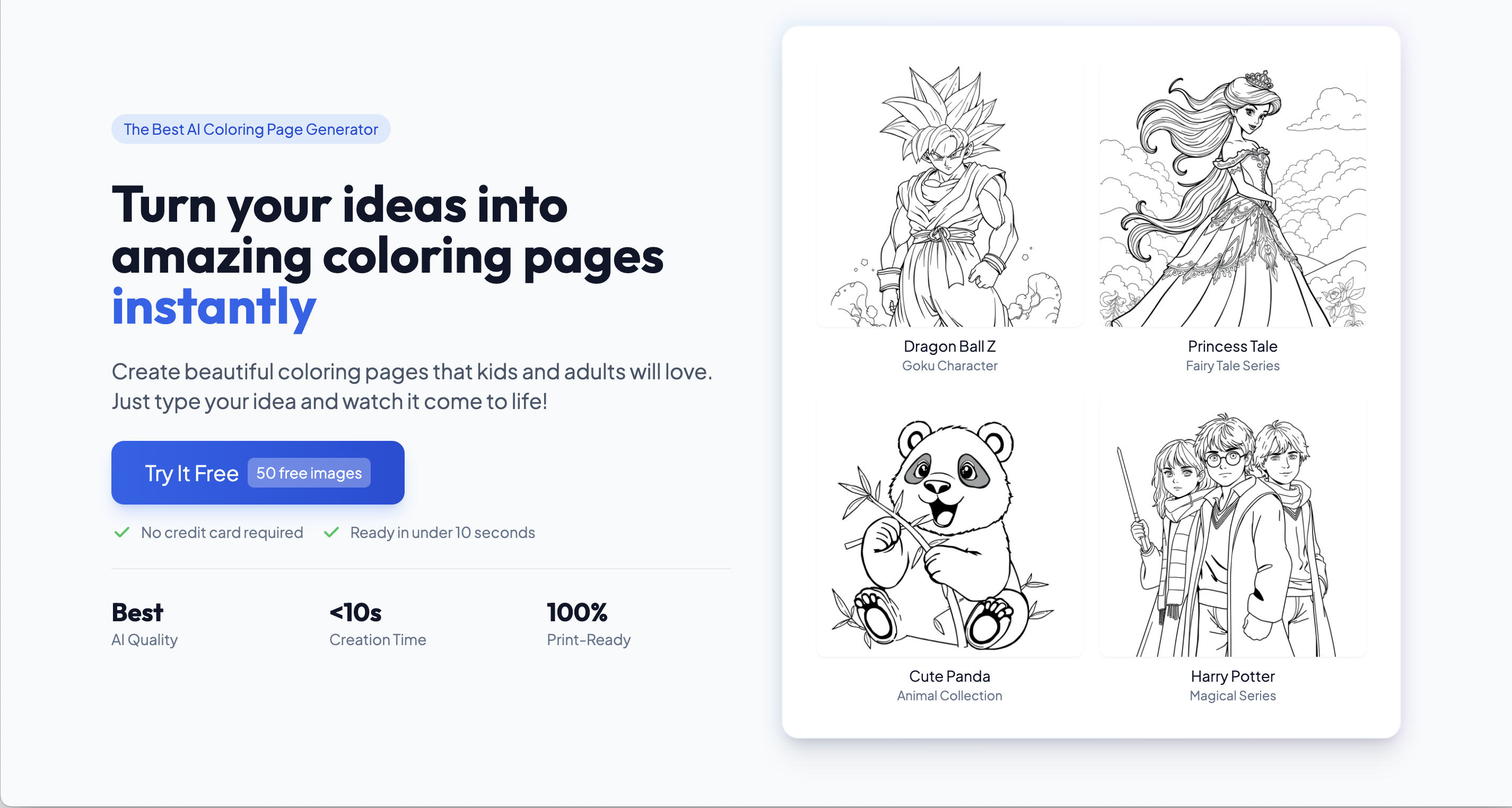
Screenshot of PortraitArt, Turn any photo into a printable coloring page in seconds

What is PortraitArt?

PortraitArt is a coloring pages tool that turns any photo into a printable coloring page in seconds. PortraitArt converts uploaded photos into printable coloring pages and line art across 80+ styles, aimed at parents, teachers and gift makers who want personalized activity sheets without drawing skills.

PortraitArt is a web based AI art generator whose core trick is converting an ordinary photograph into a line drawing suitable for printing and coloring. The coloring page style sits inside a broader library of more than 80 art styles, so the same portrait can be pushed toward bold line work, ink sketch, watercolor, cartoon or a cultural style such as Warli or Sumi-e depending on the mood of the project. The product is built and run in Maryland in the United States, and the site reports more than 2,700,000 art pictures created for a customer base above 56,000 people. In practice the workflow is short: sign in, upload a photo (a pet, a family snapshot, a classroom portrait), pick the Coloring Page style or a related line style, and let the model redraw it as clean outlines. The output is aimed at printing, which makes it useful for parents, teachers and anyone assembling activity sheets, party favors or personalized gifts. The line style family is the most relevant branch for this use, with Coloring Page, Bold Line, Bold Line Illustration, Line Art, Continuous Line and similar options sitting side by side. Compared with generic image generators, PortraitArt is narrower and easier to aim: there is no prompt engineering, and the style list does the work of describing the aesthetic. Compared with a hand drawn commission, the trade off is control, since the model decides how much detail to keep and how to simplify shapes. The interface is translated into thirteen languages including Spanish, German, Japanese, Korean, Arabic and both Chinese scripts, which helps classrooms and families outside the United States. The tool is best treated as a fast first draft or a volume solution: many pages from many photos, cheaply and quickly, rather than a substitute for illustration work that needs precise likeness or composition. Anyone wanting the same picture in several moods can generate variants across the line style range and choose the one that prints cleanest.

How do you use PortraitArt?

  1. 1Sign in to PortraitArt
    Create an account or sign in with the existing credentials so generated art stays attached to your profile.
  2. 2Open the Coloring Page style
    Start from the dedicated coloring page page, which explains the style and is the entry point for the photo upload.
  3. 3Upload the photo you want redrawn
    Choose a clear, well lit photo of a pet, person or scene. Strong contrast and a simple background give cleaner outlines.
  4. 4Generate and compare line styles
    Run the Coloring Page style first, then try alternatives such as Bold Line or Line Art if the first result is too detailed or too sparse.
  5. 5Download and print
    Save the finished line drawing and print it at home or at a print shop for coloring, activity sheets or gifts.

Pros and cons

Pros

  • Purpose built coloring page style sits alongside 80+ other art styles in one accountAI
  • No prompt writing needed, the style choice does the descriptive workAI
  • Site reports 2.7 million images created and 56,000+ customers, so the model is well exercisedAI
  • Interface localized into thirteen languages, useful for international classrooms and familiesAI
  • Line style range (bold line, continuous line, line art) gives real variety for print workAI

Cons

  • Homepage gives no pricing, credit or plan details, so cost has to be checked before committingAI
  • No stated export resolution or print size guidance for the coloring pagesAI
  • Portrait likeness and detail level are decided by the model, with no described fine controlsAI
  • No listed integrations, API or bulk batch workflow for schools handling many photosAI

How much does PortraitArt cost?

Features

Photo to coloring page conversion plus more than 80 art styles grouped into line, sketch, cartoon, illustration, watercolor, painting, cultural, sculpture and craft families. Line options include Coloring Page, Bold Line, Bold Line Illustration, Line Art, Continuous Line and Warm Line Portraits. Interface available in thirteen languages.

Frequently asked questions about PortraitArt

  • How do you use PortraitArt?
    The walkthrough on this page covers 5 steps: 1. Sign in to PortraitArt 2. Open the Coloring Page style 3. Upload the photo you want redrawn 4. Generate and compare line styles 5. Download and print.
  • What platforms does PortraitArt support?
    PortraitArt is available on Web App.
  • What are the limitations of PortraitArt?
    Homepage gives no pricing, credit or plan details, so cost has to be checked before committing. No stated export resolution or print size guidance for the coloring pages. Portrait likeness and detail level are decided by the model, with no described fine controls.

Status

StatusActive
Views0
Outbound clicks0
Added10/21/2026

Platforms

Web App

Pricing

Freemium