Pricing
Uses a credit system: each generation costs 4 credits, and credits are purchased from the pricing page. Specific prices are not stated on the homepage.
Learn moreBrowser-based AI that adds natural color to old black-and-white photos
Own Colorize Black and White Photos? Verify ownership to get a dofollow link

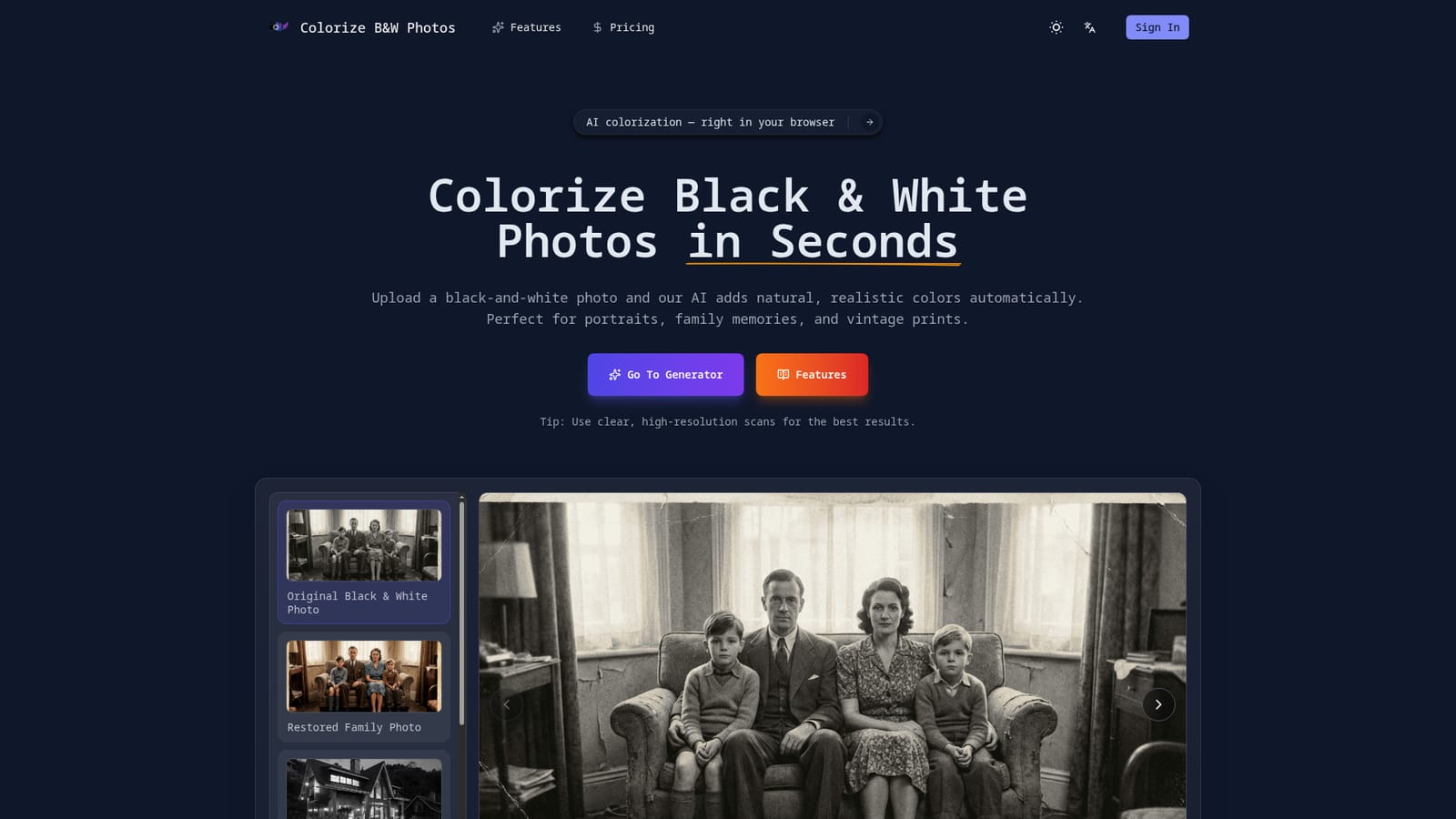
Colorize Black and White Photos is an image improvement tool. A single-purpose online tool that automatically colorizes black-and-white photos with natural tones. It runs in the browser on desktop or mobile, uses a credit system, and offers before and after comparison plus high-resolution downloads.
Colorize Black and White Photos is a browser-based photo colorizer aimed at people who want old monochrome images shown in color without learning editing software. The user uploads a black-and-white picture, and the system adds color automatically. The site positions it for family photos, portraits, vintage prints and scanned archives, and its example gallery covers architecture, street scenes, group photos, childhood pictures and weddings. In practice the workflow is short. A generator panel on the homepage accepts a reference image (one file, up to 15MB, with JPG and PNG named as the supported formats) and an optional text prompt of up to 2,000 characters. Each generation costs 4 credits, and credits are bought on a pricing page. Signing in is required before anything can be generated. According to the site, the model looks at faces, clothing, backgrounds and lighting, then applies balanced colors, with particular care given to skin tones and hair. The aim is a restrained, believable result rather than heavy saturation. Output handling is straightforward. The tool shows a before and after comparison so the colorized version can be checked against the source, and it offers high-resolution downloads described as suitable for sharing, archiving or printing. The original upload is never altered, since a separate colorized copy is produced. Because everything runs online, nothing needs installing, and the page works on both desktop and mobile browsers. Within the wider field, this is a narrow, single-purpose product. It does not position itself as a general photo editor, a restoration suite for scratches and tears, or a broad image generator, so it suits users who only need colorization and want a quick result. People who need manual control over individual colors, batch processing or deeper repair work would likely look at full editors or dedicated restoration tools. The site advises using clear, high-resolution scans for the best results, which implies that heavily degraded sources may produce weaker output. Genealogists, hobbyist archivists and families digitizing albums are the most natural audience.
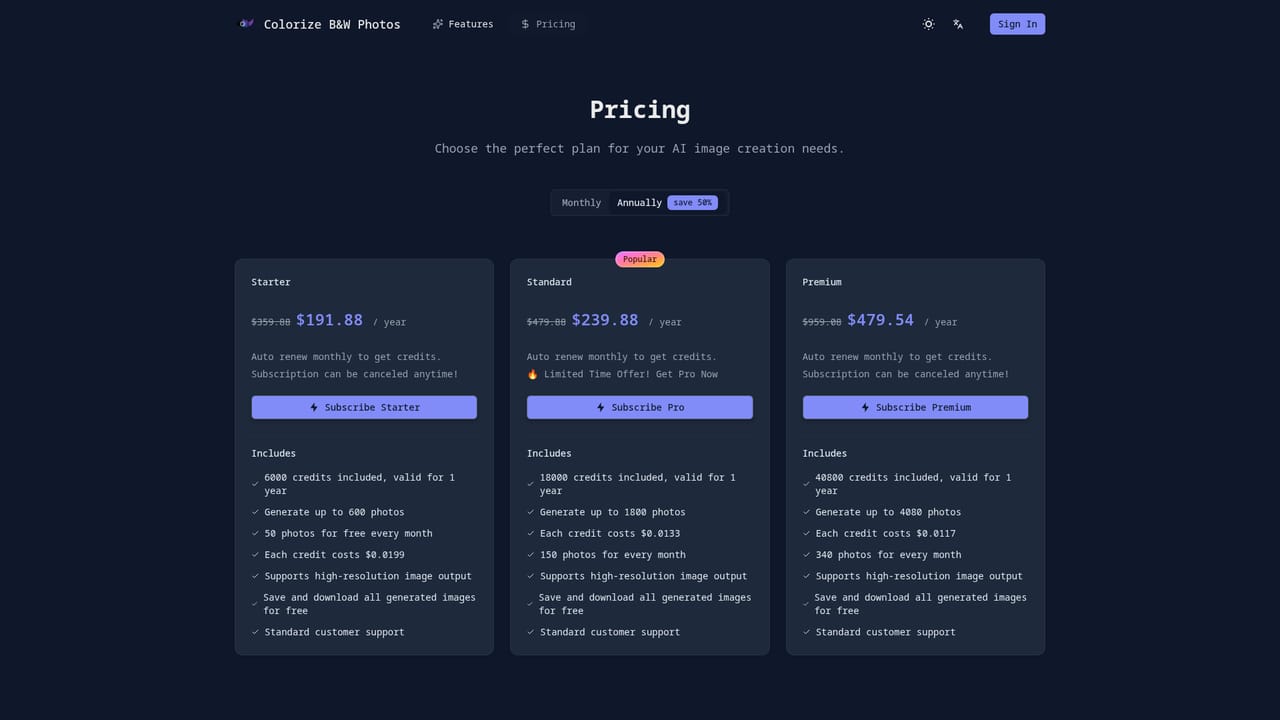
Uses a credit system: each generation costs 4 credits, and credits are purchased from the pricing page. Specific prices are not stated on the homepage.
Learn moreOne-click automatic colorization, natural skin tones, instant before and after preview, high-resolution downloads, original photo left unchanged, optional text prompt, and use on desktop or mobile browsers without installation.


