Free trial
10 one-time starter credits, no card required, covering a script and a 4-panel comic with 1 character and 1 location.
Learn moreTurn written stories into consistent-character comics in many art styles
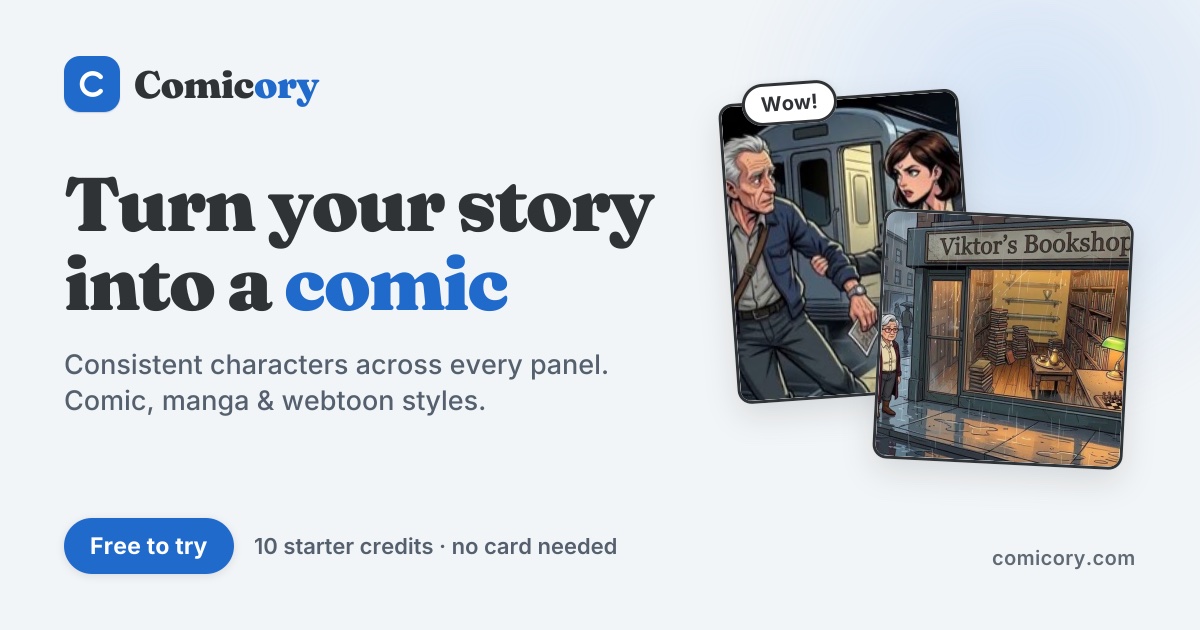
Comicory is a generative art tool that turns written stories into consistent-character comics in many art styles. Comicory is a web-based AI comic generator that converts a written story into scripted, illustrated pages with consistent characters, in dozens of styles from manga to watercolor, with PDF, PNG and ZIP export and 10 free starter credits.
Comicory is a browser-based comic generator that takes a written story and produces illustrated panels and pages. The workflow follows a visible pipeline: a story is entered, a script is drafted, a cast of characters is sketched, and finished pages are rendered. The homepage demonstrates this with a short tale about a hedgehog afraid of the dark, shown from the story stage through to an eight-page book that can be read in the public gallery. The central selling point is character consistency. Each character gets a reference portrait, and that portrait is used to keep the figure on-model from page to page, which is the usual weak spot of general image generators when used for sequential art. Panels are described as editable, and finished work can be exported as PDF, PNG or ZIP files. A my-comics area stores projects for later editing. Style range is wide. The samples cover comic book, manga, anime, shonen, retro gekiga, webtoon, cartoon, chibi, superhero, soft anime, watercolor, noir black and white, pixel art, realistic, cinematic, cyberpunk, graphic novel, scribble, ink wash, hand-drawn and a French bande dessinee look. Separate landing pages exist for strips, series, full books, page layouts, photo-to-comic conversion and uploading an existing character, which signals that the tool targets several formats rather than one. The likely audience is hobbyist storytellers, children's book authors, webtoon and manga fans without drawing skills, educators, and marketers who want illustrated narratives. It sits between prompt-driven image tools, which leave consistency and layout to the user, and traditional comic software, which assumes the user can draw. The trade-off is that output quality depends on the model and on how well the story is written, so heavy revision may be needed for long projects. Access is credit-based. New accounts receive 10 one-time starter credits, enough for a script plus a four-panel comic with one character and one location, and no card is needed to try it. Larger projects require a paid plan, detailed on the pricing page.
10 one-time starter credits, no card required, covering a script and a 4-panel comic with 1 character and 1 location.
Learn moreCredit-based. New users get 10 one-time starter credits with no card required, enough for a script plus a 4-panel comic with 1 character and 1 location. Paid plan details are on the pricing page.
Learn moreStory to script to cast to rendered pages; consistent characters via reference portraits; editable panels; 20+ styles including manga, webtoon, noir and pixel art; photo-to-comic and uploaded characters; page layouts; PDF, PNG and ZIP export; public gallery.
 AI Angels400+ customizable AI girlfriends for NSFW chat, voice calls, and roleplay
 Candy AIExperience the future of companionship with AI friends who chat, role-play, and connect with you on a human level.
 ourdream.aiA vast AI roleplay platform with millions of characters for chat, images, video and voiceAI Angels400+ customizable AI girlfriends for NSFW chat, voice calls, and roleplayCandy AIExperience the future of companionship with AI friends who chat, role-play, and connect with you on a human level.ourdream.aiA vast AI roleplay platform with millions of characters for chat, images, video and voice