ConsoleX AI

Chat a task once, then let it run on a schedule with your own checks

Beginner
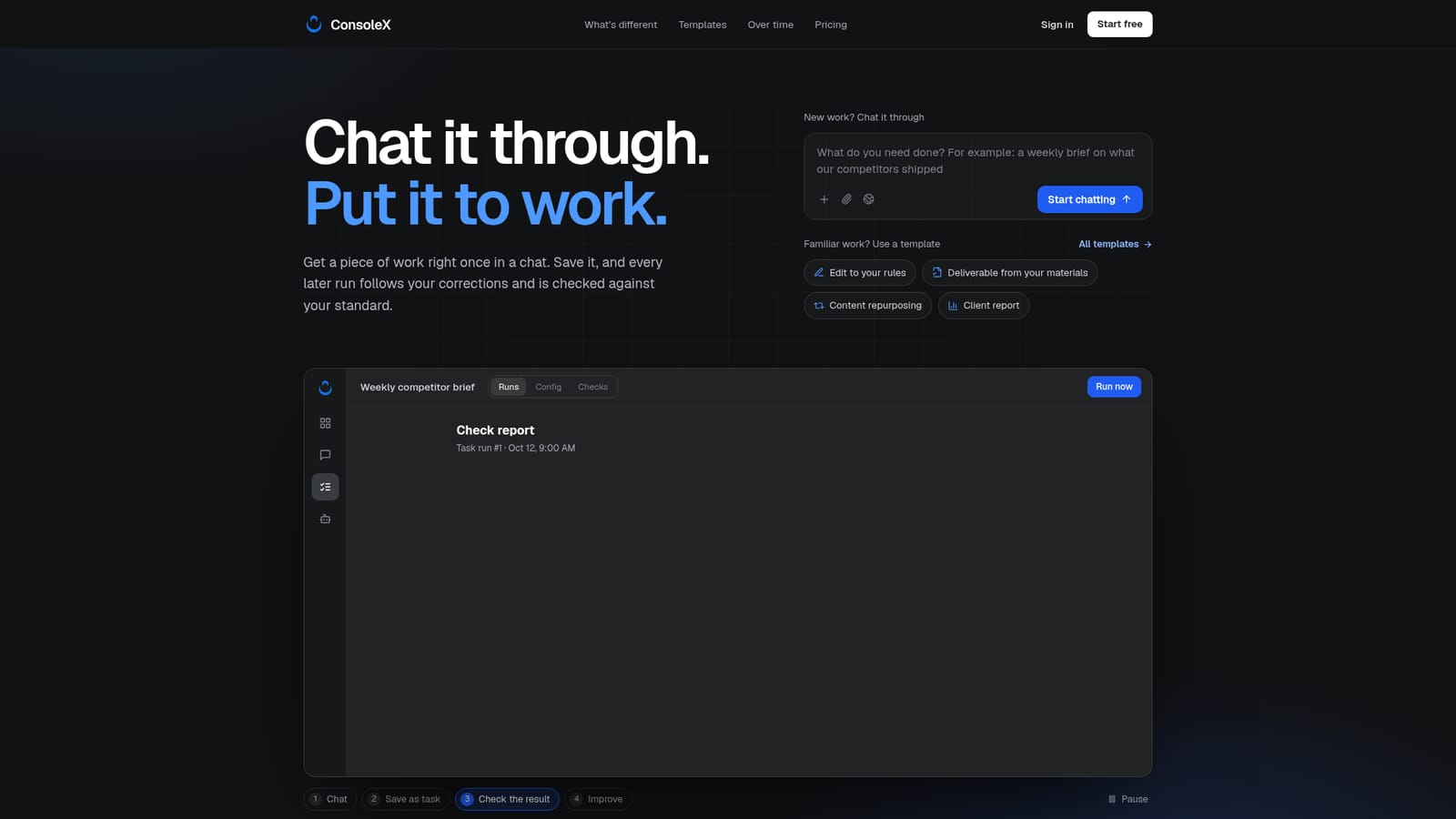
Screenshot of ConsoleX AI, Chat a task once, then let it run on a schedule with your own checks

What is ConsoleX AI?

ConsoleX AI is a meta AI automation tool that chats a task once, then let it run on a schedule with your own checks. ConsoleX AI turns a working chat session into a saved, schedulable task with the user's corrections baked in.

ConsoleX AI starts where most chat assistants stop. The product is built around a simple idea: the first time a piece of work is done, it happens in conversation with a leading AI model, and the corrections made along the way become part of a reusable task. When the chat is saved as a task, the tool converts the exchange into written requirements and proposes a set of checks that reflect the standard the user described. From then on, the task can be run on demand or on a schedule, with each run compared against those checks rather than rebuilt from a fresh prompt. In practice the workflow is chat, save, review, improve. A saved task returns a check report listing each rule, its verdict and the evidence behind it. Items that can be verified mechanically, such as required sections, links or banned words, are checked without calling a model. Where judgment is involved, the verdict must point to supporting evidence, and anything unverifiable is flagged for the user to decide on instead of being quietly passed. Each report also records the models used, token usage, run duration and an estimated execution cost, with checks costed separately so the price of the quality layer is visible next to the price of the work. Failed or uncertain checks can be turned into suggested edits to the task, drafted automatically if that option is switched on. Suggestions never apply themselves: the user reviews, approves and can restore any earlier version of the configuration. Templates for common recurring jobs (editing a draft to house rules, turning notes into a deliverable, repurposing content across channels, monthly client reports) ship with their own checks and can be adjusted. The audience is people who produce similar work repeatedly and answer for the output themselves: freelancers, consultants, creators and solo founders. Someone who asks an AI an occasional question will not get much from the extra structure. The comparison is not with more capable models but with the ritual of re-pasting a prompt and re-explaining last week's fixes. ConsoleX AI drafts and checks; it does not send email or publish posts, and it cannot open Word, Excel or PDF files, so generated documents still need a human read.

How do you use ConsoleX AI?

  1. 1Describe the work in a chat
    Open ConsoleX and explain the deliverable in plain language, the way you would brief a colleague. The first pass is meant to be imperfect.
    ConsoleX AI — Describe the work in a chat
  2. 2Correct the draft
    Reply with the constraints the output missed, such as a date window or a sourcing rule. These corrections are what the task will remember.
  3. 3Save the chat as a task
    Use Save as task. The conversation is turned into written requirements, and the tool proposes checks that match them.
  4. 4Review the check report
    Run the task and read the report: which checks passed, which need your call, and the evidence cited for each. Accept, edit or reject the result.
  5. 5Approve a suggested improvement
    Where a check failed or was uncertain, review the drafted change to the task and apply it if it is right. Earlier versions stay restorable.
  6. 6Put it on a schedule
    Once the task behaves the way you want, set it to run on a schedule or start from a template with checks already configured.
    ConsoleX AI — Put it on a schedule

Pros and cons

Pros

  • Corrections made in chat carry into every later run, so the same fixes do not need explaining twiceAI
  • Check reports show the evidence behind each verdict and separate unverifiable items for the user to decideAI
  • Every run records models, usage and estimated cost, with checks costed separatelyAI
  • Suggested fixes after a failed check are shown for approval first and every task version can be restoredAI
  • Ready-made templates for recurring jobs arrive with matching checks attachedAI

Cons

  • No pricing is published on the homepage, so buyers cannot estimate spend before signing upAI
  • Checks read only the final response and tool output, so Word, Excel and PDF deliverables must be opened and reviewed by handAI
  • A passed check means the result matches the stated rules, not that the facts are correctAI
  • Estimated costs can be incomplete, ignore external service charges, and do not act as a spending capAI
  • Only useful for genuinely repeated work; occasional one-off questions are better served by a plain chat assistantAI

How much does ConsoleX AI cost?

Features

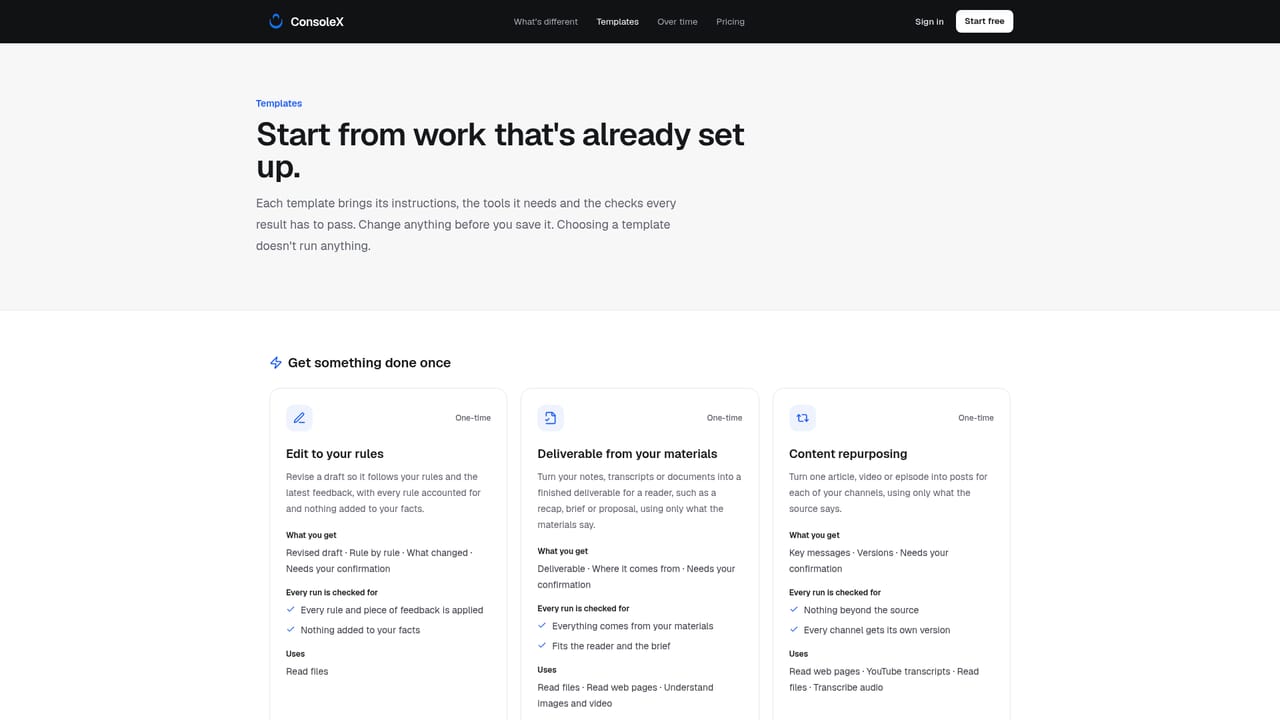
Conversational task creation that converts a chat and its corrections into written requirements, plus suggested checks. Runs can be one-off or scheduled. Reports grade each check with cited evidence and mark unverifiable items for review. Runs log models, token usage, duration and estimated cost, with checks costed separately. Suggested fixes require approval and task versions can be restored. Templates cover draft editing, deliverable drafting, content repurposing and client reports.

Frequently asked questions about ConsoleX AI

  • How do you use ConsoleX AI?
    The walkthrough on this page covers 6 steps: 1. Describe the work in a chat 2. Correct the draft 3. Save the chat as a task 4. Review the check report 5. Approve a suggested improvement 6. Put it on a schedule.
  • What platforms does ConsoleX AI support?
    ConsoleX AI is available on Web App.
  • What are the limitations of ConsoleX AI?
    No pricing is published on the homepage, so buyers cannot estimate spend before signing up. Checks read only the final response and tool output, so Word, Excel and PDF deliverables must be opened and reviewed by hand. A passed check means the result matches the stated rules, not that the facts are correct.

Status

StatusActive
Views0
Outbound clicks0
Added10/21/2026

Platforms

Web App

Pricing

Freemium