Free trial
The Free plan gives 20 welcome credits and up to 20 images, with watermarked, publicly visible output for non-commercial use only.
Learn moreTurn photos into Pixar-style 3D cartoon avatars with a credit-based web app

CrafteAI is an avatar tool that turns photos into Pixar-style 3D cartoon avatars with a credit-based web app. CrafteAI's AI 3D Cartoon Generator converts uploaded photos into Pixar-style 3D cartoon characters and avatars in the browser, using a credit system with a free tier and two paid plans that remove watermarks.
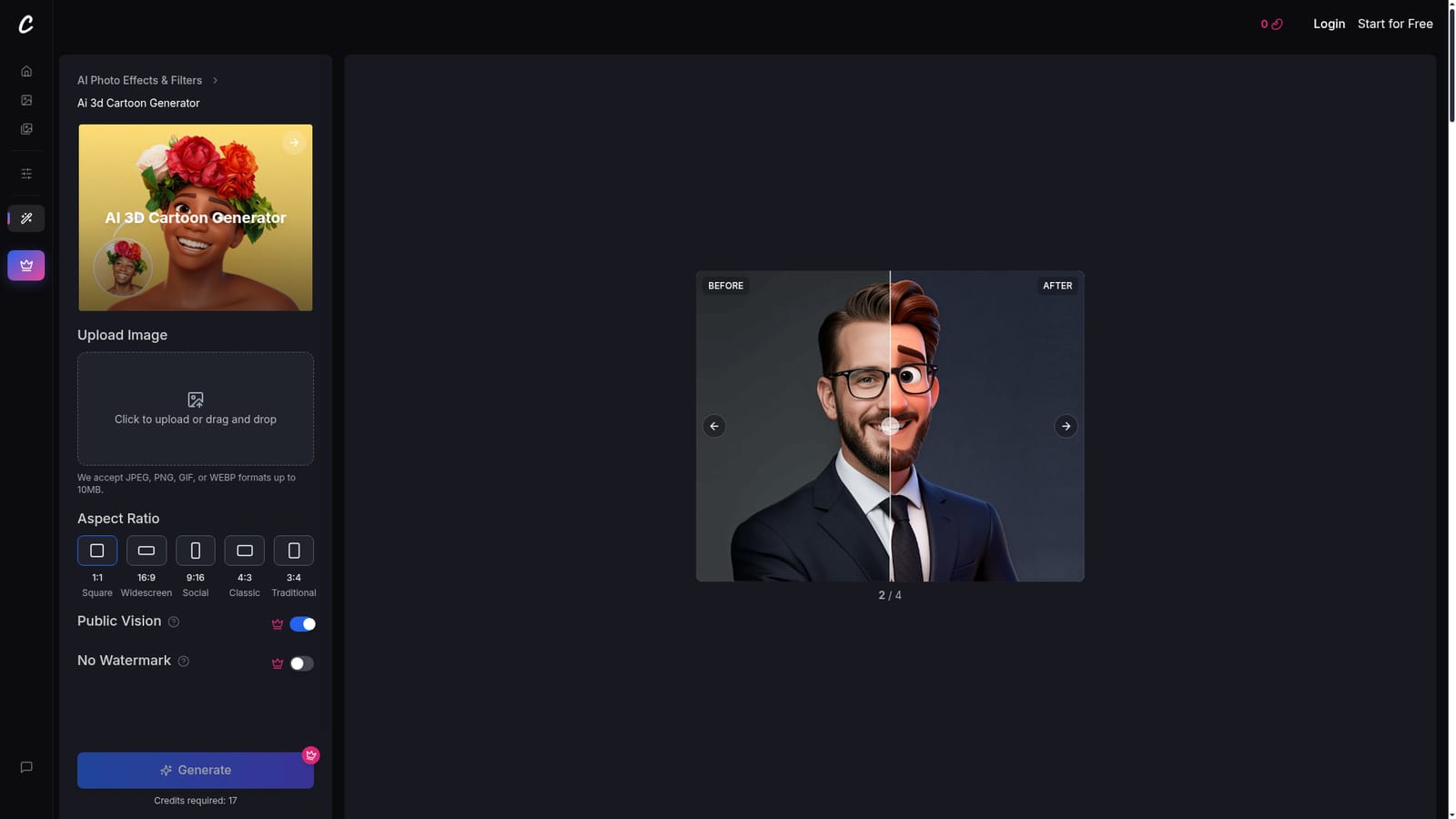
CrafteAI's AI 3D Cartoon Generator is a browser-based image effect that converts an ordinary photo into a stylized 3D cartoon character. The look it aims for is the soft-lit, saturated, rounded style associated with modern 3D animated films. Rather than applying a flat filter, the tool says it rebuilds the structure of a face with depth and volume, so the output reads more like a sculpted figure than an overlay. The target audience is mostly casual users and social creators: people who want a distinctive profile picture, a gaming or social media avatar, or a fun portrait of themselves. The page also raises pet photos as a use case in its FAQ list. It is not pitched at animators who need rigged or exportable models, and one of its FAQ topics asks whether the result is an actual 3D model, which suggests the output is a rendered image rather than a mesh. In practice the workflow is short. A user uploads a JPEG, PNG, GIF or WEBP file up to 10MB, types a text prompt describing what they have in mind, selects LoRAs and an AI model, then clicks the generate button. Before and after sliders on the page show sample conversions. Usage runs on credits: the free plan includes 20 welcome credits, with watermarked, publicly visible output limited to non-commercial use. The Standard plan offers 600 credits a month and the Pro plan 1300, both removing the watermark and adding original and HD downloads plus prompt and visibility protection. Within the wider market, CrafteAI sits among single-purpose photo effect generators rather than full creative suites. The same site links to sibling tools for anime characters, comic book art, cartoon animation and face-to-sticker conversion, so users can move between styles under one account. It suits people who want a quick stylized portrait without learning a prompt-heavy image workflow, while professionals needing fine control or commercial rights on a free tier will look elsewhere.
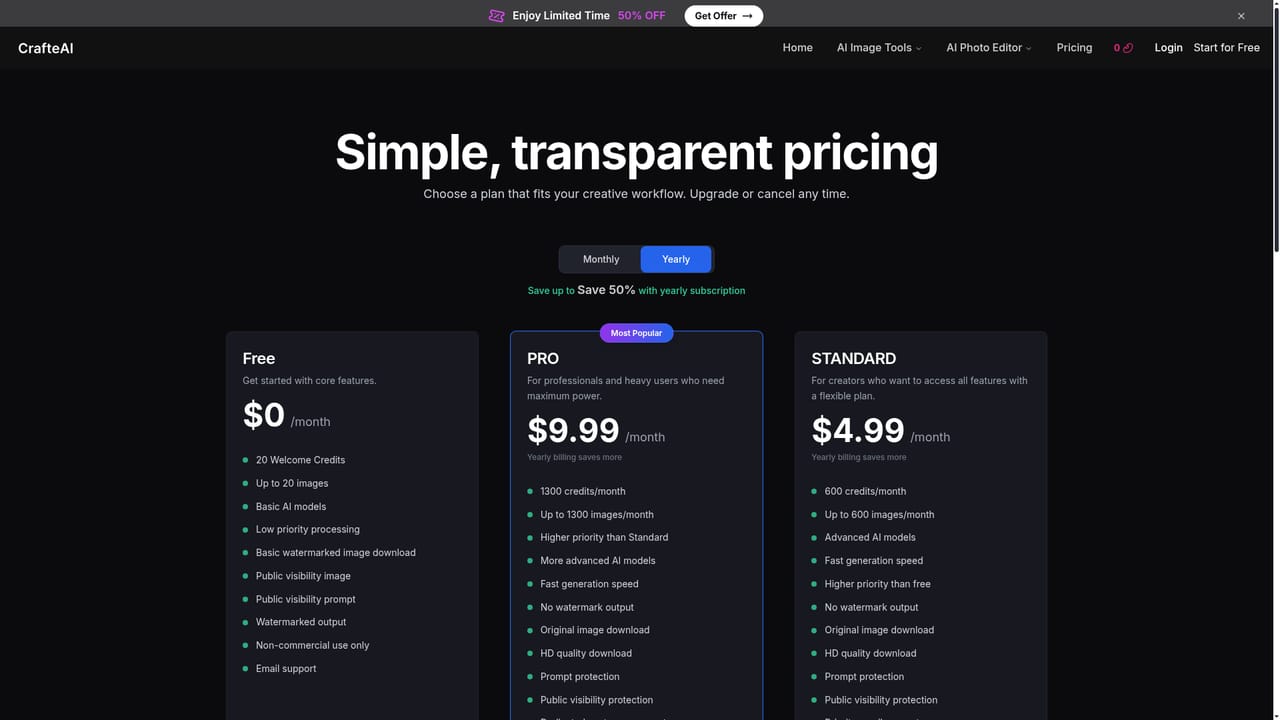
The Free plan gives 20 welcome credits and up to 20 images, with watermarked, publicly visible output for non-commercial use only.
Learn moreFree plan at $0/month with 20 welcome credits, watermarked and non-commercial. Standard is $4.99/month for 600 credits, Pro is $9.99/month for 1300 credits. Both paid plans remove watermarks, and yearly billing saves up to 50%.
Learn moreEmail support on the Free plan, priority email support on Standard and dedicated customer support on Pro.
Photo to 3D cartoon conversion in a Pixar-inspired style, text prompts, LoRA and AI model selection, before and after examples, and sibling tools for anime, comic book, cartoon animation and face-to-sticker effects.


