
Crevid AI

Turn a single photo into a cinematic AI video clip with prompts

Beginner
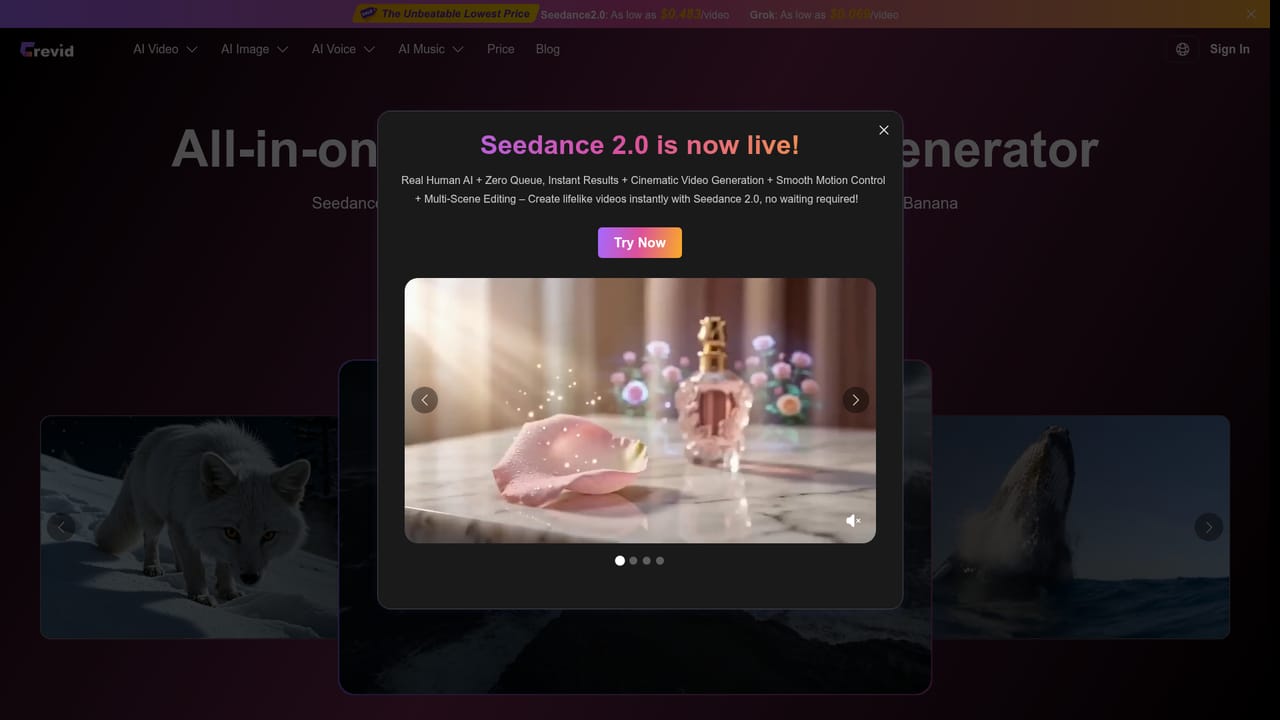
Screenshot of Crevid AI, Turn a single photo into a cinematic AI video clip with prompts

What is Crevid AI?

Crevid AI is a generative video tool that turns a single photo into a cinematic AI video clip with prompts.

Crevid AI is a web-based platform for generating video and images with AI, and its Image to Video page is the entry point for animating a still photo. A user uploads one picture, describes the movement they want in a text prompt, and the system produces a short clip with camera motion, transitions and cinematic effects. A built-in prompt helper can write the description for users who are unsure how to phrase it, and a translate option converts prompts to English, which the page says gives better results. The generator panel exposes the settings that matter in practice: aspect ratios from 16:9 and 9:16 to 1:1 and 21:9, a choice of 480p or 720p output, clip length, and an optional web search mode for prompts that depend on current information. The panel also accepts reference material beyond a single image, with slots for several images, videos and audio files. Generation is metered in credits, and the interface shows the cost before each run. The page promotes newer models such as Seedance 2.0 alongside links to Sora 2, Nano Banana 2 and an AI avatar feature that builds a talking presenter from one photo. The target audience is broad but practical: social media makers who need animated posts, marketers turning product photos into short ads, illustrators and artists adding motion to artwork, teachers animating slides, and wedding or portrait professionals. Filmmakers can also use it to preview camera movement before shooting. The page describes style-aware animation, where pacing and effects follow the tone of the source image, plus audio options such as background sound, music or AI narration. Among alternatives, Crevid sits in the multi-model aggregator group rather than the single-model studio group. It bundles several video and image engines behind one account and one credit balance, which suits people who want to compare results without juggling subscriptions. Users who need deep timeline editing or fine control over a single model will find it lighter than a dedicated editor. A premium tier is advertised for longer clips, smoother motion and priority rendering.

How do you use Crevid AI?

  1. 1Create an account or log in
    Sign up for a Crevid AI account or log in, since generation requires one and draws on a credit balance.
    Crevid AI — Create an account or log in
  2. 2Upload a source image
    Add the photo to animate in the Upload Media area. JPG, PNG and WebP files are supported.
  3. 3Describe the motion
    Write a prompt explaining how the image should move, or use the Generate With AI option to draft one. Translate can convert it to English.
  4. 4Set ratio, resolution and length
    Choose an aspect ratio such as 9:16 or 16:9, pick 480p or 720p and set the clip length. The required credits are shown before you run it.
  5. 5Generate, preview and download
    Click Generate, wait for the render, then preview the clip and download it. Regenerate or refine the prompt if the motion is off.
  6. 6Check plans for longer clips
    Review the pricing page if you need longer videos, smoother motion or priority generation.
    Crevid AI — Check plans for longer clips

Pros and cons

Pros

  • Animates a single JPG, PNG or WebP photo from a plain-language motion prompt, with an AI helper for writing promptsAI
  • Wide aspect ratio choice, including 16:9, 9:16, 1:1 and 21:9, suits social, web and cinematic formatsAI
  • Several engines (Seedance 2.0, Sora 2) plus image and avatar tools sit behind one accountAI
  • Credit cost is displayed before each generation, so spending is visible up frontAI
  • Optional audio, music or AI narration can be added to the generated clipAI

Cons

  • Output resolution on the generator panel tops out at 720p, which is low for professional deliveryAI
  • Credit-based billing means costs scale with every re-run while tuning a promptAI
  • Longer clips, smoother motion and priority rendering sit behind a premium upgradeAI
  • The FAQ answers, including commercial use terms, are collapsed and not readable on the pageAI
  • Offers no timeline editing, so fine adjustments need a separate video editorAI

How much does Crevid AI cost?

Pricing

Generation uses credits, with the cost shown before each run (115 credits in the sample setup). Promotions cite Seedance 2.0 from $0.483 per video and Grok from $0.069 per video. A Premium upgrade adds longer videos, higher motion quality and priority generation.

Learn more

Features

Image-to-video animation with camera movement and transitions, prompt helper and translation, six aspect ratios, 480p and 720p output, adjustable length, reference image, video and audio inputs, optional web search, audio and narration, plus Seedance 2.0, Sora 2, Nano Banana 2 and AI avatar tools.

Frequently asked questions about Crevid AI

  • How much does Crevid AI cost?
    Generation uses credits, with the cost shown before each run (115 credits in the sample setup). Promotions cite Seedance 2.0 from $0.483 per video and Grok from $0.069 per video. A Premium upgrade adds longer videos, higher motion quality and priority generation.
  • How do you use Crevid AI?
    The walkthrough on this page covers 6 steps: 1. Create an account or log in 2. Upload a source image 3. Describe the motion 4. Set ratio, resolution and length 5. Generate, preview and download 6. Check plans for longer clips.
  • What platforms does Crevid AI support?
    Crevid AI is available on Web App.
  • What are the limitations of Crevid AI?
    Output resolution on the generator panel tops out at 720p, which is low for professional delivery. Credit-based billing means costs scale with every re-run while tuning a prompt. Longer clips, smoother motion and priority rendering sit behind a premium upgrade.

Status

StatusActive
Views0
Outbound clicks0
Added10/18/2026

Platforms

Web App

Pricing

PaidSubscription