Free trial
Free to start with credits on sign-up; the trial runs on the free tier rather than a dated trial period, and no card is requested.
Learn moreOne AI sidebar for GPT, Claude and Gemini on any web page

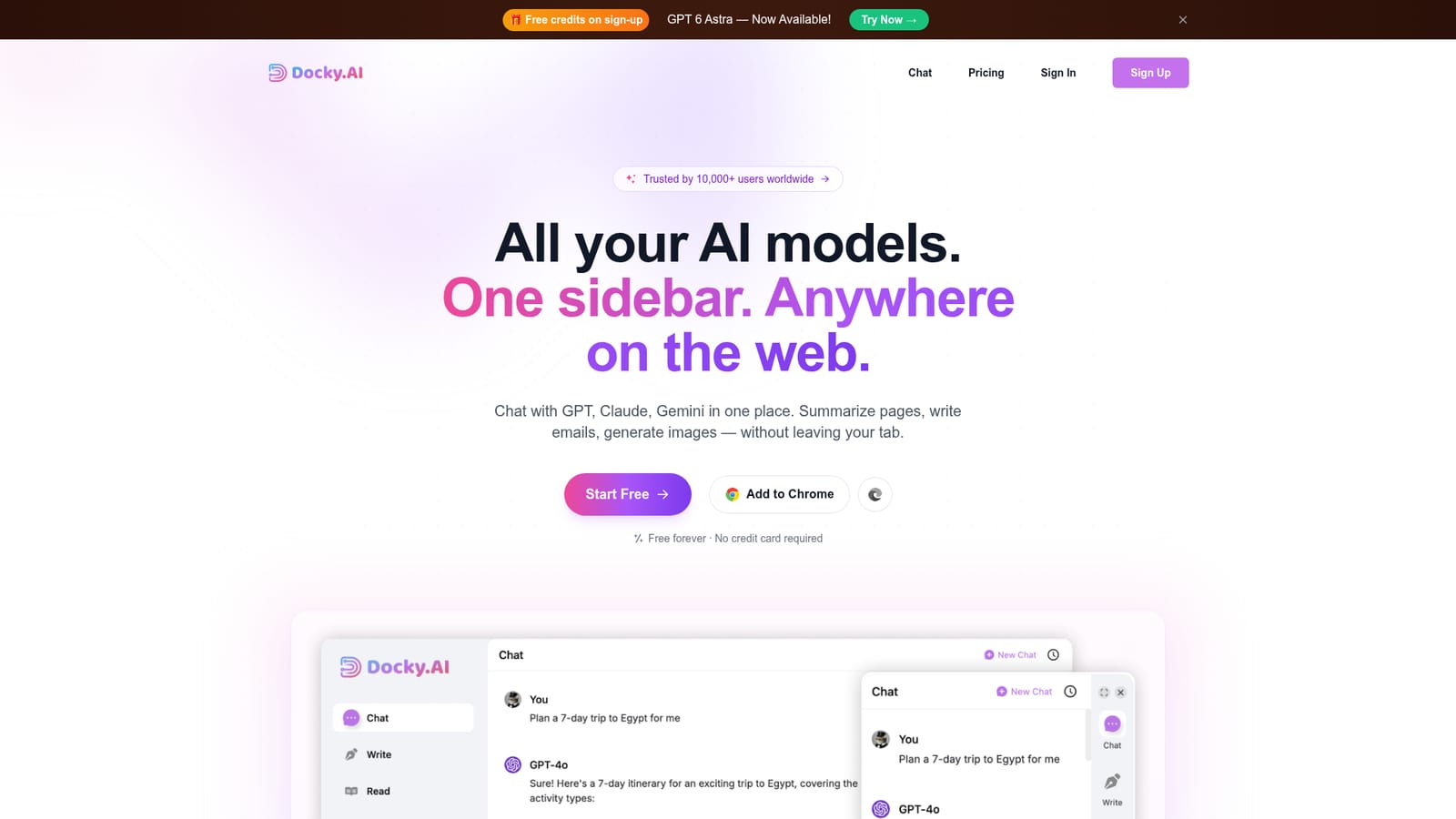
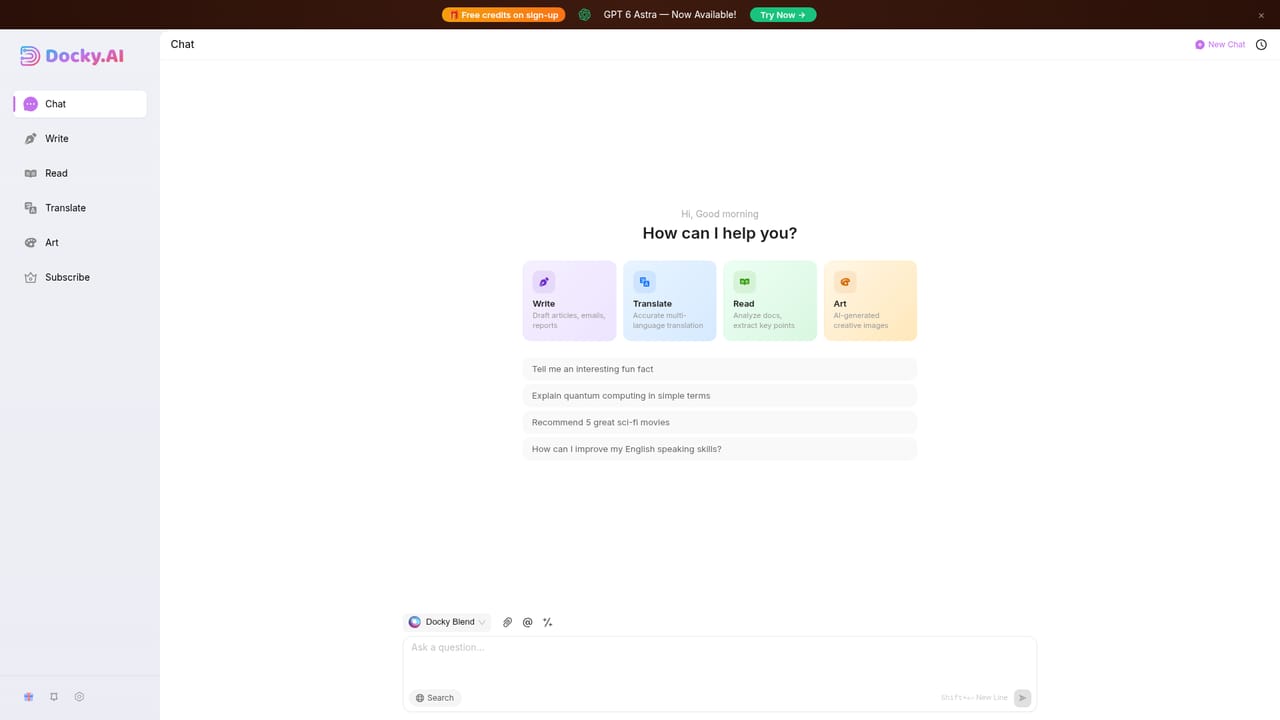
Docky is a Chrome and Edge sidebar that brings GPT, Claude, Gemini and other models into one panel on any web page. It summarizes pages and files, runs OCR, drafts and rewrites text, generates images across several engines, and lets you @mention multiple models in a group chat to compare answers.
Docky is a browser sidebar that puts several AI models in a single panel beside whatever page you already have open. Instead of juggling separate tabs for ChatGPT, Claude and Gemini, you press Cmd or Alt plus K and the sidebar appears over the current site. From there you can chat with GPT, Claude, Gemini, DeepSeek, Qwen and Grok, and image work runs through Flux, DALL-E HD, SDXL and Ideogram. The stated model count is 12 or more. The feature that separates Docky from a plain chatbot wrapper is group chat. Typing an @mention such as @gpt, @claude or @gemini sends the same prompt to several models at once, so you can read the answers side by side and keep the strongest one. The same sidebar handles reading and writing: it summarizes web pages and PDF, Word or PPT files, runs OCR on images so scanned documents become usable text, and offers compose, reply and grammar modes that adjust tone, language and length. A text selection toolbar lets you highlight any passage on any page to explain, translate or extend it, and search results from Google and Bing can be paired with AI answers. The audience is broad: students working through long document sets, writers drafting posts and emails, designers comparing image styles, and knowledge workers who want assistance without a context switch. It suits people who already pay for a chatbot subscription and suspect they could get more from one interface, though anyone expecting an autonomous agent that takes actions on their behalf should look elsewhere. Docky is an assistant that reacts to what you select or type, not a workflow automator. Setup is an extension install for Chrome or Edge, with free usage offered at the start and no card required. The company reports more than 10,000 users and leans on model variety rather than a single vendor as its main selling point.
Free to start with credits on sign-up; the trial runs on the free tier rather than a dated trial period, and no card is requested.
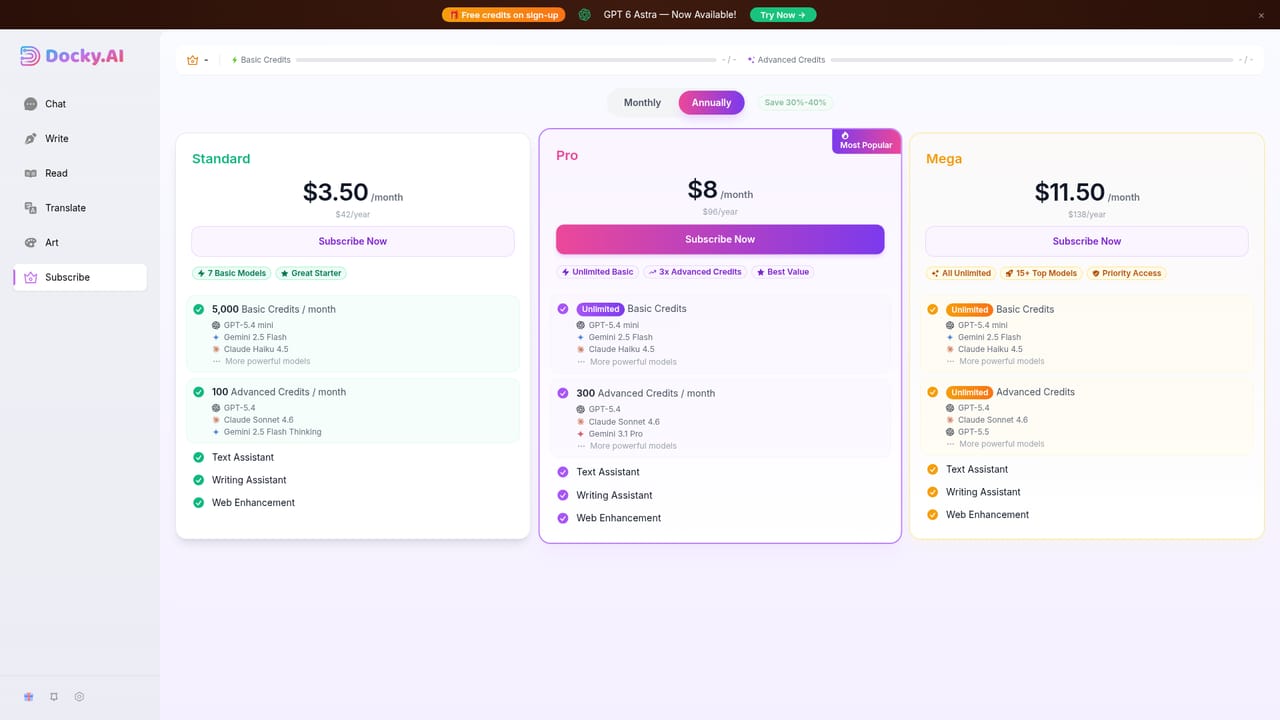
Learn moreThe homepage advertises free credits on sign-up and a free tier described as free forever with no credit card required. Paid tiers exist and are shown on the subscription page, but the homepage gives no prices or usage limits.
Learn moreOperates as a Chrome and Edge extension that sits over any website and works with Google and Bing search results; no other integrations are stated on the homepage.
Multi-model chat with @group mentions for side-by-side comparison, web search, and 12 or more models including GPT, Claude, Gemini, DeepSeek, Qwen and Grok. Summaries for pages and PDF, Word or PPT files, OCR on images, writing modes for compose, reply and grammar, image generation through Flux, DALL-E HD, SDXL and Ideogram, a selection toolbar, and AI answers beside Google and Bing results.
 AI Angels400+ customizable AI girlfriends for NSFW chat, voice calls, and roleplay
 Candy AIExperience the future of companionship with AI friends who chat, role-play, and connect with you on a human level.
 ourdream.aiA vast AI roleplay platform with millions of characters for chat, images, video and voiceAI Angels400+ customizable AI girlfriends for NSFW chat, voice calls, and roleplayCandy AIExperience the future of companionship with AI friends who chat, role-play, and connect with you on a human level.ourdream.aiA vast AI roleplay platform with millions of characters for chat, images, video and voice


