DocuGov.ai

Formal appeals and demand letters drafted by AI, per document

Beginner API
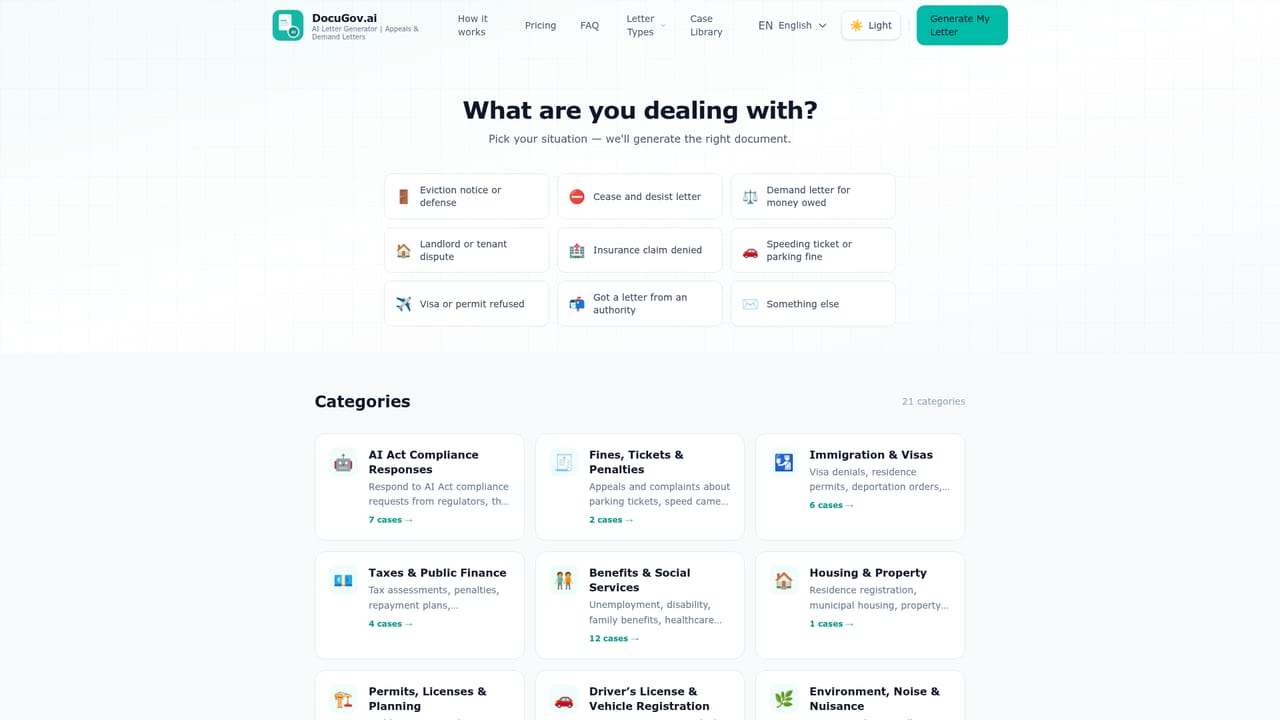
Screenshot of DocuGov.ai, Formal appeals and demand letters drafted by AI, per document

What is DocuGov.ai?

DocuGov.ai is a formal language conversion tool. DocuGov.ai drafts formal appeals, demand letters, notices and complaints for 130+ countries in 5 languages, priced per document ($9, or $99 with a consultant review). You describe the case, download a DOCX or TXT draft, and submit it yourself.

DocuGov.ai is a document generator for people who need to answer an official letter and do not want to pay a lawyer to draft the reply. You pick a document type (eviction notice, cease and desist, demand letter, insurance appeal, landlord and tenant letter, visa denial appeal, traffic fine appeal, benefits appeal, administrative appeal, or a free-form letter), then describe the situation in plain language or paste the letter you received. The system produces a structured draft in formal administrative language, formatted for the country you name, and delivers it as an editable DOCX or TXT file that you print, sign and submit yourself. The coverage claim is broad: 130+ countries, 5 languages (English, German, French, Spanish, Polish) and 13 legal branches for classification. In practice the tool is aimed at standard administrative disputes where the facts are already clear and the missing piece is presentation: a denied claim, a refused visa, a benefit decision, a parking fine, an unpaid invoice. It slots between free template libraries, which are generic and often outdated, and a licensed attorney, who typically charges several hundred dollars for a single letter. DocuGov is explicit that it is not a law firm and does not give legal advice, so high-risk or complex matters still belong with a lawyer. Pricing is per document rather than subscription: $9 for the AI letter with one free revision included, or $99 for the same letter plus a review by a document consultant within 24 hours. That review covers completeness, structure and formatting, not legal merit. No account is required to generate a letter, and the site says documents are deleted after 30 days. Beyond the web wizard, the generator is reachable from ChatGPT as a custom GPT and is offered as a REST API with an OpenAPI spec; a Claude MCP server is listed as coming soon.

How do you use DocuGov.ai?

  1. 1Pick the document type
    Open the document library and choose the closest match, such as insurance appeal, eviction notice or visa denial appeal. Each type page explains what that letter is used for.
    DocuGov.ai — Pick the document type
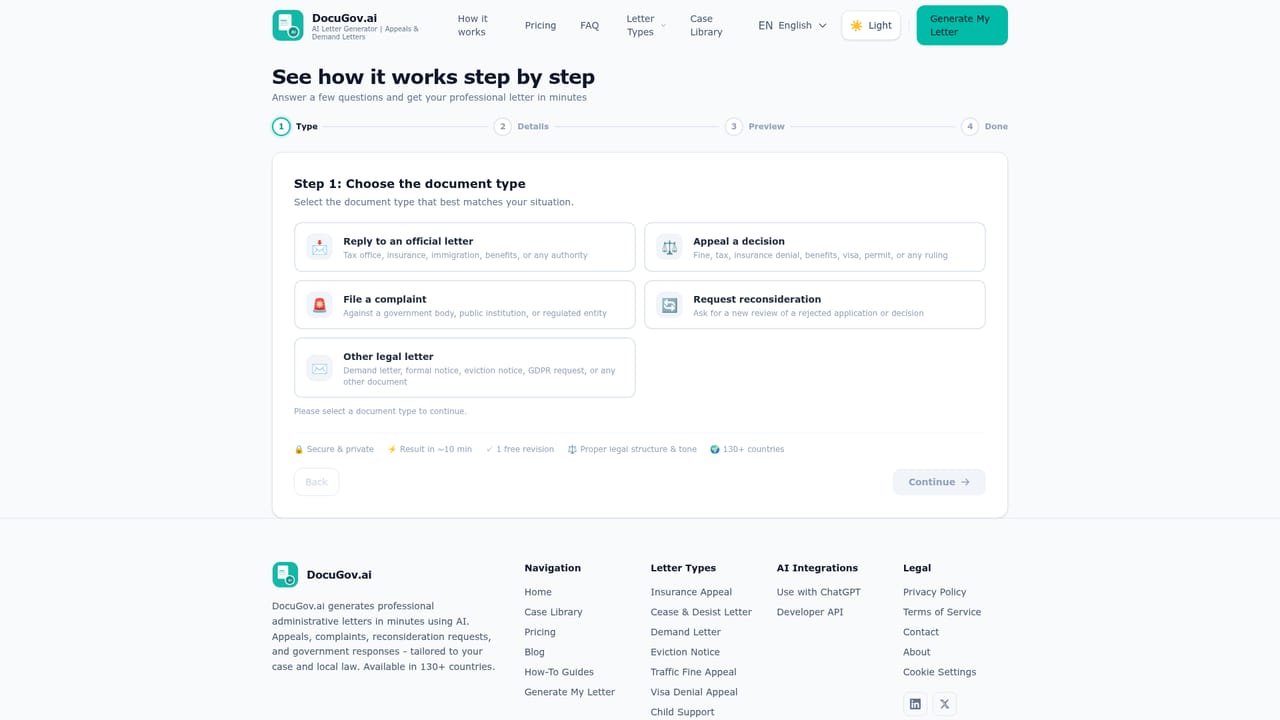
  2. 2Start the wizard and describe your case
    In the letter wizard, enter your country and language, then paste the letter you received or explain the situation in plain language.
    DocuGov.ai — Start the wizard and describe your case
  3. 3Review the generated draft
    Read the structured draft and check the references, deadlines and facts against your own paperwork. Use the included revision to correct anything that is wrong.
  4. 4Download, sign and submit
    Export the letter as DOCX or TXT, print and sign it, then send it to the authority or insurer through their stated channel before the deadline.
  5. 5Run it from ChatGPT if preferred
    Instead of the web wizard, describe the case to the DocuGov custom GPT and have the letter generated inside the chat conversation.

Pros and cons

Pros

  • Per-document pricing at $9 avoids a subscription for what is often a one-off disputeAI
  • Country and language selection shapes the structure and procedural references in the draftAI
  • Output is editable DOCX and TXT, so wording can be adjusted before signing and sendingAI
  • Each document includes one free revision, which covers most correction roundsAI
  • ChatGPT integration and a REST API let the same generator run inside other workflowsAI

Cons

  • No legal advice and no refunds once a document has been generated, so a poor draft is a sunk costAI
  • The $99 expert review checks completeness and formatting only, not whether the legal argument holdsAI
  • Only 5 languages are supported, which limits usefulness outside English, German, French, Spanish and PolishAI
  • Drafts still depend entirely on the facts and documents the user suppliesAI
  • No subscription or bulk option is described, so repeat users pay per letterAI

How much does DocuGov.ai cost?

Pricing

Pay per document, no subscription. The AI Letter costs $9 and includes professional legal language, jurisdiction-aware formatting, one free revision and instant DOCX/TXT delivery. The AI plus Expert Review option costs $99 and adds a consultant review of completeness, structure and formatting, priority support and 24-hour delivery.

Learn more

Support

Priority support is included with the $99 expert review tier; a free revision is part of every document and the FAQ states that documents are deleted after 30 days.

Integrations

A ChatGPT custom GPT, an OpenAPI-compatible REST API for programmatic letter generation, and a Claude MCP server listed as coming soon.

Features

Nine named document categories plus any other formal letter, covering eviction notices, cease and desist, demand letters, insurance appeals, landlord and tenant letters, visa denial appeals, traffic fine appeals, benefits appeals and administrative appeals. Drafts are classified across 13 legal branches and formatted for the selected country, delivered as editable DOCX or TXT with one free revision.

Learn more

Frequently asked questions about DocuGov.ai

  • How much does DocuGov.ai cost?
    Pay per document, no subscription. The AI Letter costs $9 and includes professional legal language, jurisdiction-aware formatting, one free revision and instant DOCX/TXT delivery. The AI plus Expert Review option costs $99 and adds a consultant review of completeness, structure and formatting, priority support and 24-hour delivery.
  • Does DocuGov.ai have an API?
    Yes, DocuGov.ai offers an API.
  • How do you use DocuGov.ai?
    The walkthrough on this page covers 5 steps: 1. Pick the document type 2. Start the wizard and describe your case 3. Review the generated draft 4. Download, sign and submit 5. Run it from ChatGPT if preferred.
  • What platforms does DocuGov.ai support?
    DocuGov.ai is available on Web App.
  • What does DocuGov.ai integrate with?
    A ChatGPT custom GPT, an OpenAPI-compatible REST API for programmatic letter generation, and a Claude MCP server listed as coming soon.
  • What are the limitations of DocuGov.ai?
    No legal advice and no refunds once a document has been generated, so a poor draft is a sunk cost. The $99 expert review checks completeness and formatting only, not whether the legal argument holds. Only 5 languages are supported, which limits usefulness outside English, German, French, Spanish and Polish.

Status

StatusActive
Views0
Outbound clicks0
Added10/22/2026

Platforms

Web App

Pricing

Paid