DomoAI

AI video generator for serialized short dramas with recurring casts

Beginner
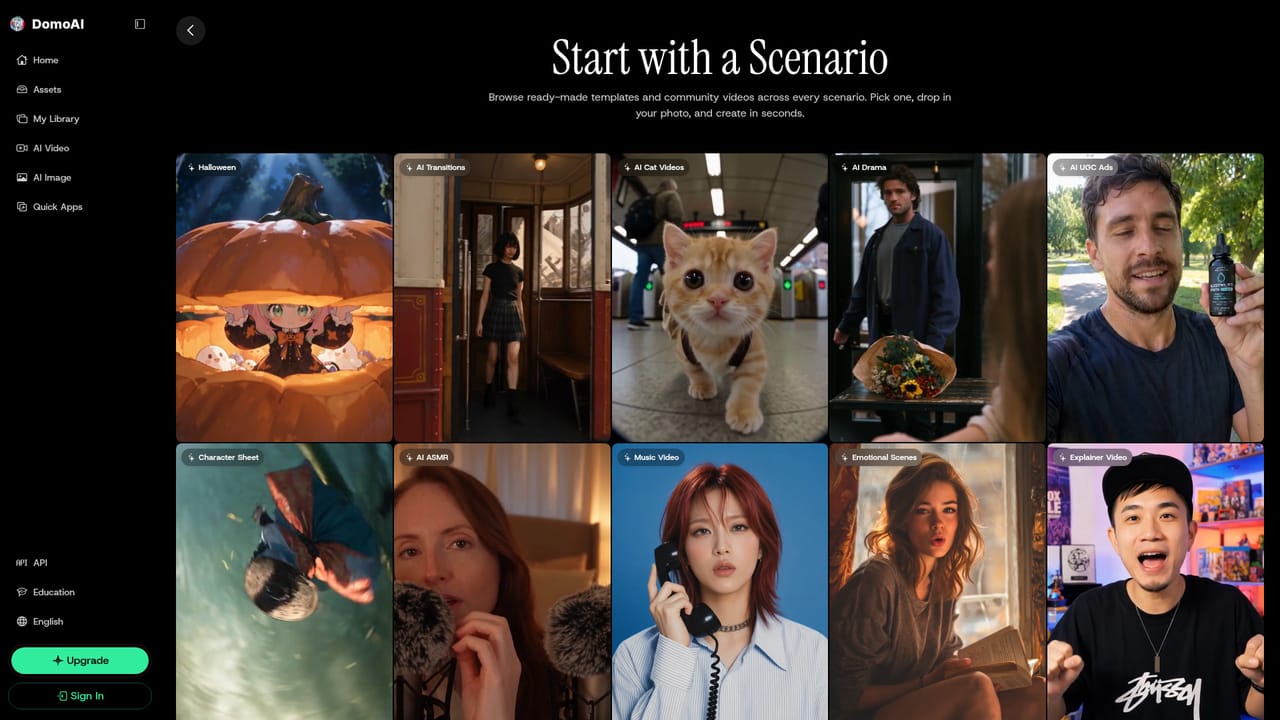
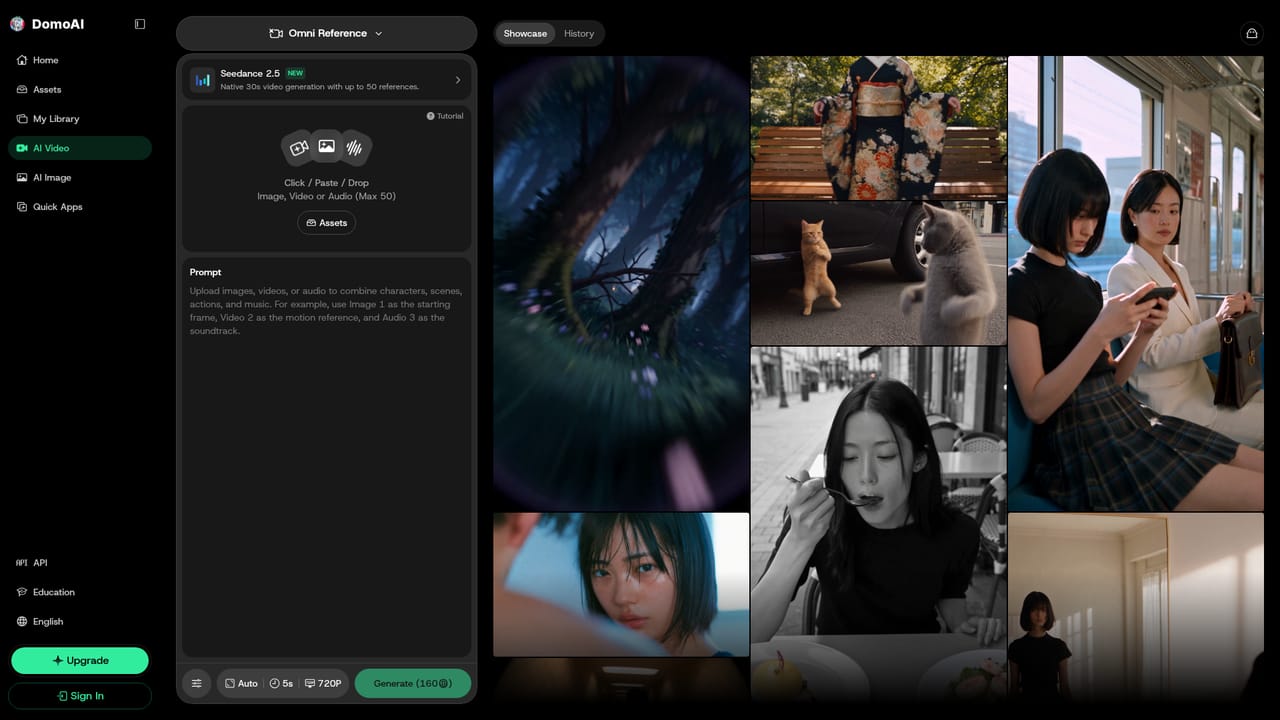
Screenshot of DomoAI, AI video generator for serialized short dramas with recurring casts

What is DomoAI?

DomoAI is a generative video tool. DomoAI's AI Drama Generator builds short vertical drama episodes from reference images and named-speaker prompts, using Omni Reference for recurring characters with sound and Frames to Video for shot continuity.

DomoAI's AI Drama Generator is a scenario page inside the DomoAI video platform, aimed at people who want to produce short, story-driven clips with the same characters appearing from one scene to the next. Instead of a single prompt-to-clip box, it frames the work as a small production routine: pick a workflow, attach reference images for each role, then describe one dramatic beat and generate it. Two workflows sit behind the page. Omni Reference handles scenes with recurring characters, spoken dialogue and native sound, and it produces 4 to 30 seconds per run at 480P or 720P. Frames to Video suits sequences where continuity between shots matters more than performance. References are assigned by role: a character image for identity, a room image for setting and lighting, a prop image for the object a scene hinges on, and an optional clip to guide camera rhythm. A prompt then names the setting, action, named-speaker dialogue, camera movement and ending, with Audio switched on so characters can talk to each other. The intended users are social video creators making numbered vertical series, anime and webtoon authors animating an original character sheet, marketers wrapping a product moment in a short conflict, and hobbyists casting non-human ensembles such as talking animals or objects. The guidance is candid about limits: consistency improves by reusing the same approved references, but no workflow guarantees perfect identity continuity, so each clip should be checked for drift, faces and lip sync. Longer episodes are built by cutting several approved clips together in a separate editor. Among alternatives, it sits between general text-to-video tools and dedicated animation suites. Its edge is the reference-driven cast and dialogue handling, while the surrounding platform adds quick apps, a generation area, a library and an assets area for stylizing and upscaling. The page also reminds users to use only material they have rights to and to disclose AI content where required.

How do you use DomoAI?

  1. 1Choose the clip type
    Use Omni Reference for scenes with recurring characters, dialogue and native sound. Pick Frames to Video when shot-to-shot continuity matters more than performance.
    DomoAI — Choose the clip type
  2. 2Open Omni Reference
    Start in Omni Reference for a dialogue-driven scene with a fixed cast. It generates 4 to 30 seconds per run at 480P or 720P.
    DomoAI — Open Omni Reference
  3. 3Upload one reference per role
    Add a character image for identity, a room image for setting and lighting, a prop image if needed, and an optional clip for camera rhythm. State what each reference controls.
  4. 4Write one dramatic beat
    Describe the setting, action, named-speaker dialogue, camera movement and ending. Turn Audio On, then generate a short test scene.
  5. 5Review and remix
    Check faces, drift and lip sync in the result, then remix the best version into the next episode. Cut approved clips together in your own editor for longer episodes.
    DomoAI — Review and remix

Pros and cons

Pros

  • Role-based reference uploads (character, room, prop, camera clip) give clear control over identity, setting and pacingAI
  • Omni Reference supports spoken dialogue and native sound, so two characters can talk in one sceneAI
  • Two workflows cover both performance-led scenes and continuity-led shot sequencesAI
  • Honest guidance on consistency, drift checks and rights makes the process realistic to followAI
  • Library, assets and quick apps sit in the same platform for generating, stylizing and upscalingAI

Cons

  • Omni Reference output is limited to 480P or 720P, which is low for polished deliveryAI
  • Each run yields 4 to 30 seconds, so full episodes need clips cut together in a separate editorAI
  • Character identity continuity is not guaranteed and each clip needs manual review for driftAI
  • Lip sync and speaker assignment can miss and must be checked after every generationAI
  • The page does not state pricing, credit costs or free allowancesAI

How much does DomoAI cost?

Features

Omni Reference for recurring characters, dialogue and native sound; Frames to Video for shot continuity; role-based references for character, room, prop and camera clip; 4-30 second scenes at 480P or 720P; remixing, plus a library, assets area and quick apps.

Learn more

Frequently asked questions about DomoAI

  • How do you use DomoAI?
    The walkthrough on this page covers 5 steps: 1. Choose the clip type 2. Open Omni Reference 3. Upload one reference per role 4. Write one dramatic beat 5. Review and remix.
  • What platforms does DomoAI support?
    DomoAI is available on Web App.
  • What are the limitations of DomoAI?
    Omni Reference output is limited to 480P or 720P, which is low for polished delivery. Each run yields 4 to 30 seconds, so full episodes need clips cut together in a separate editor. Character identity continuity is not guaranteed and each clip needs manual review for drift.

Status

StatusActive
Views0
Outbound clicks0
Added10/18/2026

Platforms

Web App

Pricing

Subscription