Pricing
The FAQ describes a free account with basic redesign features plus a premium subscription that unlocks more themes, advanced customization options and additional benefits. No prices or plan tiers are published on the homepage.
Learn moreRedesign any room photo in 8+ AI themes, instantly

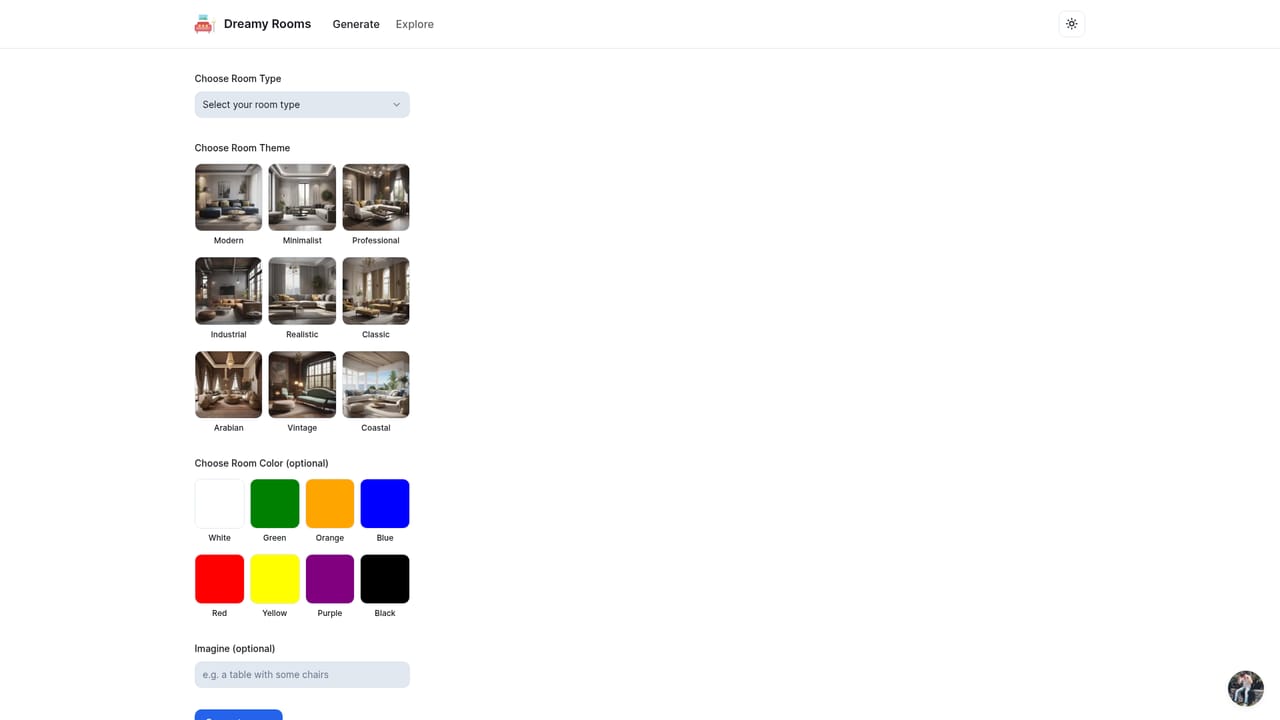
DreamyRooms turns a photo of your existing room into a redesigned version in more than 8 themes, including modern, classic and minimalist. It runs in the browser, takes one room at a time, and produces a flat image you can use for personal or commercial purposes.
DreamyRooms is a browser based interior redesign tool that takes a photo of an existing room and restyles it with AI. The workflow is narrow on purpose: you pick an interior image, choose one of more than 8 design themes (the site names modern, classic and minimalist among them), and the system returns a new version of that same space. The underlying model analyzes the elements it recognizes in the room and then adjusts colors, furniture, decor and layout so the result reads as the chosen theme rather than a filter over the original. The product suits homeowners who want to preview a remodel before spending money, renters who cannot change fixtures but can change mood, and design professionals who need quick visual options for a client conversation. Real estate agents and e-commerce sellers can use it on listing or catalogue images, since the site states that output can be applied to commercial as well as personal photos. No design software experience is required, and roughly one click gets you from upload to a themed render, which puts it closer to a mood board generator than to a full 3D planning suite. In practice the tool works on one room per generation. The FAQ confirms that limit, so a combined living room and kitchen shot has to be handled in separate passes, and users should expect the model to make its own decisions about what belongs in the frame. A widely reported quirk is that people and pets in a photo can be replaced with furniture, so photos with occupants may come back strange. Because output is a flat image rather than an editable scene, there are no measurements, no furniture SKUs and no shopping links. The main differentiator is speed and clarity of scope rather than depth. Dedicated interior design platforms bundle room planning, brand catalogues and client collaboration, while general image generators can produce attractive rooms that have no relationship to your actual walls. DreamyRooms sits between them: it keeps your real room as the starting point but gives you nothing beyond the image. For rapid theme exploration that is enough; for construction grade decisions it is not.
The FAQ describes a free account with basic redesign features plus a premium subscription that unlocks more themes, advanced customization options and additional benefits. No prices or plan tiers are published on the homepage.
Learn morePhoto based room redesign across more than 8 themes, including modern, classic and minimalist. The AI identifies key elements in the selected interior and adjusts colors, furniture, decor and layout to match the chosen style. One room is processed per generation. Output can be used for personal projects and for commercial images such as advertising or e-commerce.
 AI Angels400+ customizable AI girlfriends for NSFW chat, voice calls, and roleplay
 Candy AIExperience the future of companionship with AI friends who chat, role-play, and connect with you on a human level.
 ourdream.aiA vast AI roleplay platform with millions of characters for chat, images, video and voiceAI Angels400+ customizable AI girlfriends for NSFW chat, voice calls, and roleplayCandy AIExperience the future of companionship with AI friends who chat, role-play, and connect with you on a human level.ourdream.aiA vast AI roleplay platform with millions of characters for chat, images, video and voice






