Free trial
The homepage invites users to get started free with GPT Prompter, and notes that no login is required for the Telegram bot path.
Learn morePrompt engineering inside Telegram, with ChatGPT and Midjourney in one bot

EasyPrompt is a chatbot builder tool. EasyPrompt bundles ChatGPT prompt rewriting, Midjourney image generation and a browsable prompt library into Telegram bots, with a no-code custom chatbot builder in the works.
EasyPrompt is a Telegram-first toolkit for people who want ChatGPT and Midjourney without opening a browser tab or remembering separate logins. The centerpiece is GPT Prompter, a bot that sits in your Telegram chats and handles two jobs: rewriting rough ideas into structured prompts and generating images through Midjourney, with support for the full range of Midjourney versions and features. A prompt written as a single sentence gets expanded into the RTSC format (Role, Task, Steps, Context), which gives the model far more to work with than a bare instruction. The wider stack has three parts. Alongside GPT Prompter there is the EasyPrompt Library, a browsable collection of ChatGPT prompts, and GPT Customizer, a no-code builder for personal chatbots that are trained on your own uploaded data and can be branded with logos, colors and custom messages. Customizer is listed as coming soon, but a live demo bot is already reachable through Telegram. The homepage positions the custom chatbot as a cheap stand-in for front-line support staff, handling large volumes of simultaneous conversations around the clock. The audience is practical rather than technical. Freelancers, small teams and solo operators who already live in Telegram get prompt assistance, image generation and shared idea generation in a space they use anyway. The homepage stresses collaboration, with teammates able to generate ideas and trade feedback inside the same chat. No coding skills are required for any of the described workflows, and the marketing copy mentions that no login is needed for the bot path. Where EasyPrompt differs from standalone prompt libraries is its delivery channel: the value comes from having the tool inside a messaging app rather than on a dashboard. That makes it convenient on mobile and awkward anywhere Telegram is blocked or discouraged. GPT Customizer is the piece to watch, since the current Prompter offering largely brokers access to models you can reach elsewhere.
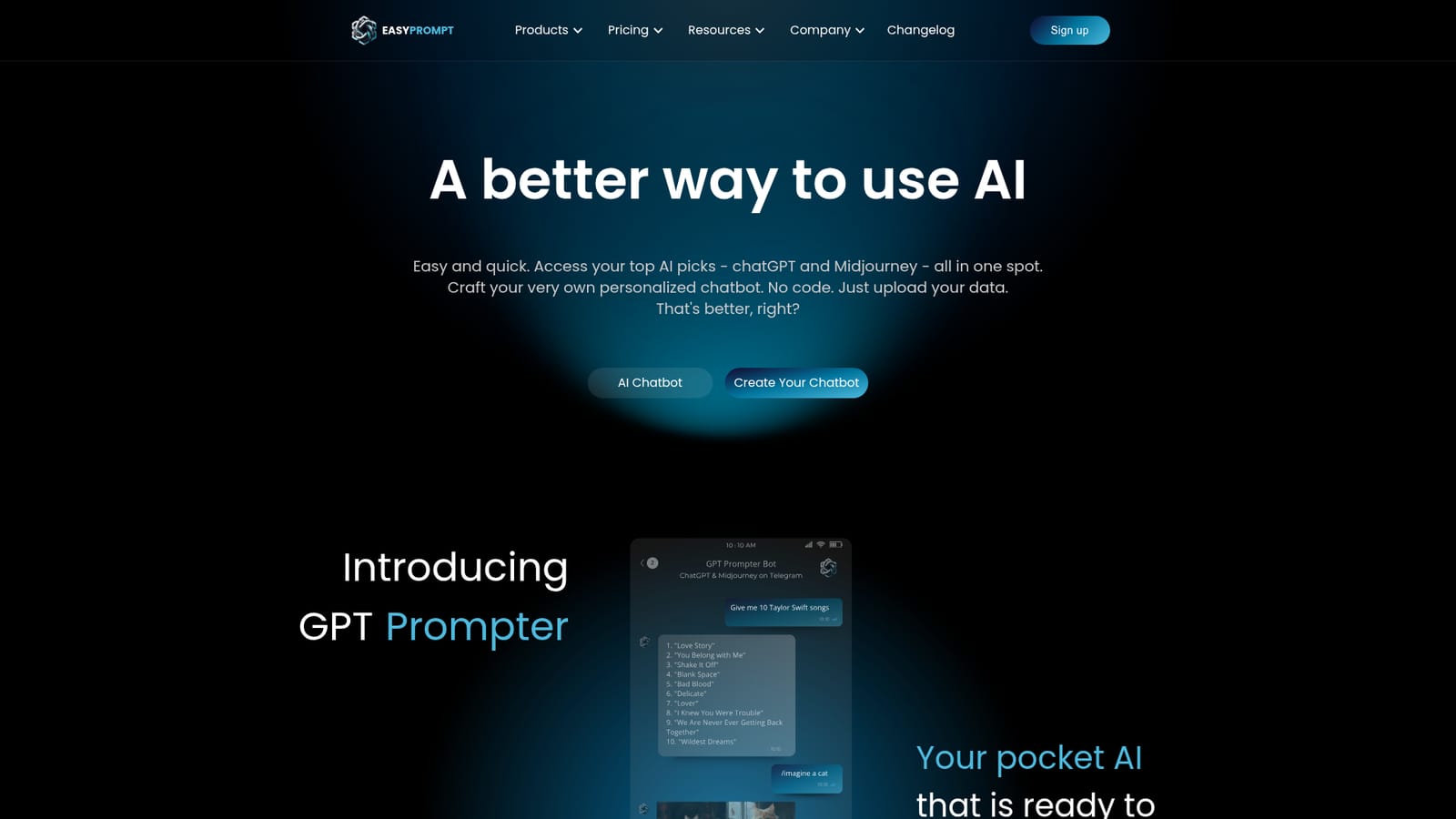
The homepage invites users to get started free with GPT Prompter, and notes that no login is required for the Telegram bot path.
Learn moreGPT Prompter is advertised on the homepage at $4 per month for access to the bundled features. The pricing page covers Prompter plans separately. GPT Customizer pricing is not published because the product is listed as coming soon, and the $29 per month figure appears only as homepage marketing copy.
Learn moreSupport is handled through a dedicated Telegram support bot, with FAQs and product documents hosted on the docs site. A Telegram community group is open for feedback and product ideas.
Learn moreThe product runs through Telegram bots, including GPT Prompter and the EasyPrompt AI bot. ChatGPT and Midjourney are the underlying AI services referenced.
GPT Prompter converts basic prompts into RTSC megaprompts, generates Midjourney images across all versions and features, supports team collaboration inside chats, and offers 30+ optimized chat modes. The EasyPrompt Library collects ChatGPT prompts. GPT Customizer, coming soon, builds no-code chatbots trained on uploaded data with logo, color and message customization.
 AI Angels400+ customizable AI girlfriends for NSFW chat, voice calls, and roleplay
 Candy AIExperience the future of companionship with AI friends who chat, role-play, and connect with you on a human level.
 ourdream.aiA vast AI roleplay platform with millions of characters for chat, images, video and voiceAI Angels400+ customizable AI girlfriends for NSFW chat, voice calls, and roleplayCandy AIExperience the future of companionship with AI friends who chat, role-play, and connect with you on a human level.ourdream.aiA vast AI roleplay platform with millions of characters for chat, images, video and voice


