EchoWrite

System-wide voice dictation for Windows and macOS that types polished text anywhere.

Intermediate
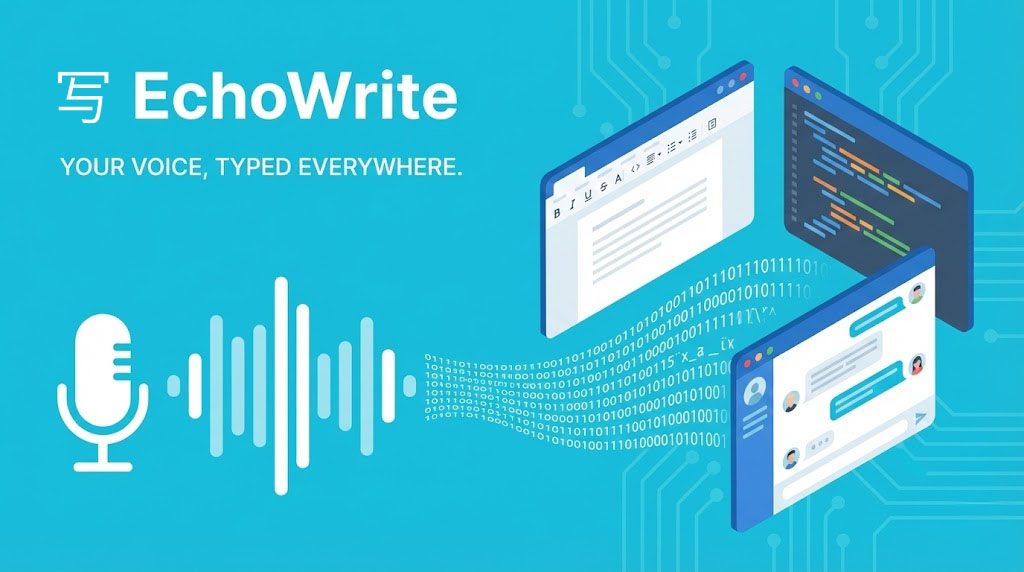
Screenshot of EchoWrite, System-wide voice dictation for Windows and macOS that types polished text anywhere

What is EchoWrite?

EchoWrite is a Windows and macOS dictation app built on OpenAI Whisper that types transcribed speech into any application via a global hotkey. It adds custom prompts for formatting and rewriting, real-time translation, and a fully offline mode using local Whisper and LLM models.

EchoWrite is a desktop dictation utility that runs in the background and turns speech into text wherever your cursor happens to be. A global hotkey starts listening, and on release the audio is transcribed and typed directly into the active field, whether that is Slack, Notion, VS Code or a browser form. Transcription is powered by OpenAI Whisper, either through the cloud API or through a local model that runs entirely on your machine. The free tier covers unlimited dictation and global hotkeys; custom prompts and real-time translation sit behind a one-time or yearly license. The tool is aimed at developers, writers and anyone who thinks faster than they type. Its distinguishing feature is a set of custom prompts that reshape raw speech before it is inserted: stripping filler words, restructuring a brain dump into a formatted document, or converting spoken logic into code. Real-time translation works the other way around, letting you speak in your native language while EchoWrite types the output in a target language you configure once. Language detection is automatic, so mid-sentence switches are handled without changing settings. Privacy is handled through a bring-your-own-key model. Audio is processed locally and sent straight to OpenAI with your own API key, or kept entirely offline with local Whisper models and built-in local LLMs (Llama 3.2 3B and Mistral 7B) for prompts and translation. There is no subscription markup on top of API usage: the vendor charges for the software, and you pay OpenAI directly at roughly $0.006 per minute of audio. That structure makes it cheaper than subscription dictation services for heavy users, but it also means setup requires understanding API keys or downloading local models. Compared with dictation built into operating systems, EchoWrite adds prompt-driven transformation and offline LLM processing. Compared with cloud dictation subscriptions, it trades convenience for cost control and data ownership. The main trade-offs are platform coverage (Windows and macOS only, with Linux not planned) and a reported limitation where switching windows during transcription can lose the captured text.

How do you use EchoWrite?

  1. 1Download and install the desktop app
    Get the installer for Windows 10/11 or macOS (Apple Silicon or Intel) from the homepage. Installation is free and requires no account.
  2. 2Choose cloud or local transcription
    Paste your OpenAI API key if you want cloud Whisper accuracy, or skip it and download a local Whisper model to run transcription entirely offline. The key is encrypted locally.
  3. 3Set your global hotkey
    Keep the default Ctrl+Space or assign your own shortcut. EchoWrite listens in the background while your active window stays focused.
  4. 4Dictate into any application
    Place the cursor in Slack, Notion, VS Code or a browser field, press the hotkey and speak. Release the key and the transcribed text is typed at the cursor position.
  5. 5Activate custom prompts and translation
    Unlock the licensed features, then define prompts for reformatting speech or set a target language for real-time translation. Point text processing at OpenAI or a local LLM depending on your privacy preference.

Pros and cons

Pros

  • Works system-wide, so dictation lands in any app where you can type, with no per-app integrations to configure.AI
  • Fully offline mode with local Whisper and built-in Llama or Mistral models keeps audio and text on the device.AI
  • One-time lifetime license instead of a recurring subscription, with API costs paid directly to OpenAI at low rates.AI
  • Custom prompts turn unstructured speech into formatted documents, emails or code without leaving the keyboard.AI
  • Automatic language detection supports mid-sentence language switches, and translation types the output in a configured target language.AI

Cons

  • Windows and macOS only; Linux support is explicitly not planned, which rules it out for Linux-based development setups.AI
  • Cloud mode requires obtaining and pasting an OpenAI API key and managing its billing separately from the software license.AI
  • A user report notes that switching windows during transcription can lose the captured text, forcing a retry.AI
  • Custom prompt processing can feel slow, with no clear progress indicator while you wait for output.AI
  • Transcription accuracy is bound to Whisper, so strong accents and background noise still produce occasional errors.AI

How much does EchoWrite cost?

Pricing

Free forever tier includes unlimited dictation with your own API key, a local offline model and global hotkeys. The yearly license is listed at $27 per year (from $57) and the lifetime license at $37 one-time (from $67), both adding custom prompts, real-time translation and updates. Cloud API usage is billed separately by OpenAI at about $0.006 per minute.

Learn more

Integrations

No dedicated integrations are required: EchoWrite works at the operating system level, typing into any application that accepts keyboard input, including Slack, Notion, VS Code and web browsers.

Features

Global hotkey dictation into any app, OpenAI Whisper transcription via cloud API or local models, custom prompts for formatting, summarizing and code generation, real-time translation with automatic language detection, offline LLM processing with Llama 3.2 3B and Mistral 7B, and encrypted local storage of your API key.

Frequently asked questions about EchoWrite

  • How much does EchoWrite cost?
    Free forever tier includes unlimited dictation with your own API key, a local offline model and global hotkeys. The yearly license is listed at $27 per year (from $57) and the lifetime license at $37 one-time (from $67), both adding custom prompts, real-time translation and updates. Cloud API usage is billed separately by OpenAI at about $0.006 per minute.
  • How do you use EchoWrite?
    The walkthrough on this page covers 5 steps: 1. Download and install the desktop app 2. Choose cloud or local transcription 3. Set your global hotkey 4. Dictate into any application 5. Activate custom prompts and translation.
  • What platforms does EchoWrite support?
    EchoWrite is available on Windows and MacOS.
  • What does EchoWrite integrate with?
    No dedicated integrations are required: EchoWrite works at the operating system level, typing into any application that accepts keyboard input, including Slack, Notion, VS Code and web browsers.
  • What are the limitations of EchoWrite?
    Windows and macOS only; Linux support is explicitly not planned, which rules it out for Linux-based development setups. Cloud mode requires obtaining and pasting an OpenAI API key and managing its billing separately from the software license. A user report notes that switching windows during transcription can lose the captured text, forcing a retry.

Status

StatusActive
Views0
Outbound clicks0
Added10/21/2026

Platforms

WindowsMacOS

Pricing

FreePaidSubscription


