Editimg AI

Browser-based AI photo editor with many one-click tools and models

Beginner
Screenshot of Editimg AI, Browser-based AI photo editor with many one-click tools and models

What is Editimg AI?

Editimg AI is a browser-based photo editor offering dozens of AI tools, from background removal and upscaling to style transfer and text-to-image, with a choice of underlying models such as GPT-4o Image, Nano Banana and Seedream.

Editimg AI is a web-based image editor that bundles a large set of AI tools under one roof. The core editor lets a user upload a picture and either pick a dedicated tool or describe the change in plain language. Around it sit single-purpose pages for background removal, background replacement, object and text removal, watermark removal, upscaling up to 4K, unblurring, image extension, old photo restoration, colorization and color correction. The audience is broad: designers, marketers and content creators who need quick visuals, plus casual users who want a passport photo, a restored family picture or a playful filter. Beyond practical retouching, the catalog leans heavily into effects and novelty generators, including style transfer, pixel art, chibi, Lego and Ghibli looks, pet portraits, costume and beard filters, age progression, emoji creation and 2D to 3D conversion. Portrait work is covered by a face expression changer and a photo retoucher aimed at skin smoothing, blemish removal and similar touch-ups. In practice the workflow follows three stages: upload a JPG, PNG or WebP file, apply a tool or a text instruction, then download the result in high resolution or share it. A text-to-image generator is also included for concept art and mockups. The site says users can choose between several underlying models, naming GPT-4o Image, Nano Banana and Seedream, and switch between them depending on whether speed or creative output matters more, without juggling separate subscriptions. Among alternatives, Editimg AI competes with general photo editors that have added AI features and with narrow single-task sites such as background removers or upscalers. Its pitch is breadth: one account covering dozens of tasks, each with its own landing page and entry point. The trade-off is that depth per tool is likely to be lighter than in a full desktop editor, and the homepage gives limited detail on pricing, limits or batch capacity. It suits people who want fast, prompt-driven edits in a browser rather than layer-based manual control.

How do you use Editimg AI?

  1. 1Open the AI image editor
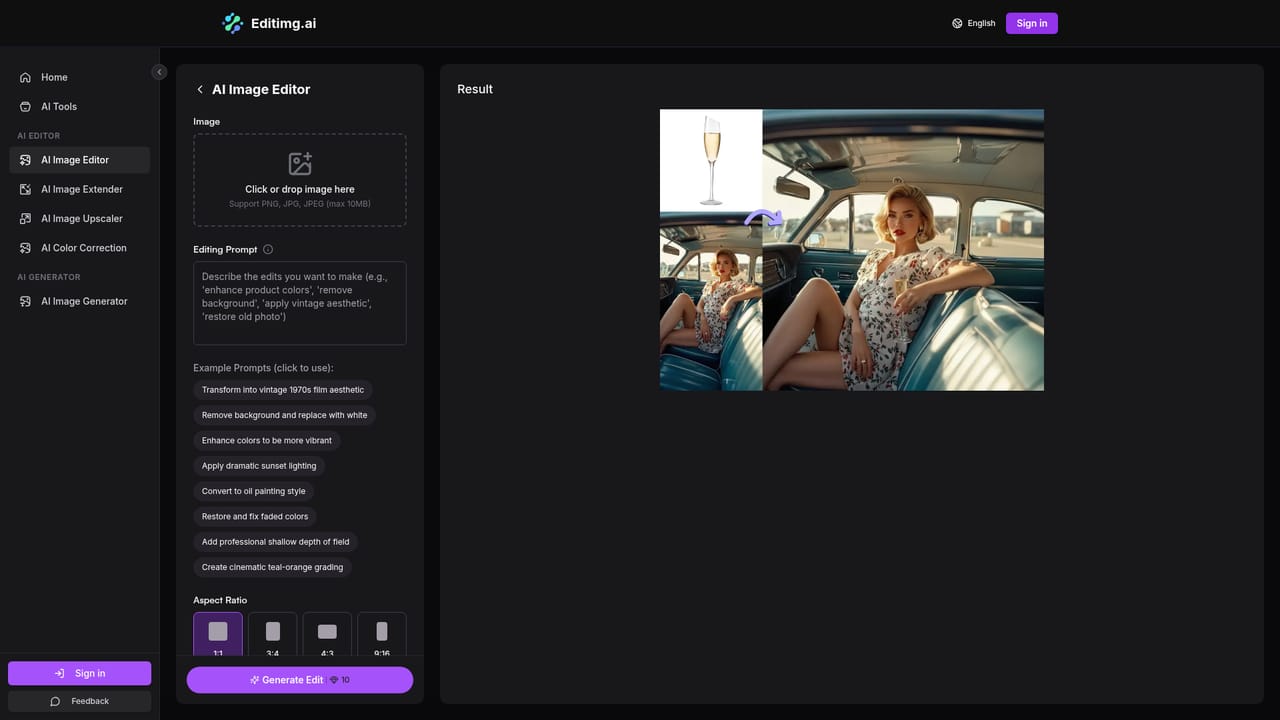
    Start from the main editor page, which is reached through the Edit Photo for Free button on the homepage.
    Editimg AI — Open the AI image editor
  2. 2Upload your image
    Choose a JPG, PNG or WebP file from your device to load it into the editor.
  3. 3Describe the change or pick a tool
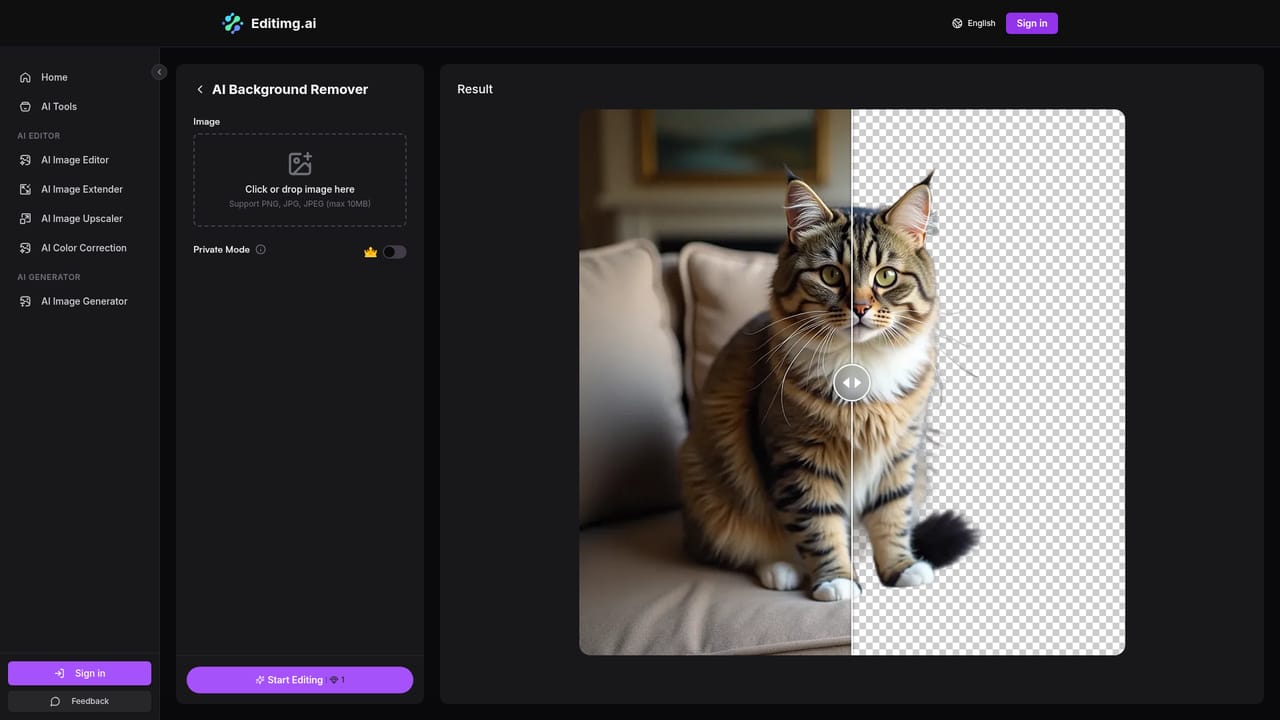
    Type what you want changed in plain language, or switch to a dedicated tool such as the background remover for a one-purpose task.
    Editimg AI — Describe the change or pick a tool
  4. 4Improve quality if needed
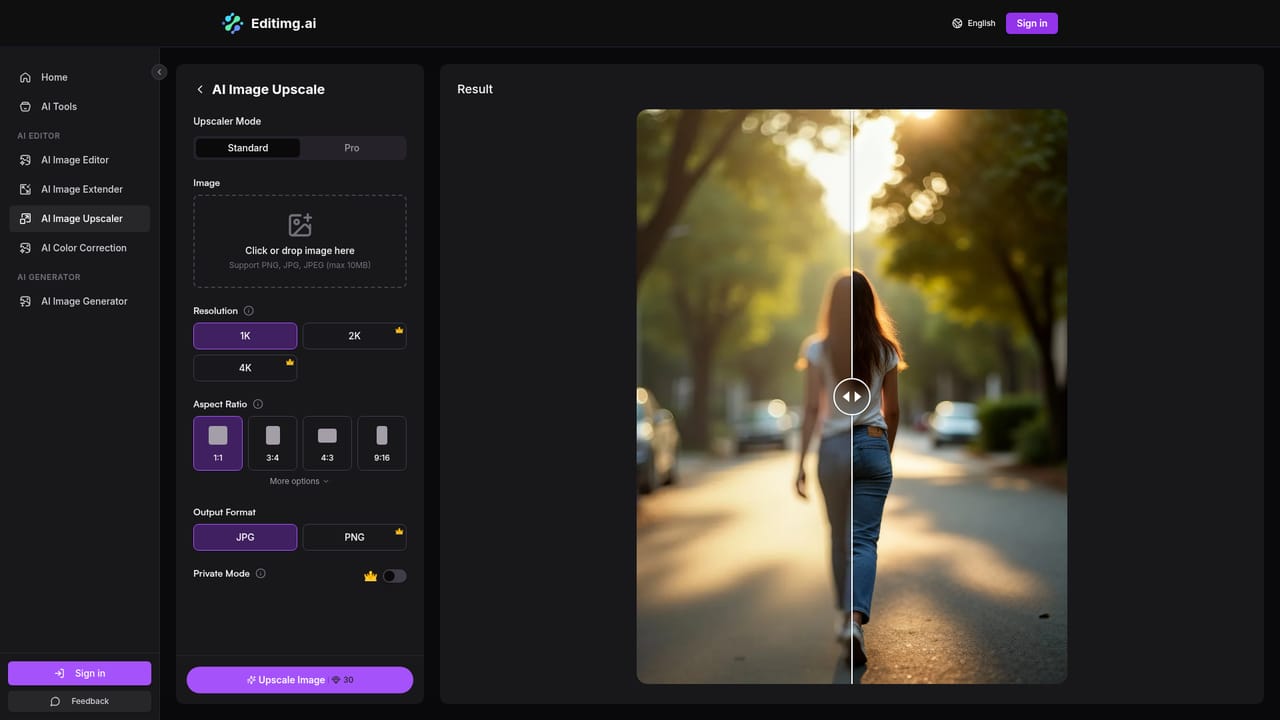
    Run the upscaler on soft or low-resolution results to raise detail, with output up to 4K as described on the site.
    Editimg AI — Improve quality if needed
  5. 5Browse the full tool list
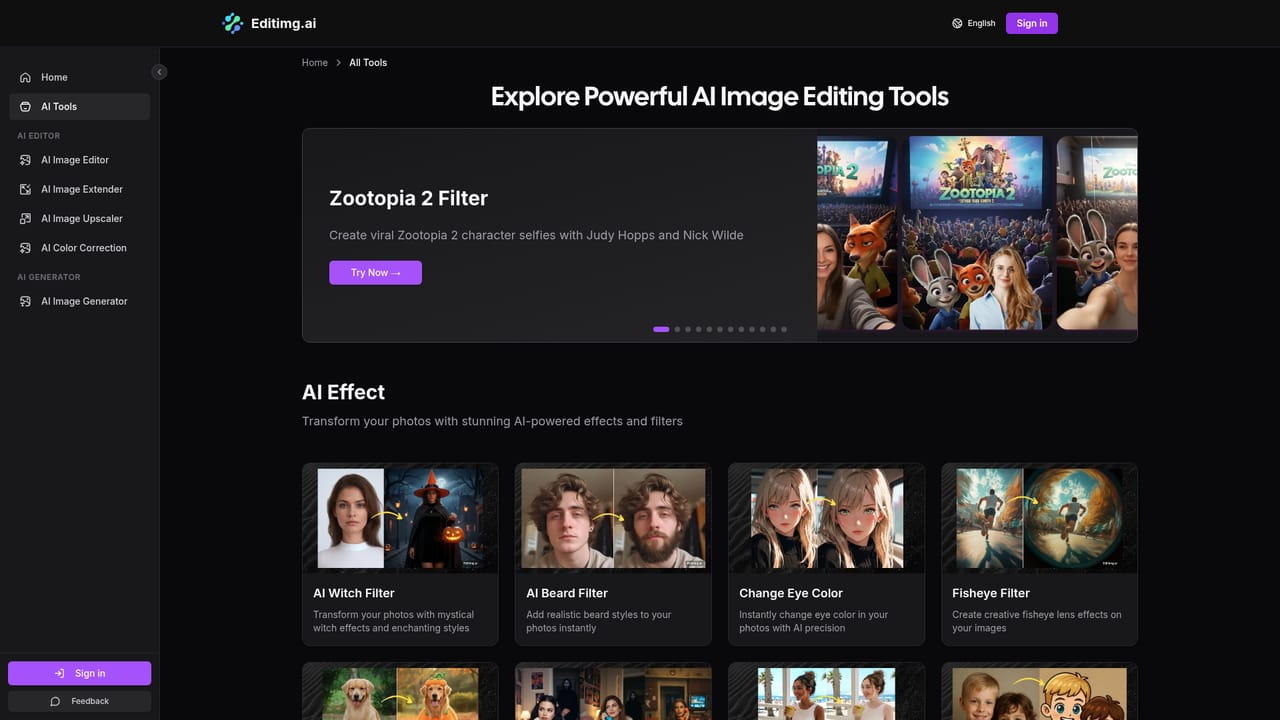
    For effects such as style transfer, restoration or colorization, open the features index and choose the matching tool.
    Editimg AI — Browse the full tool list
  6. 6Download and share
    Save the finished picture in high resolution and share it to social media or use it in a project.

Pros and cons

Pros

  • Wide toolset in one place: background removal, upscaling, restoration, object and watermark removal, colorization and moreAI
  • Describe-your-edit workflow lowers the barrier for people without design skillsAI
  • Lets users pick between several AI models, including GPT-4o Image, Nano Banana and SeedreamAI
  • Accepts common formats (JPG, PNG, WebP) and outputs high-resolution downloadsAI
  • Many dedicated landing pages make it easy to jump straight to a single taskAI

Cons

  • Homepage gives no pricing details, credit limits or plan comparison, so costs are unclear before signing upAI
  • Heavy emphasis on novelty filters may dilute focus for professionals needing precise controlAI
  • No layer-based or manual editing is described, so fine-grained retouching may be limitedAI
  • No mention of an API, desktop or mobile apps, or integrations with design softwareAI
  • FAQ answers are not visible on the page, leaving questions such as free usage and batch editing unconfirmedAI

How much does Editimg AI cost?

Features

AI image editor driven by text instructions, text-to-image generation, background removal and replacement, object, text and watermark removal, 4K upscaling, unblur, image extender, photo restoration, colorization, color correction, style transfer, portrait retouching, face expression changer, age progression, 2D to 3D conversion, and many filters.

Learn more

Frequently asked questions about Editimg AI

  • How do you use Editimg AI?
    The walkthrough on this page covers 6 steps: 1. Open the AI image editor 2. Upload your image 3. Describe the change or pick a tool 4. Improve quality if needed 5. Browse the full tool list 6. Download and share.
  • What platforms does Editimg AI support?
    Editimg AI is available on Web App.
  • What are the limitations of Editimg AI?
    Homepage gives no pricing details, credit limits or plan comparison, so costs are unclear before signing up. Heavy emphasis on novelty filters may dilute focus for professionals needing precise control. No layer-based or manual editing is described, so fine-grained retouching may be limited.

Status

StatusActive
Views0
Outbound clicks0
Added10/18/2026

Platforms

Web App

Pricing

Freemium