EditPix AI

Prompt-based photo editing and image generation without watermarks

Beginner
Screenshot of EditPix AI, Prompt-based photo editing and image generation without watermarks

What is EditPix AI?

EditPix AI is a web-based image editor and generator that applies edits from plain-language prompts: background removal, object erasing, restoration, upscaling and more. It uses a credit system, starts with free credits and states that outputs carry no watermark.

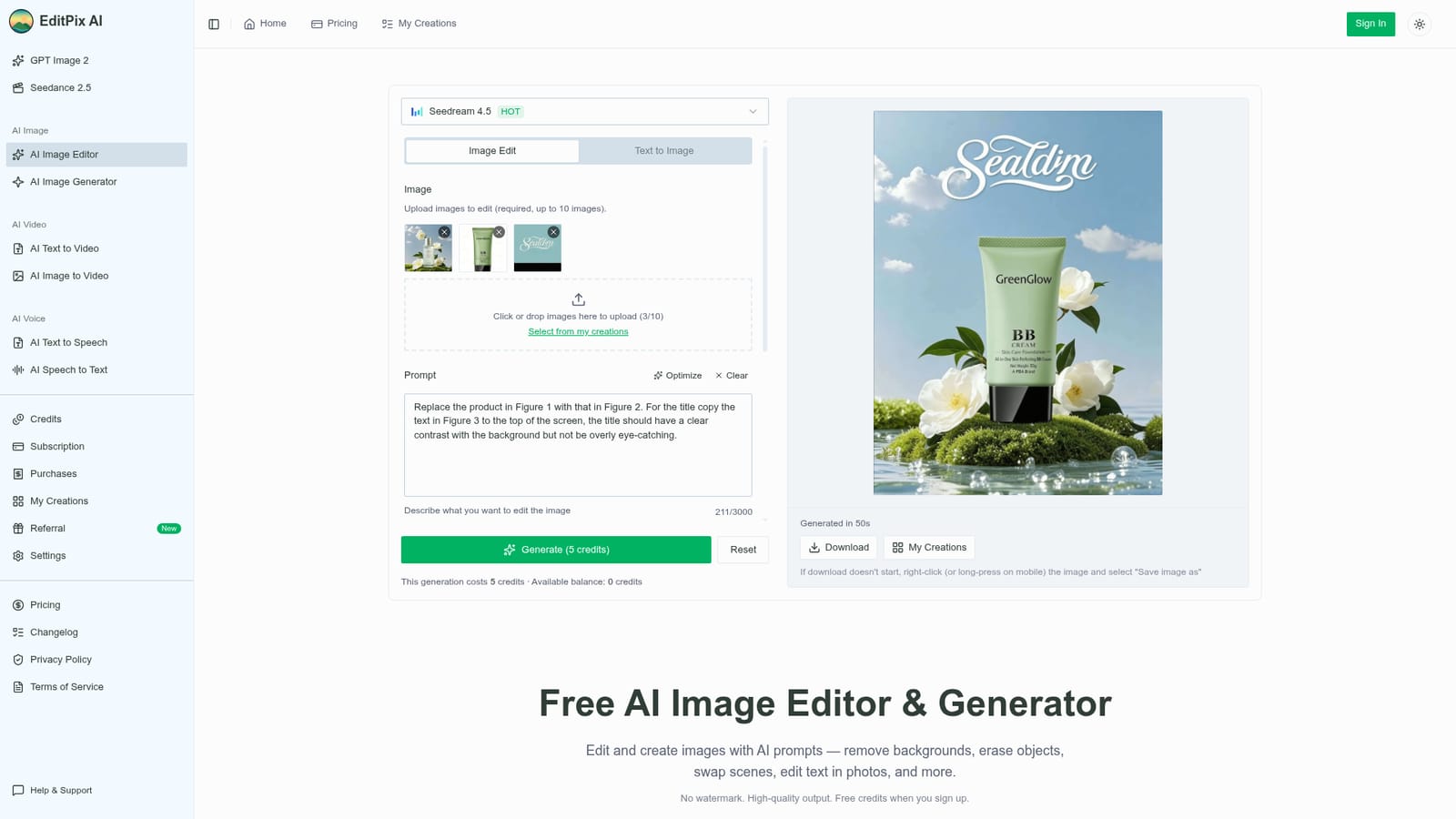
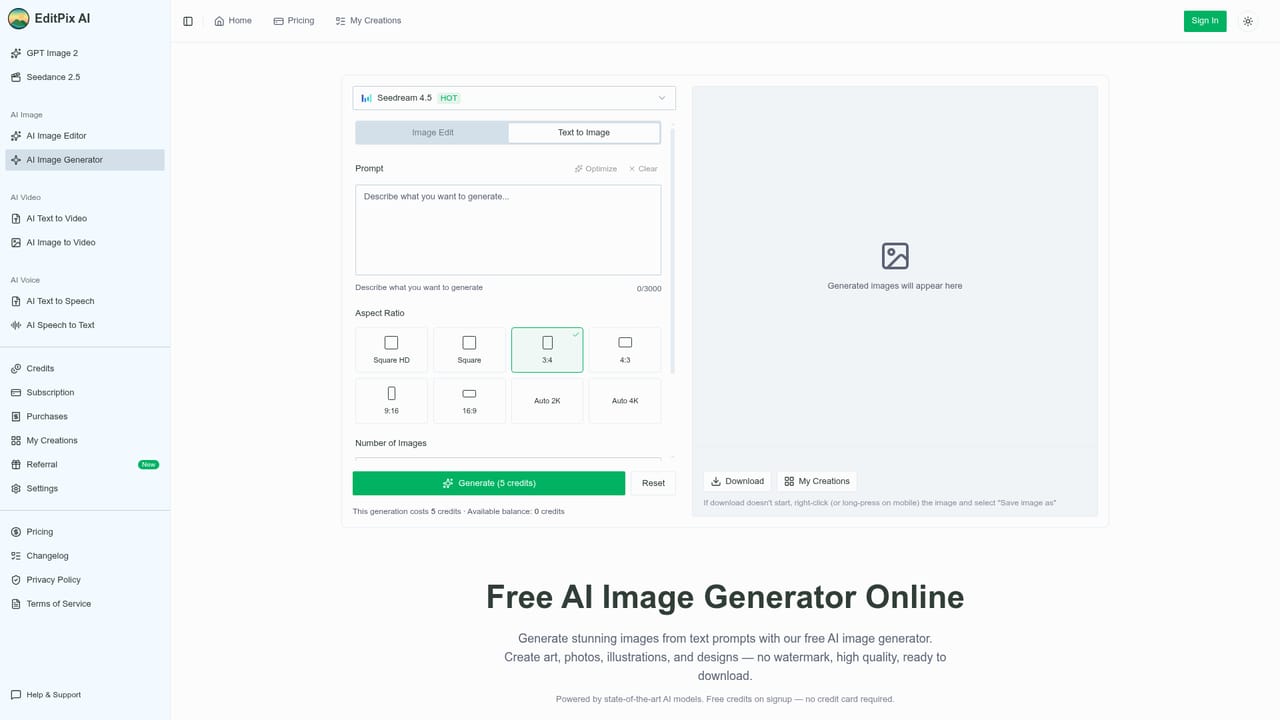
EditPix AI is a browser-based image editor and generator that works from written instructions instead of layers and brushes. A user uploads a JPG, PNG or WebP file (up to ten images per job), types what should change, and receives the edited result in roughly a minute. Typical prompts include removing a background, erasing a person, replacing a sky, editing text inside a photo or changing an outfit. The same interface can also create new images from a text prompt, so concept work and later refinement happen in one place. The editor exposes a model picker (Seedream 4.5 is shown on the homepage), an optional prompt optimizer, aspect ratio choices including Auto 2K and Auto 4K, an image count and a seed value. Each generation consumes credits; the example on the homepage shows a five credit charge. New accounts receive free credits, and more can be bought through monthly or yearly subscriptions or one-time packs that the site says never expire. Outputs are described as watermark-free on every plan, and the site states that uploaded files are deleted after processing and are not used for training. Beyond the main editor, the homepage lists dedicated tools for background removal, photo restoration and colorizing, text and watermark removal, teeth whitening, sticker creation, cartoon and sketch conversion, object removal, enhancement, upscaling up to 8K, outpainting, background changing and clothes changing. The wider site also covers text to video, image to video, text to speech and speech to text, plus pages for specific models such as GPT Image 2 and Nano Banana 2. The audience is broad: e-commerce sellers cleaning product shots, social media managers, freelance designers, students and people restoring family photos. Compared with layer-based software such as Photoshop, it trades manual precision for speed and low skill requirements. Compared with single-purpose online tools, it bundles many edits behind one prompt box, though results depend on the underlying model and the wording of each request.
How do you use EditPix AI?

  1. 1Open the editor and sign up
    Visit the homepage, where the AI Image Editor is the default view. Create an account to receive the free starter credits.
    EditPix AI — Open the editor and sign up
  2. 2Upload your image
    Drop in a JPG, PNG or WebP file, or pick one from My Creations. Up to ten images can be added for a single edit.
  3. 3Write the edit prompt
    Describe the change in plain words, such as removing the background or erasing the person on the left. The Optimize button can refine the wording.
  4. 4Choose settings and generate
    Select a model, aspect ratio and image count, then press Generate. The button shows the credit cost before you commit.
  5. 5Download or generate from scratch
    Save the finished image from the result panel, or revisit it later in My Creations. To start without a photo, use the image generator page.
    EditPix AI — Download or generate from scratch
  6. 6Top up credits when needed
    Review subscription and credit pack options on the pricing page when the free balance runs out.
    EditPix AI — Top up credits when needed

Pros and cons

Pros

  • Plain-language prompts replace layers and masks, so edits need almost no editing skillAI
  • Outputs are stated to be watermark-free on every plan, including the free starter creditsAI
  • One interface covers background removal, restoration, upscaling, outpainting and image generationAI
  • Uploaded images are said to be deleted after processing and not used for AI trainingAI
  • Purchased credit packs are described as non-expiring, with subscriptions cancellable at any timeAI

Cons

  • Every generation spends credits, so heavy or repeated retries can drain the free allowance quicklyAI
  • Prompt-only control offers less pixel-level precision than layer-based editors like PhotoshopAI
  • Result quality depends on the chosen underlying model and on how the prompt is wordedAI
  • Homepage does not list exact subscription prices, so cost per edit must be checked on the pricing pageAI
  • Uploads are limited to JPG, PNG and WebP, with a maximum of ten images per jobAI

How much does EditPix AI cost?

Free trial

Every new account receives free credits to start editing right away with no payment required, and free outputs carry no watermark.

Learn more

Pricing

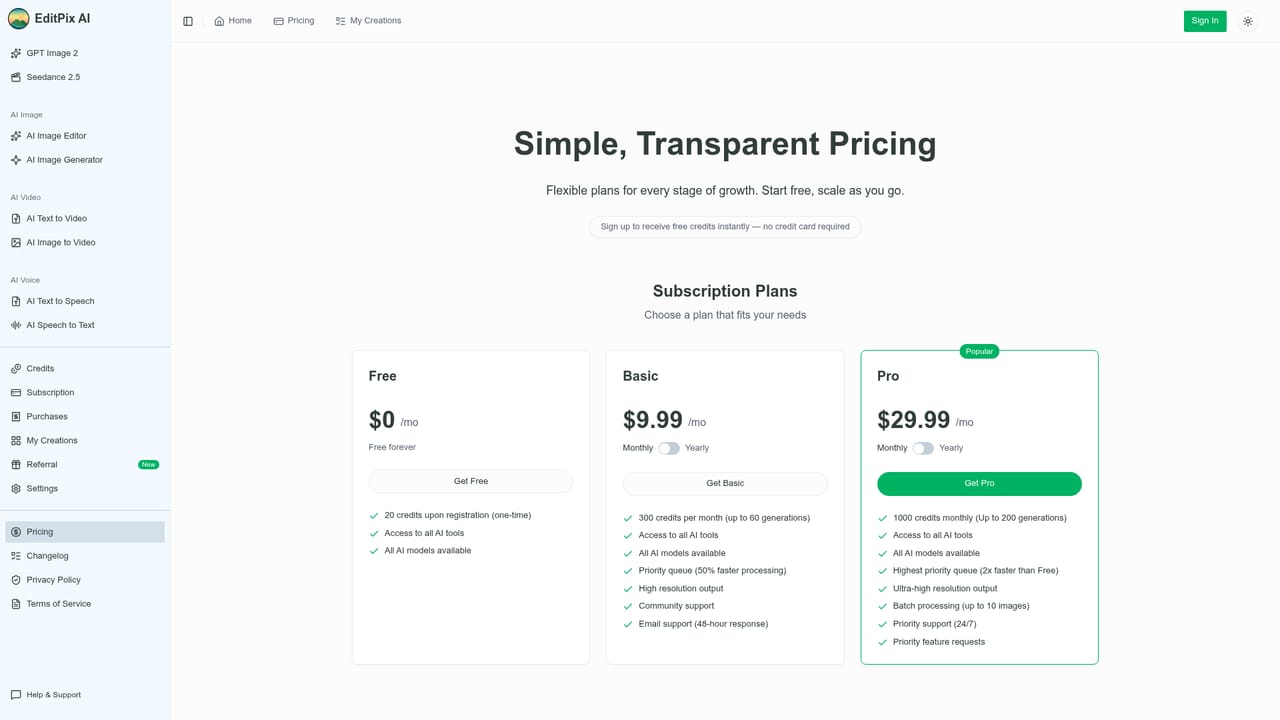
Credit-based. New accounts get free credits, and more come from monthly or yearly subscriptions (better value per credit) or one-time packs that do not expire. The example edit shown costs 5 credits. Exact prices are not given on the homepage.

Learn more

Support

A Help & Support contact page is available, along with a changelog, a referral program and an FAQ on the homepage.

Learn more

Features

Prompt-based editing, text-to-image generation, background removal and changing, object and text removal, photo restoration and colorizing, upscaling up to 8K, outpainting, cartoon, sketch and sticker conversion, teeth whitening, clothes changing, plus video and voice tools.

Learn more

Frequently asked questions about EditPix AI

  • How much does EditPix AI cost?
    Credit-based. New accounts get free credits, and more come from monthly or yearly subscriptions (better value per credit) or one-time packs that do not expire. The example edit shown costs 5 credits. Exact prices are not given on the homepage.
  • Does EditPix AI offer a free trial?
    Every new account receives free credits to start editing right away with no payment required, and free outputs carry no watermark.
  • How do you use EditPix AI?
    The walkthrough on this page covers 6 steps: 1. Open the editor and sign up 2. Upload your image 3. Write the edit prompt 4. Choose settings and generate 5. Download or generate from scratch 6. Top up credits when needed.
  • What platforms does EditPix AI support?
    EditPix AI is available on Web App.
  • What are the limitations of EditPix AI?
    Every generation spends credits, so heavy or repeated retries can drain the free allowance quickly. Prompt-only control offers less pixel-level precision than layer-based editors like Photoshop. Result quality depends on the chosen underlying model and on how the prompt is worded.

Status

StatusActive
Views0
Outbound clicks0
Added10/18/2026

Platforms

Web App

Pricing

FreemiumSubscription